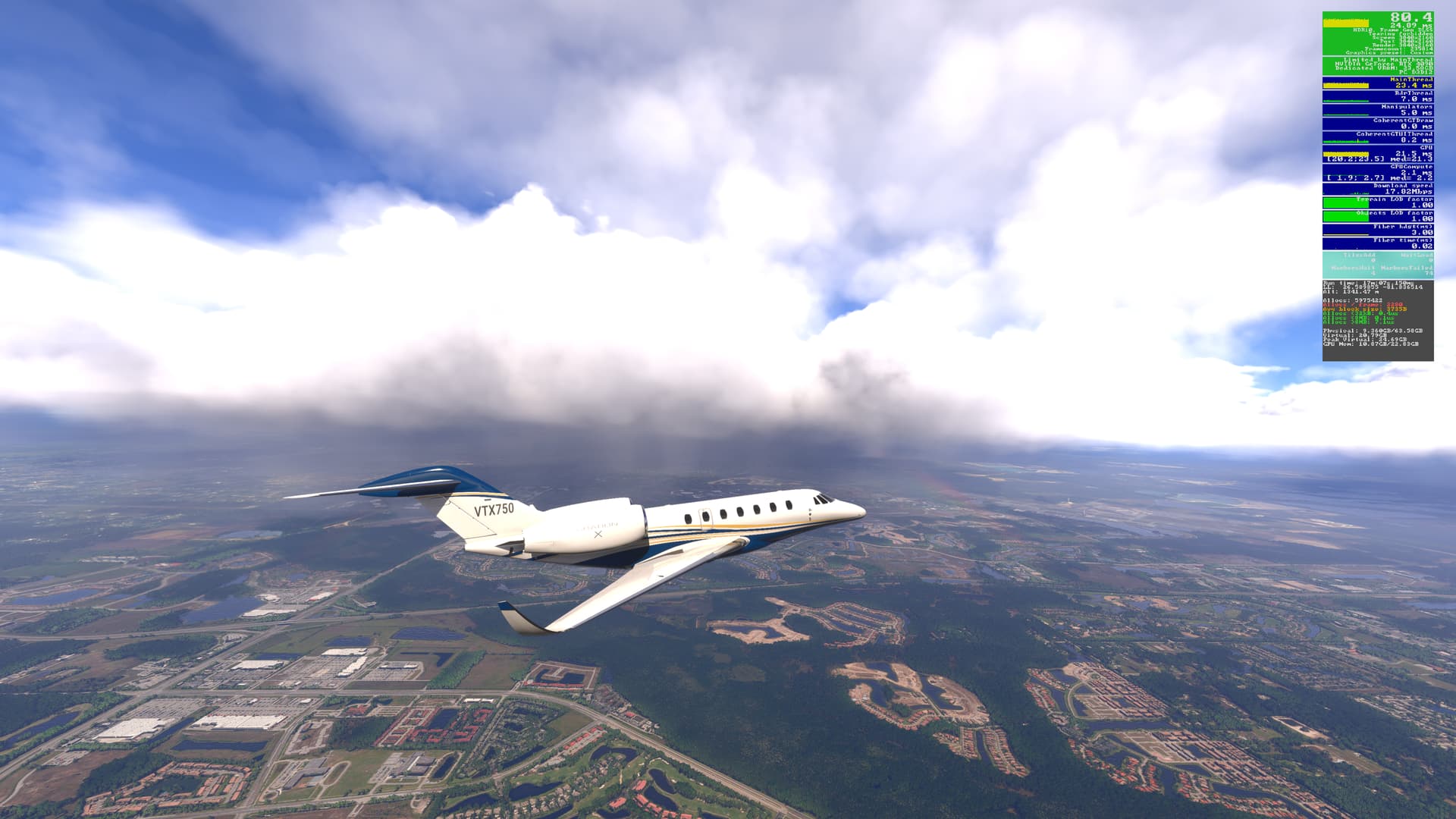
Where did you get the info that the number of beta participants is dropping so fast? In my opinion, you shouldn’t rely on what users say about leaving the beta version in large numbers. The exact numbers are known only to Asobo and authorized people - do you have access to such data? Just curious.
I already mentioned in this thread that I don’t have any issues with camera rotation, but I do have stuttering during taxi, takeoff, and landing - these are different issues. Since many of us experience this during taxi, takeoff and landing, I decided to vote that I have the same issue.
You can’t measure the scope of the issue just by the number of votes or posts on the forum because 100% of flightsimmers aren’t registered on the forum or even read it. Fewer votes or posts doesn’t mean the bug isn’t affecting many people. If the stuttering during taxi, landing, and takeoff is happening to a large number of users, then from our perspective, it’s definitely a bug - regardless of forum activity. What matters is the real user experience and the actual scale of the problem, not just vote statistics.
Count me in on this, RdrThread goes completly bonkers when panning on the ground in SU3 Beta 1.5.21.
Running a AMD 9950x3D with a RTX3090 and 64GB of DDR5 6000. Sim is installed on a Gen5 SSD with very fast read/write speeds. but all that does not help…. I guess its not the hardware causing that issue…..
And it does not matter if Stock or Addon AC or Scenery… Just fustrating at the moment I really hope that the next build has 2 specific fixes.
RdrThread goning bonkers while panning, and
The creep up of MainThread time over time and or accessing any menues.
Right boys, its too early to be sure but i think this latest beta is what we were waiting for ! Panning is much much better and the textures do not unload/load as you pan. Lets hope !
We just released a new beta build which should resolve the issue with poor performance when panning the camera. Please test the new build and report your findings in this thread.
Please note that we are recommending a full re-install of the MSFS 2024 client to properly test this build:
For this beta build, we recommend a full clean installation to ensure these enhancements are properly applied. This will also support our performance investigation efforts. Thank you!
I am very pleased with this response. It shows that people are listening. Thank you very much for fixing this BEFORE it gets released. Thank you to everyone who voted for this topic to grab the attention it needed. <3
Just tested it and it seems to work fine now. There are still some stutters with TLOD 400, but overall I would say it’s fixed now. Finally one step forward without two steps back. About time.
Terrain visibility still blurred a bit in the distance, but I am pretty sure that’s just TLOD related which I am running 200, currently. Sim feels like it has enough headroom to go further. So I may actually get to increase my settings a bit.
I download everything to reduce the amount of RC I need to have and reduce the amount overall I have to stream. Donwloading all of the base content, traffic, etc brings it to a state like MSFS 2020, where PG and Ortho and Weather were the things streamed.
Did a reinstall as instructed and WOW, whatever magic button they hit has got rid of any stuttering i did have, this is possibly the best perf i’ve had yet in 2024, bravo to them for putting that horrible bug to bed at least for most of us hopefully
Are you de-and installing via X-Box only, without deleting anything else? Or have you deleting files and folders on C:\appdata\local… too? My sim is installed at another drive than C. Excluded and downloaded addons do I have to exclude and redownload again after reinstallation?
If you have nothing installed locally, an uninstall then re-install is about 8GB if I remember right. Far less onerous than a full install of 2020.
I haven’t tried this yet, will do so tonight, but it makes me wonder what they changed. I can only assume its related to the amount of information being cached, as the only time I got massive performance degradation was after initial spawn in. The FPS drops massively as you look around, and data is loaded into memory, main or GPU I’m unsure, but settles down once that process has completed.
Has anyone noticed a perhaps longer time to complete the initial spawn in? If so that might be what they did, load in as much as possible. There may also be a corresponding uptick on RAM/VRAM usage right of the bat if so.
I do have the fenix a320 and inibuilds EGLL installed and I can say there are improvements to the panning stutters, but they are still very evident.
As the Fenix is the aircraft I will be using 95% of the time, it is important to me that the performance of the sim is good enough to run this aircraft, as 2020 is.
I have tried settings from ultra to low but the only option that has a noticeable effect on panning stutters and stutters generally is TLOD. If I reduce it to 50, the stutters are pretty much resolved. But that isn’t an answer, as the textures are so blurry close to the aircraft it is an unusable setting.
I run in 4k and even on Ultra settings, I see my CPU usage at 40% and my GPU usage at 80%, system ram 28GB out of 64GB and VRAM 18GB out of 24GB, so the hardware isn’t pegged at max by any means. (I’m running a 12700K and 4090 and the sim itself defaults to ultra settings).
I hope further improvements will be made to the stutter issue, especially with complex aircraft at larger airports.
As it is, I’m limited to flying into regional airports and that isn’t what I purchased the sim for.
I’m using Fenix mostly in different airports including big ones. I’m running at 2560x1440 using GeForce RTX 5060 Ti 16 Go . But I have my “old” CPU i7-10700K with RAM 64 Go