Did you switch the CDI to VLOC on the GPS?
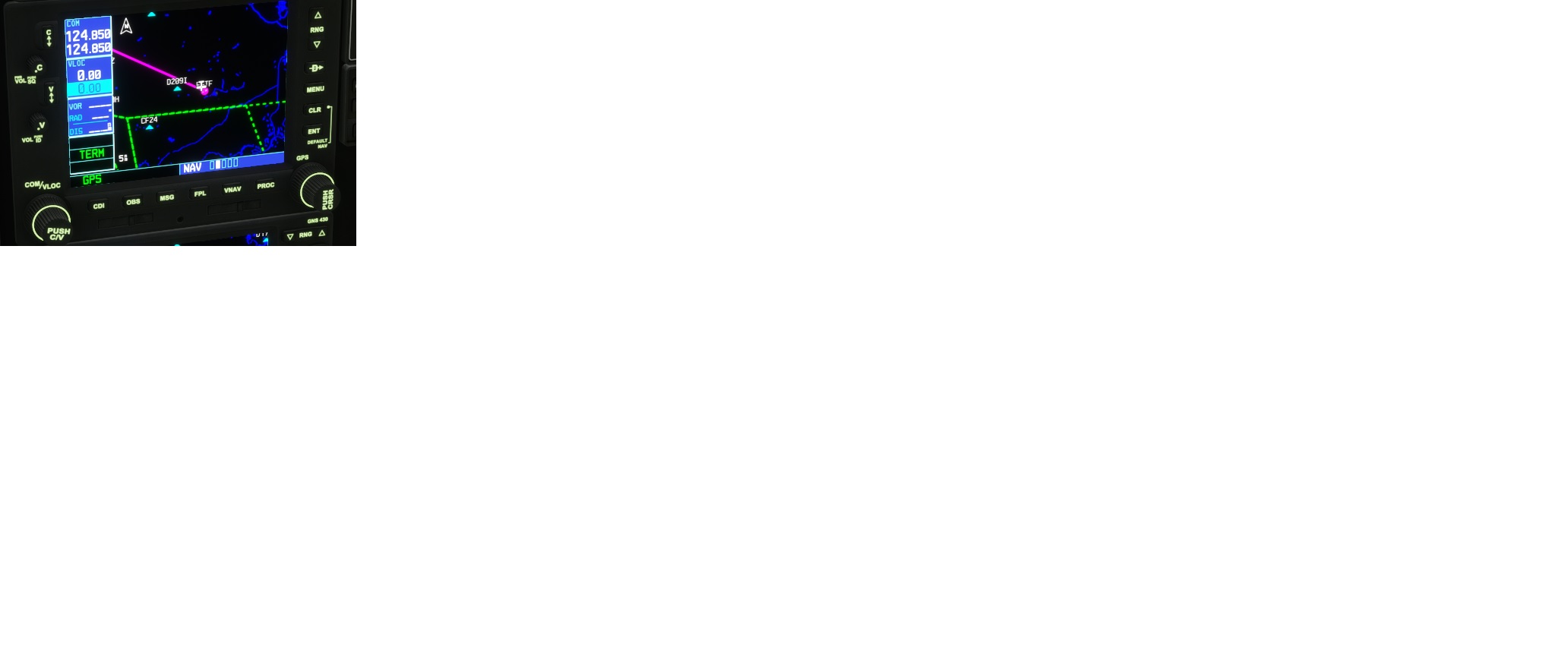
Hey I just did a cold and dark startup and did not get that error.
Have you done the avionics updates lately? I am talking about the working title updates? I’m no expert. I usually fly the 310 using the old-school radio stack with no GPS. But my Garmin 530/430 booted up just fine.
New 310R update is live:
Version 1.9.6 – July 7 2023
New Feature
The FDE has been revised to not require quite so much power on final.
Load stations and CG have been modified to closer match the real aircraft.
Cameras have been modified to accomodate the revision of the CG.You’ll notice the different camera view right away, the default pilot
view is further back and a bit lower, we’d like your feedback on this change.The aircraft should be a little less stressful to land with considerably less power required to maintain speed on final. There’s slightly more lift during the flare. A side effect of these changes is that the nose wheel steering at higher speeds requires a bit more attention than before.
Adjustments
Elevator trim effectiveness has been adjusted to make each increment do less movement. This has the side effect of making the AP less effective in the pitch channel so big adjustments to pitch by the AP will take a bit longer to accomplish. Also, the indicator position has been moved up 20% to better reflect the actual setting.
Several relatively minor model fixes are also incorporated in this release.
Changes to the way the avionics suites are handled are included with this SP. Better integration with the latest WT changes to the base 530/430 and KAP-140 autopilot is a result. See “Notes on Avionics Configurations” below for more details.
Bug Fixes
Fixed: Brake damage is not saved and restored. (This affected other damage too.)
Fixed: Prop switching back to max fine setting after landing with feathered prop.
Fixed: Dirt is not accumulating on the airframe.
Fixed: After recovery from a stall the AP will no longer work.
Fixed: Engine does not actually fail when it should based on damage.This release contains a code fix that addresses a potential timing issue that could be causing some of the save/restore state issues that have been reported. I was never able to reproduce this issue with any regularity so please if you’ve had problems with save/restore in ‘owned’ mode, see if they are any better or have gone away.
Notes on Avionics Configurations
Using External Controls for GNS530:
- Users that map GNS530/430 to external buttons need to assign the CDI button to a script. Here are suggested scripts:
- 1 (>H:AS530_CDI_Push, Number)
- 1 (>H:AS430_CDI_Push, Number)
Changes this update
- There is a GNS530 and a GNS430 available in the C310R. With this mod the units can be in unmatched CDI states - one in VLOC and one in GPS.
- The HSI and NAV2 CDI behavior code has been improved to use latest simvars and to provide correct indicator flags.
- The TO/FROM flag for HSI and CDI are correctly calculated in GPS operation when in OBS mode. HIS should agree with the CDI drawn on the 530 screen.
- When legacy Radio is used, the state of the hidden GPS units is ignored when calculating HSI/OBS indicators.
PMS50 and TDS GTN750 mods:
- This update includes latest recommended variable settings to correctly allow GPS selection using EFB tablet. When either GTN750 mod is present but not selected it is disabled.
- The GPS selection in tablet should be made on the ground before programming GPS. Switching selected GPS in the air is not recommended.
- Also suggest pilot restart flight after making change to selected GPS on the C310R tablet to make sure new GPS is correctly initialized.
- If user wishes to use PMS50 GTN750, need to download and install pms50-instrument-gtn750 and pms50-gtn750wtt-aircraft-milviz-cessna310 mods available from pms50.com. Using pms50-instrument-gtn750 alone is not recommended as WTT mode is not available.
- If user wishes to use TDS GTN750Xi recommended to remove all PMS50 mods from community
###Supported Configuration 1:
- Community contains: no GTN750 GPS mod package
- C310R tablet can switch Radio ↔ GNS530W
###Supported Configuration 2:
- Community contains: TDS GTN750NXi package
- C310R can switch Radio ↔ GNS530W ↔ TDS GTN750
- Only switch GPS on ground before flight.
###Supported Configuration 3:
- Community contains: pms50-instrument-gtn750 and pms50-gtn750wtt-aircraft-milviz-cessna310
- see the aircraft page on pms50.com
- the second mod places gtn750 in WT mode
- C310R can use only PMS50 GTN750 w/WTT as tablet is locked by PMS50 mode
###This Configuration is not recommended
- pms50-instrument-gtn750 without the PMS50 WT patch
- this is not supported because having GNS530 in WT autopilot mode is incompatible with GNT750 not also supporting WT
Live?
Where and for whom?
Certainly not for those on the Box.
Just got the email from BB/Milviz today. Mine was a direct purchase from them.
Thanks for listening to feedback and continuing to improve on this plane.
I think I know what I’m flying tonight!
I did a few trips around the pattern at KFDK with the update. It flies pretty good and landing doesn’t seem as hard as before. Then again, I thought it flew pretty good before, especially recognizing that is a C310 not a C152.
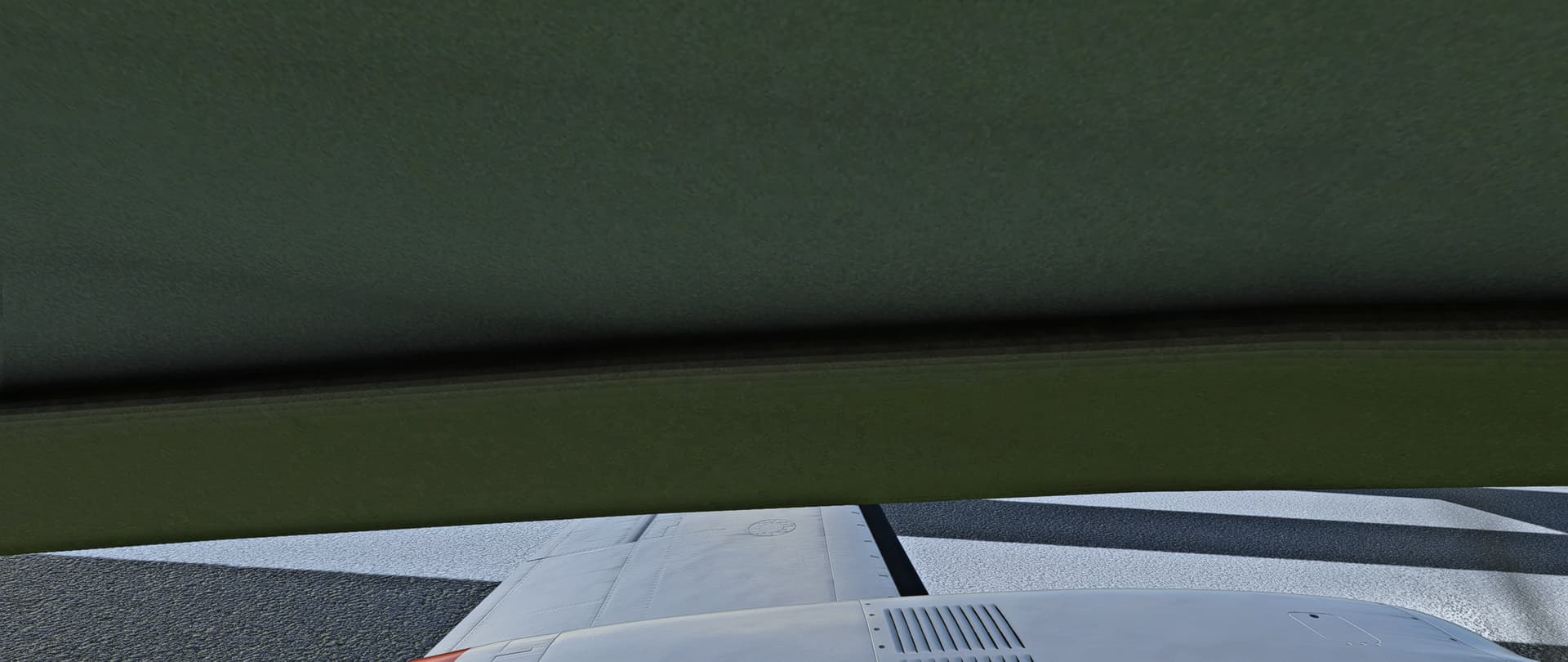
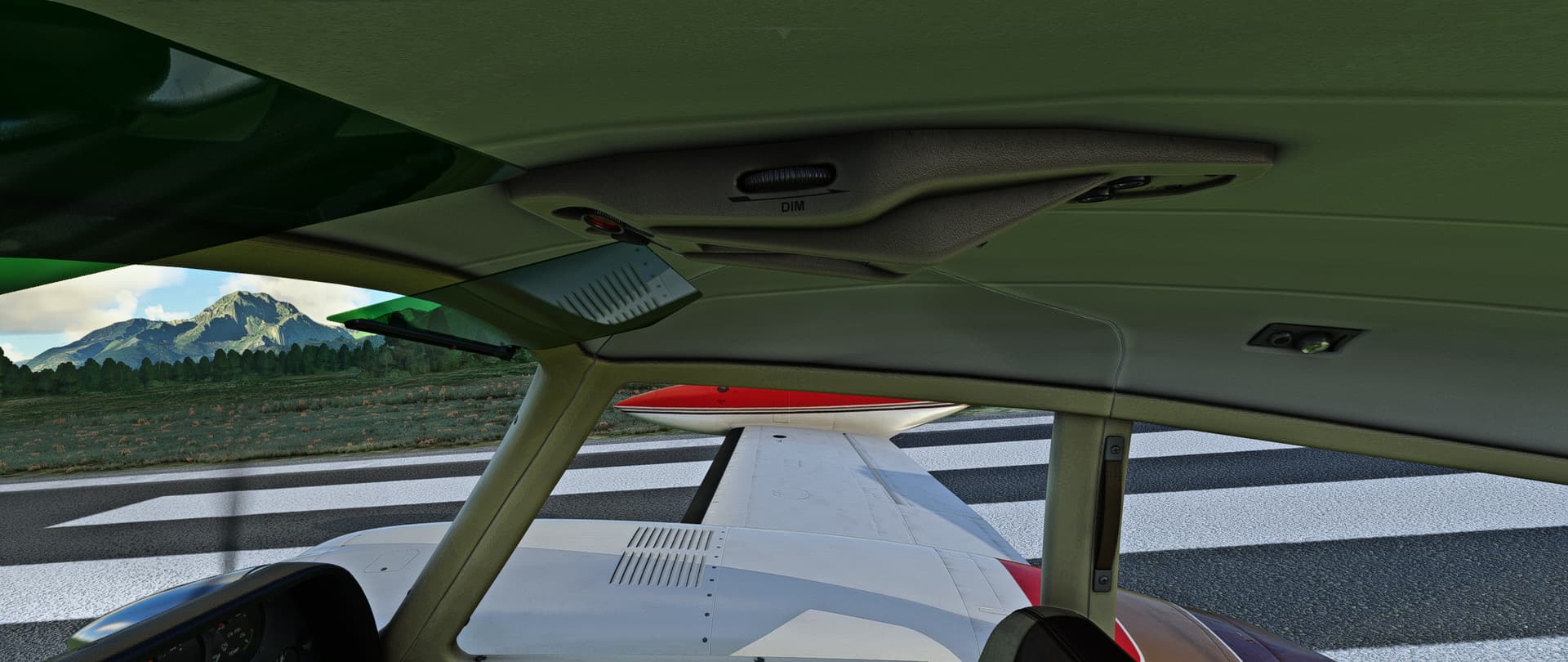
The normal pilot’s camera view looks OK, but my hat switch quick view’s are not. Both are way too high.
Quick View Left
Quick View Right
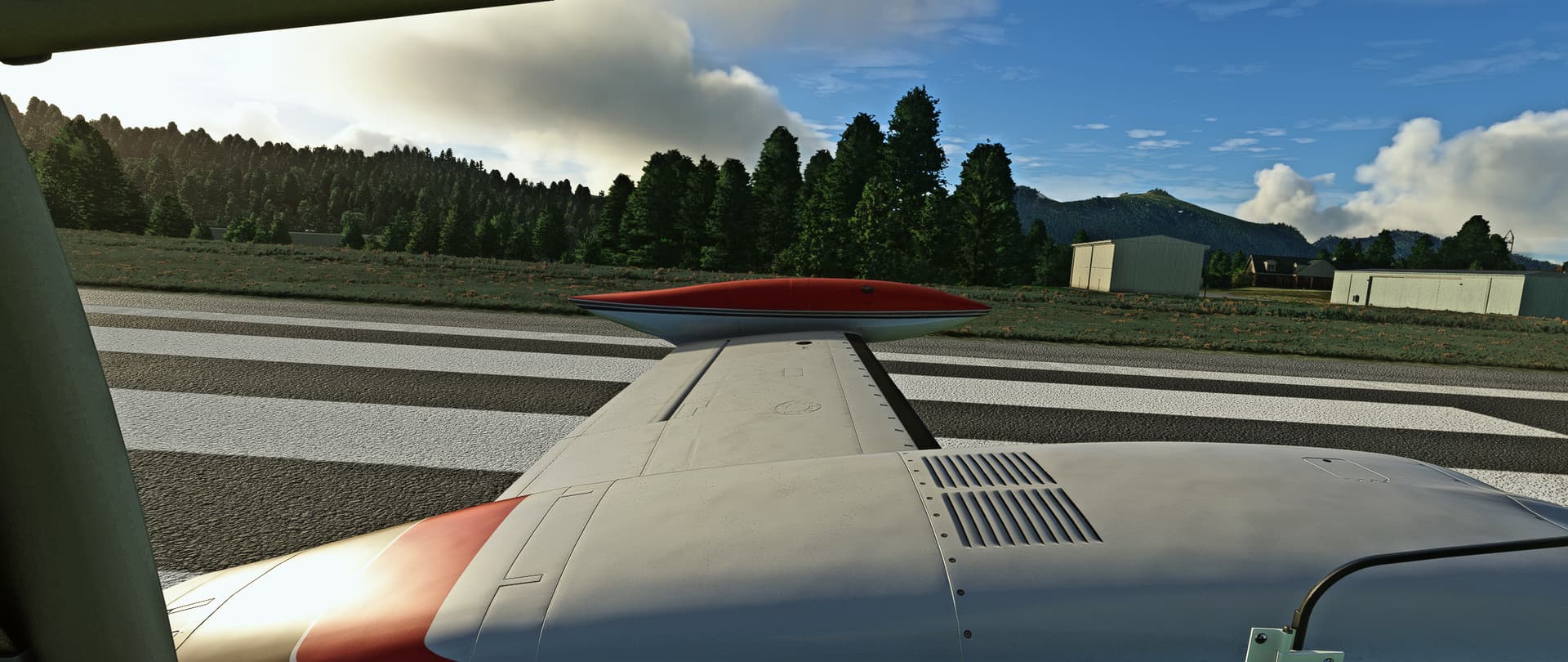
I changed the L2 QuickView, from this:
;InitialXyz = -0.07, 0.28, 0.2
;InitialPbh = 0, 0, -90
To this:
InitialXyz = -0.01,0.15,0.099918
InitialPbh = -6.499995,-0.073441,-90
And the R2 QuickView, from this:
;InitialXyz = -0.07, 0.32, 0.2
;InitialPbh = 0, 0, 90
To this:
InitialXyz = -0.01,0.15,0.099918
InitialPbh = -6.499995,-0.073441,90
This gives me a view as if I’m just turning my head to the left or right.
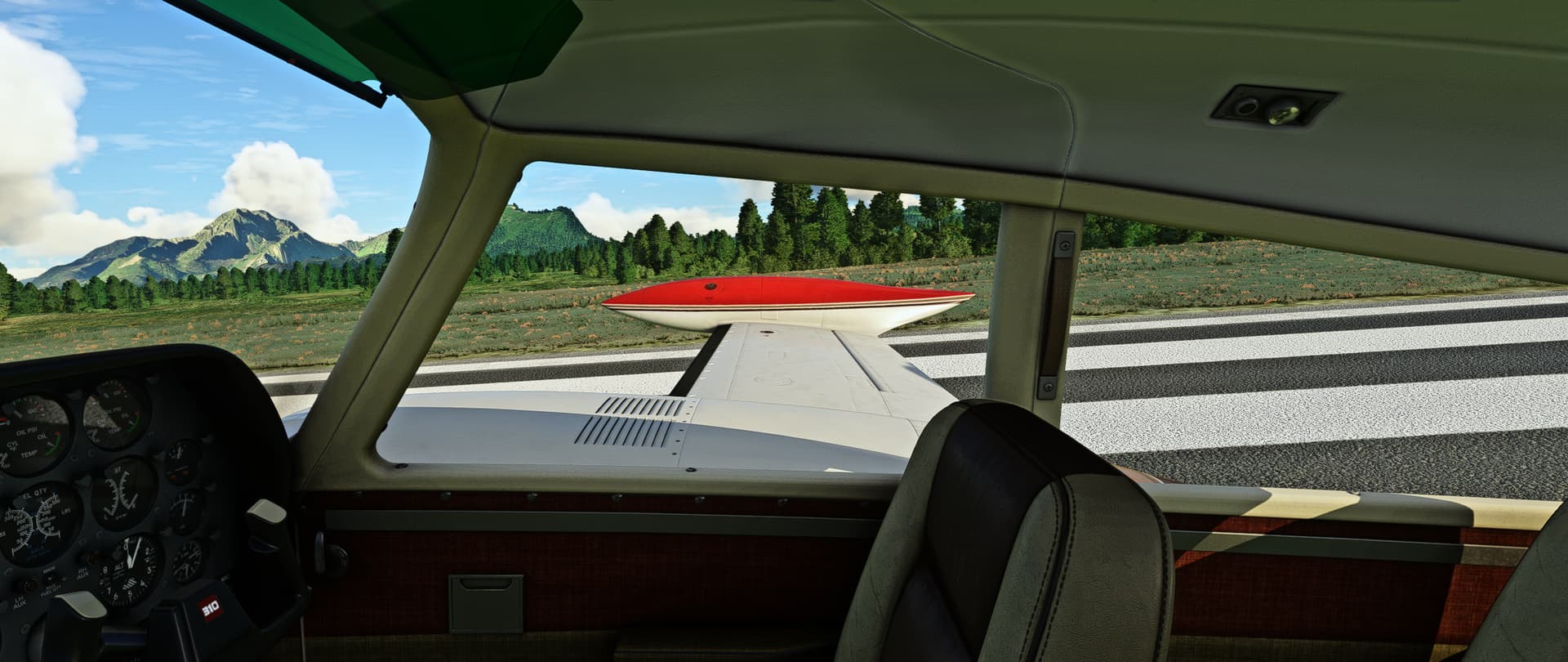
I’m good with the new camera views except for the revised height - it is way too low, almost as if it’s a small child at the controls.  When compared with someone sitting in the copilot’s seat, it looks like the default camera view is at the level of the copilot’s shoulders. I adjusted the in-game camera value to 70, which gives me a good view over the nose and it puts me right at about the eye level of the copilot.
Many of the other cockpit views seem off to me as well and I’m guessing aren’t what the developer intended.
I’ve had this trouble with other planes as well. Are the hat switches on different yokes acting different? I looked at my yoke settings and it doesn’t look like I can set up my quick view / hat switches any different.
However, I took it out for a spin and had a really enjoyable flight and a nice landing!
Manually flying by hand is great!!
Observations on update:
- Main cockpit view is OK here, but the first alt view takes my head through the roof. Other views seem fine.
- New handling also seems good here but I haven’t flown a real 310. I think I prefer it as it is now.
- In the MSFS Interactive Checklist it mentions to turn the fuel pumps off at certain points. When doing this, the engines eventually cut out. I have to leave them on Low constantly. This is not a complaint, especially as it may well be user error.
Overall it is great to see these still getting updated. Thank you.
If you can spin the plane, then its probably more realistic now than it was before. Before I was unable to get it to stall properly, let alone get it into a spin with the default CG position. Cant test it myself, I’m stuck waiting for the update to drop on the marketplace : /
I did not receive an email. However, I was able to download it from the initial purchse link. It is V1.9.6, right?
Yeah, that’s the one.
Default view is better, but I adjusted it a little, to have a better view of the RPM and MP gauges.
Approach and landing is way better. Love this plane even more now.
I’m away from the computer, but does the new default views affect VR view as well? The default VR view was slightly low for me, but easily solved by slouchuing a little when centering.
thanks for sharing the settings. works pefectly
We have updated the WTT mode additional package for the C310.
The main difference is that you can switch to the WT GN530 even if the aircraft starts with the GTN750.
Get the latest version (1.0.14) at Aircraft (second section).
Be sure to have the latest C310.