Using the template below will greatly help the team reproduce the issue and ease the process of fixing it. Before posting, search for an existing report. If you are not sure it’s a bug, please first report in User Support Hub.
3 tags are required - add them in the tag section next to the title above:
- One for iteration (msfs-2024)
Feel free to delete this quote section after adding your appropriate tags.
ISSUE DESCRIPTION
Description of the issue:The weather you get in the sim and the weather you get from the EFB (and the world map info layers) is not the same. Take the mission I just did. I accepted it based of the info I had to hand. Where the wind is not wonderful but well manageable at my skill level. Looked like a fun challenge.
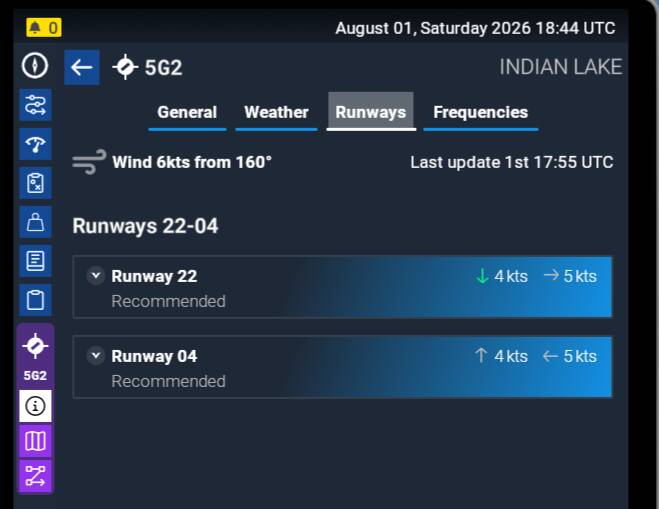
On arrival, this is what I got.
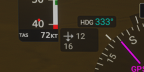
16 knots headwind and 12 crosswind. Now, this is a much bigger issue to land, I think possibly this is not even within safe parameters for the aircraft. I would never have accepted the mission if I had known these were the wind conditions. This happens with every single mission I take with live weather on. I have no issue with strong winds, but I do need to have information available to me when I start a mission so I can make an informed decision about whether to try. It surely cannot be so hard to have the EFB give you the actual data for an airport? Especially for generated missions. a C172 is almost unflyable in these conditions in career mode.
FREQUENCY OF ISSUE
Every career mission I do has no correlation between EFB weather and actual weather in the sim, which is a massive problem for choosing missions
REPRODUCTION STEPS
Please list clear steps you took in order to help our test team reproduce the same issue:
-
Check conditions before (with tools available)
-
Select a mission and fly it
-
Compare takeoff and landing conditions vs EFB.