ISSUE DESCRIPTION
Description of the issue:
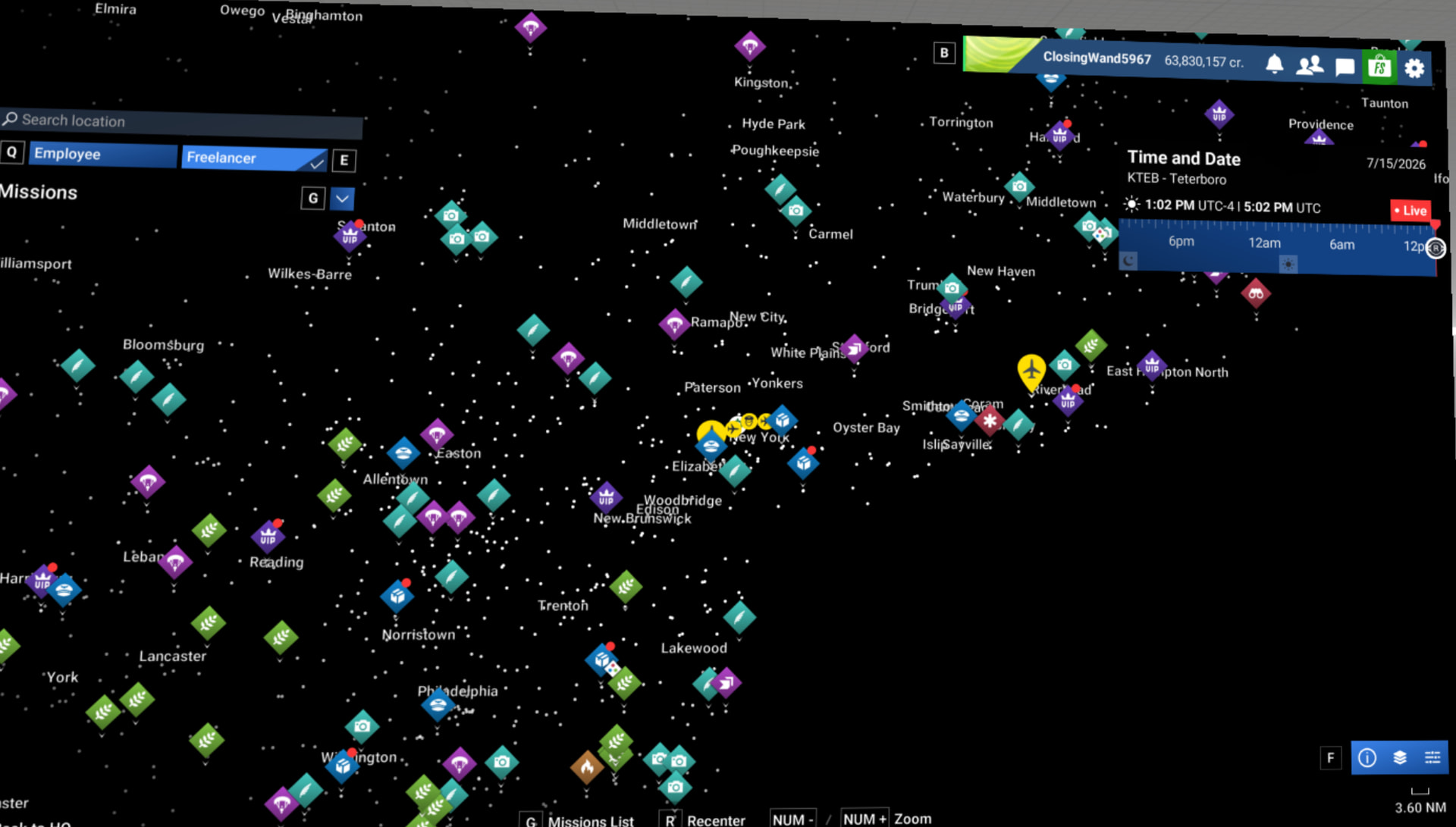
When in VR mode maps (2D textures?) are missing.
Note that I reported this during the beta but that report was moved to archive: https://forums.flightsimulator.com/t/possible-regression-su-5-1-beta-missing-textures-in-2d-while-in-vr/768286
Feel free to merge.
FREQUENCY OF ISSUE
always
REPRODUCTION STEPS
Please list clear steps you took in order to help our test team reproduce the same issue:
-
Select a mode where there should be a map: Missions; low altitude challenge, etc.
-
Map is visible
-
Enter VR mode - map is black (but icons remain visible).
-
Exit VR mode - map is visible again.
YOUR SETTINGS
If the issue still occurs with no mods and add-ons, please continue to report your issue. If not, please move this post to the User Support Hub.
What VR peripherals are you using: Meta Quest 3 using Virtual Desktop
[PC Only] Are you using Developer Mode or have you made any changes to it? No
[PC, MSFS 2020 Only] Are you using DX11 or DX12? N/A
[PC Only] What GPU (Graphics Card) do you use? RTX 4070 Super
[PC Only] What other relevant PC specs can you share? Not relevant
MEDIA
Please add a screenshot or video of the issue occurring.
First screenshot is before VR mode; second is VR mode.