ISSUE DESCRIPTION
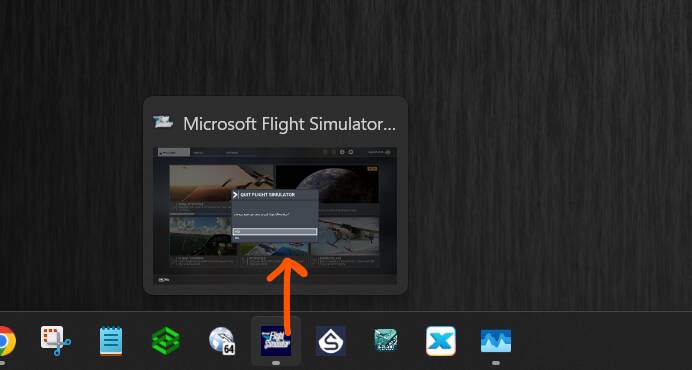
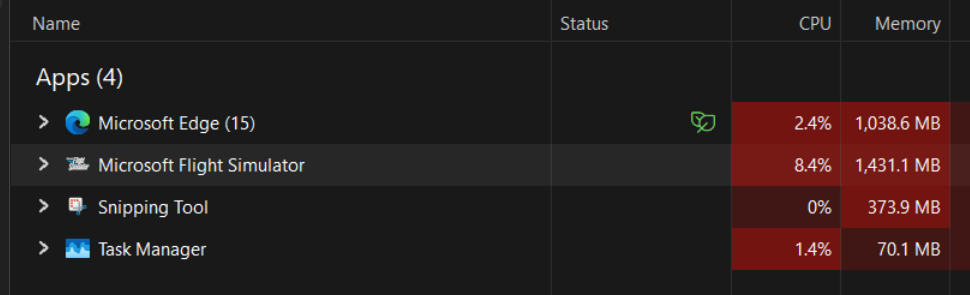
Description of the issue: The last couple of times I’ve used MSFS 2020, it continues running in the background after selecting “Quit to desktop” and selecting the “Yes” option for the “Are you sure you want to exit Flight Simulator” question. This is very similar to what used to occur in SU15 until it was fixed in SU16.
The only potentially related change before this started happening on my computer is that I briefly installed and used MSFS 2024 before uninstalling it again to regain disk space.
FREQUENCY OF ISSUE
Every time I’ve launched and then tried to exit MSFS 2020 since installing and then uninstalling MSFS 2024. This includes sessions days and weeks apart, including after computer restarts.
REPRODUCTION STEPS
Please list clear steps you took in order to help our test team reproduce the same issue:
-
Launch MSFS 2020
-
Optional: Load and start a flight
-
Optional: End the flight and return to the main menu
-
Select the “Quit to desktop” option and select “Yes” on the confirmation question
YOUR SETTINGS
If the issue still occurs with no mods and add-ons, please continue to report your issue. If not, please move this post to the User Support Hub.
What peripherals are you using:
Thrustmaster Airbus Sidestick, Saitek Throttle Quadrant, Octavi IFR1.
[PC Only] Are you using Developer Mode or have you made any changes to it?
Not using Developer mode
[PC, MSFS 2020 Only] Are you using DX11 or DX12?
DX 12
[PC Only] What GPU (Graphics Card) do you use?
RTX 3050 Ti
[PC Only] What other relevant PC specs can you share?
AMD Ryzen 5 5600H 3.30Ghz, 24GB RAM, Windows 11 25H2, “FS2020 - 40 year anniversary” installed via Microsoft Store, SU16.1