I just finished moving and merging some posts to reorder them at the top of this topic (by @XeOperator’s request because they were out of space!), if you got pinged about this there’s nothing to worry about and you don’t need to do anything!
Cheers
I just finished moving and merging some posts to reorder them at the top of this topic (by @XeOperator’s request because they were out of space!), if you got pinged about this there’s nothing to worry about and you don’t need to do anything!
Cheers
Description of the issue:
I noticed some problems at this Airport that I will list for you :
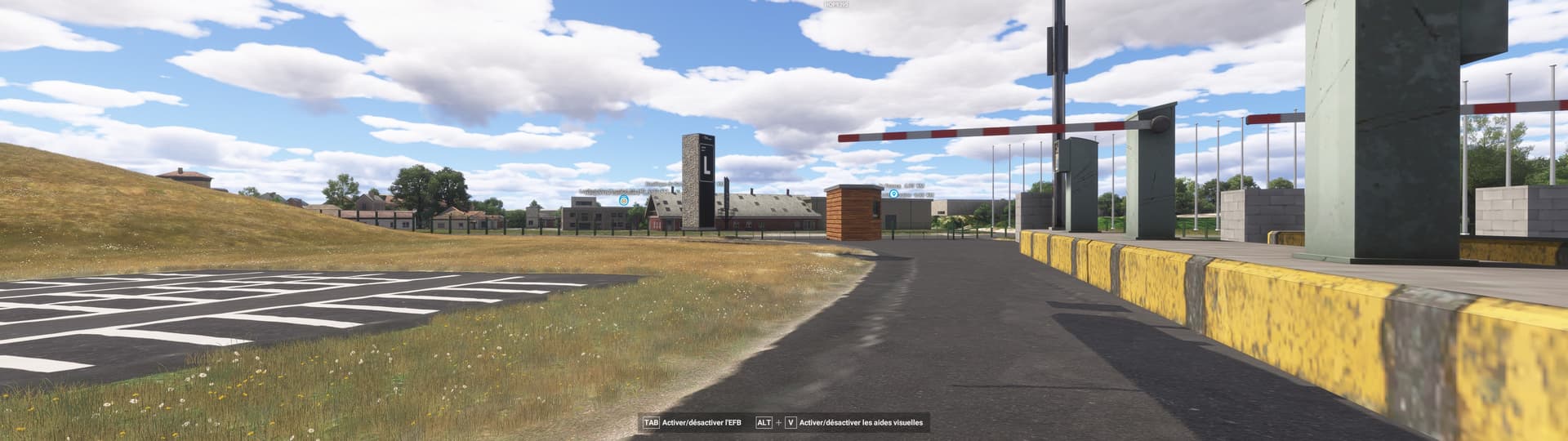
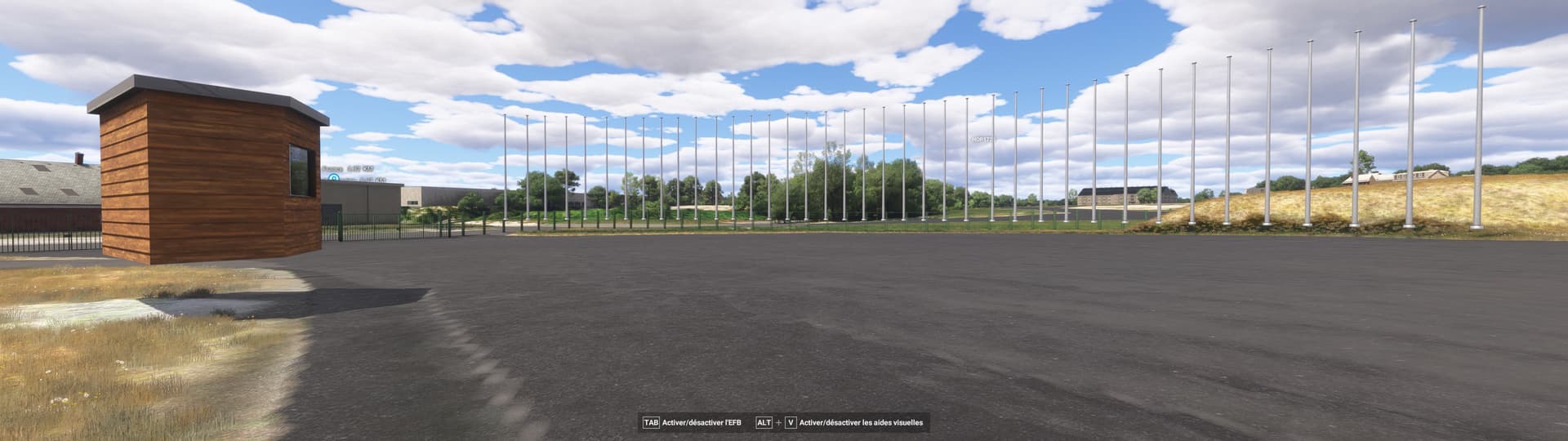
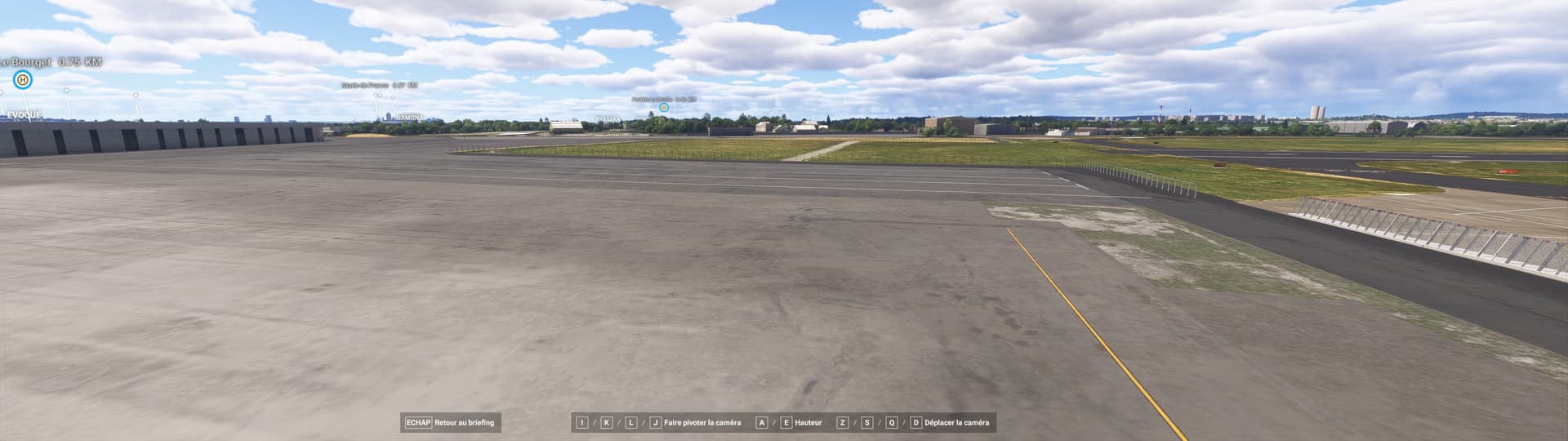
- Objects are flying at the east entrance :
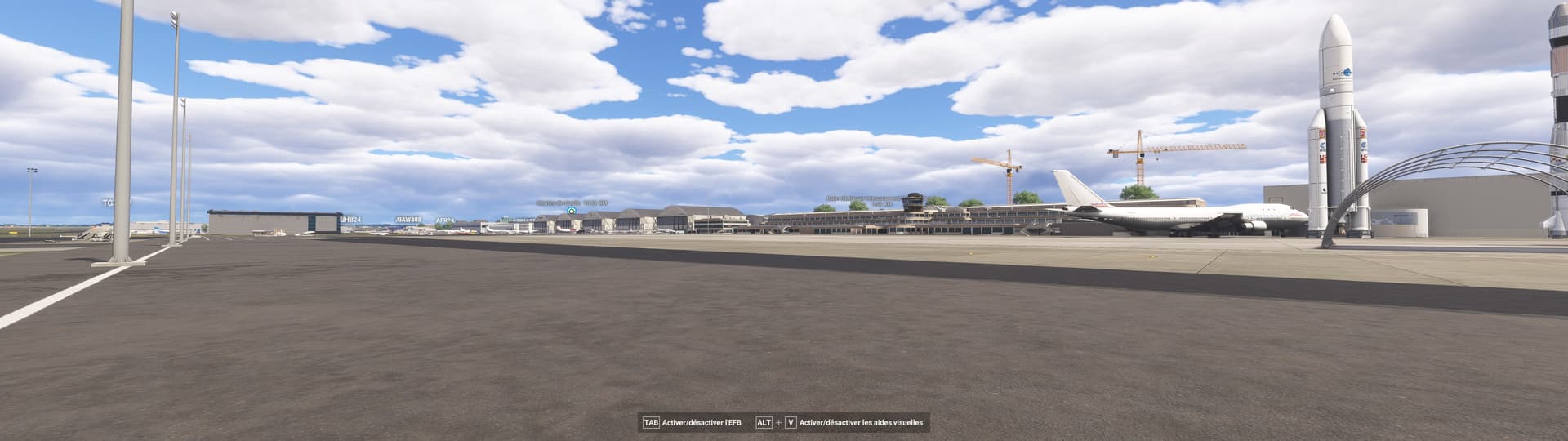
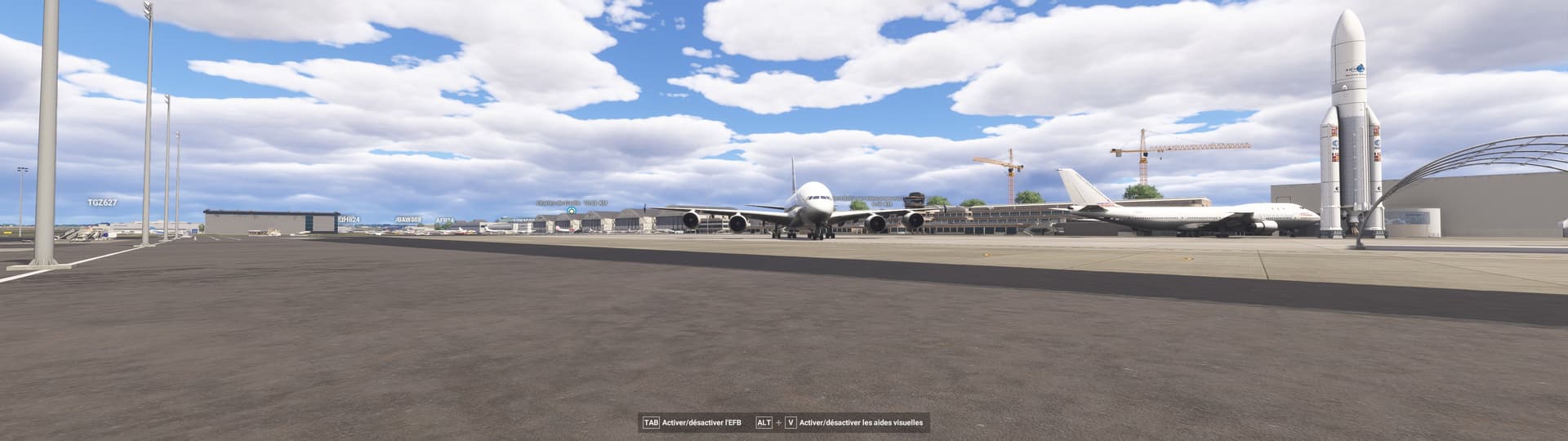
- The A380 on display on the museum’s tarmac has a clipping problem, as do other fighter jets on display :
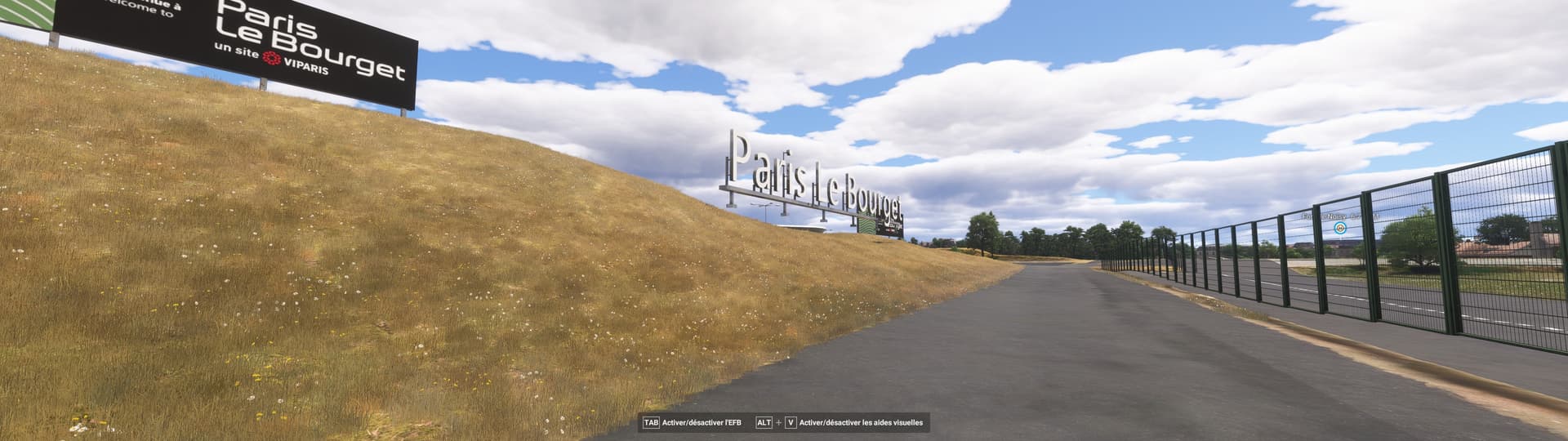
- There is a missing decoration at the museum entrance that is not present in the game :
Finally, I find it regrettable that no update for the SIAE 2025 is present, being one of the largest air shows in the world it is regrettable to see that nothing is present in the game on the subject especially since it is an airplane game.
ICAO, coordinates, or specific location: Le Bourget Airport LFPB
[PC Only] Did you remove all your community mods/add-ons? If yes, are you still experiencing the issue? : YES
Everytime
Please list clear steps you took in order to help our test team reproduce the same issue:
If the issue still occurs with no mods and add-ons, please continue to report your issue. If not, please move this post to the User Support Hub.
What peripherals are you using, if relevant: PC
[PC Only] Are you using Developer Mode or have you made any changes to it?
NO
[PC, MSFS 2020 Only] Are you using DX11 or DX12?
I play with both.
[PC Only] What GPU (Graphics Card) do you use?
Nvidia RTX 4080 Super 16GB
[PC Only] What other relevant PC specs can you share?
Intel(R) Core™ i9-14900KF 3.20 GHz
64 GB RAM DDR5
Identifier: LSPTQ
Name: Riviera-Chablais Hospital, Vaud-Valais
Category: Missing Helipad
Description: The helipad is not modeled, it is only shown as the satellite imagery burnt into the ground.
Identifier: LSA2F
Name: HRC Hospital Riviera-Chablais, Site de Montreux
Category: General - Typo in name
Description: The name is displayed as “HRC H?pital Riviera-Chablais, Site de Mo”. it has a question mark in the word Hospital (possibly due to the accent in the local language). Montreux is displayed shortened to Mo.
Airport is named “Bishop” in the simulator. Upon doing my own Google searches, I have seen it named both “Bishop Airport” & “Eastern Sierra Regional Airport”. The Inyo County Website calls it Bishop, AirNav calls it Bishop, but Wikipedia & FltPlan.com calls it Eastern Sierra Regional. Not sure which is correct, seems to be considerable disagreement depending upon which website I go on.
Runway 8/26 is missing its designation.
LOWW - Wien Schwechat - Grounds and Facilities - Missing Tower
Runway lights missing at KAVP at night. The taxi lights work, but no runway lights.
Incorrect runway number on taxiway sign at KLNA, Runway 16 is marked as 22 - 4. It looks like the AI has been confused by the intersecting runways.
This had been correct in the past/
 For anyone who wants to contribute on this issue, Click on the button below to use this template:
Do you have the same issue if you follow the OP’s steps to reproduce it?
•
Provide extra information to complete the original description of the issue:
•
If relevant, provide additional screenshots/video:
•
Identifier: YUN (IATA)
Name: Miyun
Category: General
Description: The active runways are 02 and 20, instead of 09 and 27. In MS2024, there are many houses on runway 02 and 20, there should be removed.
ISSUE DESCRIPTION
Description of the issue:
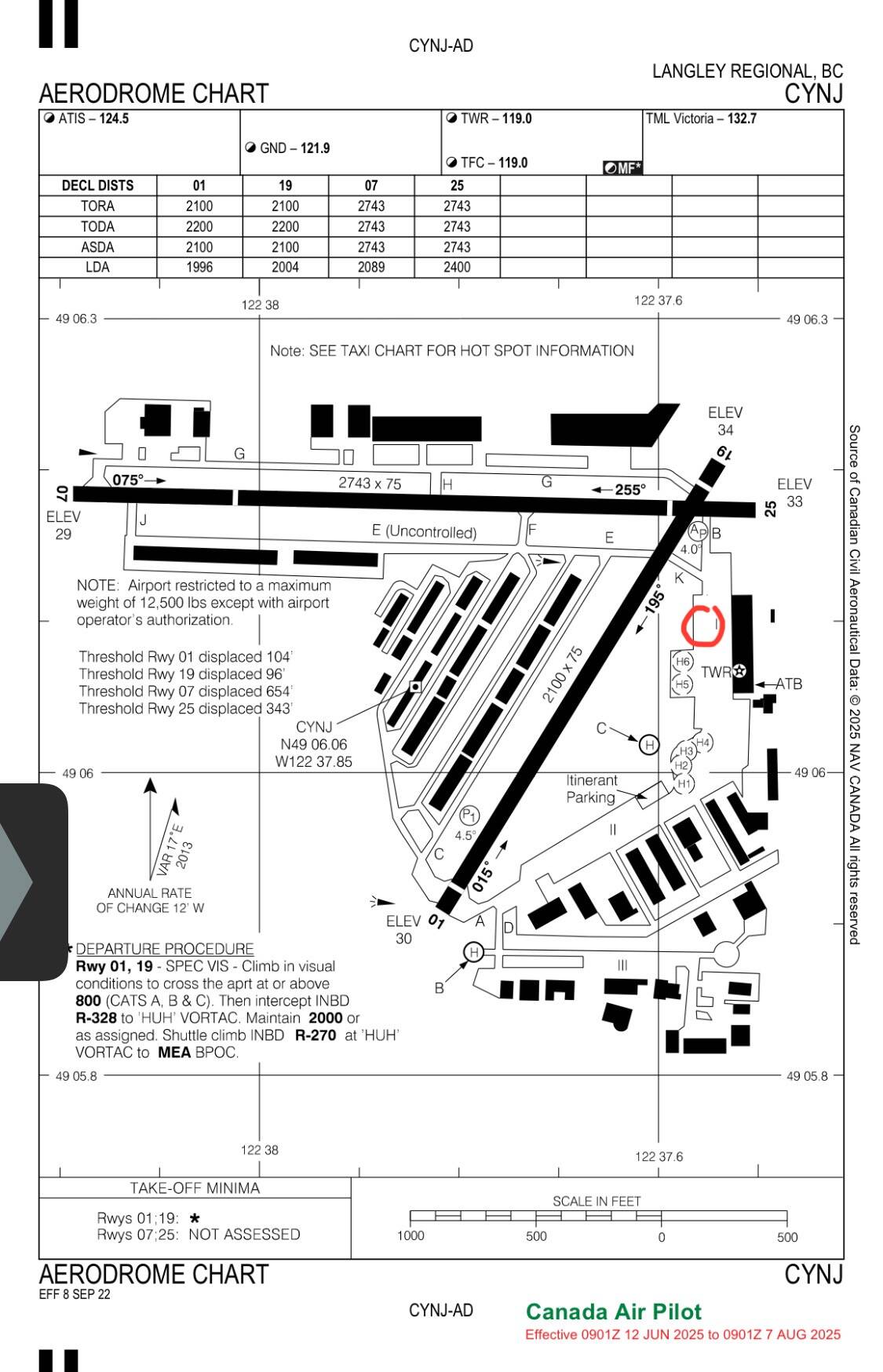
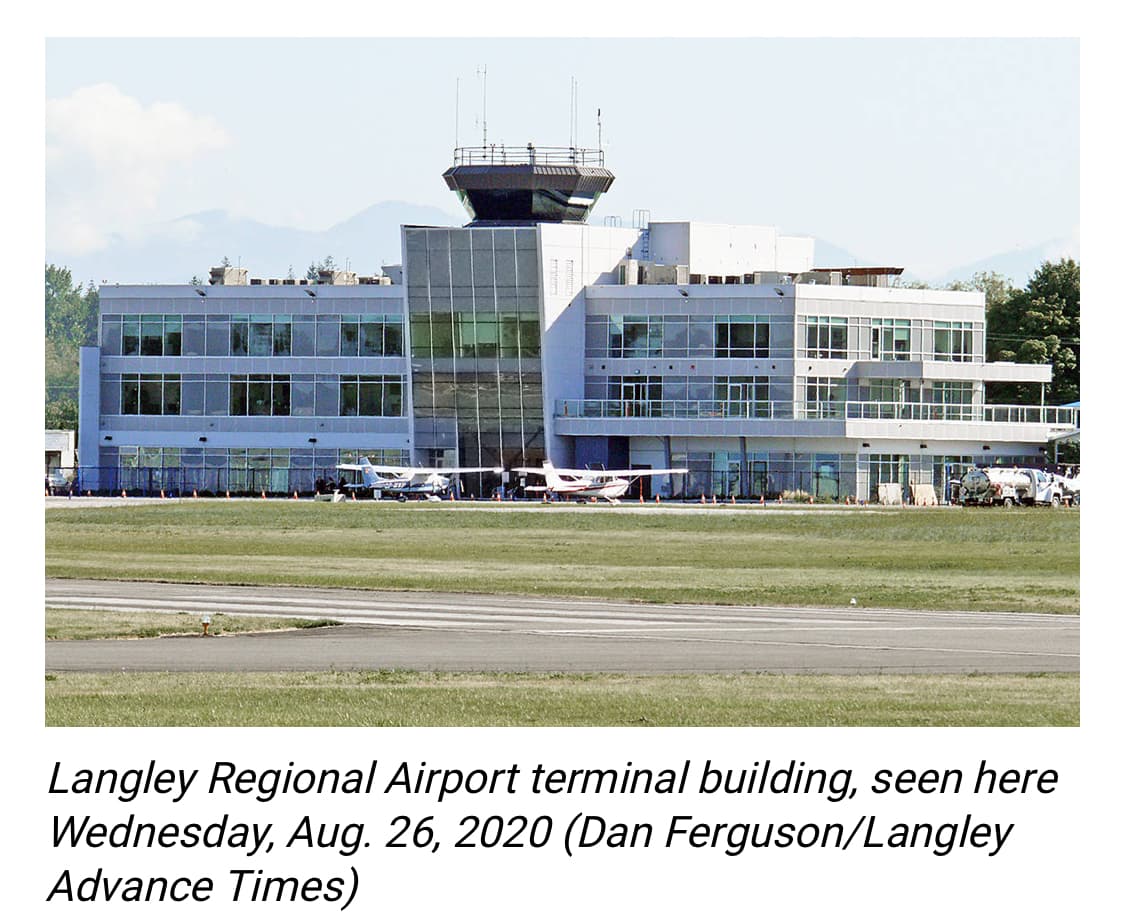
The tower at Langley Airport, CYNJ is in the middle of the taxiway.
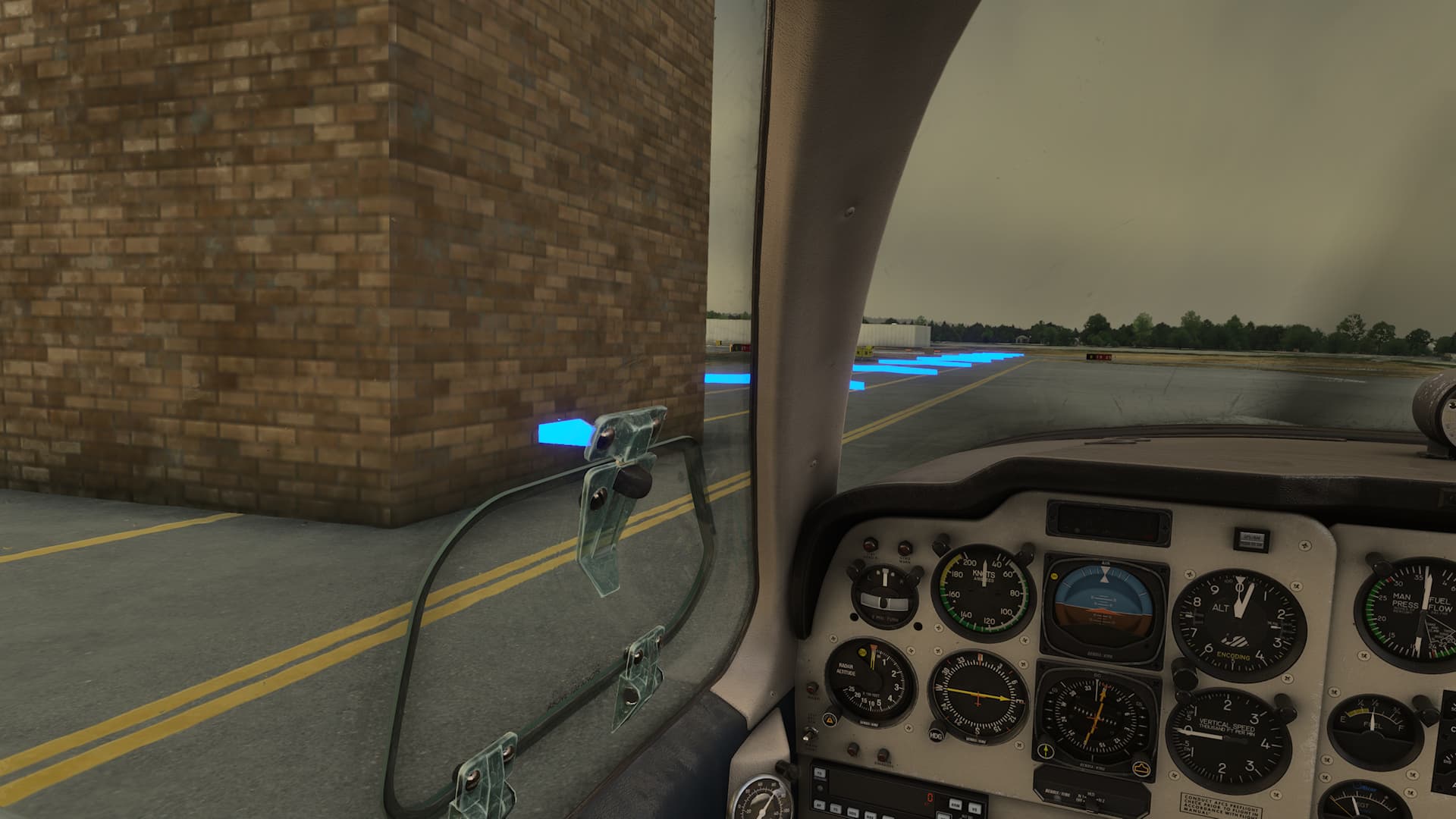
My local GA airport, CYNJ in Langley British Columbia, a small suburban airport in Metro Vancouver, has had the tower moved from the main building into the middle of the taxiway, across from the main building and near the helipads in the MSFS2024 version of the sim. The MSFS2020 version has the tower in the correct location.
Airport vehicles drive through the tower and the taxi ribbon directs you through the tower.
Since this is my home airport it is a total immersion killer.
I am on an XBOX series X. If there was a way for me to alter the scenery I would, but I have to rely on the devs to come across this post and move the tower 60m, or so, east.
ICAO location:
CYNJ - Langley Airport, Langley B.C., Canada
[PC Only] Did you remove all your community mods/add-ons? If yes, are you still experiencing the issue?
No, did not remove my community addons
FREQUENCY OF ISSUE
Every time I chose to start, flyover or land. This is the default Scenery.
REPRODUCTION STEPS
Turn on XBOX
Start MSFS 2024
YOUR SETTINGS
If the issue still occurs with no mods and add-
What peripherals are you using, if relevant:
No relevance
[PC Only] Are you using Developer Mode or have you made any changes to it?
No
[PC, MSFS 2020 Only] Are you using DX11 or DX12?
[PC Only] What GPU (Graphics Card) do you use?
RTX 4080
[PC Only] What other relevant PC specs can you share?
MEDIA
Actual location of tower
[END OF FIRST USER REPORT]
Using the template below will greatly help the team reproduce the issue and ease the process of fixing it. Before posting, search for an existing report. If you are not sure it’s a bug, please first report in User Support Hub.
2 tags are required - add them in the tag section next to the title above:
Feel free to delete this quote section after adding your appropriate tags.
Description of the issue:
There is a big bump on the apron in front of the tower. This airport is a free airport developed by Asobo.
ICAO, coordinates, or specific location:
LFAT - Elizabeth II, Le Touquet, France
[PC Only] Did you remove all your community mods/add-ons? If yes, are you still experiencing the issue?
No, did not remove my community addons
How often does this occur for you (Example: Just once, every time on sim load, intermittently)?
Please list clear steps you took in order to help our test team reproduce the same issue:
If the issue still occurs with no mods and add-ons, please continue to report your issue. If not, please move this post to the User Support Hub.
What peripherals are you using, if relevant:
No relevance
[PC Only] Are you using Developer Mode or have you made any changes to it?
No
[PC, MSFS 2020 Only] Are you using DX11 or DX12?
[PC Only] What GPU (Graphics Card) do you use?
RTX 4080
[PC Only] What other relevant PC specs can you share?
Please add a screenshot or video of the issue occurring.
For anyone who wants to contribute on this issue, Click on the button below to use this template:
Do you have the same issue if you follow the OP’s steps to reproduce it?
•
Provide extra information to complete the original description of the issue:
•
If relevant, provide additional screenshots/video:
•
Identifier: WAV64
Name: Pawai Island
Category: Missing Helipad
Description: Nothing of the helipad is visible. Area is not flat, is covered in grass.
Does anyone else encounter a situation where you load up a passenger mission in career mode, and the plane “crashes” a few seconds after you enter the plane?
When flying my 737 I was completing a flight into East Midlands (EGNX) and about 200 feet above the ground, just before entering the threshold of the runway, my plane appeared to “get caught on something” and flipped wildly onto it’s side causing me to crash and causing almost 20m credits in damage. At first I thought it was a speed issue, grumbled about it, and repaired my plane. However, upon loading my next flight, this time originating in EGNX, I entered my plane and within 10 seconds, the screen faded out and I got a message saying I crashed my plane…another 15m credits in damage. I tried loading another flight, again from EGNX, however this time I kept my fingers on ALT+F4, and thank goodness for that. 10 seconds after entering my aircraft, the screen faded, which is when I exited the sim.
This is not the only airport that does this, though at the moment, I can’t remember the other one.
Anyone else experiencing this, and if so, is there a fix?
Thanks!
Update #1 - Skipping to taxi apparently keeps the plane from “Crashing”
Update #2 - I experienced the same issue at LDSP. - At this point, any time I am starting a new flight, I keep my fingers on ALT-F4 until I hear the purser say “Passengers are ready for boarding.” If that comes up, it appears as though the flight is ok.
Identifier: SBLY0
Name: Casa Do Lago
Category: Helipad
Description: H125 helicopter spawns tilted in the trees and crashes immediately on loading
Description of the issue: I accepted a mission going from YMIG to YLLE. Upon arrival at YLLE, I tried contacting the airport but was unable to select a runway for landing. Only available options were [Previous page of runways] and [-- Back --].
Coming closer to the airport I see nice yellow crosses on the runway. It was impossible to end that mission since I did not go through the “FINAL” step.
An hour wasted…
[PC Only] Did you remove all your community mods/add-ons? If yes, are you still experiencing the issue? No addons
How often does this occur for you (Example: Just once, every time on sim load, intermittently)?
Please list clear steps you took in order to help our test team reproduce the same issue:
If the issue still occurs with no mods and add-ons, please continue to report your issue. If not, please move this post to the User Support Hub.
What peripherals are you using, if relevant:
[PC Only] Are you using Developer Mode or have you made any changes to it? No
[PC, MSFS 2020 Only] Are you using DX11 or DX12?
[PC Only] What GPU (Graphics Card) do you use? RTX 4070 Super
[PC Only] What other relevant PC specs can you share?
Please add a screenshot or video of the issue occurring.
For anyone who wants to contribute on this issue, Click on the button below to use this template:
Do you have the same issue if you follow the OP’s steps to reproduce it?
•
Provide extra information to complete the original description of the issue:
•
If relevant, provide additional screenshots/video:
•
Identifier: NZWS
Name: Westport
Handcrafted?: Yes (World Update 12: New Zealand)
Category: Grounds and Facilities
Build when encountered: SU3 Beta v1.5.10.0
Description: There is grass on the vehicle parking area:
At KPEO RW 10-28 is too high. It should slop from high (rw 28) to low (rw 10)
Runway 10-28 (east end) 980ft in Flight Sim 2024 - 29.92 Baro TOO HIGH
Lng:-77.04758343955254
Lat:42.64290520930544
Elevation: 278m / 912feet - Actual in real life - not 980ft!
Runway 10-28 (west end)
Lng:-77.06008872726865
Lat:42.64269200262556
Elevation: 260m / 853feet - Actual in real life - Not low enough in Flight Sim 2024
This was correct in MSFS 2020
Using the template below will greatly help the team reproduce the issue and ease the process of fixing it. Before posting, search for an existing report. If you are not sure it’s a bug, please first report in User Support Hub.
2 tags are required - add them in the tag section next to the title above:
Feel free to delete this quote section after adding your appropriate tags.
Description of the issue:
Aircraft crashes on landing ENZV Rwy 36, landed on Rwy 28 instead and then taxi to gate where it says aircraft crashed again and put me back in the sky. Msfs 2024
ICAO, coordinates, or specific location: ENZV
[PC Only] Did you remove all your community mods/add-ons? If yes, are you still experiencing the issue?
Don’t have any this is with default TBM900
How often does this occur for you (Example: Just once, every time on sim load, intermittently)?
EVERY FLIGHT
Please list clear steps you took in order to help our test team reproduce the same issue:
If the issue still occurs with no mods and add-ons, please continue to report your issue. If not, please move this post to the User Support Hub.
What peripherals are you using, if relevant:
VR QUEST 3
BEYOND ATC
HONEYCOMB BRAVE AND ALPHA
[PC Only] Are you using Developer Mode or have you made any changes to it?
NOPE
[PC, MSFS 2020 Only] Are you using DX11 or DX12?
[PC Only] What GPU (Graphics Card) do you use?
5080
[PC Only] What other relevant PC specs can you share?
Please add a screenshot or video of the issue occurring.
For anyone who wants to contribute on this issue, Click on the button below to use this template:
Do you have the same issue if you follow the OP’s steps to reproduce it?
•
Provide extra information to complete the original description of the issue:
•
If relevant, provide additional screenshots/video:
•