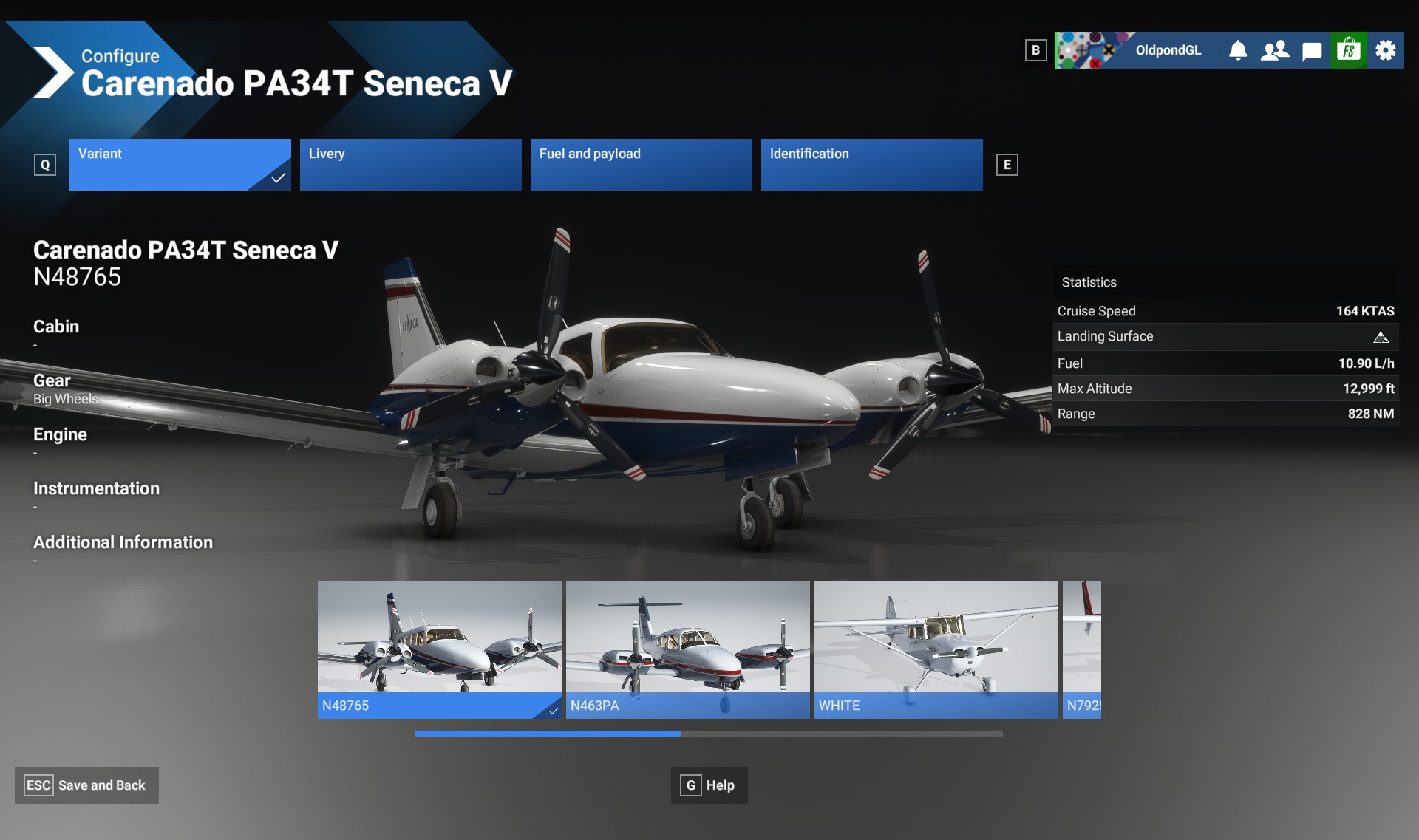
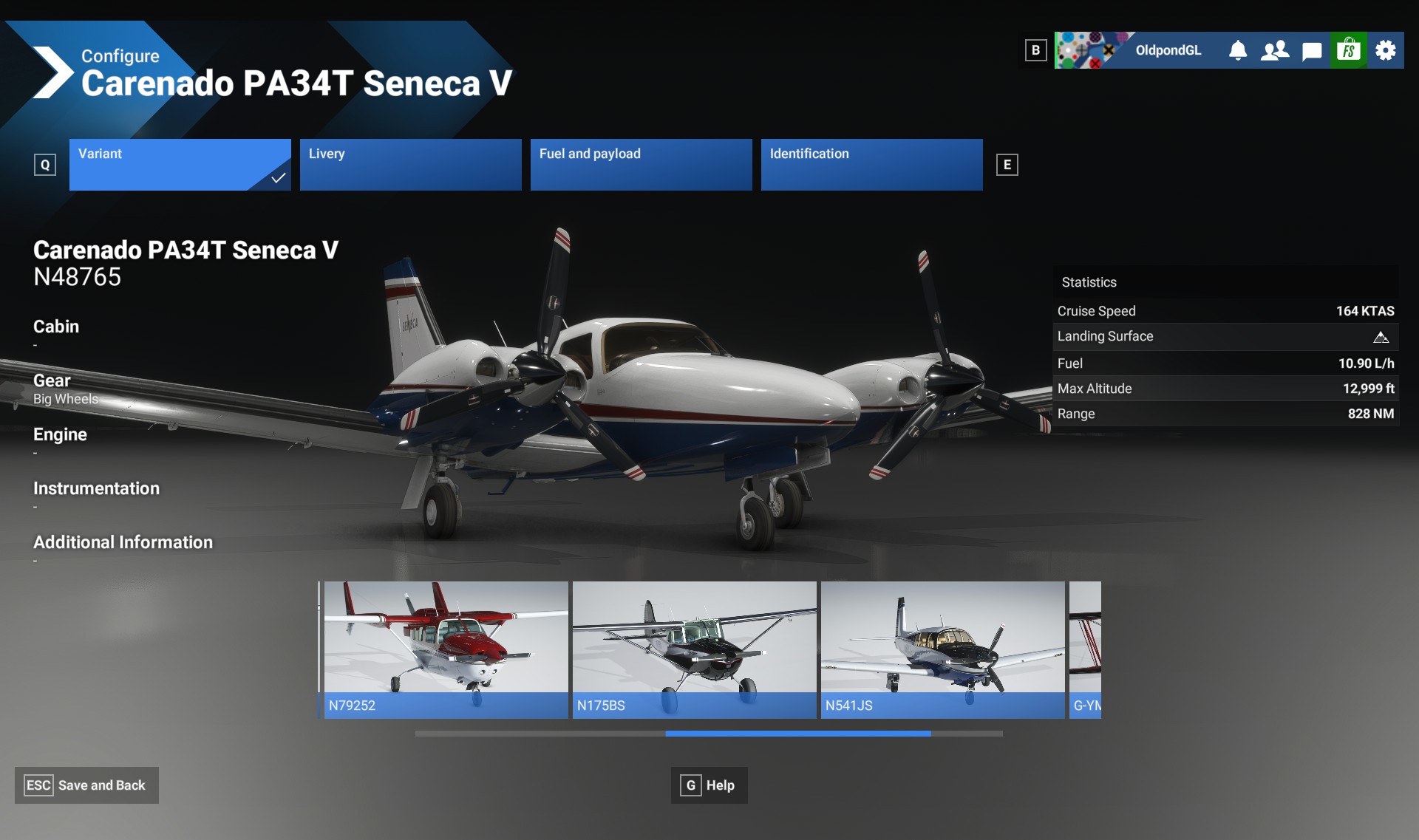
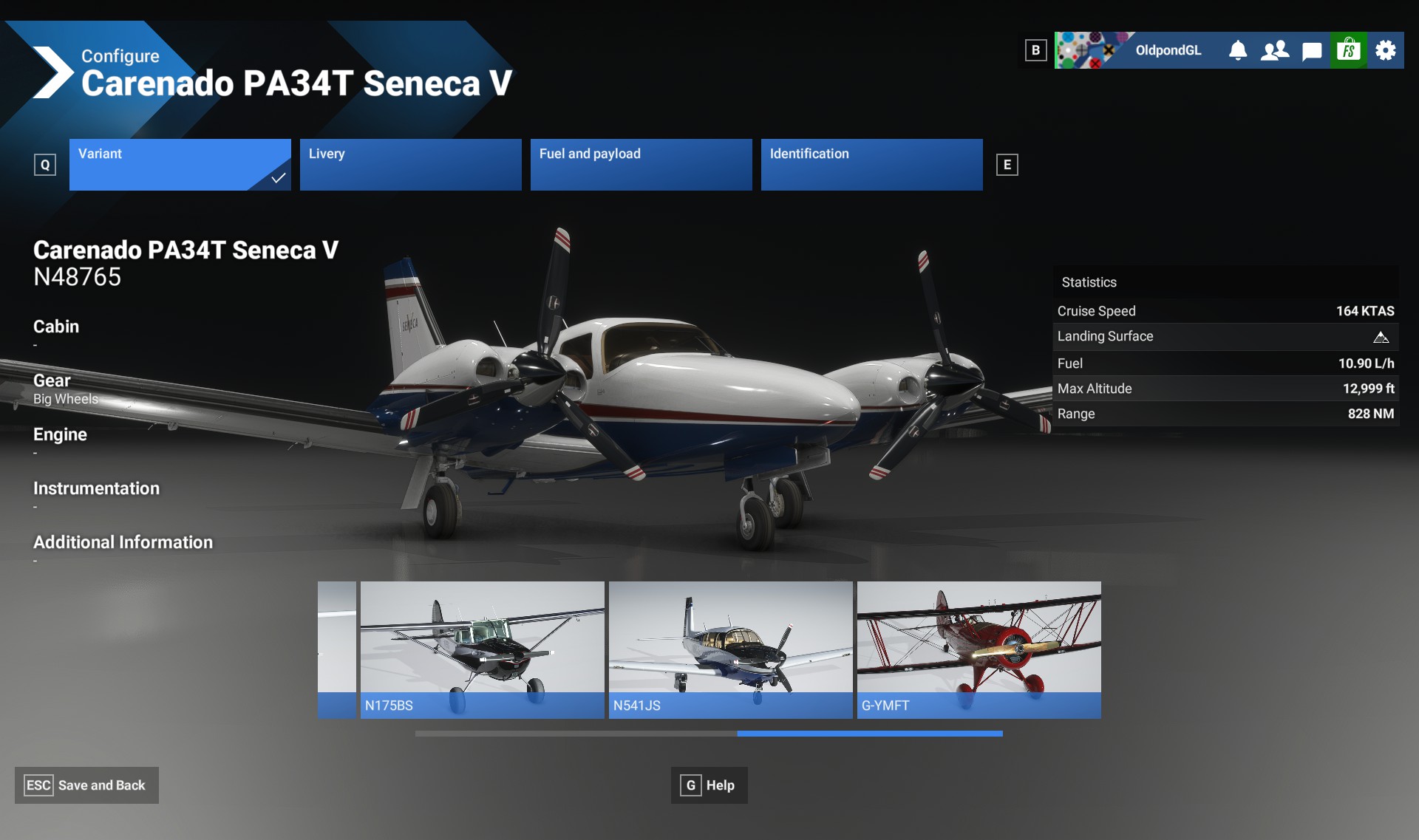
On the FB group MSFS Virtual Reality I was asking about the location of my beloved YMF5. It is listed under my aircraft, but when I go to Free Flight, it is not on the top menu. A member pointed out that he found his under the Carenado Cessna 170b - I thought that was mighty strange and started looking through my inventory and sure enough, the awesome biplane was lumped in with my Carenado Mooney M20R as one of it’s configurations.
Now if I could find my Beechcraft D-18, Staggerwing and Cessna Skymaster.
The Biplane has never looked better or performed better in VR.
Hi all, same thing here. Missing 337, Senaca, 310. Beech shows up. My piper Arrow and pa28 missing. Also i cant load way ponts or intersection in fmcs! Very frustrating!
All of my Carenado aircraft are lumped under the C170 for me, except for the Archer. My assumption is Carenado never included any of the icao_model= variables in their aircraft.cfg’s, or, made them all the same (in their typical fashion of not acknowledging the actual manufacturer). So, if you own Carenado planes, look inside the first Carenado plane in your library.
All those aircraft were updated yesterday for me in 2020. So my assumption is they fixed it, but the updates haven’t been inducted into 2024 yet, maybe waiting for other updates that are 2024 related (Marketplace is waiting for the dim display fix to be integrated?).
I wouldn’t say it was their module because I have some Carenado aircraft. I’m guessing there was a bad config somewhere that garbled the process, and since it’s different for everyone, it would have depended on what modules you had, and where the bad one sat.
The reason the Carenado aircraft are all mixed together is because they didn’t include the icao_model variable in their aircraft.cfg, and didn’t update that when it was inducted into 2024. There was nothing “garbled”.
So, as I noted, the aircraft missing that variable will all show up in the first one the sim comes across because planes are also grouped based on ui_createdby, which I’m sure Carenado filled in properly, lol.
Part of the Marketplace induction process needs to be to check for an icao_model variable, and a check for the compliance and proper writing of the ui_ variables. Apparently that wasn’t communicated to the Marketplace team.
They are not mixed together for me. I am missing the 170’s, one of the twins and the YMF5. I got the updates in 2020, and the notice in 2024, but still no joy on the missing aircraft.
This only applies to their Marketplace planes, not the FF/LL, and is an issue with their earlier releases. Specifically Mooney, C170, PA44, Arrow, WYM5, and likely the C182 (which I don’t have).
The Archer properly sorts itself. Those are the only Carenado planes I have. The C170 might be ok, too.
So, the deal is, to better support in-library Markeplace purchases, Asobo changed the way they group vehicles in the library from being based on ui_manufacturer and ui_type to icao_model and ui_createdby.
What they didn’t realize (or didn’t communicate to the Marketplace team they needed to add some new requirements for induction), was that many aircraft authors never filled in, or properly filled in, the icao_xxx variables; and the ui_createdby is also a mess; sometimes non-existent, and well, changed for the same aircraft in terms of liveries, since, well, the livery was created by somebody else. Conundrum. or… ba dum dum.
I have the 182T and 182rg from Carenado and mine are listed separate. Mine got yodates last night in 2020 too, but the info in the change log was dated in 2023, so not sure what got changed.
There are not currently many 2024 aircraft available. Most of the 2024 library of even Microsoft/Asobo (LL and FF etc) aircraft are still all 2020 aircraft. You can tell the difference by the 2024 aircraft have walkaround features. There’s currently no sign on the aircraft info in the library if they’re 2020 or 2024.
Essentially, only the Standard, DLX, and PD aircraft are 2024… (though I haven’t checked them all yet).
Do you have any other Carenado aircraft, are any of the others grouped if you do?
If you only have one Carenado Marketplace plane, then yes, they’re going to be ok. Was the 182RG sold with the 182T, and was that their first plane that was released? Are you saying they’re separate model tiles, or are they separate variants under Carenado 182? If the 182RG was a later release then yes, it will likely have its information, like the Archer does. The SDK for aircraft.cfg was not complete until later. Clearly, their early aircraft (that people are showing as grouped), do not have their icao_model defined, or, it’s defined in such a way that the sim can’t differentiate them.
They might all be icao_model=Carenado, because that’s what Carenado does. I’ve never seen an actual Carenado aircraft.cfg, they’re encrypted.