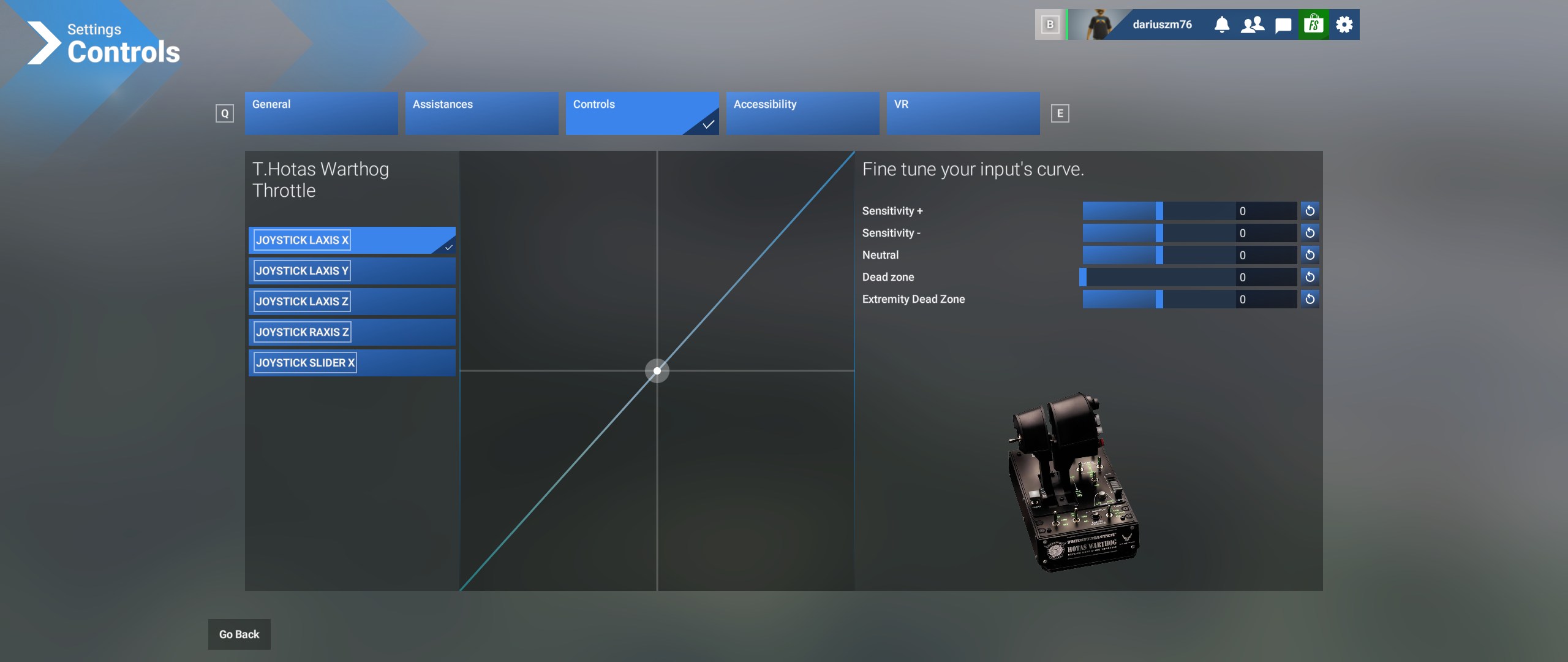
Is there any way to make the input indicator moving while in control settings? It is impossible to check sensitivity - the dot is stuck on all of my HOTAS
Also - there is a big lag in the helicopters. I have binded tail rotor and collective axis, all assistances off - and there is no direct link between hardware and collective in the sim - I move my collective all the way up and in the sim it just starts to move slowly up with 5 seconds lag, It is impossible to control a helicopter with such a lag
Is it a general issue or there is some friction knob in the cockpit working?
It’s the same for me with just a mouse and gamepad, it’s hard work trying to get it set-up and often it freezes. I’m not plugging anything more complicated in until it’s more stable.
So I have a HOTAS One on Xbox.
But unlike 2020, the throttle is reversed (forward increases engine, back reduces). And the stick is also reversed, forward pulls up, backward goes down.
(left/right is fine)
Do we think this is connected with the current snafu?
I don’t really want to try to fix it if it will be fixed anyway.
No, with that you just go to controls, make sure you are on your HOTAS One, and then click the little settings (gear) icon on the right of whichever axis you want to fix, and click invert axis.
That will get everything working the way it is supposed to.