Have installed MSFS 2020. Have located Community folder. On downloading liveries, although they appear in Community folder they do not show on MSFS when trying on own hanger etc. What am I not doing correctly? Would appreciate help.
1 Like
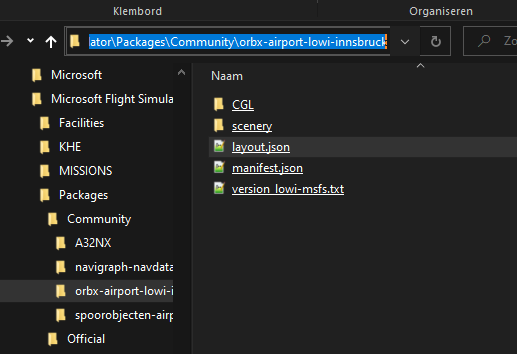
Maybe see if you can access them via the flight planning screen and if that doesn’t work, make sure that the folders you have placed in the Community folder do not contain the folders that are the ones that you should have copied there.
There is a known issue with the latest update - liveries do either not show up in the liveries view, or they do not appear on the aircraft. Custom livery must be updated by the author and made available in an updated version for liveries to function.
Also, see this Youtube video for a possible workround: https://www.youtube-nocookie.com/embed/Oy4aMuWP_Uc
3 Likes