Hi. I’m the developer of a new freeware utility tool for MSFS 2020/2024 that allows you to track your flight, showcase flight info, and emulate the passenger information screen (like what is commonly found in airliners) on a second monitor or tablet. I released it on flightsim.to about a month ago, but recently overhauled it and released an update with a ton of new features and optimizations. So I thought I’d notify the forum community about it.

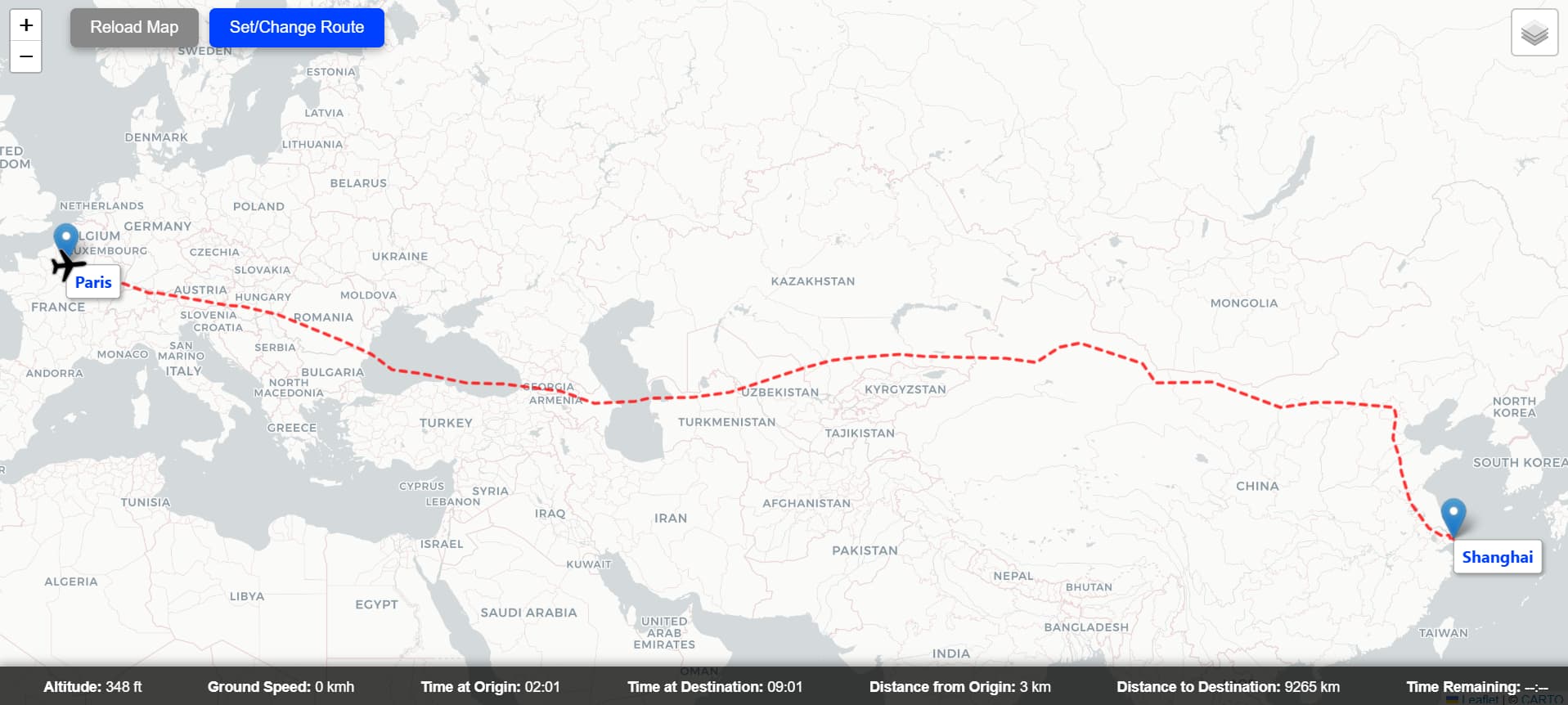
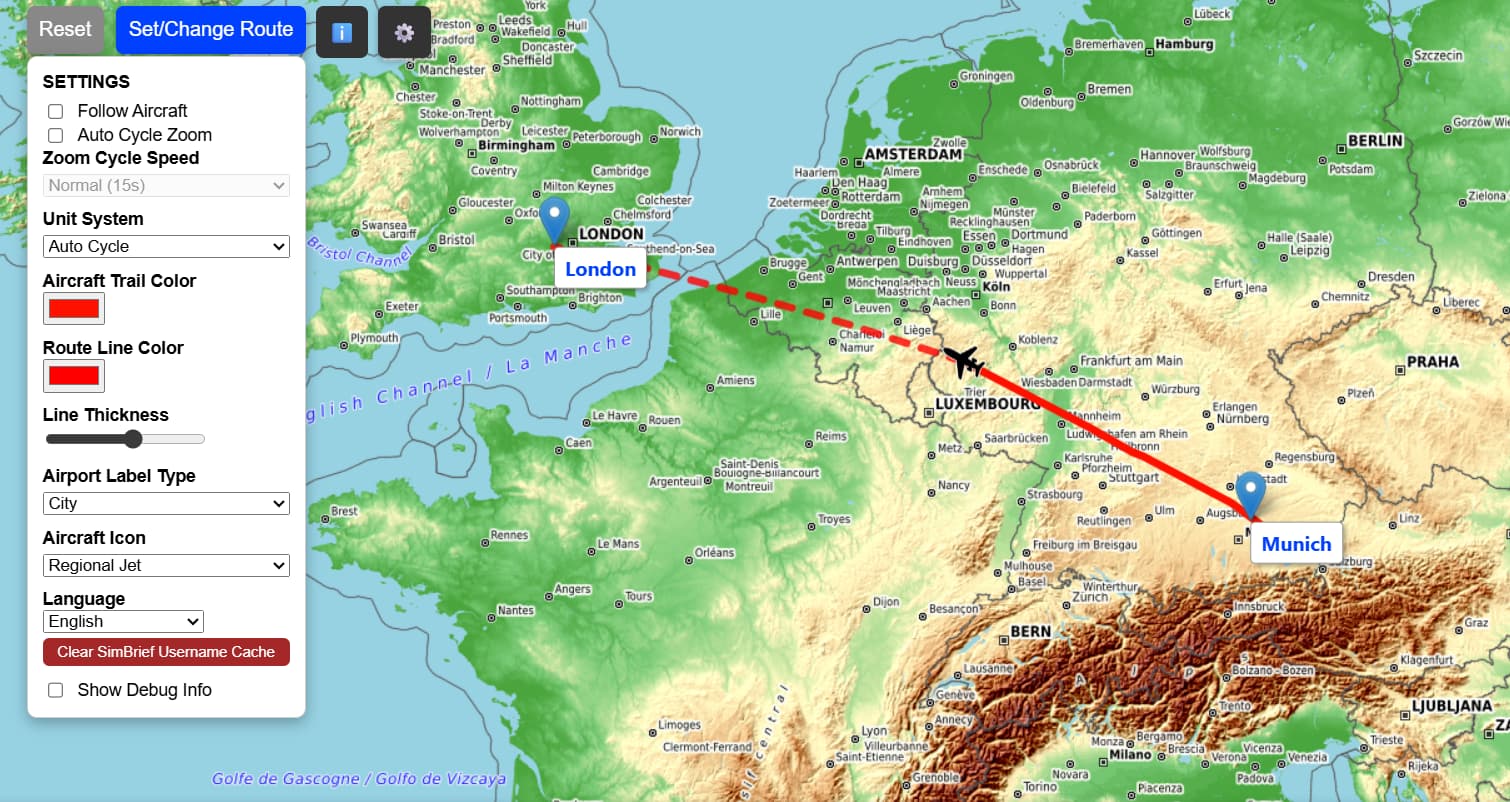
I’ve been flying in MSFS since its initial release almost 5 years ago and always wanted a tool that sort of emulated the passenger info screen with a flight tracker, altitude/speed info, ETA, etc. since I like to simulate real-world airliner operations. There’s some tools out there, but none of them really fit exactly what I envisioned. The inspiration for this actually came from an addon by Feelthere called MAP! from the FSX days. Nearly five years later I now have a computer science degree and thought I’d use my coding skills to build a webapp myself, initially just as a personal hobby project, but it eventually became a full-fledged freeware utility.
Features:
- Real-time aircraft tracking with multiple map types and themes available!
- Web-based interface for use on tablet or secondary monitor
- Live flight trail and remaining path to destination based on SimBrief plan or manually entered route.
- Local times at origin/destination
- Estimated time remaining and distance from origin/destination
- Flight Info panel with additional info including real airline logos [SimBrief required]
- Customization options such as ability to: choose route line color and thickness, change airport labels live, change aircraft icon, set unit system to fixed or auto cycle, and more.
- Localization support for 34 languages.
To install simply download and extract the zip from flightsim.to and run the MSFS_Passenger_Map.exe. You may get a Windows defender and firewall prompt on first launch asking for permission to run on the local network. This is normal since the app runs on your local IP which is what allows you to access it on a secondary device like a tablet. Then you just enter http://[Local IP]:5000 into any browser connected to your network to access the web app. A full PDF guide is included in the download with more instructions and troubleshooting info.
The utility uses the default Simconnect API and there are no additional requirements. Some features require a SimBrief account, but that is only if you want to import your exact flight route from a SimBrief plan. And obviously, this app is only functional with PC versions of the sim and works with both MSFS 2020 and 2024.
Again, the app is available for free on flightsim.to. I’m open to and welcome any feedback, suggestions, or concerns either on here or the flightsim.to page.
Thanks!