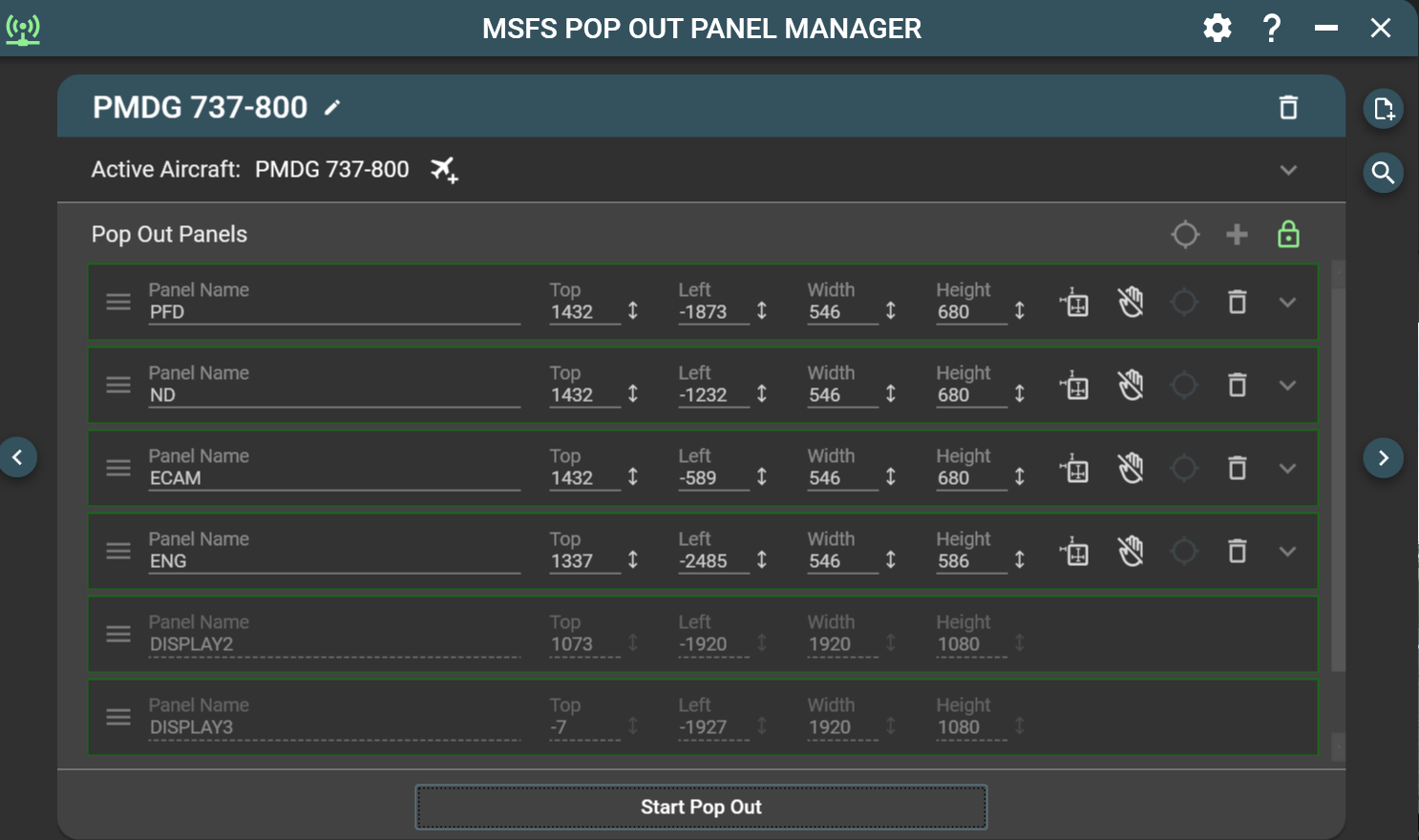
Hello
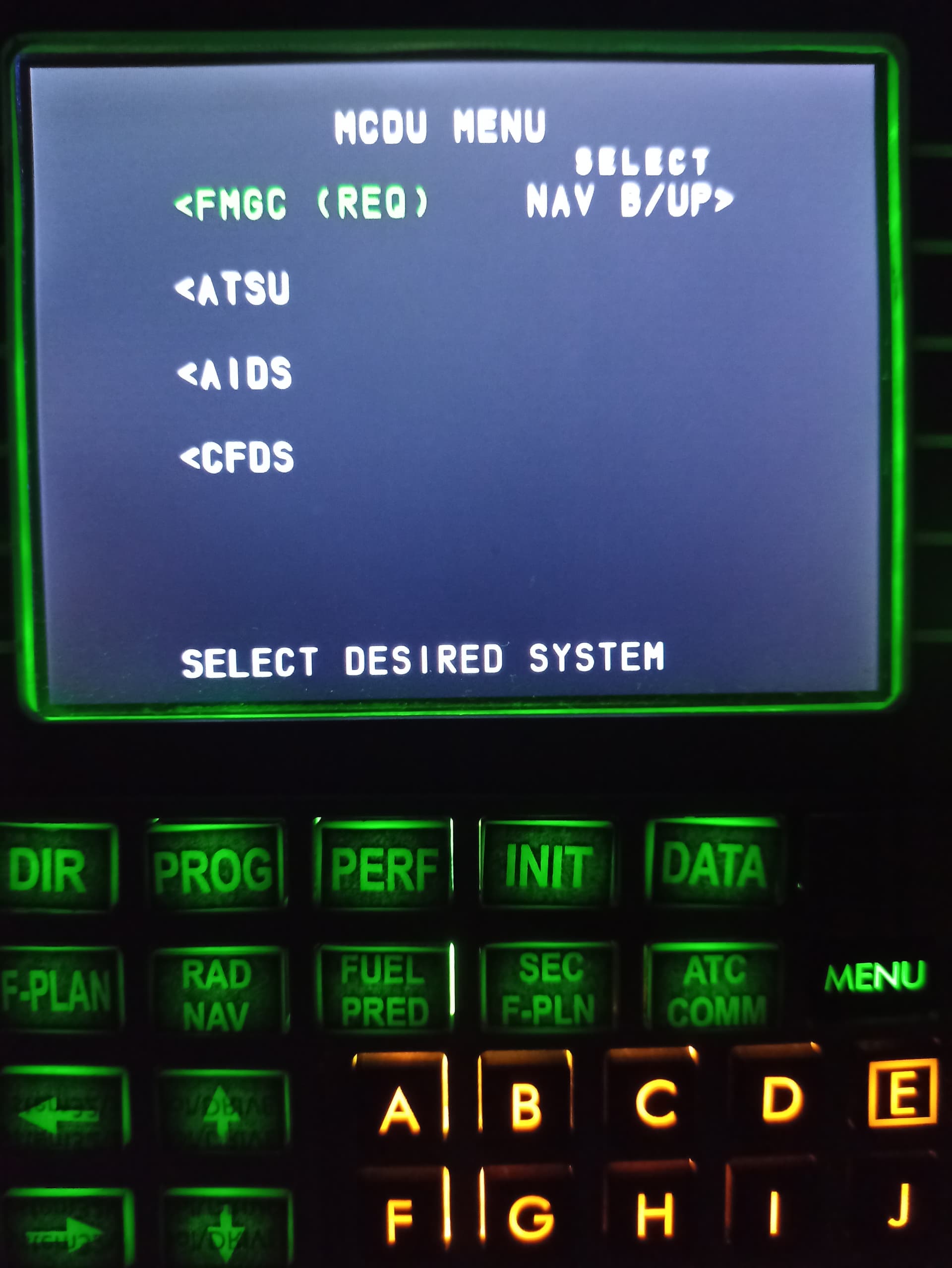
Haw can I resize the content of the screen in A320 MCDU
In popout manager
Let me start by saying I’m loving the new POPM interface and features. Definitely a step in the right direction. I have noticed however that the popout process does not always start correctly when doing it automatically from aircraft load. The view is not being set before the display popping starts even though it reports as green in the status window it doesn’t actually move and hence the individual screen popouts thereafter fail. Once failed if you select popout manually it completes normally everytime. I haven’t managed to nail down a pattern to this but I’d say it probably fails 70% of the time on that first load.
Any ideas?
I need to chime in and pay thanks for this. I’ve had a small 14” touch screen since 2020 and the touch aspect has been unusable until now. This tool is fantastic! It’s a game changer to be able to pop out the G750 touch screen on my touch screen! Thank you!
Hi Sling380,
Please try latest v4.0.2 beta-5. I’ve figured out a new way and redesigned the code to not rely on ready to fly button or aircraft cockpit to appear timing to start pop out process. I’ve only tested for my use case (pmdg 737) and it has yet to fail when old version will fail 10% of the time on my computer (since SU12/SU13 beta) when cockpit does not appear in time before POPM starts the pop out process. This happens more often when I just started the game and the game seems to get stuck and loading the cockpit takes a long time.
Version 4.0.2 Beta-5 in my github
You’ll see the new beta version actually waits (for a SimConnect signal and for around 10 seconds) for cockpit to complete its load before pop out actually starts. In POPM preference option, the timing configuration is still there if you want to allow extra seconds before POPM start the pop out.
As of right now, I’m 95% confident that the new algorithm detection will work all the time but I’ve a pretty fast PC (AMD 7800x3d) and worry that on slower PC, pure timing code may still be needed. So, the more of you can test out the new beta version and report back, the better  In the meantime. If the new beta does not work, re-downloading the older 4.0.1.2 release version will restore the existing functionality. I’m keeping the latest version as beta, continue to do more testing, and see if I will encounter any issue myself in the next few weeks since I’m currently on SU13 Beta. I want to get in front of any potential issue before SU13 release in late September.
Stanley
Hi BlossomySwine23,
You can try to adjust the pop out to fit your screen but most likely the aspect ratio may not work for DIY MCDU hardware screen size in your picture. The MCDU and most pop outs have fixed aspect ratio coded and defined by the developers for their respective aircraft. If you have access to the aircraft game files, or if you use FlyByWire A320 in the community folder, search for a file called “panel.cfg”. In the file, it defines the aspect ratio of various instrumentation panels for the aircraft and you can play with this file and see if you can change the aspect ratio for the MCDU panel to your likely. I haven’t done it for A320 but only for G1000 and it seems to work.
Thanks Stanley I have a 7800X3D too so probably not the best tester but I’ll give it a go and be sure to report any issues if I find any.
@RoastGnu hello. I love the MSFS pop out manager. Thanks for a great tool.
I am wondering how to join pop out panels like seen in some users screenshots.
Not sure what you mean by join. Can you elaborate.
I’ve seen in screenshots and I also remember it working like that. Popping out multiple panels and joining them in a single window.
Right now. I can pop out instruments and they each are a window.
Image taken from another user post in this same thread.
It doesn’t work like that anymore. That was in an older version of the sim. I can’t see any reason why that’s needed anyhow. You can still place them next to each other but in separate windows.
That is what I thought.
If you need one single window to become fullscreen, it’d be nice to have several instruments in that window.
I have 2x7" screens. I tried the PFD and upper ECAM in one screen, and the ND and lower ECAM in the other, all in windowed mode. This way the sim was very laggy.
I closed out the ECAMs and left PFD and ND both in fullscreen. The performance improved a lot as soon as they turned fullscreen.
Ok I see but that’s a very unique case and I’m not sure that would of worked even with the old scheme. I don’t think it could of done 2 and 2. It also is no good for different sized units. That main window in the old scheme was only really a collector where the popped out displays would initially go before you split them out and sized them to your needs.
Had a bizarre Nvidia driver update dance (involved “boost”) which resulted in reloading MSFS and some msfs file location changes… ugh! Since then, no version of MPOP will actually pop out any panels from any aircraft. (msfs20 v. 1.33.8.0 and MPOP beta 4.0.2.0006) Panel Source displays, and all other functions of MPOP seem fine, but the actual pop out fails. Any ideas?
Are you sure the panel are not popped out off screen with the Nvidia driver reinstalled since your monitor settings might be changed? One way to tell is if you’re using the latest version of POPM, and when you pop out your panels, panel config in POPM will be outlined with green border. This means the panel has been popped out successfully but they maybe off screen. You can then adjust the top/left coordinate to move them back into view. I hope Asobo will fix this bug soon. If user somehow update their monitor or their GPU driver settings, pop out could be “lost” forever until a game or data account reset. Or you can always use POPM to get the pop out back into view and doing a force saved by the game by moving the pop out into view, not close them, and exit the flight session.
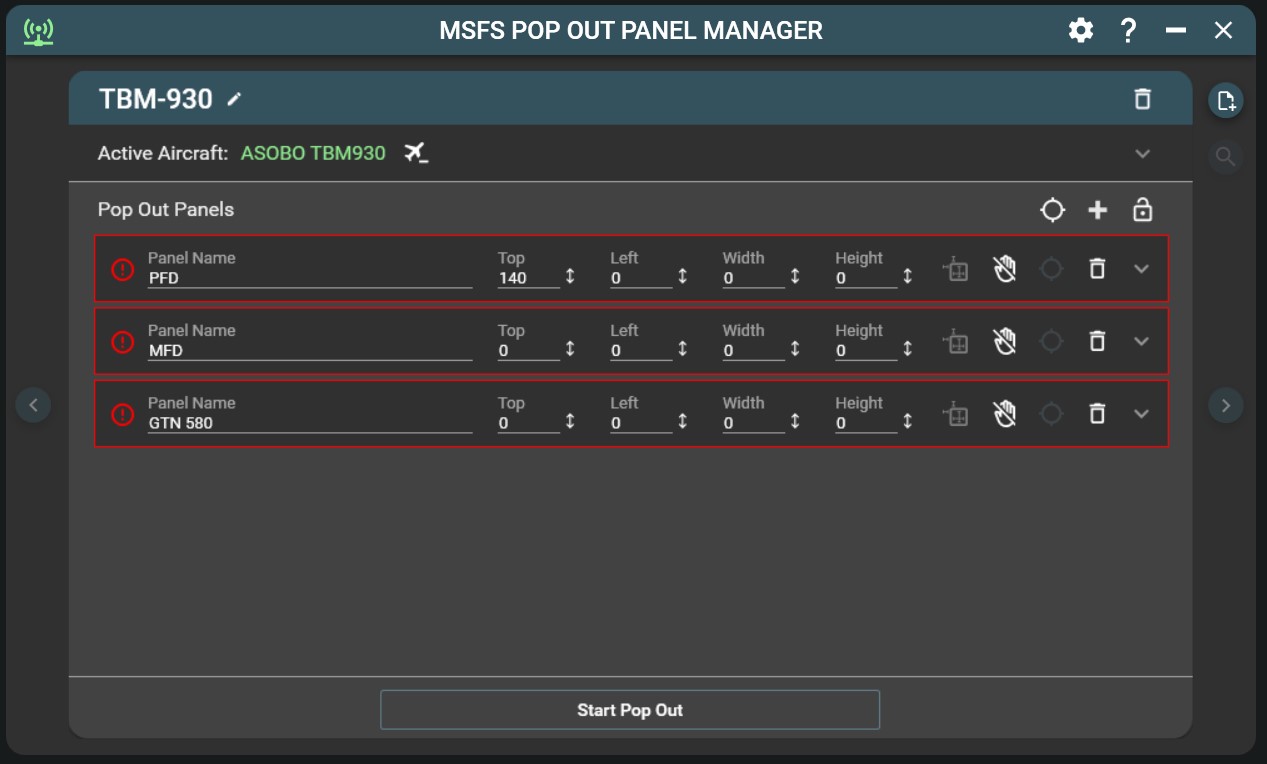
So, first off, when I click “Identify Source Panel Location”, I can only get the colored circles in the MPOP screen, or the monitor (windows desktop screen) where MPOP is currently residing. It’s like it no longer recognizes anything outside of itself, if that makes sense. It will not recognize MSFS. Once I get the circles on screen, I can move them to the appropriate MSFS aircraft panel, but when MPOP runs, it fails at every panel (red border around each panel on MPOP). In general, MPOP seems to be unable to recognize anything in MSFS. I have been using MPOP for quite a while, and feel I’m pretty adept at it. One thing that concerns me is that I was forced to reinstall MSFS on my D: drive (although, that is where MPOP is too), and between that and the Nvidia dance, this is where things went gunnysack. I have removed all previous versions of MPOP, tried old versions, but the issue remains… and today I have isolated it down to the fact that NO MPOP mouse click works inside the MSFS app. So, when I tell it to Pop Out, the circle comes up as expected, but it just hangs for a few seconds, then fails. Notice the “140” for the Top of the PFD panel. That was my edit to the panel, which had no effect, and all others are zero–across the board. Is there something in MPOP code that tells it where to look for MSFS (default location) and it’s now blind? MPOP shows connected, and recognizes the aircraft currently in use, so I’m just out of ideas within my limited tech ability. 
Something on your system is blocking POPM from working properly. An user had similar issue to yours from long long time ago and I believe it has to do with Nvidia geforce experience or admin rights. I wasn’t able to determine the cause for him but his problem went away. I am thinking this is system specific issue since POPM does not detect MSFS, you can click anywhere on your monitors and if the circle is within game panel boundary, then it will try to pop out panel by left clicking on the game window at the circle coordinate (focus) and then send pop out keystroke. Unfortunately, I also have Nvidia gpu currently and unable to reproduce your issue.
Is there a newer video on POPM anywhere? All the videos I find on it seem to be older versions that look a lot different.
I spent several hours this morning trying to get the panels on the TBM to po pout with the latest beta version. I was not successful with the same results as FireHawkAdven above. Nothing was written to the error.log to provide info. So, I reverted back to the latest release version from flightsim.to and was able to successfully pop out all the panels for the TBM every time.
What appeared different to me was the way the camera views were brought forward before the panels popped out.
This is an excellent product and I hope the information I have provided here may help someone else and lead to a possible solution for the beta.
Have tried older versions of MPOP, reverted back to earlier Nvidia drivers, no solution. Of note, I now must launch MSFS as Admin, or use Xbox. One final, serious, move would be to reinstall MSFS back on the C: drive after some major housekeeping. ugh!
Hi,
I now have pop out panel manager working like a dream, GREEN all the way.
I found I have to set my view inside the 3D flight deck so I can see all the gauges.
Next, I save the 3D flight deck position so I can jump to it every time I have to pop out the gauges.
Next, I pop out all six gauges and they appear on my main screen.
Next, I move them onto the monitor I want to use and fine tune their position.
Next, I lock the setup from within Pop out panel manager.
Every time I go to the 3D panel, I get mu pop outs.
Keep in mind you need to be in the same position when you saved the panels and you cannot change the zoom level!
I found this works 100% of the time.
Hope this helps