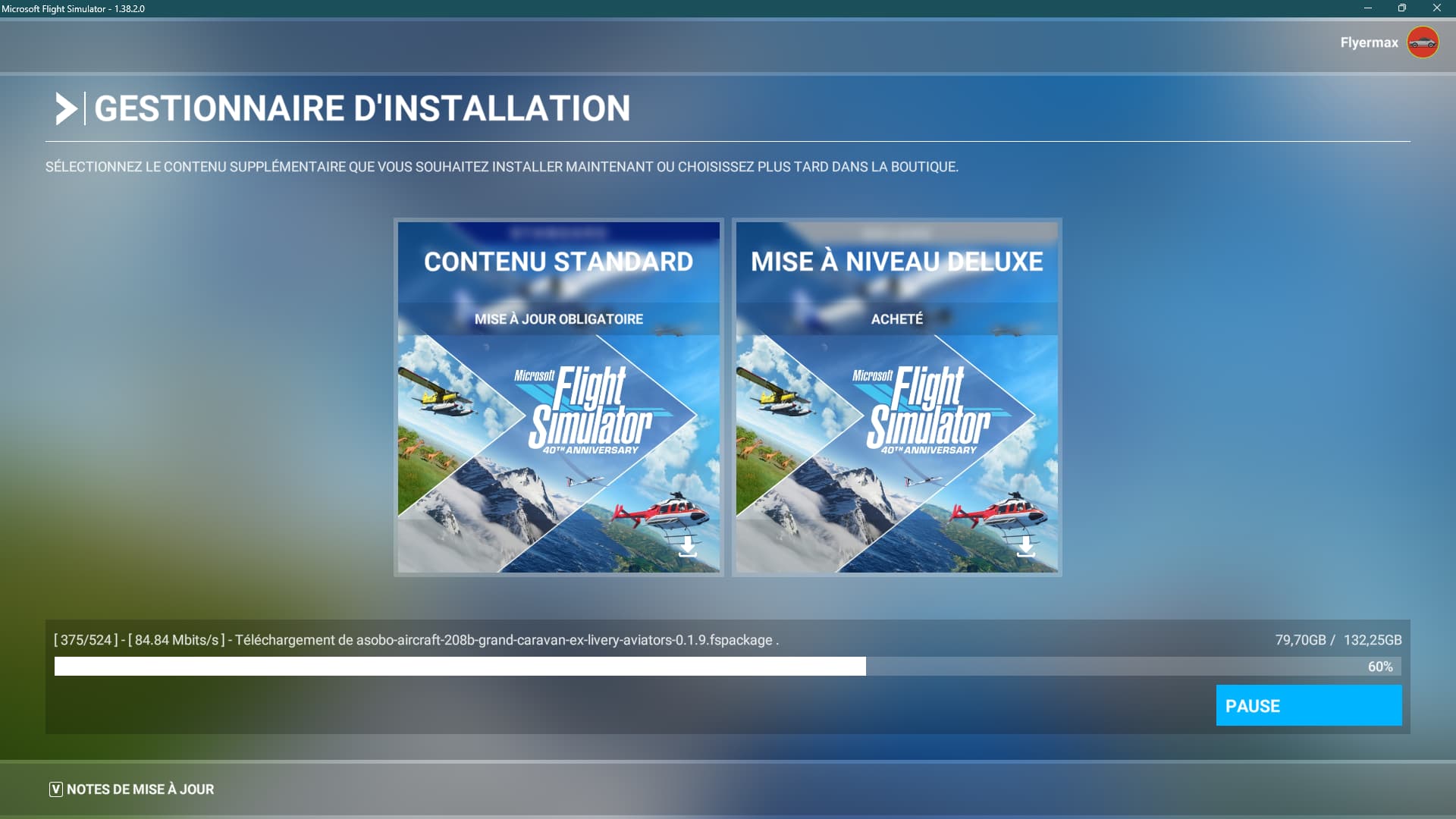
Description of the issue: MSFS2020 downloading 132Go on startup
[PC Only] Did you remove all your community mods/add-ons? No, it was the initial startup of the day
FREQUENCY OF ISSUE
How often does this occur for you (Example: Just once, every time on sim load, intermittently)? Just this morning
REPRODUCTION STEPS
Please list clear steps you took in order to help our test team reproduce the same issue:
- Open MFSF2020
MEDIA
eeeeehm,
sry, you mean that you have already installed MSFS but today it starts with complete download???
That’s exactly what’s happening unfortunately…
Thnx for your info,
it looks like like my today morning problem but different little bit.
I have feeling about some services problems now exactly…
Sry, I think that in case you’ll wait today, you will not have to do this all things again 
Looks like we are wasting time with this sim today (and again???).
Ok so, for the latest development, the sim seems to have rebooted itself deciding to move the Community folder to default location (on C drive)… I’ll try a flight to make sure everything’s in place but I will probably have to uninstall/reinstall to move the community folder to a custom drive. It’s amazing to see that even after 5 years, the sim is surprisingly unstable and sooooo frustrating! I’m not planning to move to 2024 anytime soon that’s for sure!
2 Likes
You don’t need to reinstall MSFS to move Community and “Packages” folders to another partition or drive
I’m sure you have just installed a second copy of the sim. Sometimes the sim would lose sight of the fact the sim was already installed, and start the install process from scratch. If you noticed you would see the path displayed at the bottom of the install window doesn’t match where you know it to be installed, and defaults to a folder inside your user profile on the C drive.
In more than 4 years of running 2020 I never saw that once.
Hi,
today I’ve restored my sim from some my old backup and all is ok, sim now works but I’ve lost my settings completelly (graphics, sound, controls,…) and I don’t understand why because all is ok inside my backup. Now I’m strugling what files I need copy again from backup to sim folder to have all functional heh…
Roger that! Many thanks!!
1 Like
Title edited to correct typo - s/b 132 GB (Gigabytes).