Since the PC-12NGX got backported the week of 01-DEC-2025 to MSFS 2020, this seemed to be a good time to start a General Discussion thread. Note - no Technical Support here - use User Support Hub for that please.
First things first -
Expected: No walkaround features. No pax avatars at all.
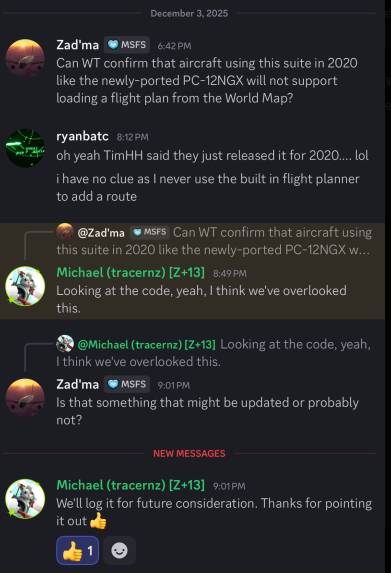
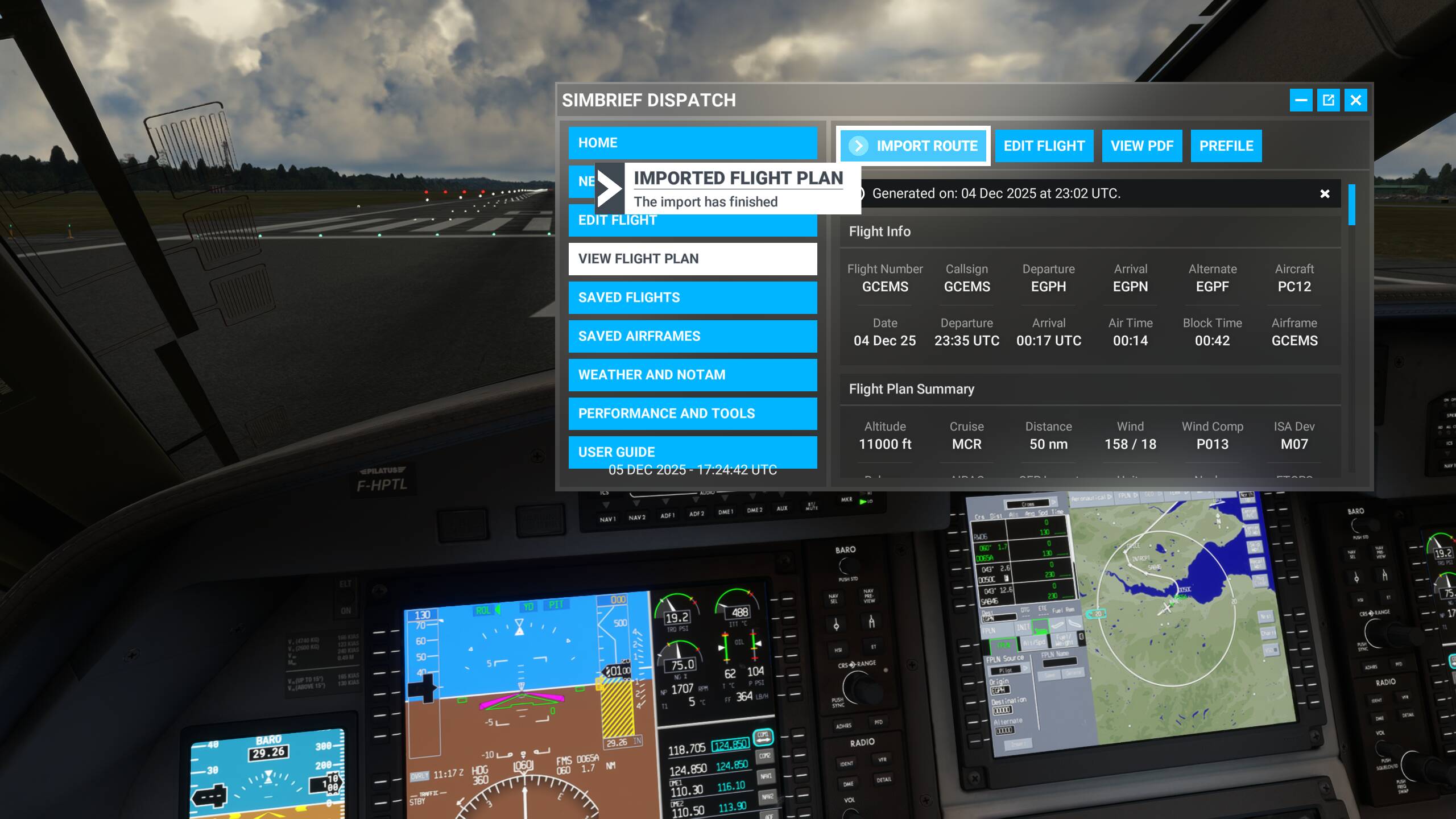
And one of the many annoying things about the Honeywell ACE is the inability to immediately accept a 2020 Flight Plan as imported or created into the World Map. Yep you read that right. At least in 2024, you could load the Flight Plan as many times as you want using the EFB and “Send to Avionics.” Here in 2020, you’d better have written down your flight plan route and be prepared to hand-enter it into the ACE. Fun! UPDATED: Working Title says they left it out by accident. No ETA on if/when it might be implemented.
The good news is ATC at least recognizes you filed an IFR plan. We’ll have to test that more - but I departed from a controlled airfield so for uncontrolled fields, it remains to be seen if ATC shakes out correctly.
More good news - the switches that acted incorrectly based upon tool tip arrows all works in the way you expect it to. It’s those niggling things that drive you absolutely bonkers after a while.
Let’s get to the Elephant in the room - hypoxia (Bueller? Bueller?). Well, since Careers Module doesn’t exist in 2020 and neither does a Free Flight realistic setting, it’s a non-factor as they say. Hurrah? UPDATED:Got a Cabin Pressure Warning at FL220. Go figure.
AP has a hard time getting on track - it’s overshooting like mad, so be aware if you’re extremely off DTK and expect to rejoin quickly while under AP and AT. It may be better to handfly it.
Bad news - FMS Speed Schedule is busted. If a leg shows .47M, AT seems to happy in SPD at .33M. Ugh.
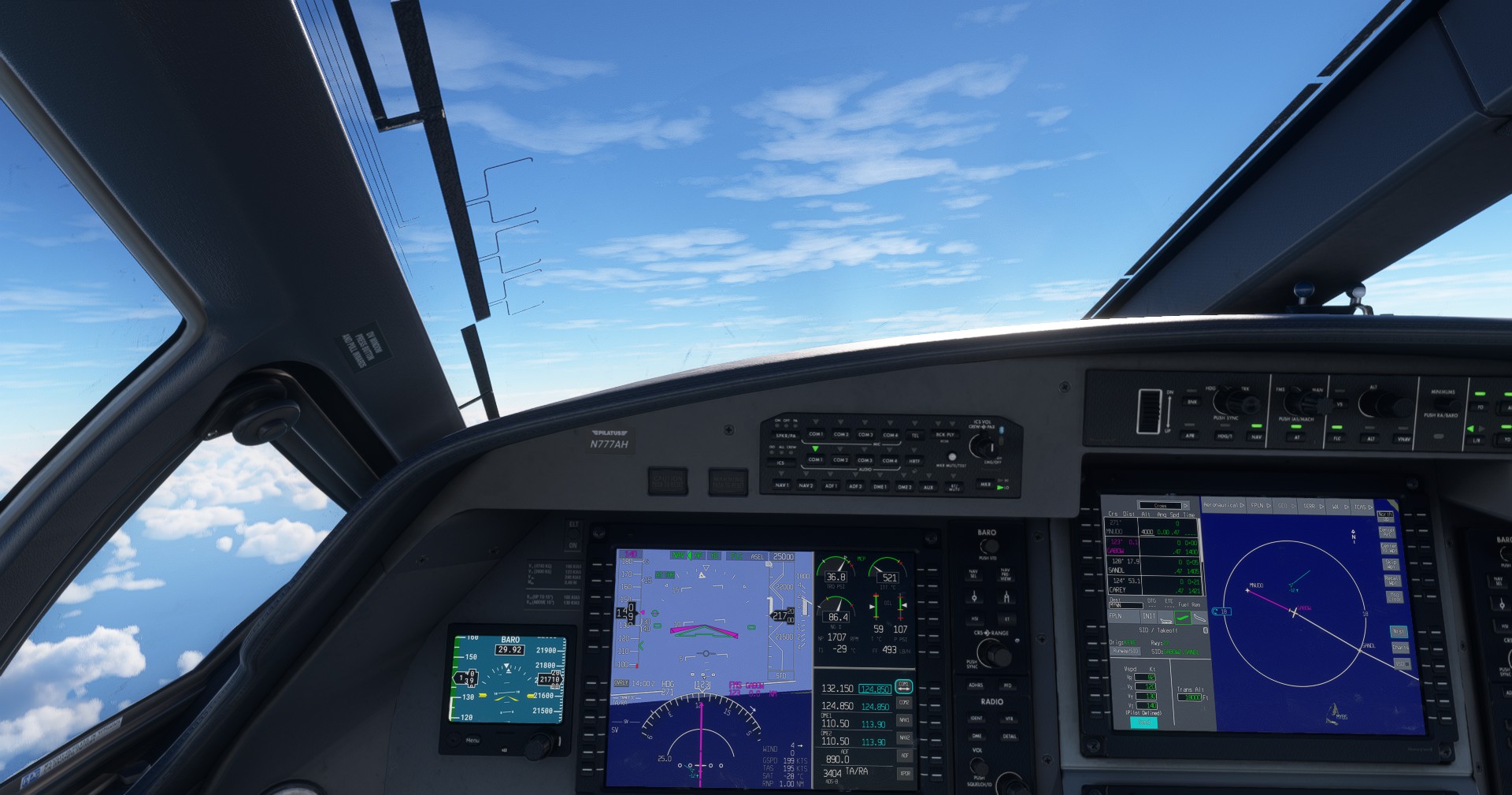
FMS refuses to believe I set Baro correctly above FL180. There’s a constant CAS message tickler in the PFD and the obnoxious Check BARO SET pop up on the MFD. See the notes exchanged between myself and @Habu2u2 below.
As far as the Baro setting, take a look at the “Baro” button (upper right of the PFD area), you’ll see a note below the button that says “set STD”. When you hit the transition altitude, you’ll need to push the end of the BARO button (rather than tuning the standard pressure), and it will change the pressure display from whatever number you’ve got set (even if it’s already 29.92 or metric std), and will then change the Barometer setting from showing a number, to showing “STD BARO”. It’s really just a double check that you’ve actually set the correct/standard setting.
Regards
This is the problem with Honeywell ACE - none of it acts like the Garmins or the other Epic. All the other FMS will accept the B-key that’s keybound to the SET BARO. It’s like Working Title deliberately went out of their way to make this act like none of the other FMS they’ve built to date.
Thanks to @Zadma for asking this over on the other Discord. It appears Working Title left out the 2020 flight plan loading capability by accident. No idea when or if it might come back.
i bought this bird and found out on my first flight that i need to put in the FP manually…unbelievable that something like this was not recognize during testing….beside all other bugs in this bird…another Carenado bird with WT combination which is not worth to buy it ( as with this actual status)
Blows me away that after all this time, the cabin pressure issue still exists, even if it’s a backport. The main reason it blows me away is not that the bug itself exists, but that the PC-12 (and to a lesser extent, the PC-24) is a popular, well-used aircraft that’s kind of a hallmark of mainstream operations. That makes it a signature aircraft for the sim. So when combined with the sim’s signature career mode and left to wallow in that way, it’s really a PR own-goal.
Yep. I for one was really excited when I saw this in the lineup last year, and then reality hit. I get the pressure on Dev Partners who deliver MS Commissioned items, I work for one. But it seems wild that this hasn’t been fixed along with other issues in the PC-24.
I kind of feel bad for other independent Third Parties who got cut off at the pass with their versions because of the new sim timing release. Given the proliferation of Airbuses in the Market, maybe they can see that putting out a better version of their PC-x might be profitable now.
There’s a difference between “set baro” and hitting the end of the baro key to get it to display “STD BARO” once you’ve hit transition altitude. As far as I can see, the “B” key still sets the barometer to current setting, but it will still display the appropriate numbers (e.g. 29.84 or whatever) for the current barometer reading in the sim, rather than the text “STD BARO” and setting the baro to standard pressure. The CAS warning is tied to the fact that you haven’t hit the end of the baro key to get it to display the desired text (and correct pressure) once you hit transition altitude. If you don’t mind the CAS message, if you put 29.92 in the barometer, you’ve met the legal requirement. But the CAS message won’t clear unless you hit the end of the baro pushbutton. It works the same way as the G-3000 in the 930 (and I suspect others I haven’t looked at). It was part of a change they did at some point (or at least having the sim require the pushbutton be set before the CAS message will clear at transition altitude).
Regards
I’m not sure what’s been done since WT took over development, but, a long time ago I wrote a thread about the Baro key.
There are actually three Baro registers, and, if I remember correctly, the Baro key affects all three of them. And I believe typically the transponder uses Baro(3) and I think the AP uses Baro(2). Obviously, the Baro gauge uses Baro(1). The problem is, using the B key sets the barometric pressue to the current pressure for all three registers. Once you do that, unless you have a device where you can reset Baro(2) and Baro(3) to STD, the three registers get out of sync, you can’t just reset Baro(1) and affect all three registers. That’s the way it used to work, I don’t know if WT did anything to really fix that. Supposedly they did, but I don’t know what.
In any event, I don’t think they changed how the B key works. So I learned not to use it, and I created a gauge for myself that changes the other 2 registers to what I want to avoid this issue. It’s been many years however since I have flown in the flight levels that it mattered to me.
Edit: It’s coming back to me… The Transponder always wants to be STD, so, technically, using the B key “screws up” the Transponder technically from working the way it’s supposed to I think. Not that FS really cared in the past (FS ATC didn’t actually use the Transponder altitude information like real ATC does, it just knows your real altitude), but, who knows what’s been programmed in these days….
AT is still in runaway when tipping over on FLC - I got an overspeed warning as we leveled off. Had to cycle AT to get it out of barberpole. And cabin press warnings twice on the way up to cruise (FL290). Cabin pressure is 9700.
Confirm that AT is a mess, also that you need to change from inch to Hpa every time you load the aircraft, also the WX needs to be activated every time
 UPDATED: Working Title says they left it out by accident. No ETA on if/when it might be implemented.