MSI Pro Z690… that sound right?
I’ll see if I can find a manual online, with instructions for the BIOS settings.
I couldn’t find the actual manual, but Google’s AI came up with this, in response to “MSI Pro Z690 disable XMP”:-
AI Overview
To disable Extreme Memory Profile (XMP) on an MSI Z690 Pro motherboard, you can do the following:
- Enter the BIOS
- Find the XMP profiles in the Easy Mode on the left
- Select an XMP profile to disable
- The profile will be grayed out when it’s disabled
Enabling XMP can improve performance by allowing the RAM to communicate more quickly with the processor. However, it can also lead to system instability, overheating, and hardware damage. To mitigate these risks, you can ensure that your motherboard and RAM support XMP.
You can use the CPU-Z application to check if XMP is enabled. After booting into Windows, open CPU-Z, go to the “Memory” tab, and find “DRAM Frequency”. If the operating memory frequency matches the XMP speed, then XMP is enabled.
1 Like
I will try this. Thank you!
1 Like
If that doesn’t work, try reducing the number of active cores and reducing the P Core ratio. that’s what did the trick for me. there’s youtube videos showing how. I reduced my P Core ratio from 57 to 55 in the BIOS and active cores from 32 to 30. immediately more stable
1 Like
Another long flight without a crash. +16 hours in a row without crashes. I think my problem is gone (I didn’t touch nothing)
Well it solved it for me. No crashes to desktop since the Bios update. All good and enjoying the 2024 sim now. Happy new year!
1 Like
Im noticing that sometimes I can play for hours, and other times CTD over and over without fail. What ive noticed, is I can tell when its going to be a session that will crash immeidatly upon loading. Ill know that in sub 3 to 5 min ill crash. Its when i see bluriness and double objects with motion.
This isnt my pc, as ive tried it with vr and without, various headsets, different games/flight sims and even msfs2020, this only happens in msfs2024.
However sometimes a pc reboot and a cleaning of shaders cache and I get 4+ hours in vr TAA butter smooth with no CTD for a day or two. Then, for no reason, I load up, everythings blurry and I know im doomed.
Now I cant figure out why. Id like to not disable XMP as DCS runs perfect and I play that a lot. However I use process lasso for DCS and I only use 7 p cores, no e cores, didnt touch anything for fs20 or fs24.
Is there somthing to MSFS24 needing less cores? Msfs2020 is butter smooth and never crashes in vr with taa with will cores.
I have 14900, 4090, m.2 ssd, 64gb ddr5, quest 3, virtual desktop, 1gb internet.
1 Like
My best guess is, that these occasional CTD are server based.
When there are many people online, there are more CTD.
And i have the feeling that MS has some agile server management that is giving priority to office and commercial users of theor servers.
Now, during the holiday season, there is less demand on the MS servera thats why they give more for the gamers.
But this is jist a wild guess.
2 Likes
So for instance, I had about 6 CTD in 30 min, restarted pc, headset, and cleared shaders cache, on restart no blurriness, butter smooth taa in vr for over 2 hours straight, no CTD. Not sure what gives, when I see the blur I now at least know, restart PC and clear cache… it’s a start… I’ll follow up more over time.
1 Like
I couldn’t agree more… I can go hours back to back flight in the Fenix and all is good. A day later CTD after CTD same areas . I don’t get it. I can watch some of the more popular streamers go day after dal and all runs like butter and have similar set-ups to mine. Has to be a server issue. Very wild guess too…
1 Like
I suppose that more evidence to support your, and my, theory that the servers are involved in these issues, is if on a following day, smooth working were to return again.
Otherwise, there is still the possibility, however slight that may be, that something has been “corrupted” locally.
The real head twister though, is that even if that is the case, might it have been a server issue that caused it? That certainly looked like the case for me, when I had reinstalled the sim, both after initial installation and after the first update, resulting in a far more stable sim. I wonder if it might be a cache issue, perhaps caused by a streaming error(s), and if clearing that might yield similar results?
1 Like
By the way, I was able to get into my bios and disable xmp. Things did run alot smoother and was able to finally enjoy several hours. Thanks again for the help.
3 Likes
You may be losing some FPS as a result of the now slower RAM and if you are and want to speed it up, you have several options.
You could:-
Increase the frequencies manually, step by step, until you get the issues again and then back if off to the previous, working, step. If you are not confident with BIOS settings however, this might be a bit of a scarey option.
Remove the two additional DIMMs, returning to 32GB, and activating XMP again. 32GB does appear to work pretty well, as long as you’re not running other, “memory greedy”, software alongside MSFS.
Remove all 4 DIMMs and replace them with 2x32GB DIMMs. This would be the expensive option and perhaps not really that much of an improvement over the second option above.
2 Likes
Interesting. I will see how things run. So far not too bad. I will definitely make note of this. Thanks
1 Like
If you’re happy with how it’s running, then just go with my unstated “first” option of leaving it as it is. 
2 Likes
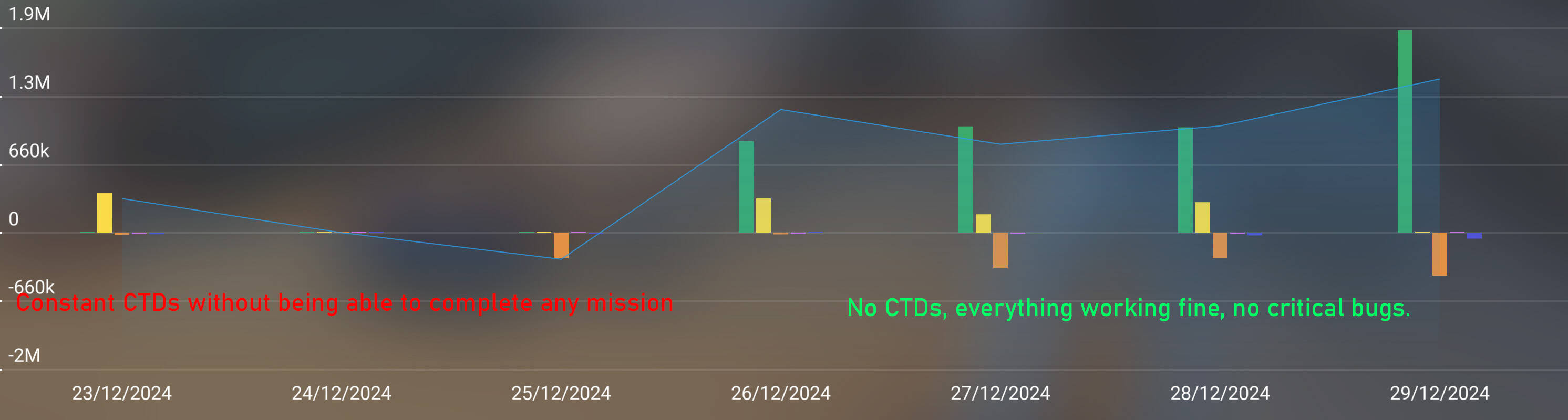
My week. From not being able to complete a single flight in several days to everything going smoothly.
3 Likes
Just another follow up for whoever cares, I’m now two days of 4+ hours of zero ctd’s and perfectly smooth visuals in VR TAA… I can’t figure out why sometimes it’s impossible to play and others it’s the most amazing experience. I didn’t do any resets, messing with bios, or clearing shader cache. I’ll continue to observe what I can as I go, I’ll update in my reply here.
My computer freezes the most in Career Mode. Either before or after a VIP flight, ferry flight, etc. It is when the display changes to the virtual “you” (pilot) with the airplane in the background of a hangar.
I can fly around in Free Flight for a few hours before 2024 begins to show signs of a freezing computer. Such as: trees begin to look like Legos (blocky), changing planes begins to take longer.
I ran Windows Memory Diagnostic, but it did not find any problems with my RAM.
My specs: i7-13700F - 32GB DDR5 RAM - NVIDIA GeForce RTX 4060Ti 16GB - 2TB NVMe SSD - Windows 11
thats the problem with the “streamed content” mode of gameplay of msfs24. They keep pushing updates to the server side content and it either changes your game mid-flight and crashes you, or they fix something and the problem disappears. But this is never logged as a bugfix or update to us users.
1 Like
I suppose there must be at least some people in the air whenever the devs make changes to the server-side code. I suppose the only way to avoid any issues that might bring, would be to retain the old code as well as the new and use some form of time stamp to decide which to download, after comparing with the time of the start of the flight.
It looks like they’re not doing that however and perhaps that would produce more issues than it would solve?
However, some form of notification of the time of day when such changes might be applied, would not be a bad idea. I remember Eve Online had, and maybe still does, an hour or so every day where the system was maintained and wasn’t available. Downtime wouldn’t be absolutely necessary, but anyone that flies then, might need to accept that something might change during their flight. If it only takes a few minutes to apply the changes, at a published time, people could always just delay their flight, I suppose.
2 Likes