I believe this is correct. When it’s showing the vector it’s indicating where the wind is coming from rather than the direction it’s blowing in.
Only if you haven’t paid any attention to how this plane works in the last 3 or so weeks. If you did, you’d notice that everyone says to keep it under fl180…
1 Like
If this happens, try flying to the next leg with hdg, I once had this issue but it captured on second leg.
1 Like
nice plane from an aesthetic point of view and from the outside. modeling was nicely done except the passenger cabin and the repeating french fries fingerprint patterns on the screens.
i was on the grind for many, many hours to get this plane only to have my pilots suffocate because the oxygen system doesn’t work. what a shame but it gave me a great idea: i’m an architect IRL. and for the next house i design, maybe i’ll just do half of the work instead of providing my client with finished plans. this saves me much work and stress. now comes the neat part: i’ll take the full payment anyway. and when they whine about it, i’ll just feed them little updates to the plans but never anything meaningful. isn’t this clever?
6 Likes
I couldn’t swear to it, but I flew the rest of the flight in HDG mode and don’t think I disabled NAV, but I might well have done as part of my “fiddling around” trying to fix the issue. 
Thanks. I’ll give that a try next time I run into the issue.
is there a way to switch the nav source in the cickpit after first leg I can’t get back to gps source
Press the NAV SEL button and it will cycle between FMS, LOC1, and LOC2. In the PC-12 the GPS navigation is called FMS.
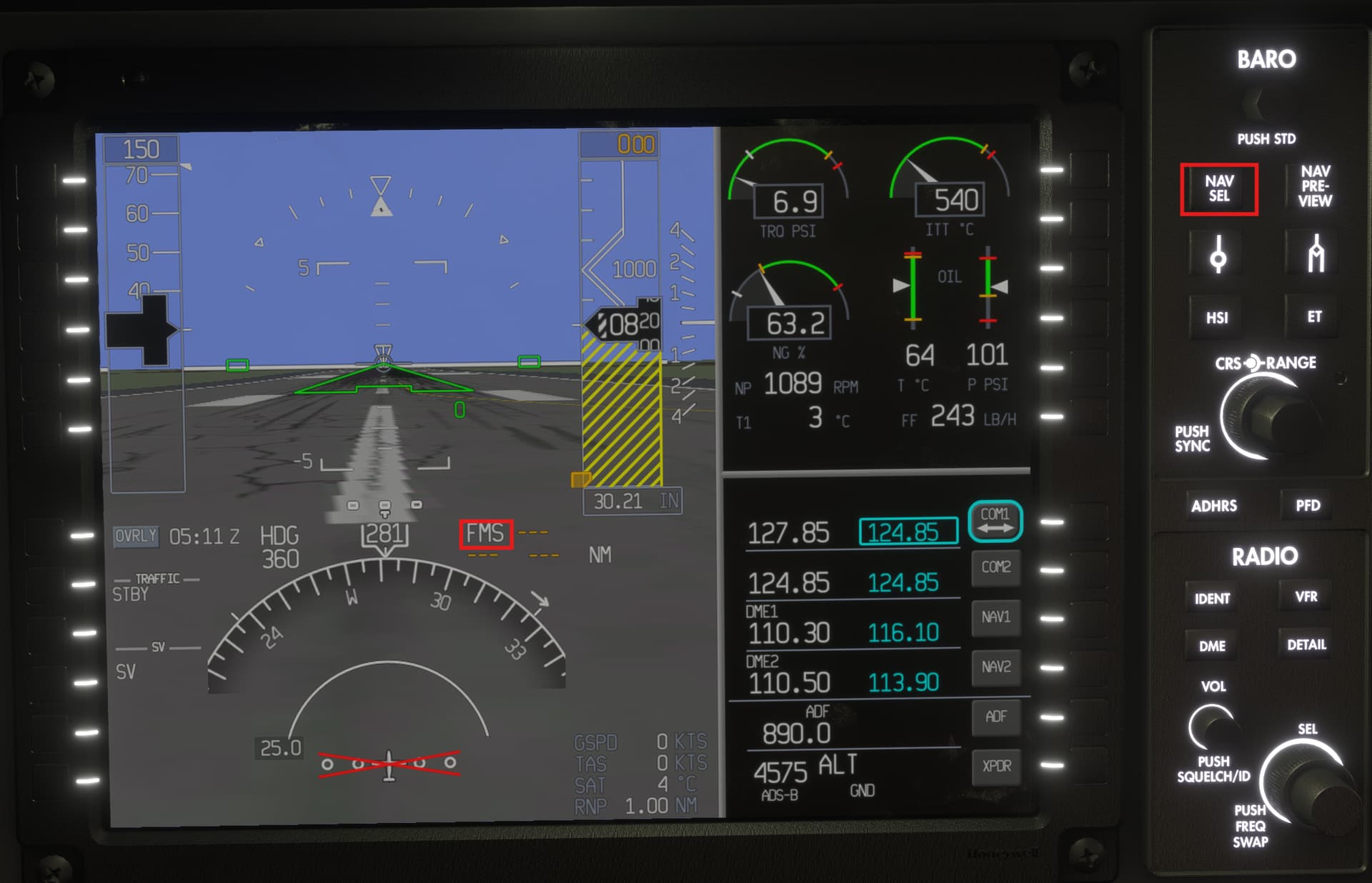
3 Likes
Before any mission, open the EFB and edit the cruise altitude to FL160 or FL170 at most. Then file the plan with ATC. This way they will not send you up too high and you can complete the mission without dying or getting a penalty for not following “airline procedures”. Also, if you set the cruise altitude beforehand, you’ll be able to skip the cruise section after reaching the lower altitude, because the mission will not “wait” for you to reach a level that is currently impossible.
But the AP won’t follow the FMS route again. There’s LOC instead of NAV. I will create a Bug report.

I am on a flight now with the same issue with NAV mode not working. I’ve had it happen before and I fixed it by switching the NAV SRC for the copilot’s screen to FMS. But that is not working this time. I am on the second leg. I just executed a DIRECT TO the next waypoint and NAV still did not lock on - I’ve never seen that before.
Hmm. I just clicked the NAV1 bezel button on the copilot display and NAV tracking kicked on. Might have just been a coincidence:
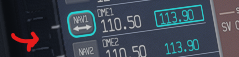
2 Likes
I don’t usually believe in coincidences.
It’s a weird one for sure, but I’ll give that a try the next time it happens.
1 Like
Had it happen again. I noticed when I cycled though the nav sources on the co-pilot’s screen, it kicks NAV mode off. So use HDG mode to point towards the desired track line, cycle the copilot’s sources to FMS, then click NAV button. When you intercept the track, it should switch to NAV mode.
4 Likes
Do you happen to know what the control binding name is for that button? I want to try and map it to my HOTAS
Let me see if I can find out what it is.
I don’t currently have it mapped.
Has anyone else had the screens of the plane just go totally black during flight? The engine is still running and everything but the screens just go completely black. They come back on after a while. Sometimes the throttle also becomes unresponsive.
Nope. I have a load of flights with PC-12 and have had zero issues.
1 Like
What dev made this PC-12?
Hmmmmmmmm……I’m playing on Xbox. Idk if that might have something to do with it.
I had it once but dince then never, thatswhy i dofnt care sbout. Yes, i sm on Xbox too
The control binding is
INSTRUMENT_CARENADO_SW_PROP_LOW_SPEED
Set this to 1 to activate low speed, 0 for normal.
I use Axis and Ohs to do this,
I don’t think you can do this via the in-game control menu.