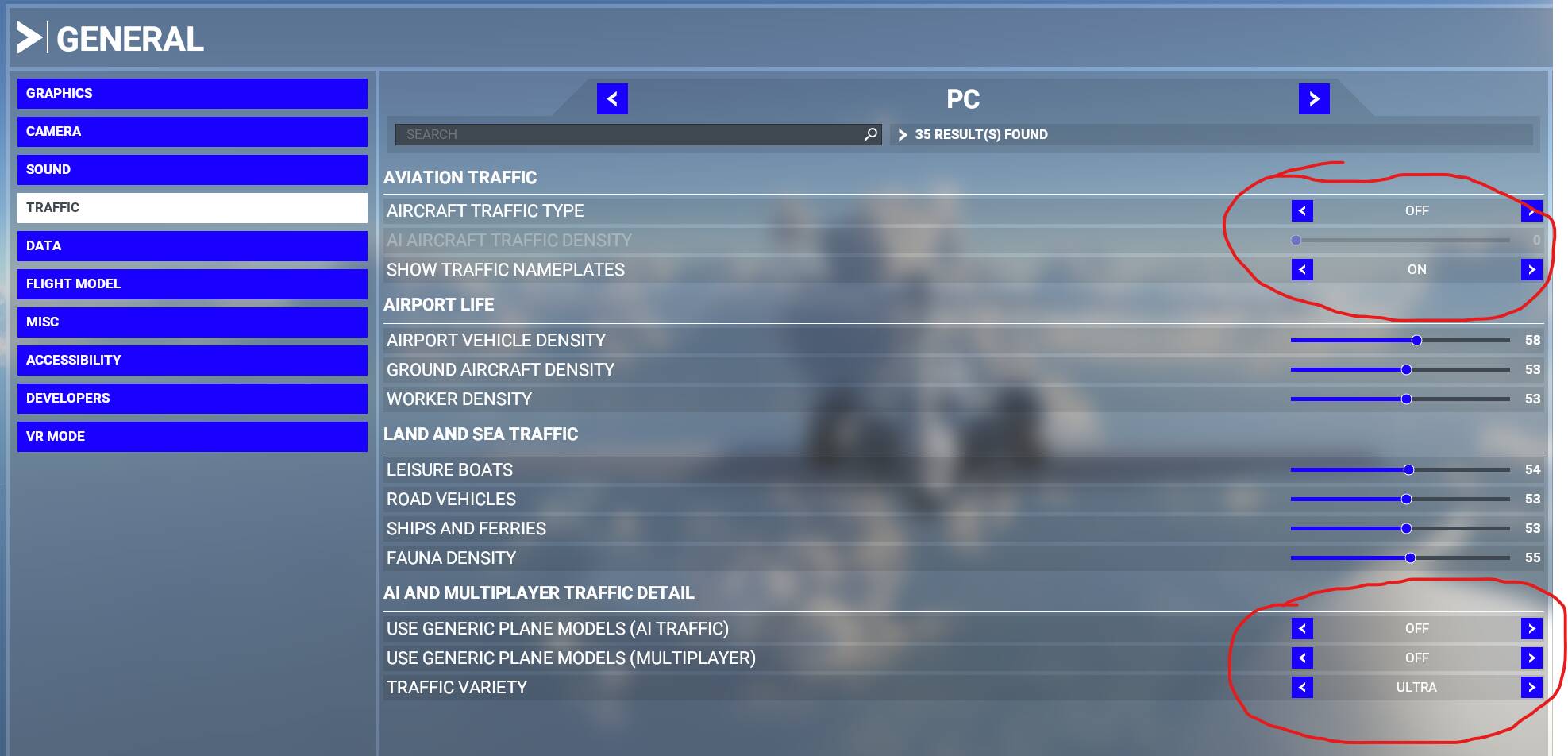
I believe if you set it up like this you will see the names of only users.
If you set the top option “Aircraft traffic type” to anything other than off, you will see AI or Real world traffic also.
the bottom choices will allow the sim to choose the closest model/type aircraft being flown by AI so that they are not so generic. It can only do so much thought because I think local files has to have the modeling for anything exotic…ex. like helicopters, they look like floating planes because I have no model info on my machine for helicopters.
Wish we had a VISIBILITY DISTANCE Slider so we did not have to see aircraft that are so far away. It would be so nice to be able to see traffic that was generally local to my position rather than in the next county and traveling away.
Completely agree. The horizon get’s so cluttered with username banners that are hundreds of miles away in every direction that I just end up turning it off.
Be careful though, you might be accused of complaining too much around here.