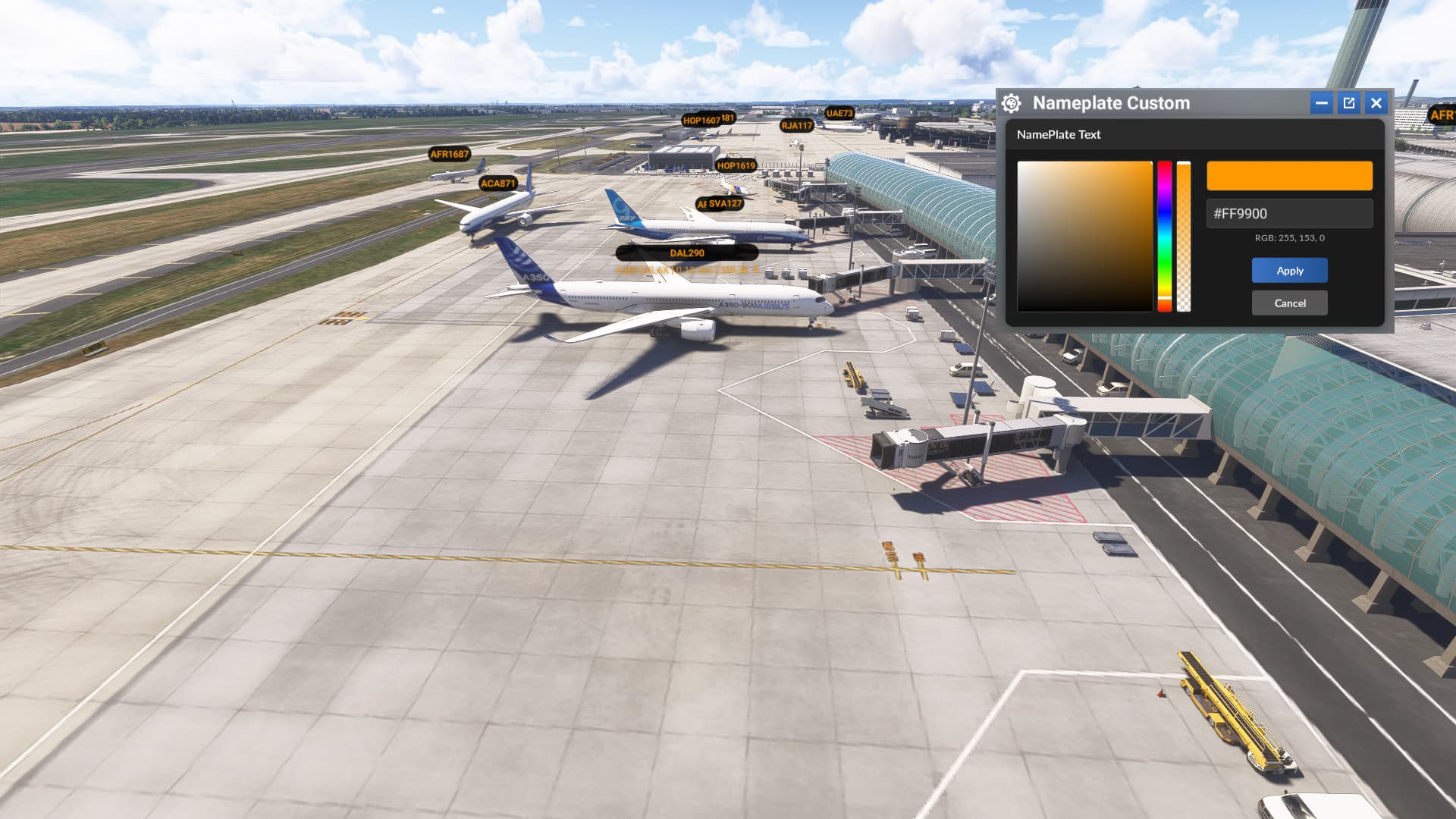
After a lot of research and some clever workarounds (mainly to avoid modifying simulator files directly), I’m excited to share the very first addon for customizing nameplates in MSFS 2024!
Key Features:
Change the text color and add a colored background to nameplates.
Customize nameplates differently for your friends or contacts.
No need to restart the sim — changes apply instantly in real time!
Nameplates now automatically shrink when you’re close to another aircraft, improving visibility.
Congrats on all the JS ‘workarounds’ - that’s a remarkable bit of reverse-engineering.
It seems your ‘runtime’ JS is primarily updating the CSS on the nameplate elements - do those elements only contain the ‘full’ aircraft data (name, type, distance, alt) for the single plane chosen by MSFS, or can you see those values for all the planes & MS is just hiding the values it thinks no-one wants?
For 2020 we have custom nameplates that take into account the aircraft type & I wonder if that’s possible with your technique. Being able to use/display the distance/altitude in 2024 would be pretty cool too. The basic idea is to allow compact nameplates on ALL the planes including alt/distance (if that’s what the user wants).
Maybe that requirement would require a hack of the underlying Asobo code rather than the less-invasive CSS mods.
Hi,
Thank you very much. Quite a lot of research in the base files of the sim to come to this but it helps to understand it better.
As for the nameplates, the info is all there even if it’s not visible.
In fact, there’s a way of forcing the display of all info for all aircraft, as well as hiding them all or only displaying certain info (in another file, but hard-coded and not modifiable directly). (Of course, they still have to be present on the screen.
So yes, if I force all the elements to be displayed, I can use the css to select the info I want, in real time.
I could add this option to the addon. But that would take away the possibility of having just the aircraft info centered on the screen, and I don’t know if that’s a good thing.
I’ll think about it and maybe make an alternative version for that.
I’d like to test how various planes look in multiplayer, but I’m having trouble because I don’t know what they are.
I’d be very happy if your addon could display all multiplayer plane types.
Thank you.
Hello,
You mean whether it’s a multiplayer plane or an AI plane. If that’s the case, unfortunately, it’s not possible— all planes are treated the same way. Actually, I could treat each type separately if I found common display rules for a particular type, but even then, if I were to find these rules, it would require far too many resources on your PC, especially if there’s a lot of traffic around you.
Hello,
It’s not multiplayer or AI.
I want to always display other multiplayer aircraft types(ICAO type), like in MSFS2020.
I’m having trouble finding the aircraft I want to see.
Thank you.
Hi,
Sorry, I completely forgot to reply to you. It’s planned — I already have a version that does that and shows information for all the planes. I’ll publish it soon (just need to finalize a few things).
I would like to try changing the settings after backing up the current settings, but it seems that the settings file is stored in a different location than the Community folder. Is it on the (C) drive?
Thank you.