I know someone else posted this subject last year but I also cannot find the nav swap button (or at least I can find it but it doesn’t work). Does anyone have a solution?
NAV swap Button? You mean switching between NAV, VOR1, VOR2?
You will find it at the PFD setting page on the g530 down on the left side or in the middle underneath the g3000
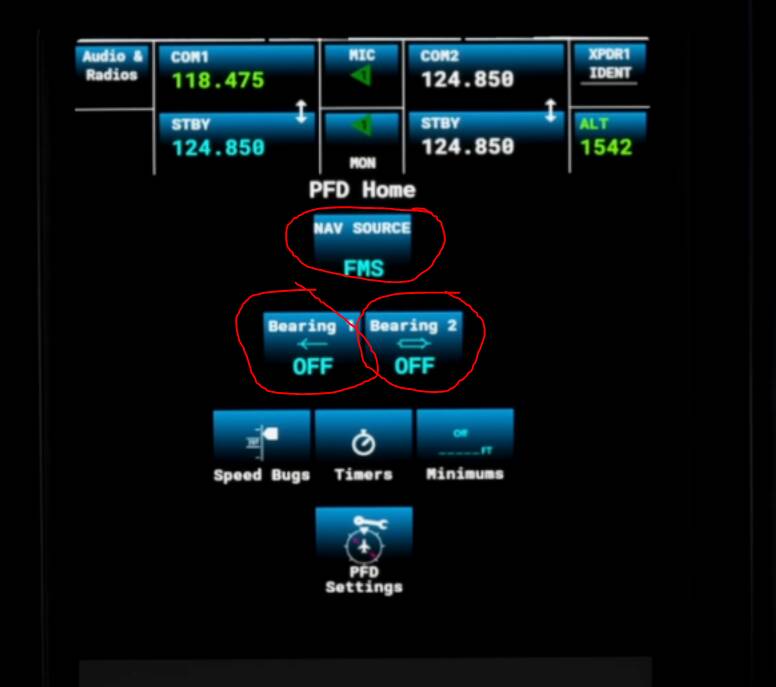
1 Like
No I don’t mean swapping between nav sources. I mean swapping between saved and secondary frequencies in the FMS. You appear to be only able to change the frequencies of the back up, or stand by nav but you cannot then swap in to make it the primary nav 1 frequency. The buttons are there but the cursor does not change to the hand symbol to enable the swap to be made.
Go to the Radios Setting Page, on the Screenshot above, upper left side.
Correction: Then push to NAV1 or NAV2 frequencies and then the xfer Button.
Maybe there is a faster way, but for the moment, didnt found it.
1 Like
This topic was automatically closed 30 days after the last reply. New replies are no longer allowed.