Description of the issue: After Navigraph published that Airac cycle worked in MSFS 2024, I installed it via the Navigraph Hub. It created a base Airac and a current Airac cycle in my community folder. The results were as follows.
No longer was I capable of loading flights from the MSFS Flight Planner. After creating and saving a flight (KTMB to KAPF) in MSFS Flight Planner and returning to the sim I pulled up the EFB to load the saved flight. I attempted to load the flight and it was stuck with it saying “loading”. However it would not Load.
Then left the EFB, went back to the plane (C700 Longitude) and loaded my flight straight through the avionics. After creating the flight, the navigation line/course was not there and the avionics did not recognize the waypoints.
Did this for a couple flights from different departure airports and destinations with the same results.
I figured it had to do with the recently installed Navigraph Airac info in the community folder. Removed the two associated Airac folders from the community folder and everything was back to working correctly.
Thank you for this report. We’ve moved your topic into the User Support Hub.
The Bug Reporting Hub is for posting suspected or confirmed bugs that other users are able to reproduce without duplicating an existing bug report. Using the template or providing all the relevant information about your bug and sim setup is required in order to provide valuable information, feedback, and replication steps to our test team.
If you are not sure if your issue is a bug or need further input from the community, please use the User Support Hub category. If the community can replicate your issue, first search the Bug category to see if there’s an existing topic. If it already exists, contribute to that report. Duplicate bug reports will be closed.
If you believe it is a new report and no duplicate exists, then create a new bug topic using the provided topic template.
All issues caused by or involving third-party addons/mods should be reported to the third-party developer. Assure that no addons/mods are used when reporting issues in Bug Reports.
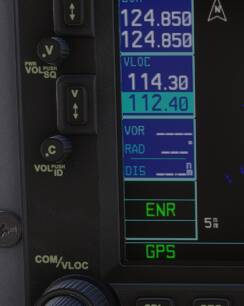
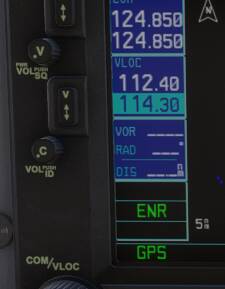
I installed Navigraph last night to see how it functioned, but I was unable to tune to two VOR that I regularly use from my home airport.
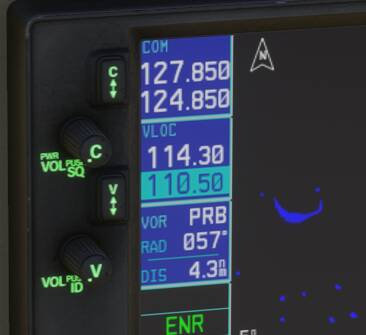
When I set NAV1 and NAV2 to each of the two VOR frequencies, the GNS didn’t even bring up their identifiers — it was as though the VOR didn’t even exist, at all, in the data and the radios saw nothing.
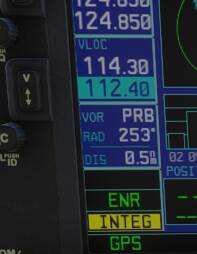
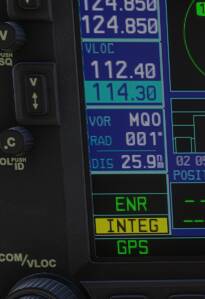
I removed Navigraph, retried the same VOR and the default navdata worked as expected.
It seems something is not quite right with Navigraph.
Agree with the OP.
I was also stuck on loading a flightplan built with the new MS Flightplanner.
After reading this post, I also removed the Navigraph AIRAC 2413 Beta plugin and the Navigraph Charts for EFB Beta plugin, and was then able to load the flightplan as normal.
Will post this link in Navigraph form
Mine finally loads but will not follow the navigation. Sometimes it does work but rarely. As I did with the first AIRAC, I have uninstalled and gone back to the planner.
However, I’m not sure if it’s not specific with certain aircraft not being compliant with 2024.
Definitely seems to be a problem here. Updated all packages through Navigraph hub. Created flight plan in simbrief. Cant import the complete flight plan via the MSFS2024 C700 import feature, nor via the msfs2024 efb tool. It doesn’t load any waypoints after the SID and before the STAR. sometimes it doesn’t even load the destination airport.
I’m the OP. I thought I was doing something wrong also. Later in the day I reinstalled the beta airac cycle from the Navigraph Hub and it seemed to work fine and load my flight plans created via web based MSFS Flight Planner and loaded from the EFB in the sim. Then a couple hours later, tried again and I got the “LOADING” stuck again. I kinda got it to load, but the only thing that loaded was the departure and destination airport.
That particular plan had only user defined waypoints and an approach. The EFB did not load the waypoints or approach. Then tried to load same plan manually into the avionics (G3000/5000 in C700 Longitude). It couldn’t find the waypoints. Two of the waypoints were SARCO and MACYS (i don’t rememer the others).
Then instead of removing the BASE and CURRENT Airac from my community folder, I simply disabled them in the Library (very convenient feature). Then restarted the sim, loaded the saved plan from the EFB, and what do you know…my flight plan loaded perfectly. All of my user defined waypoints as well as the approach.
There is definitely something amiss with the MSFS Planner and Navigraph Airac cycle. I’ve only been using the MSFS Planner to create flights. Not sure if this is happening with those who are using flight plans created by Simbrief or Navigraph Charts. That is something that should be tested. But not by me…I’m sick of testing.
Just for roses and giggles, after my last post, I opened Navigraph Charts. Did a search for MACYS and SARCO, and they are there. So I have no idea what’s going on as it relates to MSFS Planner and Navigraph. I’ve seen some posts that mention some trouble between Navigraph and Asobo. Not sure if that’s a thing.