Hi, im on Xbox series X. Just bought this plane, but so far I cant even switch the tablet off in the cockpit. I click the ‘done’ button and nothing happens. What do I do wrong?
To get rid of the tablet just click the round button beneath the screen.
1 Like
Has anyone found a good sensitivity/profile for the 170 using Logitech rudder pedals? Every time the tail moves up it’s incredibly hard to control. Love this plane but the takeoff and landings give me fits.
It’s a known issue, and a taildragger exposes the problem completely.
The transition from ground roll to airborne control is not refined. The traction/friction element seems to have two values: zero and one. Worse, all aircraft exhibit an exaggerated tendency to “weathervane” pretty severely. Again, a taildragger makes this very apparent.
Takeoffs and landings are difficult to control. IMHO it is the single most glaring issue in the flight model in MSFS.
7 Likes
I find default linear sensitivity works ok on the Logitech G rudder pedals.
Be gentle with your acceleration, and when you do start to drift to the left, correct subtlely and with very small deliberate motions watching what it does to your plane. I just did a takeoff from 7S3 in the C170B with no difficulty, with flaps at TO position, slow ramp-up of throttle during acceleration, and a slight rotation to get airborne at around 60 mph indicated.
(Slower, deliberate acceleration, rather than just firewalling the throttle immediately, also helps A LOT in WWII fighters like the Spitfire!)
(If I’m not mistaken, this is in part because faster prop wash increases the P-factor left-turning force, so if you just hit full throttle you’re making a lot more work for yourself.)
3 Likes
Excellent advice, especially because you have no physical feedback when “flying” a computer! 
1 Like
Thank you, but i’ve clicked that too. Neither the round button nor the ‘done’ button seem to respond. So frustrating. The tablet just sits there in the middle of the screen.
I may be wrong here but isn’t that one of the bugs that popped up after SU5? I thought I read that the fix had been implemented but we are now waiting on Asobo to update the module in the marketplace. This fix is delayed because the marketplace managers went on vacation for a week after SU5 was released and now they are delayed with a big backlog of updates.
2 Likes
it is broken on Xbox.
You cannot click away the tablets on both carenado planes.
Get a refund via Xbox support.
But Carenado is aware and will propably fix it in an update.
1 Like
Carenado tail draggers like the WACO are particularly poor.
In aircraft from elsewhere, like the Warrior II (providing trim is nose up) and the c140, the respective developers have found work arounds for ground physics limitations that seem to work a fair bit better than Carenado manage.
However in the end the issue can be landed squarely at the feet of the Asobo ground physics model and the very poor transition in MSFS from ground physics to flight physics.
Developers should not have to work around a poor ground physics implementation.
2 Likes
That seems very true… the Just Flight models “feel” like a Piper to me, and the C140 is - by far - the best handling taildragger in my hangar. (Plus it’s a blast to fly… low and slow!)
2 Likes
I just purchased this plane yesterday. I was bothered by the tablet at first, but discovered that clicking on the top center of it (where the two black lines are visible) makes it go away. You can then click on the C170 logo on the yoke to make it reappear. I can’t speak to its realism, but I am loving the view from this plane (moving the camera angle up a bit seems to give the largest cockpit field of view of any of the other planes I’ve used in the sim to date while still allowing me to see the key instruments).
2 Likes
I was flying the 170B today and after 40 mins of flying, i landed succesfully. 5 mins later i took off and while cruising my electronics had gone, like if the alternator was turned off. Is there a dedicated alternator button on the cockpit i’ve been missing?
I’m using the lastest version aviable in the marketplace 1.1.0 i think
Thought some might want to see my report to Carenado Zendesk and what appears to be a very positive response:
"I owned a 1952 C-170B for several years with over 500 flying hrs. in the aircraft. Thought I would share some impressions with you after a couple of flights.
- CHT gauge good in flight but on the ground stays to cool. Last flight in MSFS was flying out of MPTO at 34 degrees C and on the ground, including a long taxi, CHT never got to 100 degrees C.
- Aircraft swings left excessively on takeoff when tail wheel lifts off the ground.
- Tailwheel steering is overly affective during taxi. I defiantly remember having to use differential braking when taxing.
- I don’t remember ever having such a severe wing & nose drop during a stall. Could always hold the nose on a point, using the rudder, as long as I wanted in a stall.
- An aircraft of this vintage would definitely have an ADF…suggest you add it."
Carenado’s response: “Thanks, this has been reported to our dev team for correction.
Regards
Carenado”
So…looks like some improvements will be forthcoming.
Garry
1 Like
“This has been reported to our dev team” is what they say in response to basically all support tickets. They’ve been good about fixing actual issues with the plane so far (like the broken CHT gauge in the initial release) but I wouldn’t read too much into that response on things that are matters of opinion.
Your second issue above is true of basically all taildraggers in MSFS unfortunately, and has been discussed at length.
Whilst true, some addons, for example the c140, are a lot more forgiving and also the c140 does not bounce as excessively with too much speed like the 170. The issues, at core , are to do with the sim itself, yes, but some devs are better than others at working around them.
I was going to talk about the difficulty to take off but I see is a common issue.
Having the same in both Carenado taildraggers, they go completely crazy when reaching some speed.
As taildraggers, you have to level horizontally to get speed over the front gear. But in this case, even being a Cessna that is supposed to be more quiet and reliable, it goes crazy rolling to the side, rolling on a wing, to one side, to the other one…I am sure that the real is not that way.
The ground handling for take off and landing is terrible. It is a shame as I like their aircraft much in flight, but the ground part is important enough and having that behavior is bad for the whole experience.
They must know because we can notice the collisions are disabled but for the cases that cannot be disabled. You don’t collide against trees, other aircraft collide, or you can carry over the ground with your wings and nothing happens.
I can take off better the Aviat Pitts Special than the Cessna 170B, how it can be!
And yes, it need an ADF, maybe with a DME at its side.
Here some samples about Cessna 170 take off:

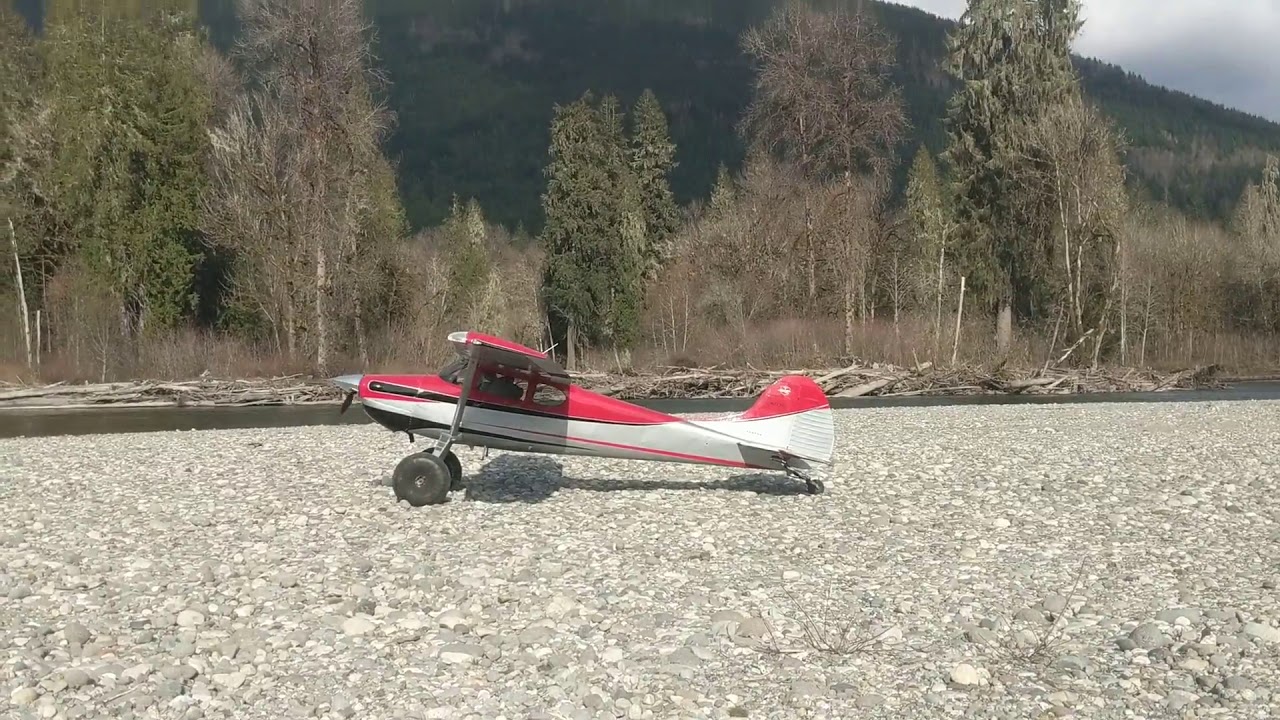
Nothing similar to what we have. Like any other taildragger, get some speed, put onto front gear, accelerate to take off speed, take off. More even with a Cessna that is always an easy and handleable aircraft.
I think the problem is that when you put onto front gear and correct with rudder (with its already excesive turning), it banks, raising the other side, and it shouldn’t.
I have a little bit of swinging right/left when the tail comes up, but that’s it. Is this what you’re seeing, or something more dramatic?
Make sure you’re being gentle with the controls – move the throttle up slowly, and be very careful when applying rudder.
Swinging on takeoff in the 170B is moderate and easily controllable. Handling on the landing rollout is totally uneventful. Doesn’t even compare to the YMF-7, which is murderous.