The DCD Stearman had a value for the landing gear drag coefficient scalar at 0.007000 EDIT I shortened the video to show just the approach and landing *** Please note that if you are going to try this make sure you save the original flight model.cfg file on your PC somewhere and rename it ‘original FM’ or similar. Otherwise - if you make a mistake or don’t like the results you can revert back easily. The other alternative is to delete the entire DC Stearman folder and re-install fresh from the vendor..OR - you can just wait until it is fixed officially.. EDIT : I have edited the flight model.cfg in this aircraft as follows: to find the landing gear drag coefficient edit, look under Just these two line item edits should correct the landing issues without harming the overall performance of your DC Designs Stearman
Now, I don’t know if anyone has looked at the Stearman’s landing gear recently but - it is a LOT of big stuff just a dangling down in the wind there underneath her.
I changed the value to 0.017000 to increase that drag somewhat.
Now the approach speeds are closer to where they should be.
I can post the video (just mind that it is still processing) https://www.youtube-nocookie.com/embed/lZ4WOSlsOeY
there will be another video to show the overall takeoff-landing circuit in a few minutes**
here is that video - https://www.youtube-nocookie.com/embed/M4zwJCtJuko again it will need to fully process for HD
Flight Tuning
parasite_drag_scalar = 1.100 ; //originalvalue 1.000 <------
Aerodynamics
drag_coef_gear = 0.017000 ; // originalvalue 0.007000 <----
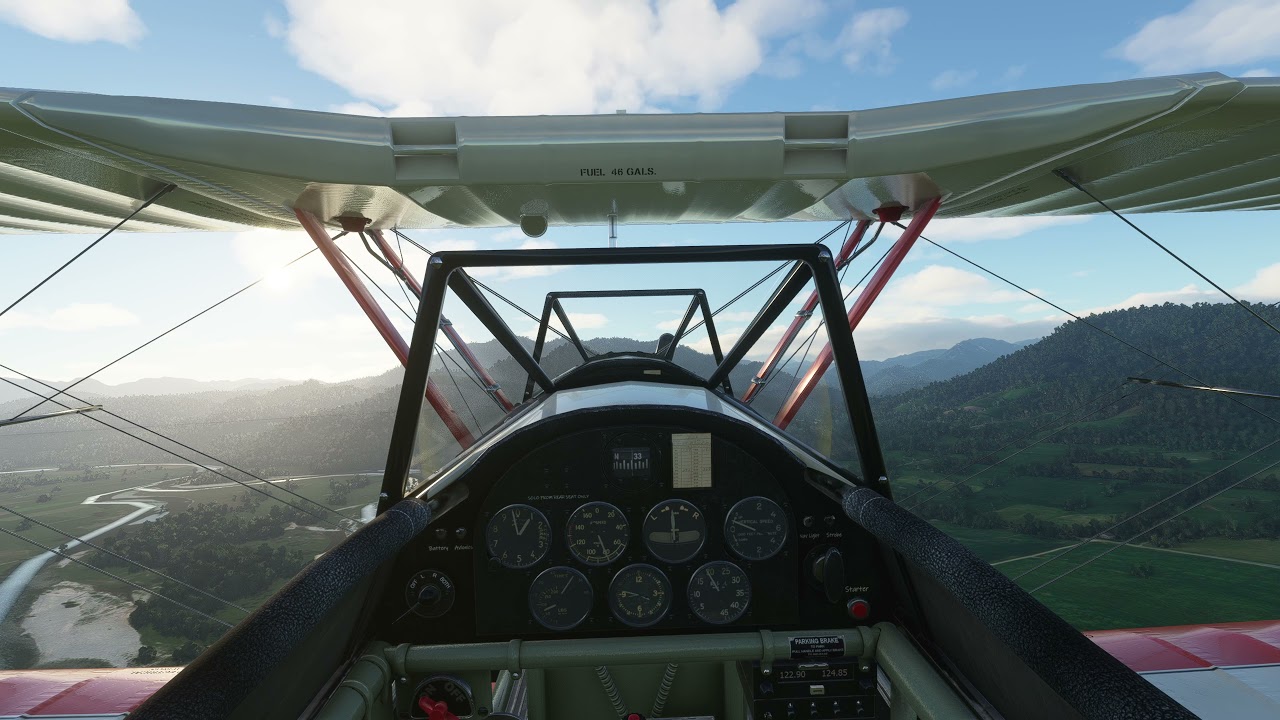
No it does not work on the stearman but the gauges are easy to read in VR
Maybe you missed my original post but a cropduster variant would be amazing
Do note that increasing parasitic drag will have an effect on top speed and cruise climb.
I assume people are aware you can add up to 10% parasitic drag to the Stearman with the “Wear and tear” slider as well as adjust aileron/rudder/elevator authority (basically how far it moves with maximum control) from the loading screen before flying.

This works perfectly with the Stearman, also handy for most tail draggers.
The only issue for me so far is the particle effect on the screen which was greatly improved already by the very fast first update. 
Yeah flapless aircraft like the Stearman are adversely effected by the lack of prop drag in game.
The Stearman is fine on long runways it just floats forever but on short field circuits in game you basically need to “Barn Storm” the Stearman in with S turns and slide slip … but setting Wear and Tear to 70% or so you still get reasonable top speed, and if you do an extended final and cut the throttle you can now manage a semi normal circuit 
Circuit at Murchison with 70% wear and tear - it still floats worse than something slippery like a Mooney but at least you can get down.
Thanks for your reply. I really wish I knew more about how it is implemented and wether or not the developers know how. It sometimes seems as if whether it’s going to work or not in a 3rd party release is almost random. If you are a developer and happen to read this could you possibly shed some light on this subject.
On a small scale, relatively simple, steam gauge cockpit it really doesn’t matter so much but in a complex cockpit plus the addition of gps devices, for me cockpit zoom becomes absolutely essential if the plane is to be fully useable in VR.
A snaproll is not a roll! A snaproll is more like a horizontal spin. So rollrate has very little to do with a snaproll. BTW, I have tried to Snaproll your Stearman, and I have had no succsess so far. I have snaprolled Stearmans IRL, and it is a pretty violent thing, both in what you have to do with the controls, and the reaction. I have tuned down the rollrate with the control settings…
I know, I’m aware of how a snap-roll is performed - however, most users won’t be and will simply throw the stick in the intended direction and expect to see a result. They won’t know about wing-stall and rudder. I have to be mindful ( or I feel that I do ) of these things when creating aircraft and remember the end-user may not have the same knowledge of aviation as a pilot like yourself ( or me, PPL ).
I have the same problem in reverse also - I routinely get e-mails complaining that the F-15s won’t do Mach 2. “I’m at full afterburner, 50,000ft, and I’m only seeing 550 knots! This is garbage!” etc. As a pilot, you’ll know why they’re already at Mach 2.
A product like the Stearman is designed to be representative of the aircraft, but won’t I don’t think ever reach absolute accuracy. Enough folks have mentioned the roll-rate now though that I think we’ll make the change, along with the increased drag - I always say that if enough folks want something then I’ll do it, and it seems to be the case here 
Thanks for the info share and test, I’ll input those figures and they’ll be in the next release
Part of the issues is probably the sort of controls people are using. Most cheap (sub $200) flight sticks are designed for combat and are intentionally short throw and notchy. Most cheaper (sub $200 CH, Saitek etc) yokes have only 45 degrees aileron movement left or right and limited elevator movement a well.
This means the majority of users can apply full authority on the controls much more easily than in real life. With my Fulcrum yoke (180 degrees on the aileron axis and 8" elevator) getting full movement is a bit more like you need in real life. The force you need to apply is much higher (and more realistic) as well.
Lack of prop drag is a separate issue and lies entirely with Asobo to fix that.
Why not supply two different flight models and let the users choose what to install ?
I’m slightly ashamed to admit that until now I had no idea how a snap roll was actually performed.
I get that there’s been a discussion on accessibility, but deliberately exaggerating the flight model so people can fly a specific manoeuvre without using anything like the correct technique is way too accommodating in my opinion.
I do agree, honestly - it’s much better to have things work the way that they should. So tough at the moment though to make the best judgement call that keeps the most people happy - I reckon that 70-80% of users are not familiar with such things. Of course, what they don’t know also doesn’t hurt them in this case as they’re unlikely to perform a correct snap roll.
I’m not sure MSFS will support the manoeuvre anyway, but will see what can be done to make things more realistic. Aileron roll rate is already being reduced though.
The problem that I see here is that everyone is trying to provide solutions and be helpful, and that’s pretty good, but they are mostly based on own subjective opinions or sensations with their joystick devices that could affect everyone else experience, some of them are based on real experiences but they are not providing accurate numbers either.
For example, it seems good to reduce the roll rate of the plane if it is very high, but it would help more if real data were provided that give credibility. That is to say: for such a speed, let’s say 90kts the plane should not exceed, for example, 180 degrees roll rate second, instead of “it should be lowered a bit or a lot in my opinion, but I don’t know how much either”.
With this I do not want anyone to be offended because we all want the same thing, but with real data it would be much faster.
We are open to suggestions as always
Also, I am watching the videos that you are posting in which you have changed two parameters on the flight model and it seems that you have a better experience landing and I am glad for you. But, neither are you specifying: the C.G. % fwd or aft you are using (as reminding, the CG limits are between 23% fwd and 34% aft), nor the amount of fuel that you are using at the moment of landing. All this affects the aerodynamics and behavior of the plane. For example, reducing the engine to idle and applying a little positive trim will help create induced drag to the aircraft which helps to brake the plane without the need for flaps.
Also, there are many parameters related to drag. The gear drag in cfg is actually only used for aircraft with retractable gear as explained in SDK. The parasite drag is mostly affecting the plane at high speeds not at approach speeds. Changing the drag curve will have other effects like decreasing the climb rate and take-off roll distance. The best here would be to get an opinion of real-world Stearman pilot and adjust FM by someone really knowledgeable about all the parameters in the config file. Some types of drag apply to low speeds, some to higher speeds, too much drag at low speed and the plane starts to sink at idle, etc. I would hope DC Designs have some FM guru in their ranks.
To be fair, most people are not familiar with correct aerobatic procedures.
I fly in online multiplayer streams a lot and it is surprising how many people type " do a barrel roll" when they actually mean “do an aileron roll” .
Fuel and COG are default. The changes can be made to the flight model cfg and tested and they can be undone if they don’t work and reverted back to original. I put both the original values and the changes I made in that posting for that reason.
It works and gives the Nearman more accurate performance on landing without altering the other flight performance. Did you test them yourself? Over the boundary at 70kts and touchdown at just over 60 indicated, with no side slip or cross controls needed - unless you’re trying to land downwind..
You’re welcome
Uhm… thanks? xD
As I have said, the flight model will be revised to try to make it more like the real plane, but not based on your personal opinion about an issue that not everyone is experiencing. Nor is it going to be done trusting everything in those two overall scalars for the reasons that another user has explained to you. But if it works well for you, I’m glad.
sorry for the silly question but does this have an interactive checklist ?
The Stearman has a checklist in the dropdown menu in-game, top left icon. It’s a very easy start-up procedure