According to the existing Aero users on Steve’s (VRFlight Sim guy) Discord, the Aero won’t even boot up with NIS switched on.There is no motion reprojection possible either.
If you already have satisfactory performance in your G2 with motion reprojection off then the Aero seems to be at least as good performance wise whilst looking much better.
Haven’t tried one yet but from what I’ve read its not just the clarity (resolution/render scale) but the fact that the sweet spot covers 90 percent of the FOV, there are no godrays or glare, and its both brighter, and has better colours. Those strengths would remain irrespective of pure render scale.
So if you don’t have to use SteamVR, how do you run the Aero as their website info only shows Steam Vr….do you use Windows Mixed Reality app before starting up MSFS? Or simply just use the Aero Base Station software directly and then launch MSFS from the aero base station desktop view of your system apps?
You just have to have Varjo Base running, which starts with Windows. You do not need to load up WMR or Steam.
To start MSFS you can put your headset on straight away when still on windows desktop and use the virtual desktop in the headset, which is available at any time when Varjo Base is running, and start MSFS from there, or boot up MSFS normally. Either way works well and is very easy.
I find switching between VR and flat screen within MSFS very fast and stable using the aero but I think this had been improved recently anyway.
That’s good to hear. I have a question. With the G2/G1 you could select “follow me” for your desktop window, then, when you go into the MSFS 2020 space, that window would follow you. Can you do this with the Aero?
Hmm that was done through the WMR cliff house wasnt it? As you don’t use that anymore I am not sure how that would work. I do want to look into this to bring other windows into VR but have not done this yet, sorry.
You can very easily switch to virtual desktop and back while flying just by pressing a button on the side of the aero, this works very well so could mitigate the need to bring some windows ‘inside’ VR, but not all!
I’m looking forward to hearing your feedback. Still no shipping email for me so I will live vicariously through you lucky buggers for now haha.
Be sure to share your thoughts once you get it going. Thanks
Excellent! I’ve had news that mine will be arriving at the resellers “before the end of the month” so i should receive it early early feb latest, not bad considering i ordered 9th dec, less than a 2 month wait.
Let us know what u think of it compared to the G2 etc.
Got mine today and it works fine with DCS and Xplane through steam be. Msfs however I don’t get a picture in the headset. It tracks the movement when I switch to be but there’s no picture. Tried shutting of openvr in varjo tool, didn’t help. Tried to use steam bar instead, didn’t help. What am I doing wrong?
Did you previously install the OpenXR NIS tool? There’s a known issue with it leading to those symptoms. If you don’t know what I’m even talking about then this is not your issue
Update. That was the problem. Uninstalled the NIS tool and everything works. And wow! I now have had my best VR experience so far. It is very sharp but the text on the G1000 is still somewhat blurry. It’s not perfect because there are some artifacts. It seems to be a tiny little bit of lag or something when turning the head fast. But the thing is that you don’t need that so much because you can just look with the eyes and it’s still sharp. FOV is basically the same,e as the G2 I would say. For me this is a keeper. Again, thanks for the help.
Surprised at that tbh.
What’s your msfs render scale set to?
What steamvr resolution are you using i.e. 100%?
What ppd setting are u using in varjo base i.e. 27?
Hi, out of the box everything set to 100% and high in FS and 35 in Varjo app (high default). I haven’t tried higher setting because everything else is really nice, like looking at the monitor. And my frames increased with almost 10 in MSFS, DCS and X-plane. The G1000 text wasn’t good in the G2 either. It’s a known problem.
I’ve had the Aero for a week now, and spent a lot of time with it.
Following on from my first-day post, a few additional thoughts.
With my PC, the default 35PPS is quite good enough. Higher PPD tend to invite stutters etc.
On thing that bemused me initially was that cockpit details were not as sharp as I was expecting, even on the vey high Varjo PPD settings.
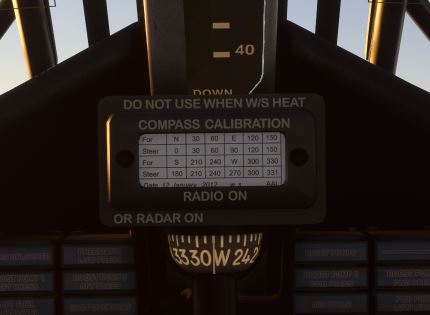
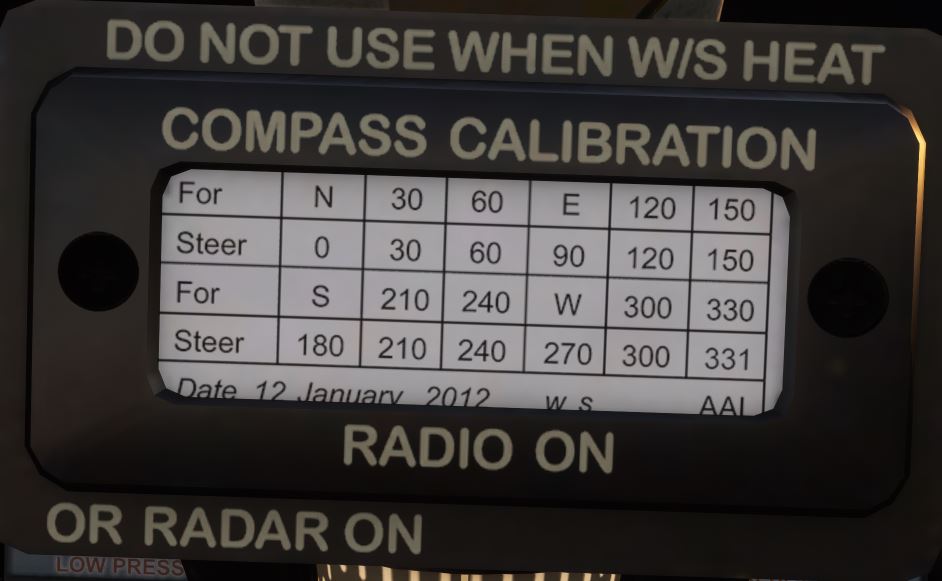
After much playing about, I think I’ve arrived at the reason for this - it’s an inherent limitation in MSFS. If you are further away from an instrument, then it will appear less distinct. The Aero merely shows what MSFS is showing. It’s an almost exact desktop copy..
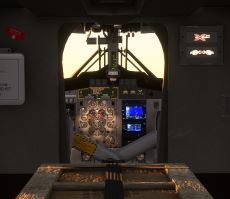
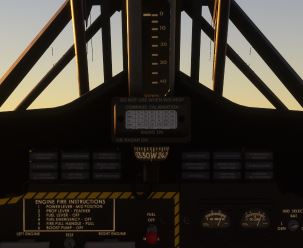
To prove the point, have a look at the sequence of images below, concentrating on the Standby Compass Correction table in the centre of the panel as I physically “move” forward through the cabin.
The images are screenshots of my desktop, and I can attest that they look EXACTLY the same in the headset.
Referring to the distortion - I find that I’m getting used to it and don’t notice it so much. Adjusting the headset vertically slightly on the head to suit the best effect helps with this.
I’m using moderate settings in VR, with the Render scale set at 100. After much experimentation this gives me smooth operation.
Won’t be going back!
Brit
I7 6700 32Gb 3080Ti WIN 10 latest NVIDIA Driver.
Seems some US customers are waking up this morning to find their headsets are in Memphis with a clearance delay. Varjo has been made aware and are working on it. Hopefully this gets rectified soon.
Shipment requires importer’s registration/identification number for clearance. (Examples include EIN, SSN, VAT, GST, RFC, etc.) Recommended action: Importer must provide the required registration/ identification number.
Hi
I have i9 10900 OC 45%, RTX3090, 128GB ram. And have done all the tweaks there is. I find myself at high 30s in MSFS now with settings at a mix. 100 on the scales and from low to high on the rest. The important ones like clouds, water, windshield is set to high. Some of the shadow, reflection stuff is set lower. The experience is smooth. I think there’s some sort of tearing (artifact) at the peripheral view when the setup struggles, not sure yet. Also like one other said, I get used to the distortion. It’s like when you start wearing glasses. The world is to sharp or something…
 then this is not your issue