Can you uninstall the XBox app after installing the MSFS update?
moi j’ai rien compris… comment as-tu fais pour provoquer la mise à jour du store? j’ai essayé de réinitialiser le store… sans effets. Je me suis déconnecté et reconnecté, sans effets…
Si tu as une idée je suis preneur
C’est bon j’ai trouvé… Pour ceux qui lisent le français…
Lancer l’application XBox
Attendre quelques secondes
Fermer l’application XBox
Lancer Microsoft Store
Cliquer sur obtenir les mises à jour
La mise à jour Flight simulator s’affiche
JLuc
I actually had to not just install the xbox app, but also open it … then suddenly I had the chance to download the update in the store 
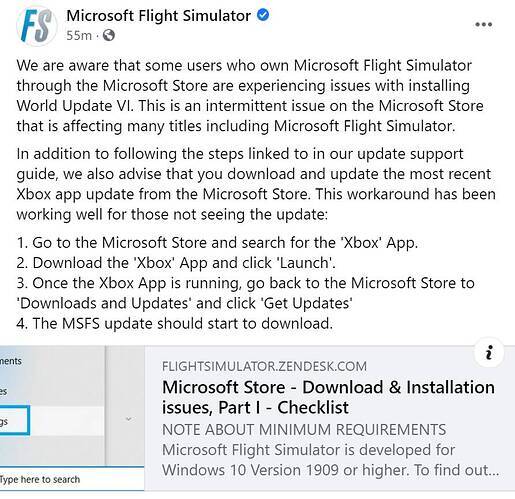
It just goes to show how efficient msfs/Asobo are. Hats off to them. Have the same problem. Maybe waiting a couple of hours will do the trick?
Ca fait plaisir de lire du Français … Comme toi et c’est la première fois pour moi, j’ai pas de mise à jour et rien n’y fait. Ce jeu m’a apporté de vrais moments de plaisir mais bien trop rares par rapport aux problèmes : baisse de perfs même sur une grosse config (aujourd’hui résolu mais pour combien de temps), plantage et retour sur le bureau aléatoire (parfois), retard dans l’affichage en raison des servers (aujourd’hui résolu … Mais le blocage à l’installation d’une mise à jour, on ne me l’avait pas encore faite celle-là … Si j’ai une une solution je communique et toi aussi. Marc
Is there something strange going on ? My update is downloading at an impressive 200Mbps but its going in a loop… it gets to 2.51 out of 2.55 GB and then it restarts…no error messages… its on step 4 out of 10 ..keeps going back to fs-base 0.1.184 patch then on up, then it …this SUCKS. pardon. Last message is its decompressing 0.1.187 .. then reverts back to downloading 0.1.184 again… At this point Im going to wait a few days… MicroSoft will you please get your act together ?
Launch MSFS, says Mandatory Update required from the Microsoft Store. Where? How do I get it? Unlike previous updates, this time the update isn’t there. And of course it now means I have no way of running MSFS.
same problem, and now i have 15.61 GiB to download, i’m done with this
Cest bon, j’ai posté une mise à jour de mon post pour ceux qui lisent la langue de Mplière
Yep same issue, Have tried uninstalling and reinstalling the xbox app, rebooting, everything that has been suggested. I had hoped this would have been fixed with windows 11 but MS store is just as buggy on here as it was on windows 10!!
For the first time ever I deleted MSFS 2020 and its now re-installing from the ground up. Only solution for my problems, and then I will tinker with uninstalling a few Asobo addons that kill a few very nice community addons such as Superspuds UK addons…some extremely nice like the Isles of Scilly (St Mary’s --) OK so now the clean install seems promising. It’ll just take a few hours..@200Mbps  My re-install is now stalling…reverting after getting to part 264/301 … it is starting to re-download package # 0.1.156.fspackage.003 … it was at 48% and then backed down to 37% .. I am about to explode… ( I never use angry emoji so I am looking for it…)
One good thing from all of this - if I ever wonder in future if I should buy software from Microsoft then I will know that I should NOT. Their software integrity and support is far below that which I have had from producers of FREEWARE.
I’ve been struggling with mine all afternoon, too. None of the suggested “fixes” have worked for me. No matter what I do, MS Store does not find an available upgrade. I’m on the verge of doing what you did and uninstall MSFS and reinstall it from scratch.
had to install the xbox app garbage, then check for updates and MSFS updated in the store.
Thank you @Jhkayakr1 this fixed it for me also. We have a very clever community.  Hopefully this ‘change’ to the download process needing Xbox App (or whatever that implies) can be smoothed out for new folks and future updates.
Did anybody just try logging in and out of the Xbox Store? Did that work?
Same story here. Tried the Microsoft “fix”, nothing. How can Microsoft and Asobo be so incompetent almost every update? My 13 yr old son is interested in flying and I’ve now got a $4k paperweight sitting on my desk!
Tried the Xbox suggestions, no luck for me.
Shut down computer and restarted and update appears.
Download the Xbox App - make sure this says you are signed in (I didn’t have to do anything), then return to the Xbox Store and wait a second or two, the update should then get picked up.
Genius. This worked for me also. Thanks so much for stopping me from going off the rails.