North Pole crossing in the PMDG 777-300ER

It’s the summer solstice, and time to burn some virtual fuel to see if there is any sign of a polar ice cap at the MSFS 2024 North Pole (I have low expections). And, it’s also an opportunity to see how the PMDG 777-300ER handles navdata north of the 85th parallel.

My route is from PANC Anchorage, following the 160W Longitude due north crossing the pole at 90N160W and straight on to the 20E Longitude to ENSB Longyear. This way the plane doesn’t need to turn at the pole, and can just continue in a straight line if I need to disengage automation.

PANC/33 DCT 75N160W 80N160W 85N160W 90N160W 85N020E 80N020E DCT NESAS DCT ENSB/09

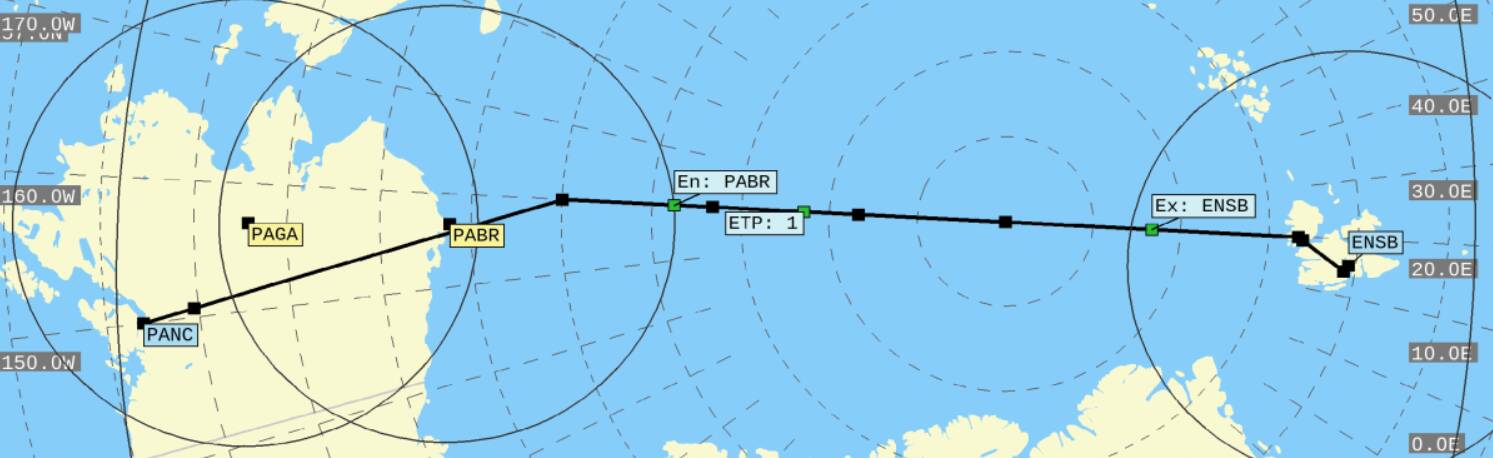
It’s nice to see Simbrief can draw maps for the polar crossing:
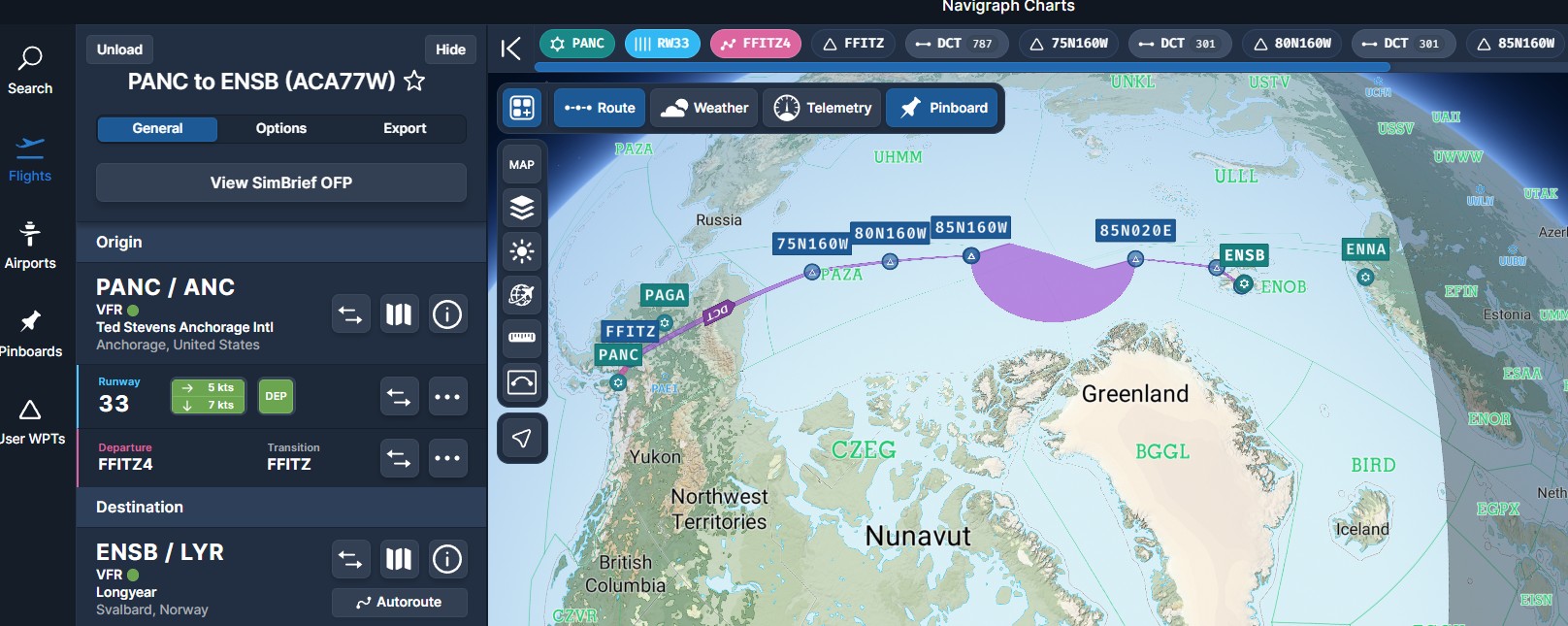
Navigraph still seems unable to draw anything beyond 85 degrees:
When I preview the flight plan and Step to the North Pole waypoint, even though my flight path is a straight line over the pole, the path on the ND is showing a 90 degree turn. This differs from how the G3000 (Longitude) shows it, which in my last north pole flight drew a 180 degree turn, sort of, really it was just a disconnected line.
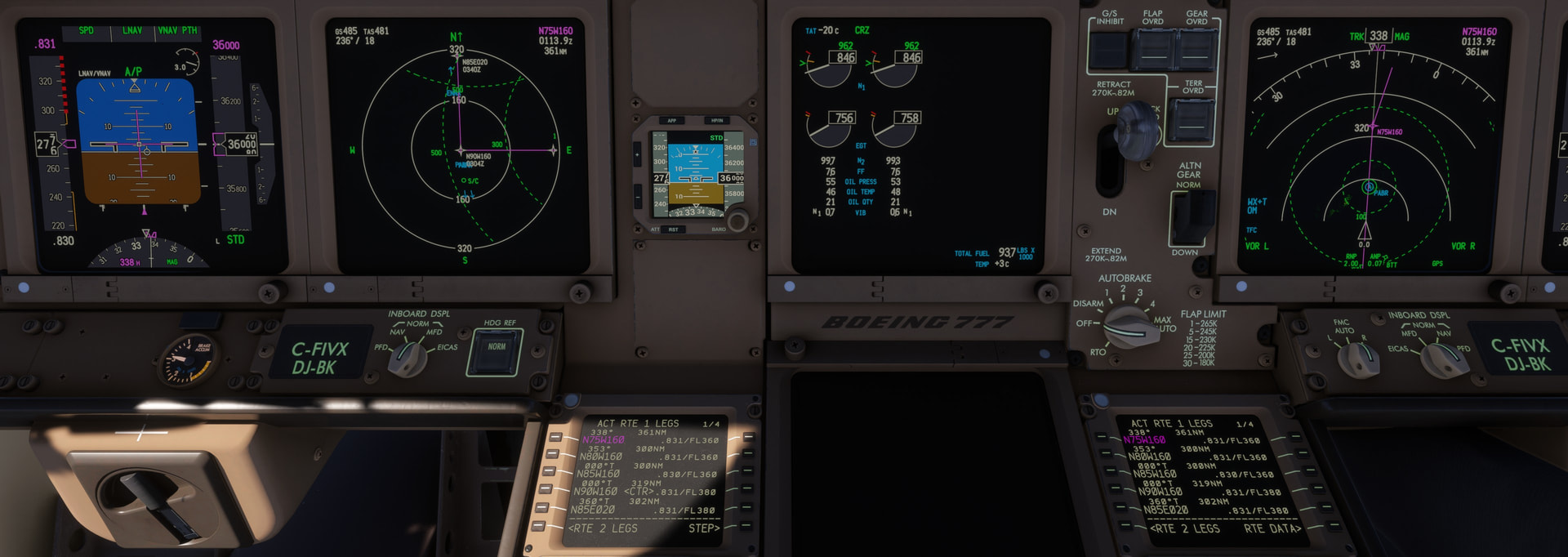
I thought the PMDG had a manual switch to change from Magnetic to True, but Google indicates the plane automatically switches to True once you pass north of the 85th Parallel. I will find out shortly and update this post.

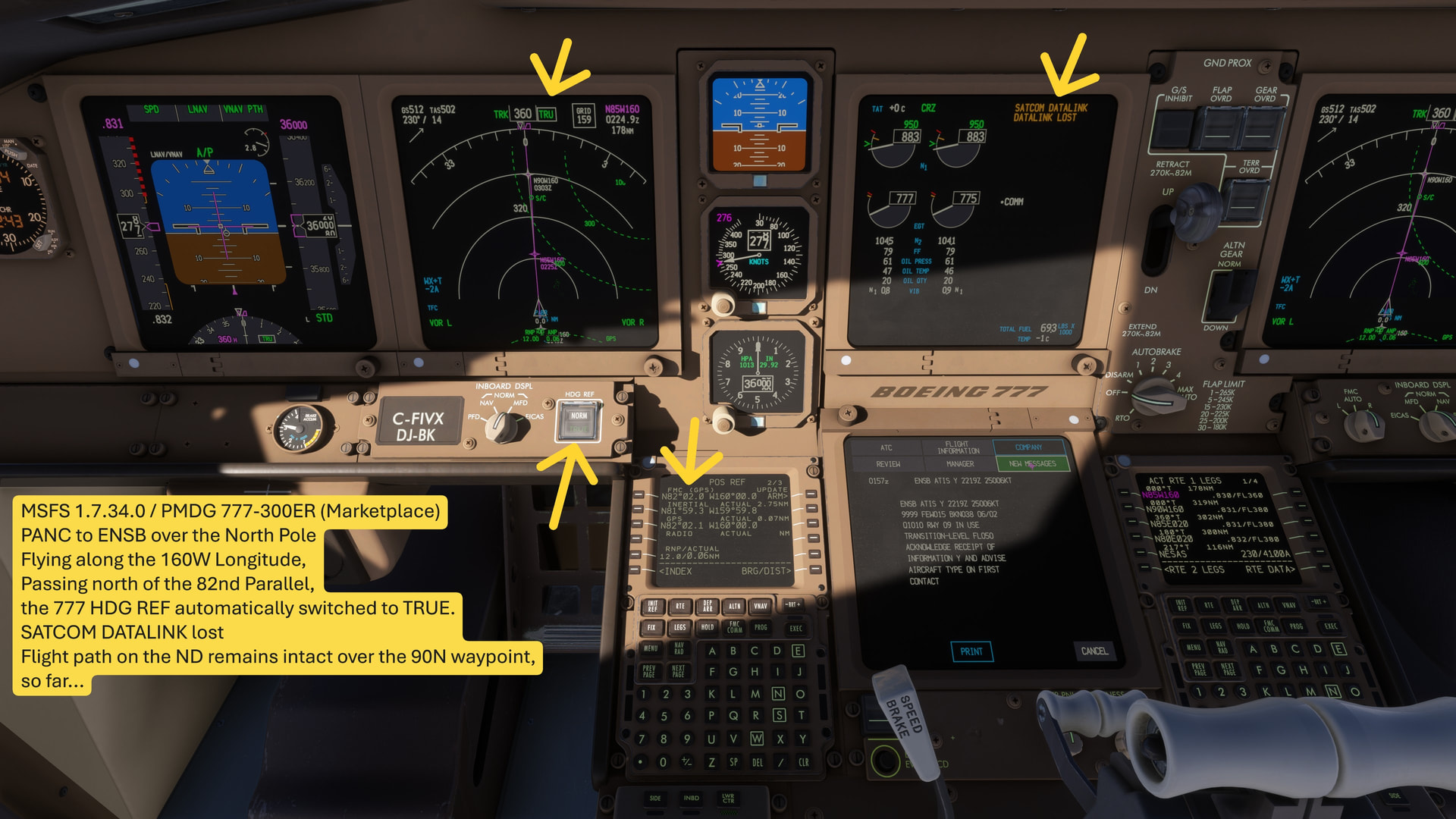
I found the HDG REF button right under the ND, to manually change from NORM (Magnetic) to TRUE heading. I’m going to wait to see if it changes automatically crossing the 85th Parallel.

Update: passing north of the 82nd Parallel, the Aircraft automatically switched HDG REF to TRUE, and interestingly, lost the SATCOM DATALINK (I have BeyondATC set up for CPDLC to get ATIS). And now the flight path on the ND seems intact over the 90N160W waypoint for the pole, ahead
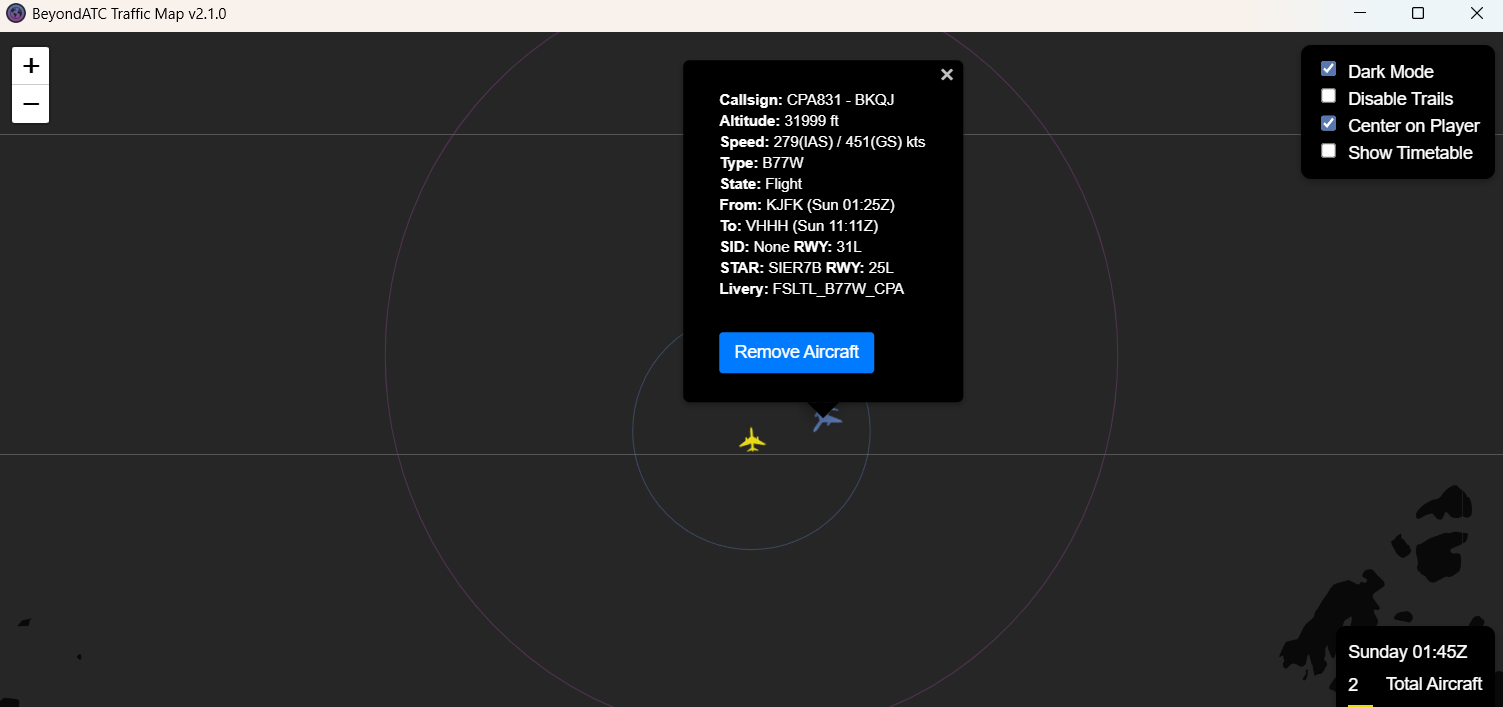
The ONLY other aircraft injected after leaving Alaska, was another 777, from BeyondATC + Navigraph + FlightRadar24 data, from KJFK to VHHH Hong Kong
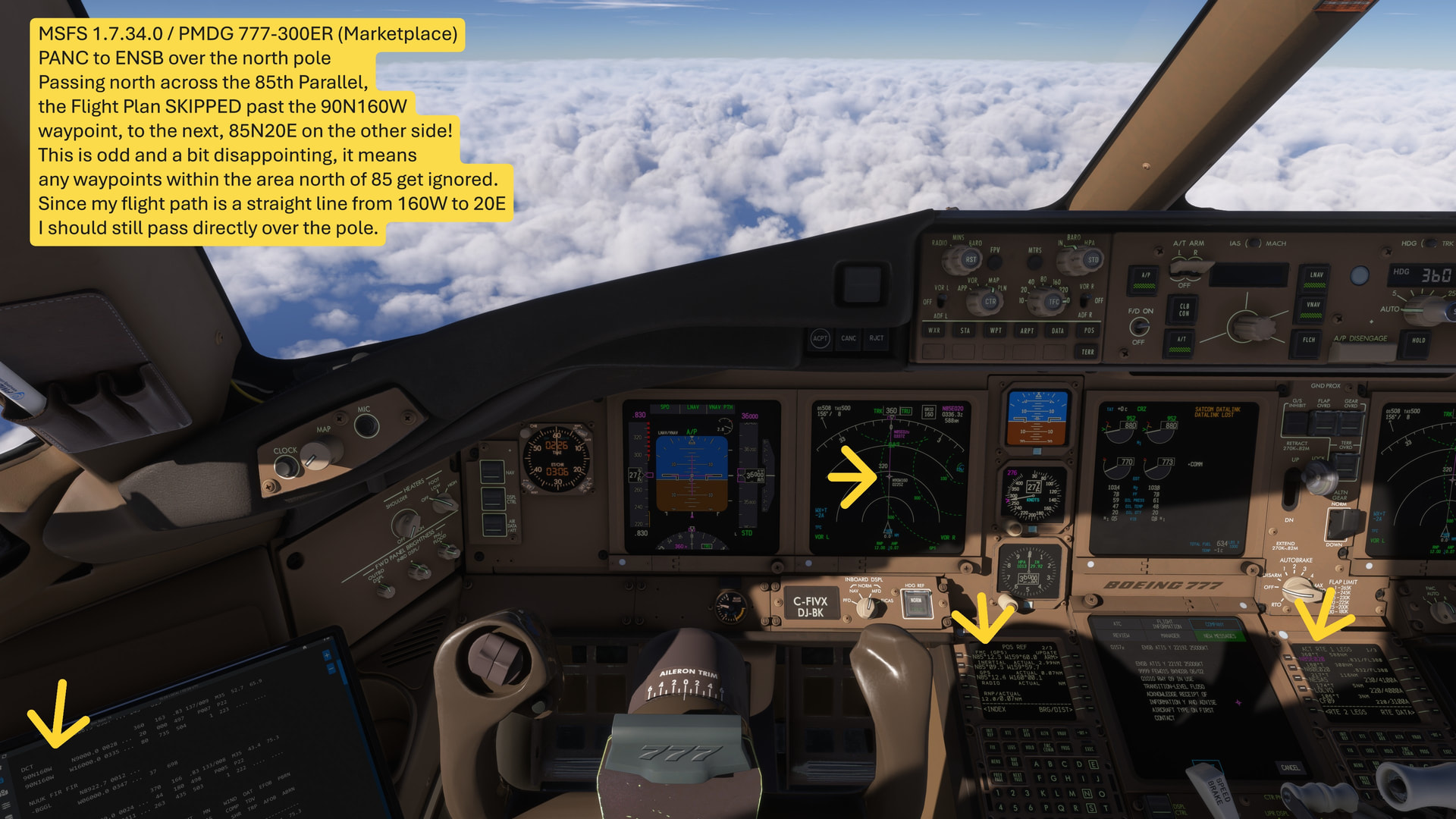
SO strange! Passing north of the 85th parallel, the Flight Plan essentially skipped the 90N160W waypoint, to the next waypoint at 85N20E … which I think means that it would ignore any waypoints north of 85 degrees, and just drop you to whatever waypoint you had next below 85 degrees.

Since my flight path is a straight line (160W over the pole to 20E) I should still pass the pole, but had I not done that, I think it would have put me off course. Disappointing, but this must be PMDG’s way of avoiding navigation issues from a Mercator flat map at the poles.
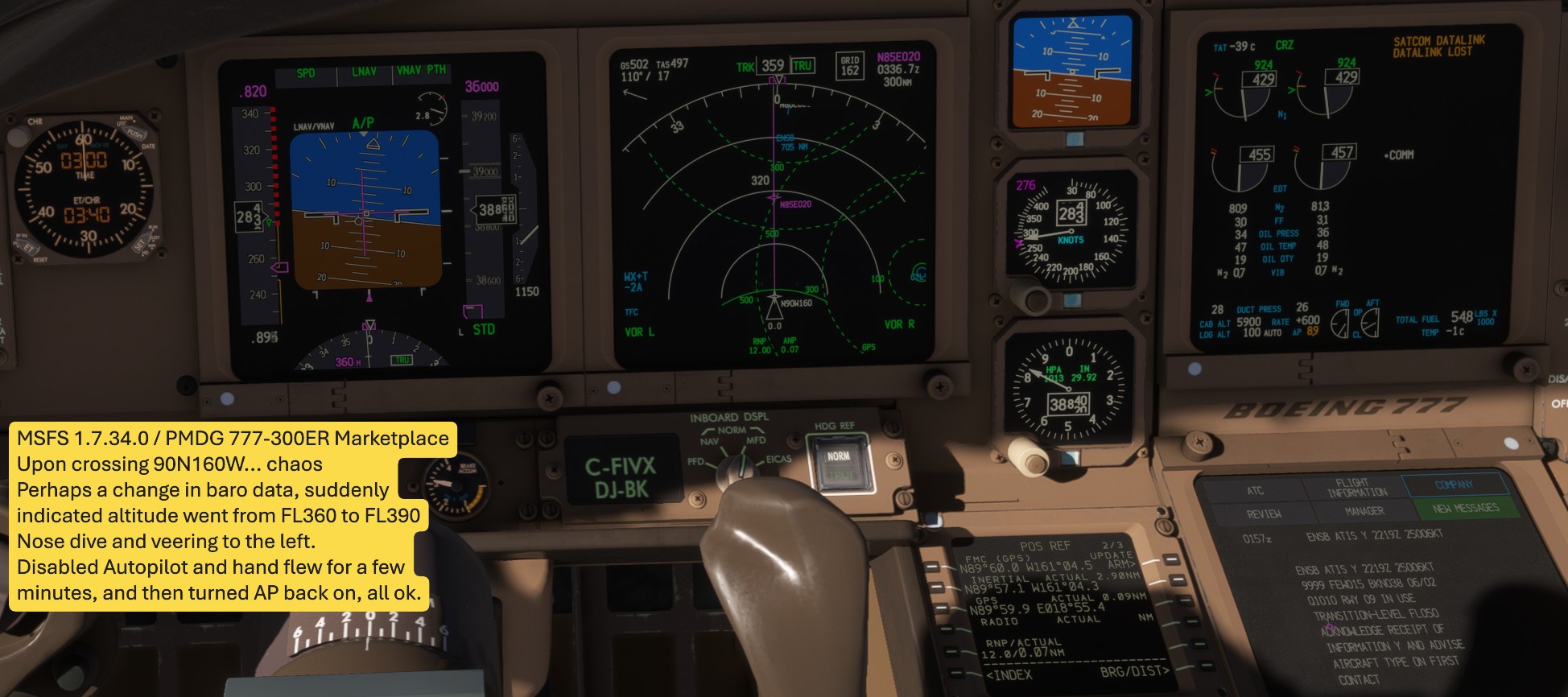
Upon crossing the pole, chaos. I think it must be a sudden change in barometric data, because the indicated altitude jumped from FL360 to FL390, the plane veered left and started diving, over speeding. I simply disengaged Autopilot, and hand flew straight and level until past the pole, then turned AP back on, all ok.
Even though Satcom is down, somehow BeyondATC immediately chimed in:

[Instruction] Air Canada 77W Heavy, you were assigned FL360. I show you at FL370. Descend and maintain FL360.

And the North Pole itself… extremely disappointing to see NO ICE at all. And, the water is of course Asobo “troplical blue” with zero waves. The pole itself is just a scenery tile with either flat clouds or something.


Upon crossing the pole, Navigraph crashed with “INOP”, and actually signed itself out! I had to re-authenticate and reload the flight plan.

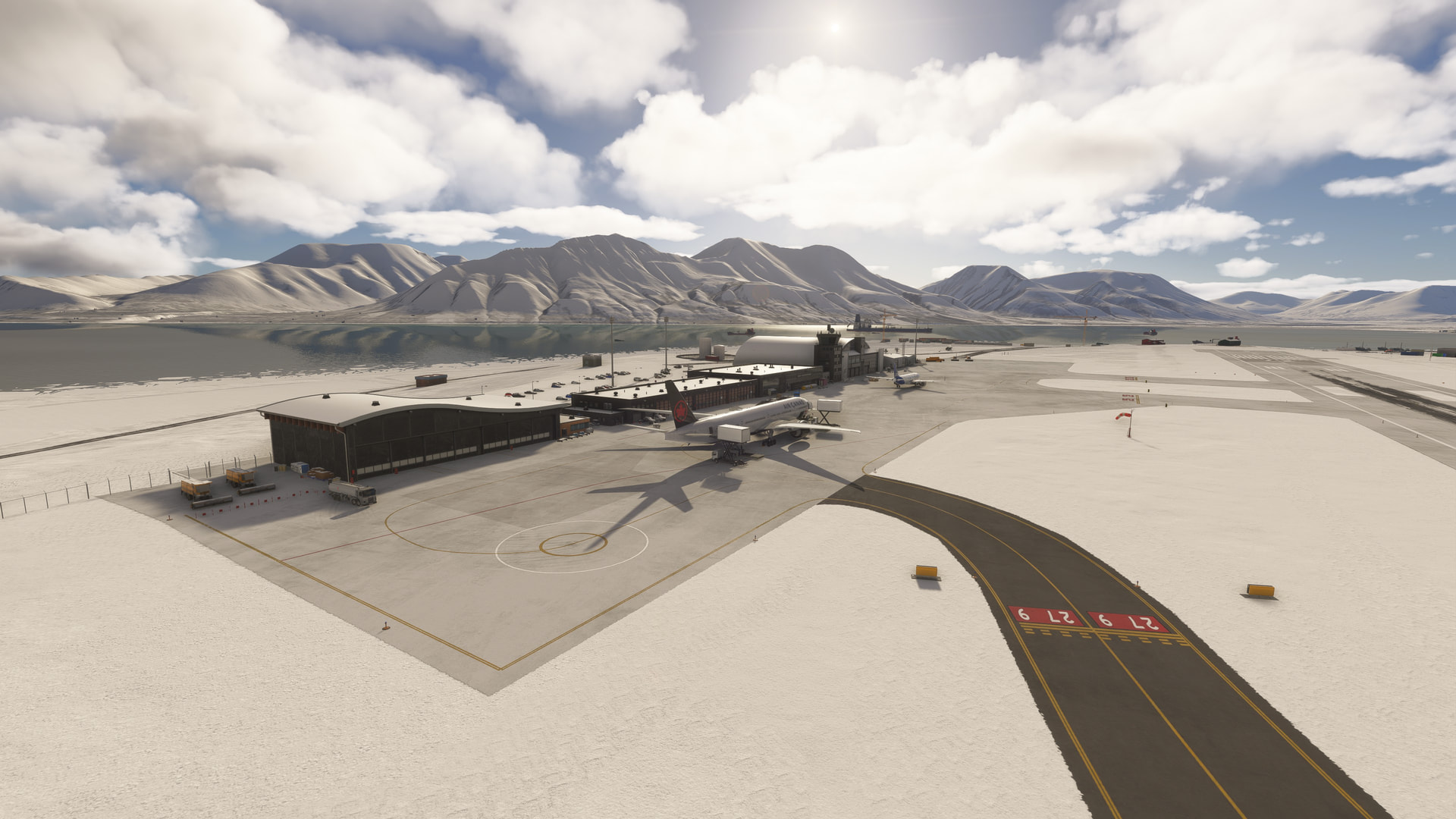
It’s 7C at ENSB, and summer, so I don’t think the snow is very accurate. But, it was an interesting flight, and glad to know that polar routes seem to be semi-functional. I do wish some attention was given to the polar ice cap, and harmonizing weather data in a 100 nm ring around the pole so that it can be traversed cleanly.
I tried something similar on June 21 as well.

Stock Flight Sim 2024 A330-300 GE, no add-ons.

Anchorage (PANC) to Shannon (EINN), FL380. Departure time 12:00Z Real Time. I flew IFR using the sim’s built in ATC (I know) for the exercise.

I flew North West out of Anchorage to intercept 180 Longitude around 75N, and then follow it over the pole onto 0 Long, and continue down to Scotland. I built my flight plan in Flight Sim’s built in EFB, and used 85N, 180, and 85N, 0 as two waypoints either side of the pole. I did not try to enter a waypoint at the pole.

I switched over to True Heading at 75N to monitor that I was maintaining a True Track of 0, and therefore would pass directly over the pole. I left the sim running in real time, on autopilot NAV mode, and used the FMS Position Page to monitor my progress towards the pole.

Operations were normal until I reached N89’ 30’'. Then the Autopilot and Flight Directors disconnected automatically, and the aircraft pitched and rolled wildly for a second or so, and zoom climbed to about FL420, although it did not seem to lose much airspeed, maybe 5 knots. (Reminded me of Air France 447) The Track Line on the Nav Display went from straight ahead to 180 behind but the True Heading remained at 0 for another 10 seconds or so.

After the Autopilot disconnect I started hand flying the aircraft, I got it stabilise in pitch and roll, and tried to maintain heading by keeping the sun in the co-pilots window. The Auto Trust was not making any attempt to reduce power as I tried a slow descent back to FL380, so I disconnected that and controlled the trust manually.

Then the Heading indications went crazy, changing so fast I could not read it. This lasted about 3 seconds, then settled around 060 True.

The built in ATC guy started complaining that I was 3000 feet above my assigned altitude, but I saw that as more of his problem than mine.

I got the aircraft back to FL380, with the sun still in the co-pilots window.

When the numbers settled down, the FMS showed a position of about N89’ 30’‘, E60, so I flew a True Heading of about 240 to get me back towards the Prime Meridian. During the turn, the heading changes were very rapid for the speed and bank angles. The sun did not move very much in the window while changing heading by maybe 90’.

The FMGS had also abandoned it’s flight plan so I did a Direct To N85,0. I re-engaged the Flight Directors, Auto Trust and Autopilot. The aircraft got back on to its Flight Plan track and carried on to Shannon, where I landed at sunset,

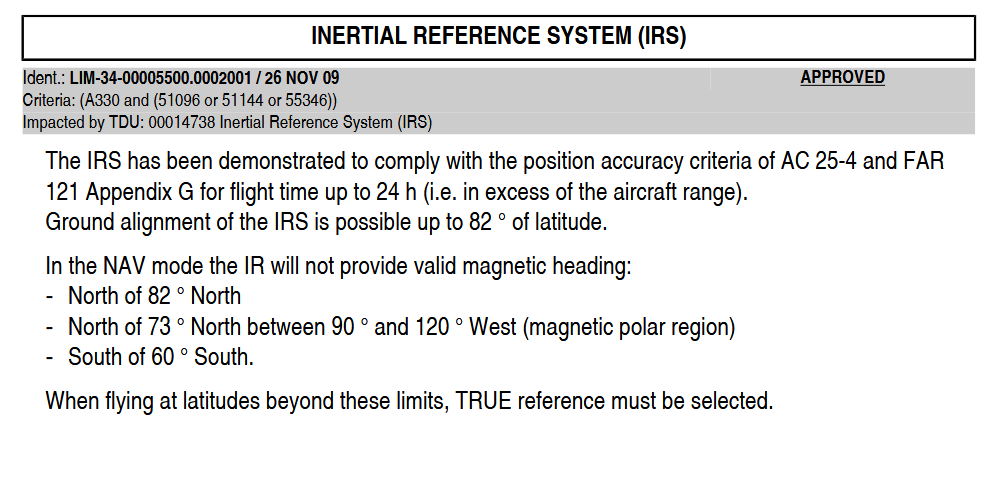
You mention the change over from Magnetic to True heading, and when, where and how it should happen. Here is the limitation from the (real world) A330 Flight Manual. The same limitations would apply to other types as well. Polar operations have always had these limitations.

Interesting how the different aircraft in the sim handle the “bunching up” of competing metar data from the 360 degrees of longitudes at the pole, differently.

I do think there is an opportunity for Asobo to “harmonize” the metar data in a 50-100 nm ring around the pole in order to make flying over the coordinates more … sensible.

One thing I forgot to do was to enable the visual CFD to see if the sim is creating a tornado over the pole - next time!

Note that the PMDG777 simulates those limitations, pretty unique.

Mathijs Kok
PMDG

I tried this about 2 weeks ago-- not to the exacting standards that others did-- but I did fly (more or less) over the pole. Placement of the plane was not perfect, when getting to the other side of the pole. If aiming for the line of longitude directly opposite the one I traveled north on, it appeared to deflect the plane slightly off at an angle.

However, after all said and done… still way better than the “wall of ice” I hit when approaching the pole in MSFS 2004 & FSX. Basically said, we’ve come a long way.

Flat earthers would have loved that :rofl:

I reckon they would have.