I’ve done it this way for over a year now with no ill effects across multiple games, but yes probably safest to set these settings per game.
HAGS is only needed if you are flying in 2d monitor mode and want to use frame generation. For VR, I’ve found it best to disable HAGS and turn Game Mode = off because I find both can cause stutters.
I didn’t write this to you. It was about someone who had an FG issue and had HAGS turned off. FG requires HAGS to be on.
Has anyone tried increasing the DX Shader Cache size in the NV Control Panel? I think the default is 16 GB?
Yesterday after testing the new NV driver and DLSS 4.5, while cleaning out the cache I decided to try the next highest setting, 100 GB.
I can’t be sure if it’s the larger cache or new driver, but in scenarios where I’m pushing limits (busy airports) panning the view is a bit smoother (on 3 screens at 4K, DLSS Quality, FSR3 x2 Frame Gen).
With 591.74 and DLSS 4.5 Performance/preset M, only the very heaviest airports are less than super smooth on my mid-level PC (spec in profile). To me this is still much to be expected from Ini’s JFK, Dz’s EWR, or the like. On the ground in these I am seeing sub-target FPS when panning around, however with no ill effect on operating the aircraft; stuff I can live while enjoying airliner flights without FG or digging deeper than sim graphics settings.
Twice in the last year I have had, for no obvious reason, the DLSS options disappear in MSFS and I only had TAA and AMD options available. I tried numerous nvidia driver reinstalls, MSFS reinstalls, nvidia app reinstalls, nvidia control panel checks, DLSS swapper program file changes….and the only thing that fixed it for me both times was a “repair” of the windows OS. When I ran that OS option it downloaded a smallish set of files and after rebooting then I was again able to run nvidia DLSS quality (or the other choices) within MSFS. I never did figure out what I did to cause the problem but if it happens a 3rd time I’ll again try repairing windows. Search for “windows repair” in the search bar of the desktop.
Yes, we are on the bleeding edge of technology here. As TenPatrol says nobody has the exact sequence for install correct. I am keeping notes and was able to install on my second system from scratch today (I have two M.2 2TB cards in my rig and can switch back and forth in BIOS. I have a note above which I will annotate with my checklist. I have on paper around 10 steps.
I forget what the process is called but there is a command line argument that will do a windows file check at the level of checking for missing corrupt windows files and fix them. I have not used this. There are many elephants in the room with my system from ASUS… they have all sorts of AI stuff that you cannot avoid for both the AMD chip and the GPU. I just say a prayer and keep the default settings.
In any case, the graphics look great on this driver. I just ran my normal test flight from Reno NEV to SFO and it ran at 4X all the way without a hiccup. This is enrout eat 4K over Lake Tahoe where I used to have a cabin. Too old to go in the backcountry anymore but at least I can see it from the air!
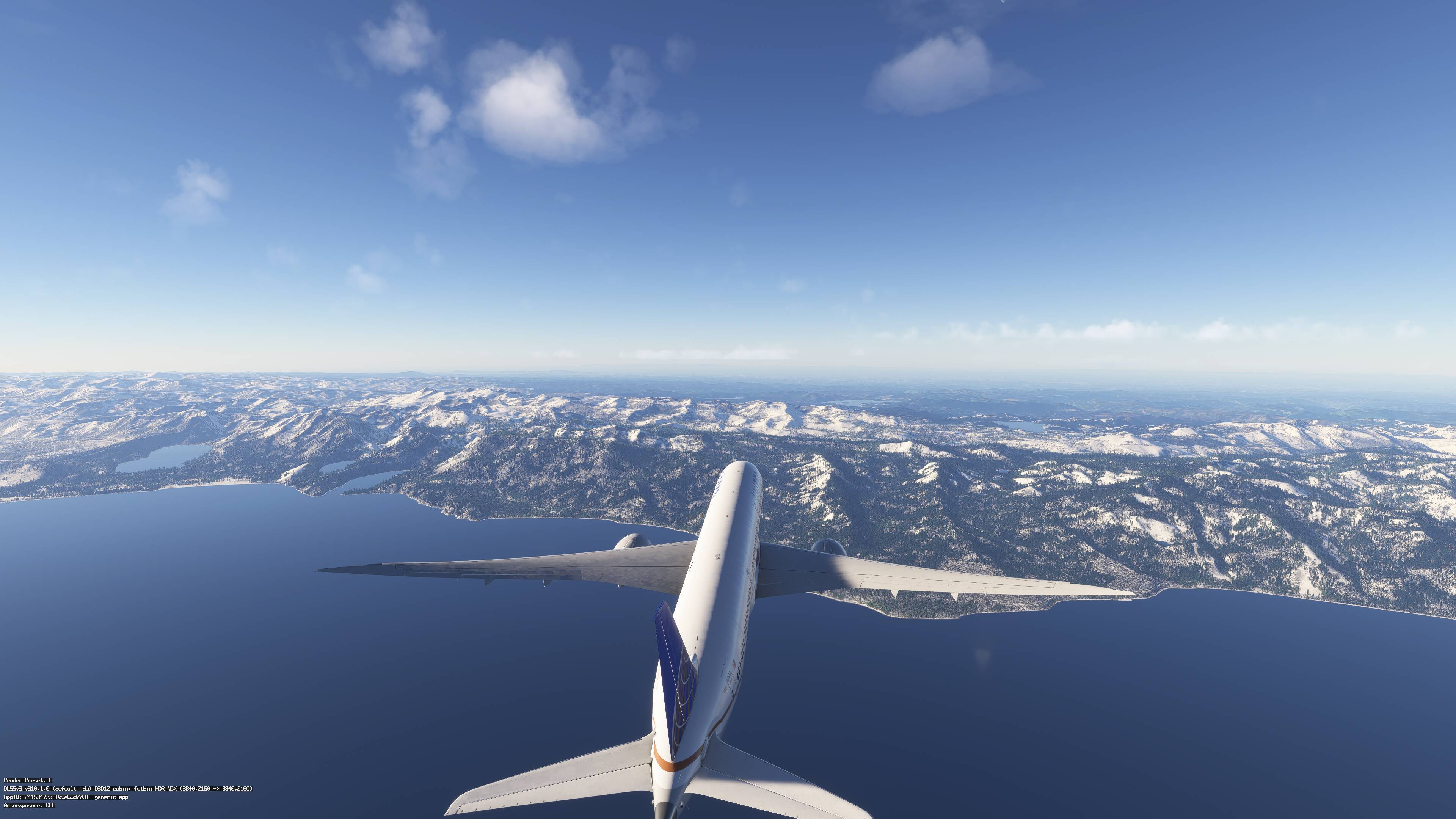
You got your 4x FG working then.
Yes, I think it was pilot error… the checklist is really complex. I installed it twice successfully now and put a good checklist above.
It is running well as you can see in 2D…
Just tested VR and also runs well with superior clarity of the instruments in the B-787… one complaint and may be a setting is the colors in VR seem washed out/under saturated. But it ran well into SFO with the traffic injector on and a custom airport.
I have mine set to Unlimited and since then i have less stutters and smoother experience. This definitely has something to do with smoothness.
Great results. That command line prompt to check system files is (run it as administrator) is: sfc /scannow
10Gb nvidia cache together with 32Gb rolling cache (2020/2024) seems to be the sweet spot for smooth, stutter-free PCVR, for me anyway (9800x3d/rtx5090/64Gb 6000 ram). Like everything, yrmv.
I’m really enjoying the 591.74 driver with dlss 4.5 (v310.5.0, preset M) in VR using dlss/performance.
…maybe it’s a coincidence, but this evening I had my first crash during a flight with msfs2024, something I’ve never experienced before. It’s also the first time I’ve used DLSS. Up until 4.5, I only used TAA with FG2x. Now I’m using DLSS 4.5, M quality preset, and FG3x with a locked 30fps in sim. The event viewer tells me the crash is related to the d3d12Core.dll file. Maybe this new DLSS has something to do with it?
I haven’t had any CTDs yet, even though I’ve already done a few flights. I have DLSS Override set to Latest in the NVIDIA app and in MSFS DLSS is on Quality, FG is off, HDR is on. I read in one of the threads that some users also experienced CTDs with this new driver and DLSS.
Ryzen 7 9800X3D, RTX 4090 Gaming OC, Windows 11 25H2.
Tragic update for me. RTX 2080. DXGI error. Than fixed somehow and good graphics but low fps.
Reverted back the drivers and problems persists. Did a clean uninstall and reinstall and gonna try tomorrow. Also lossless scaling seems to be broken somehow.
Yeah, well excuse me for even attempting to look at your very private stuff as highlighted above…
Two Sim Freezes since installing this driver (possibly), both 10-15 nm of destination airport after about an hour of flight time (ticket already submitted). I upped by rolling cache to 64GB thinking that was it since I has issues in the past when it was 16…. But I deleted it yesterday and when I looked after today’s flight, I noticed it was already at 67GB…. After one hour flight???
I have deleted it and will try again to see if that was the issue.
One other thing, I was using NVIDIA app overclock, which I have also turned off.
Other than that, the sim really looks amazing…
Well tonight I downloaded the Nivida App and proceeded to update to .74. Loaded into both 2020 and 2024, after performing the usual cache clearing. I only fly TAA so this was more just about seeing if Gsync/FG was actually fixed. Both sims were a very stuttery mess, when panning the camera. and I did notice a lot of FG artifacts on the spinners of the Cows DA42. Not something I have seen since back before 566.36.
Perhaps tomorrow I will perform a DDU and try another install of this driver.
9800X3D / 5090 / 64GB 6000 CL30 / 2560x1440 120hz / W11 25H2
Edit I should add that I only performed the driver update through the Nvidia app on a custom clean install. I did not install the HD audio driver. I should not have been “lazy” and did DDU from the start. A project for tomorrow.
I’m also on 9800X3D with RTX 5090. I also updated to the new NVIDIA driver and NVIDIA app, which allows trying DLAA and DLSS with Preset M. I’m on triple 4K screens.
I tried:
- TAA at render scale 100
- DLAA Preset M
- DLSS Quality (render scale 66.7%) Preset M (new DLSS 4.5)
- DLSS Quality (render scale 66.7%) Preset K (old DLSS 4)
I had been using TAA render scale 80, at 4K on 3 screens, with Ultra settings and high TLOD, but I was asking a bit too much, as I had some flickering and occaisional unexplained crash.
I tried DLAA Preset M, which looks even better than TAA (more fine details), however, it seems to require a lot more processing power so my performance tanked - it was too much. I even tried 4K on main screen and 2K on side screens, but still a bit tough
DLSS Quality Preset M actually looks pretty good, most of the flickering and cockpit blur is gone, but again it’s very resource intensive and so the resulting performance may be worse
DLSS Quality Preset K is the old DLSS, with blurry instruments.
So with 3 screens, the best compromise I’ve found so far is TAA at 100, 4K on main, 2K on side screens.
I had exactly the same issue and was already thinking it was BATC and its traffic causing it. It turned out to be the latest NVIDIA driver. I uninstalled it using DDU and reinstalled it. In the NVIDIA app, I set a profile for MSFS 2024 with DLSS override and Latest (M) model, and in MSFS 2024 I set DLSS to Quality, FG off, HDR on. After reinstalling the driver, the camera stuttering completely went away.