Installed and no disasters yet.
While using MFSFS 2024, my screen is flashing every few minutes. With older drivers, I didn’t had this issue. Maybe a setting causes it, but which one, I don’t know.
Is it more like a very brief flash to black? I’m asking because I think I’ve noticed something like that.
I agree, the same issue occurred on my system (RTX 5060Ti). Could you please let me know the version you had earlier that you didn’t encounter this problem?
I noticed, after updating the new driver and choosing preset “M” again, when I started my flight in 2024 last night, my DLSS went from Performance to Quality and I had a large drop in frame rate. Changing it back restored my FPS.
Thanks for your responses. I’m not sure about the flashing, it happens very fast, like an eyelash flutter. I’ll try to get it on video.
I used before 581.80
yes, it’s very short back flash.
Are you trying to use two means of frame gen?
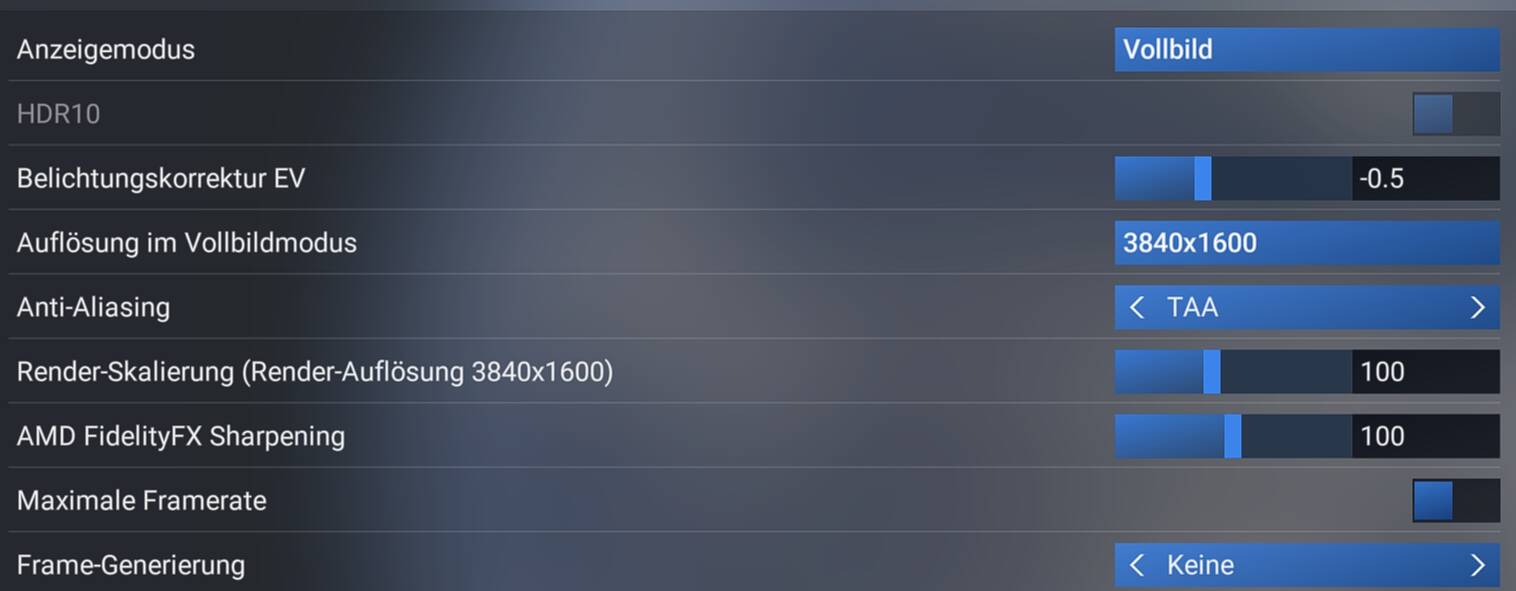
I updated DLSS swapper, but in MSFS2024 i cannot pick DLSS with frame generation anymore only FSR3
Am i doing anything wrong or missing something here?
To be honest, after this city update i lost all control settings as well so perhaps there is something wrong, but graphics and controls
The normal cause for FG not being available is that you switched HAGS off in Windows. No matter what people advise you must have HAGS on for FG to be available.
Now there have been a few cases where something deep in the bowels of Windows has got corrupted and even though it shows that HAGS is on but in reality it isn’t but let’s not jump ahead.
Check HAGS first.
Oh my! A result that sounds familiar, although from a quite different cause of my own making.
My tale of woe:
I was using Copilot, yesterday, to help correct a perceived shortcoming in the World Map options -specifically to load and save flight plans.
One of the things it suggested was that I delete my sim’s cloud saves, but not before backing up my usercfg.opt and WGS (controller settings), which I carefully did.
Well, horror of horrors, there now does not appear to be any way to restore my own controller settings without them being immediately overwritten by the default ones in the cloud.
Looks like a long frustrating day of remapping all of my controller settings ahead for me…
Unless anyone has a better solution?
BTW, apparently there is no way to save flight plans directly in World View like there was in FS2020. With a little prior research, I probably could have found this out and saved myself all of this grief!
me too, crashing my GPU all time since this update. Never seen before or with other game. Seems related with DLS and Frame Gen
Thanks. I have no idea how i would switched that off between changing version at DLSS Swapper and installing cityupdate 13 but it was off. Although FSR3 seems to be working better on my Nvidia system then the new DLSS update

Actually, yes.
I think that you have max frame rate on and limit your display to half your monitor refresh rate. Rather than describe it all here and possibly cause confusion just watch the video here. Now it talks about ghosting but watch it. It addresses the framerate issue that you have.
By watching you will understand why your framerates are so high and following the advice will show you how to remedy it.
For me (Asus ROG G513QR with 32GB RAM, 3070M@8GB VRAM) this driver is worse than 581.80.
When the VRAM fills up (something that MSFS2024 likes to do with only 8GB of VRAM while other DX12 AAA games like MSFS2020 with DX12 don’t), the graphics queue stats starts to become REALLY BAD.
Also, it feels like MSFS2024 is unable to clean resources no longer needed on the VRAM sometimes. I tested this with a LEBB->LEIB flight and, while on other flights the VRAM usage is higer on the ground than at high FLs, after departing of LEBB the usage doesn’t go down, it stays filling all the VRAM and even consumming more.
At least when that happens with the 581.80 drivers the graphics queue doesn’t “tanks”, and the sim keeps running at 30fps (my target) despite having the VRAM filled and not being “cleared” on cruise.
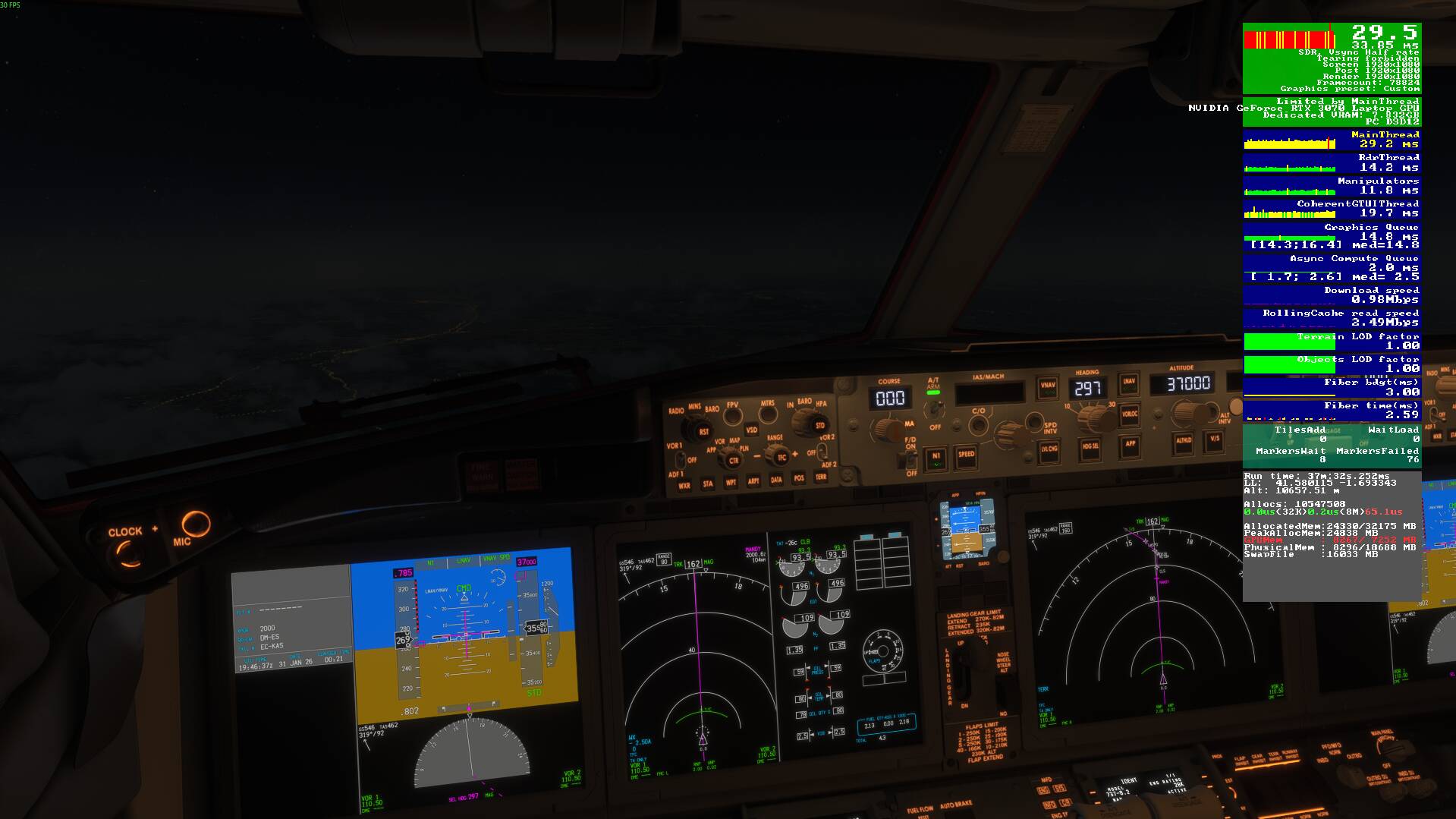
What CPU? I have an RTX 4090 myself but don’t see this with an i9-14900KF.
I have a 9800x3d. It’s only happened after installing the latest driver
I done a duu removal and re installed then used dlss swapper to installed latest dlss and all seems fine. My main thread is now back down to 19/22 with 80fps using dl frame gen
now I just need to tune the sim to get everything green and 100% stutter free if that’s possible