This new Game Ready Driver provides the best gaming experience for the latest new games supporting DLSS and RTX technologies including 007 First Light, LEGO® Batman™: Legacy of the Dark Knight, EA SPORTS™ F1® 25: 2026 Season Pack, and World of Tanks: HEAT.
Fixed Gaming Bugs
Like a Dragon: Infinite Wealth: Shadow/light flicker after driver update [5973185]
Enshrouded: Missing terrain after driver update [5955501]
Visual corruption may appear in certain games using Godot engine [5955501]
Multimonitor gaming stability improvements when using V-SYNC [5343252]
Thats quite a jump in driver number. Also, interesting note concerning these…
"After 20 years of dedicated service, the classic NVIDIA Control Panel is officially retiring for Game Ready and Studio Drivers. For NVIDIA RTX PRO users, the NVIDIA Control Panel will continue to be supported until we have migrated professional features to the NVIDIA app
Existing installs of the NVIDIA Control Panel will remain on users’ systems, unless they perform a clean installation, and users who still need the NVIDIA Control Panel can continue to download it from the Microsoft Store, but we won’t be adding features, fixes, or other changes."
okay, on initial trial, this might actually be a keeper. I always try new drivers but I always end up back at 577, but, so far so good in that I beleive latter drivers have introduced stutters in MSFS2024, but also 2020 and other games, but not getting the same with these.
Two flight today in SU5 on 610.47 with no issues. Was the A2A Aerostar in DLSS 4.5 Performance, preset M (PC spec in my profile). In addition, I went to 2 default airports in the 300E Phenom to place an FBO and a hangar, just for fun after flying. Cheers!
I don’t mind using the NVIDIA App - I was only changing 2 things in the NVCP, and is just as simple to change in the App.
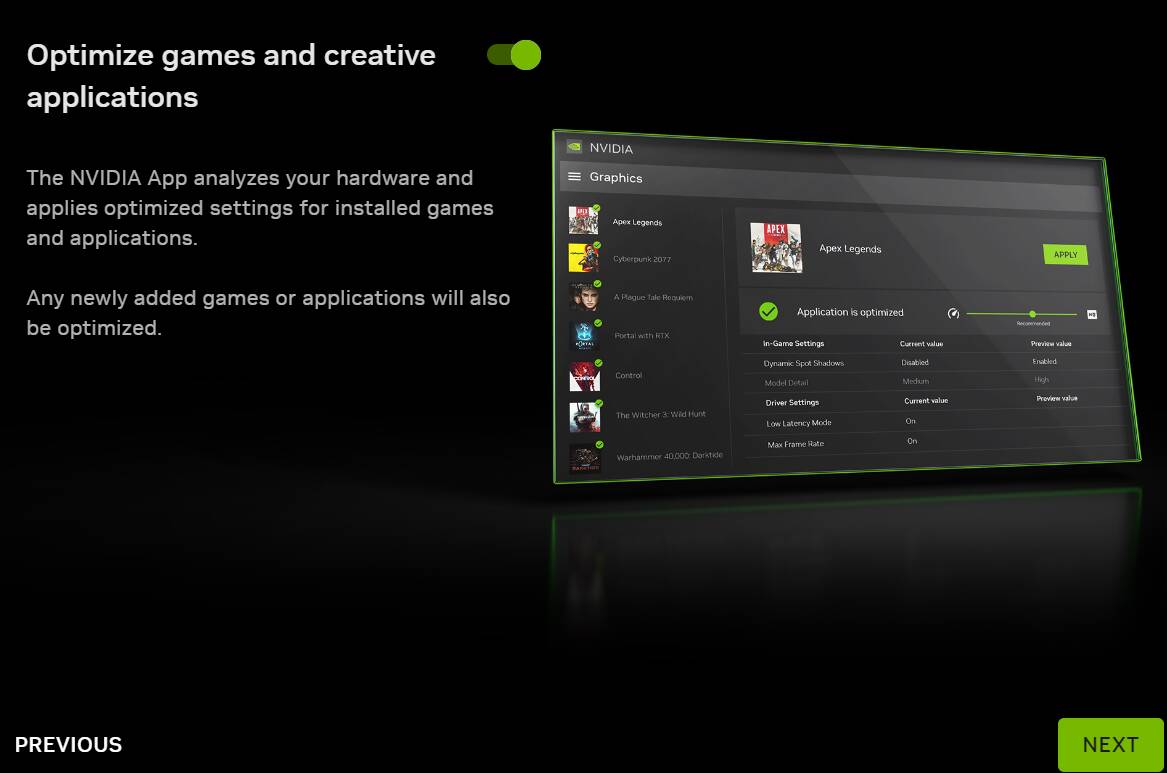
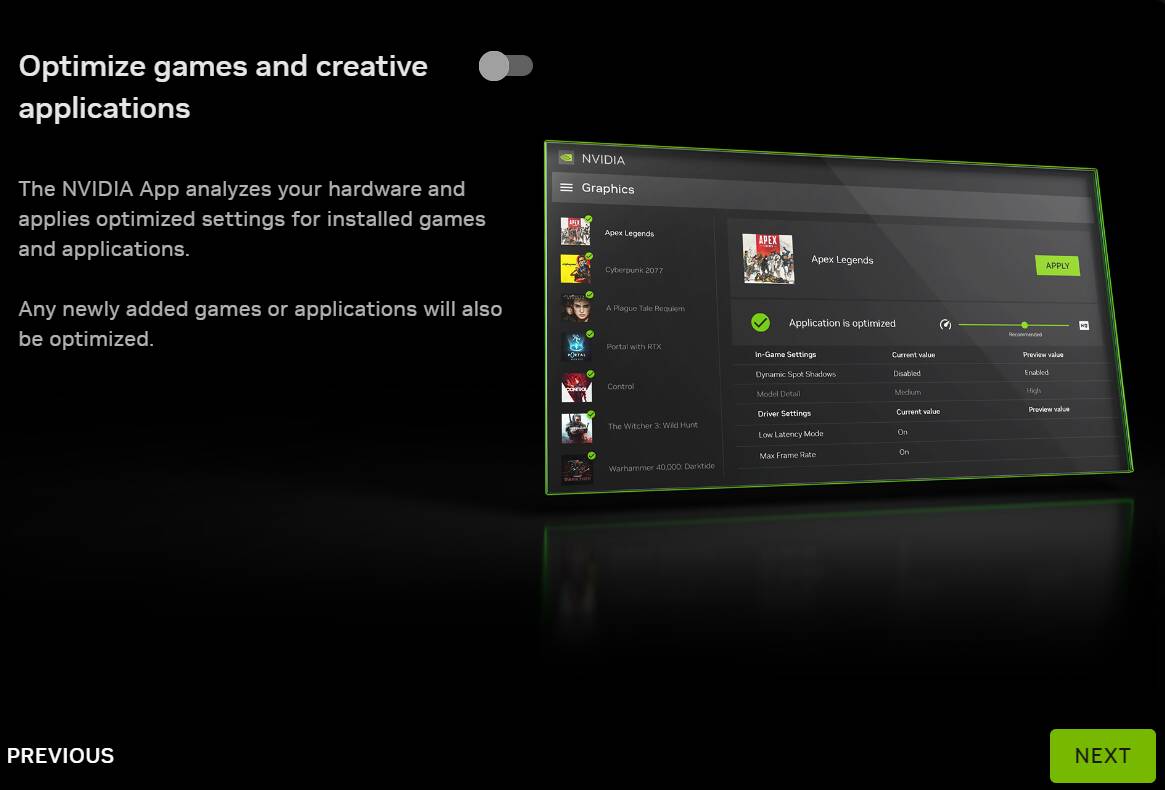
PSA, when the App is installed, it does seem to default to “Optimizing” MSFS, so it’s worth going in to the App Settings and checking it’s set to what you prefer.
Only mid flight, but so far no issues for me. Haven’t tried to measure any differences yet.
I once wrote on a forum that I rolled back to an older driver version because something felt off with the latest NVIDIA drivers and it looks like I was right.
Because of this bug, it’s not worth installing this driver or even the previous ones.
I actually mentioned something similar on a forum a while ago - if I find it and have time, I’ll add a link or a quote, because I’ve noticed the same thing as well.
The NVIDIA app still feels pretty buggy in that regard. In any case, it’s worth it -and honestly necessary - to turn off game optimization when installing NVIDIA app.
FWIW, perhaps not much around here, I’ve been using the Nvidia app for over a year now and in recent versions, it does not optimize my sim settings when I update drivers using the app. While I get that folks like to do a lot of manual steps to update drivers, but for folks who want to keep things simple, the current Nvidia app works for me without doing any unwanted optimization. Those recommendations are of course available, but nothing is changed for me. Cheers!
I second your post. I’ve never used Cleaned Install, and my settings are preserved all over the MSFS graphic settings in the NV App since long ago. I just clean NVidia cache when installing new driver.
I haven’t done any scientific testing nor even looking at any FPS display but I have had a smooth flight without any stutter or freeze in the BS Caravan in VR. (RTX 4090).
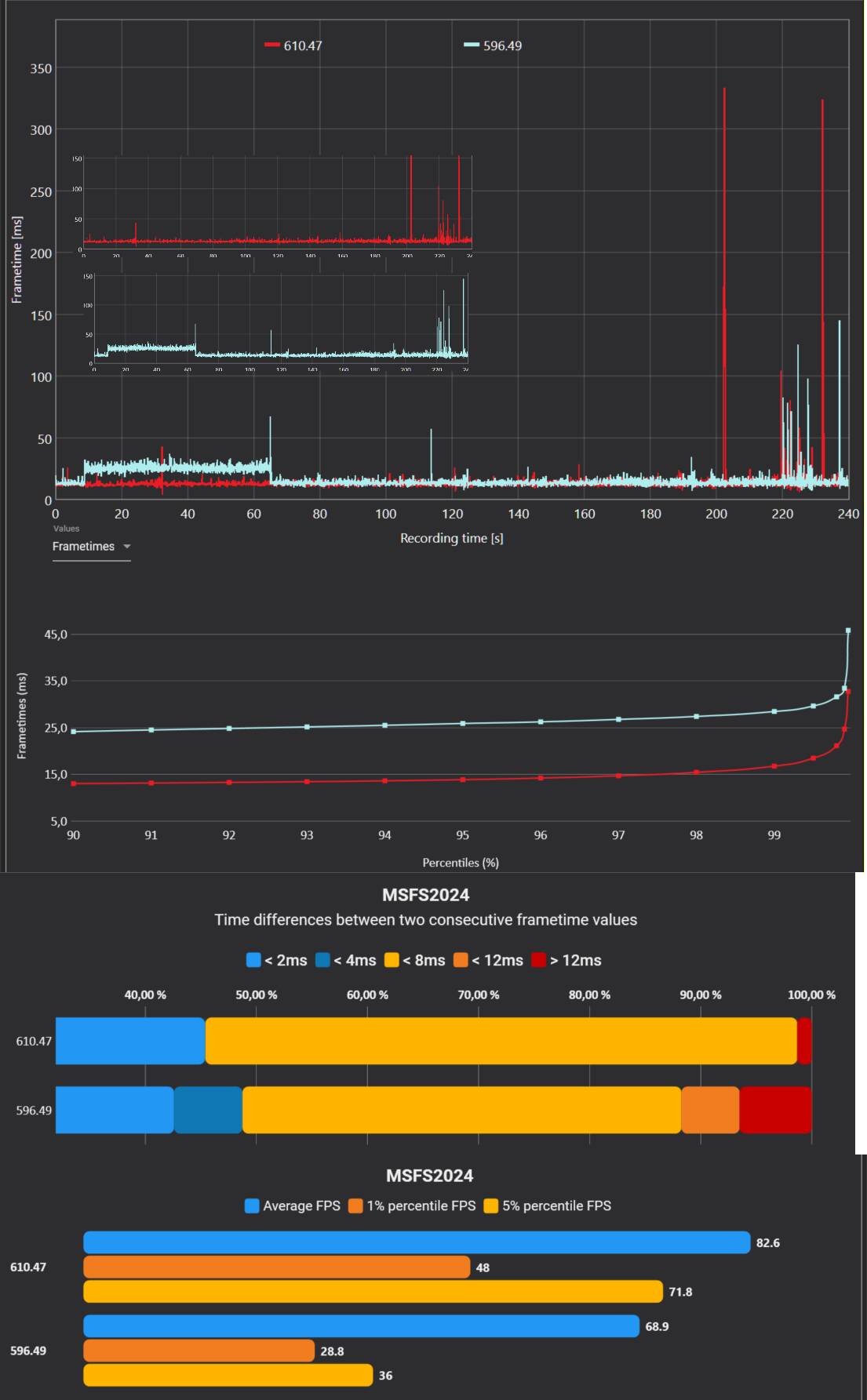
If people are interested then it might be worth checking out the latest video from IslandSimPilot. He uses the latest driver for his standard flight test and compares the results against 596.49.