Nice tip, but it won’t work in my case.
As app’s tooltip note says, it doesn’t affect Windows Update.
WU does its thing after the old driver has been installed.
It helps stop unwanted GPU auto updates, that’s the main thing. Also best to avoid enabling auto-updates on your win11 update settings. If you do both, you should not get unwanted GPU updates.
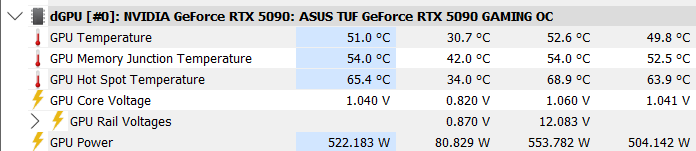
Interesting that RTX 50 series GPUs have a temperature “hotspot” sensor that was not available publicly via their NV-API (thus potentially hiding thermal throttling…), but researchers discovered that it exists, and how to access it. So it’s now available in HWMonitor and the beta version of HWInfo…
In general, the hotspot temperature is expected to be higher than the core GPU temperature. So, if your GPU temperature is around 65C, it’s normal for the hotspot to be around 75C.
This also depends on the exact location of the sensor, as well as the specific graphics card model and manufacturer.
Gigabyte graphics cards are generally known for having relatively high hotspot temperatures. There’s also no need to panic if the hotspot temperature seems high, as hotspot readings are naturally higher than the average GPU core temperature.
Also, it’s best to check the hotspot temperature while you’re actually gaming rather than during a stress test. After all, you don’t run stress tests 24/7.
Modders did it finally <3 " Modders unlock per-module GDDR7 temperatures on GeForce RTX 50 GPUs"
https://videocardz.com/newz/they-did-it-modders-unlock-per-module-gddr7-temperatures-on-geforce-rtx-50-gpus
Just a reminder for those that are going back to previous Nvidia drivers seeking better performance. Not only has performance functionality changed between old and new drivers but also nearly every new driver version addresses security concerns and we are surrounded by hackers. I’ve lived on the edge a few time in my life so I understand others wanting to but when it comes to graphic driver updates, unless I hear a new version is a complete meltdown, I keep things up to date.
If you care about system security, it’s still a good idea to keep your driver updated, because newer driver versions often include fixes for security vulnerabilities that could potentially be exploited by hackers.
Source https://forums.flightsimulator.com/t/nvidia-geforce-game-ready-driver-610-47/767147/27
Disabling auto-updates completely should not be done unless you’re offline all the time.
Just to remove any ambiguity, here is is what happens at my end.
I check for available windows updates (icluding optional updates) every day or two so this isn’t an issue, for me anyway. The main thing the option to disable windows updates with DDU in safe mode does is avoid Windows automatically updating your GPU driver, which is usually older than current drivers from Nvidia. Sorry, I can’t be of any further assistance mate. Cheers.
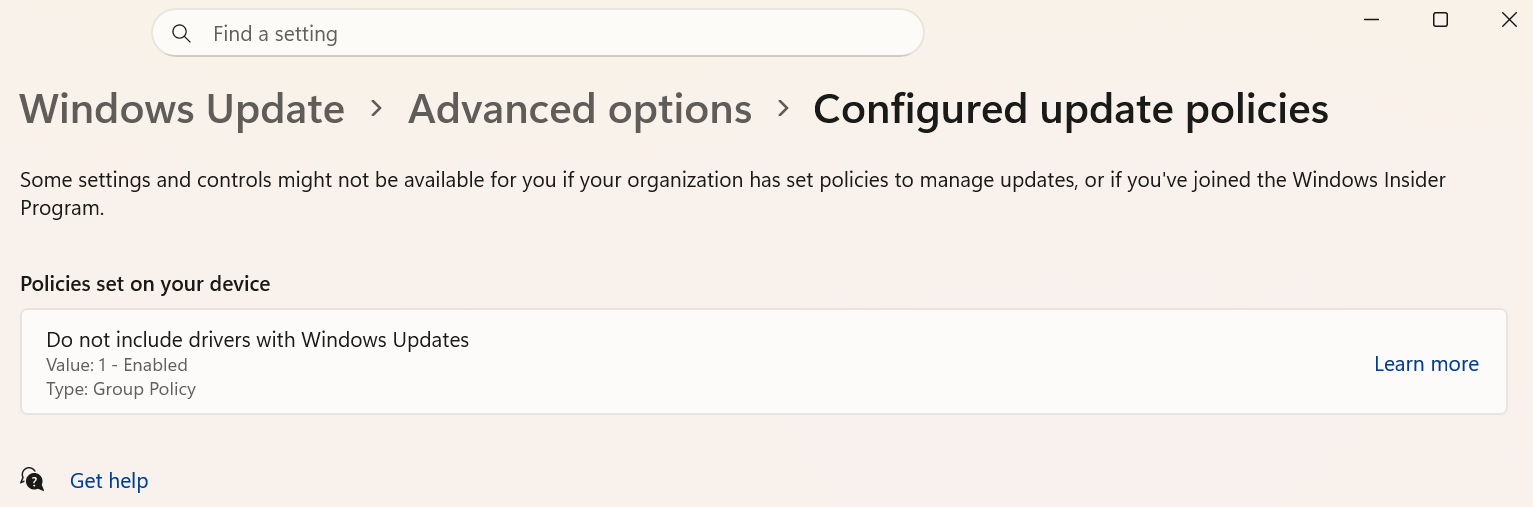
One of the recent Windows updates broke driver downloads and installations, even if you blocked them in the DDU settings. Since I prefer to have full control over my system, as soon as I discovered this bug, I also blocked driver downloads through the Local Group Policy Editor.
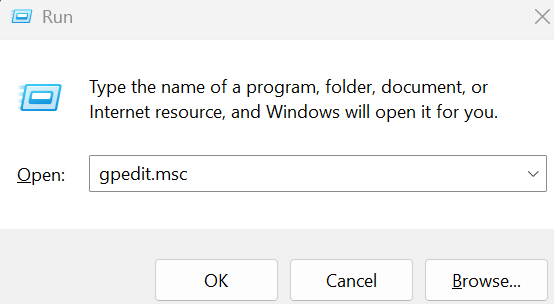
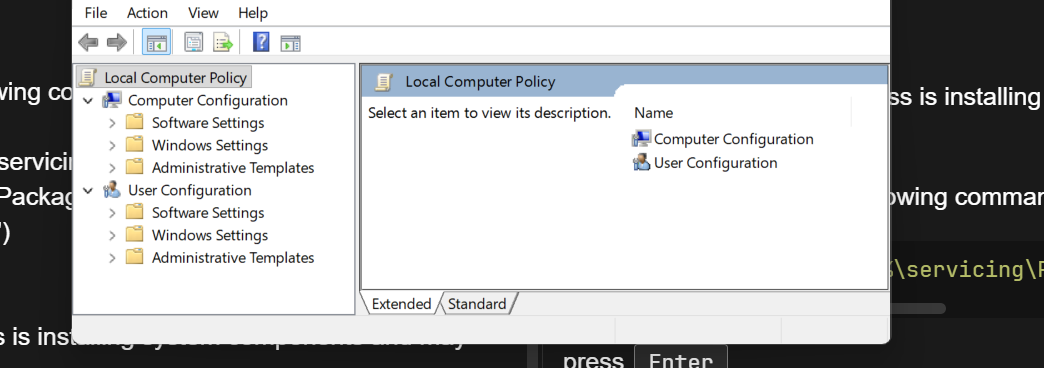
To do this, I pressed Windows + R, typed gpedit.msc and clicked OK
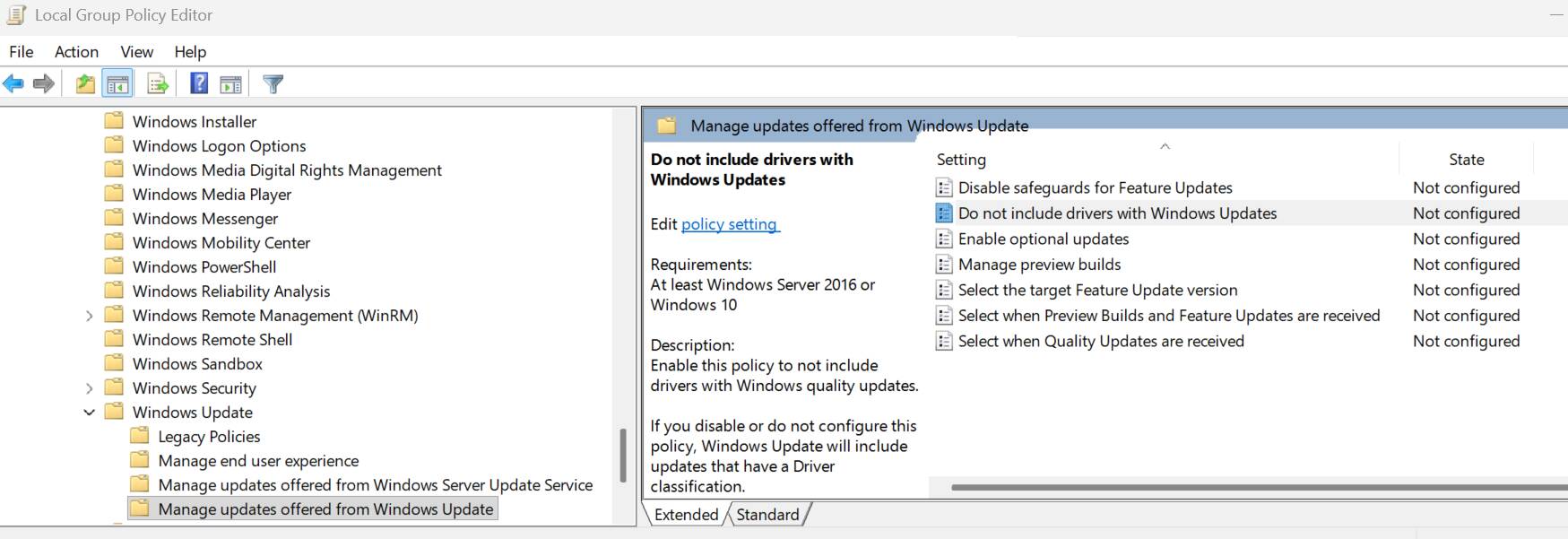
In the Local Group Policy Editor, I navigated to: Computer Configuration > Administrative Templates > Windows Components > Windows Update > Manage Updates Offered From Windows Update.
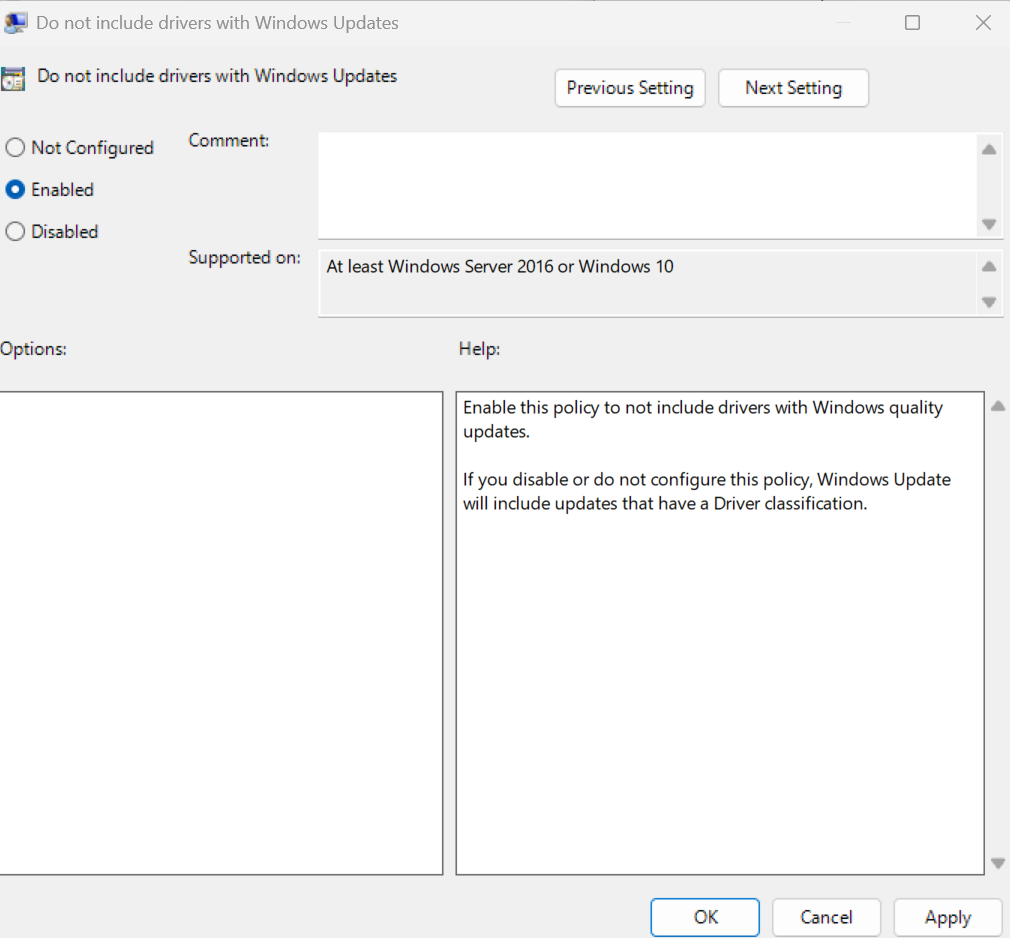
In the right pane, I double-clicked “Do not include drivers with Windows Updates”.
In the new window, I selected “Enabled” and clicked Apply > OK
Important: Restart PC.
I have Windows 11 Home on one of my laptops, so I’ll describe how I added Group Policy Editor to Windows 11 Home.
I did it via DISM from an elevated Command Prompt.
So, run CMD as administrator. Copy and paste the following command into CMD (right-click in CMD to paste):
FOR %F IN ("%SystemRoot%\servicing\Packages\Microsoft-Windows-GroupPolicy-ClientTools-Package~*.mum") DO (DISM /Online /NoRestart /Add-Package:"%F")
press Enter
Wait for it to finish - the process is installing system components and may take some time.
After it finishes, paste the following command.
FOR %F IN ("%SystemRoot%\servicing\Packages\Microsoft-Windows-GroupPolicy-ClientExtensions-Package~*.mum") DO (DISM /Online /NoRestart /Add-Package:"%F")
press Enter
Wait for it to finish - the process is installing system components and may take some time.
If you ran the commands correctly, Local Group Policy Editor should now be available in Windows 11 Home.
They are still pushing drivers  I will add some more small tutorials incase of emergency. (you guys can ignore DeviceID method)
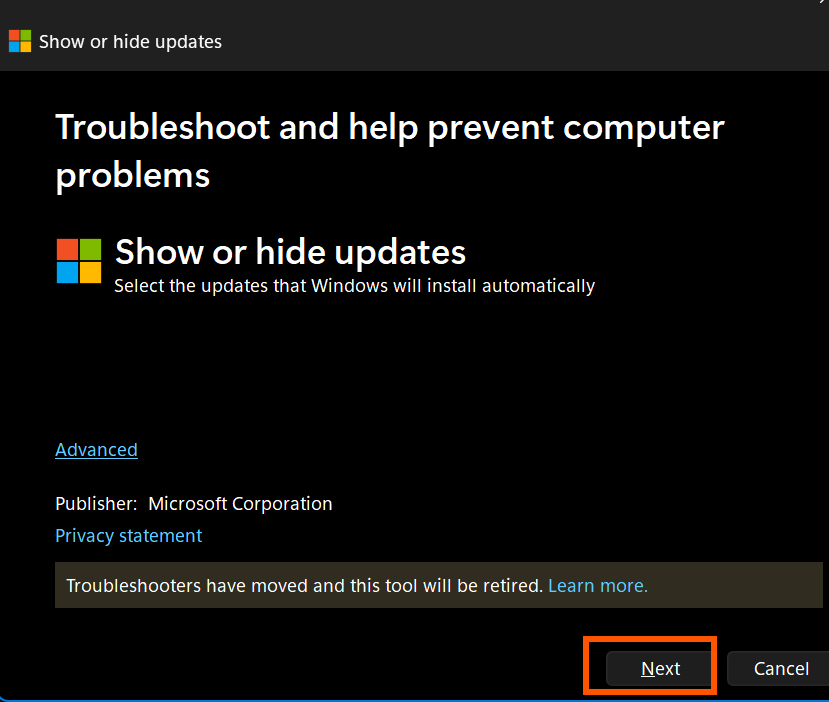
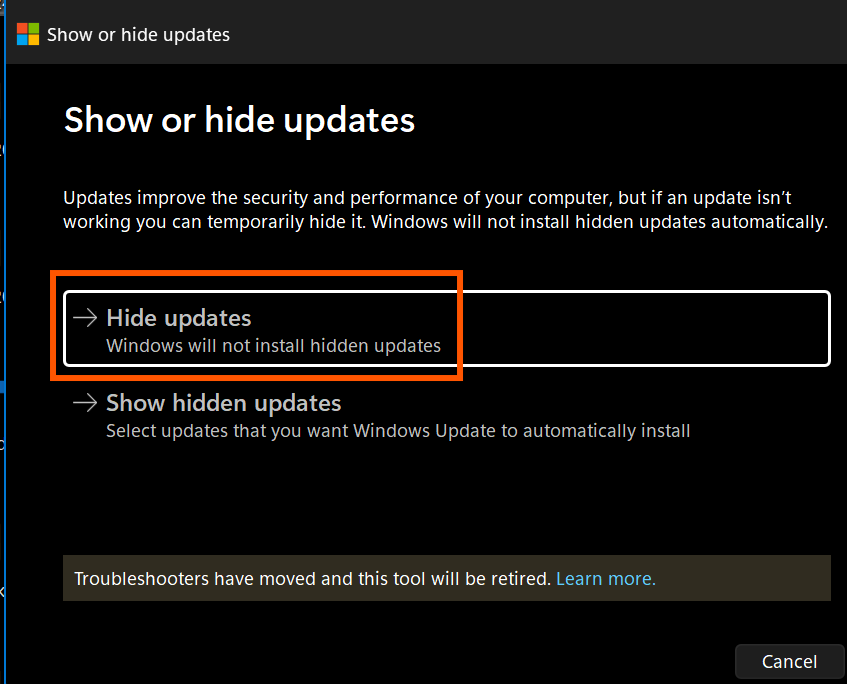
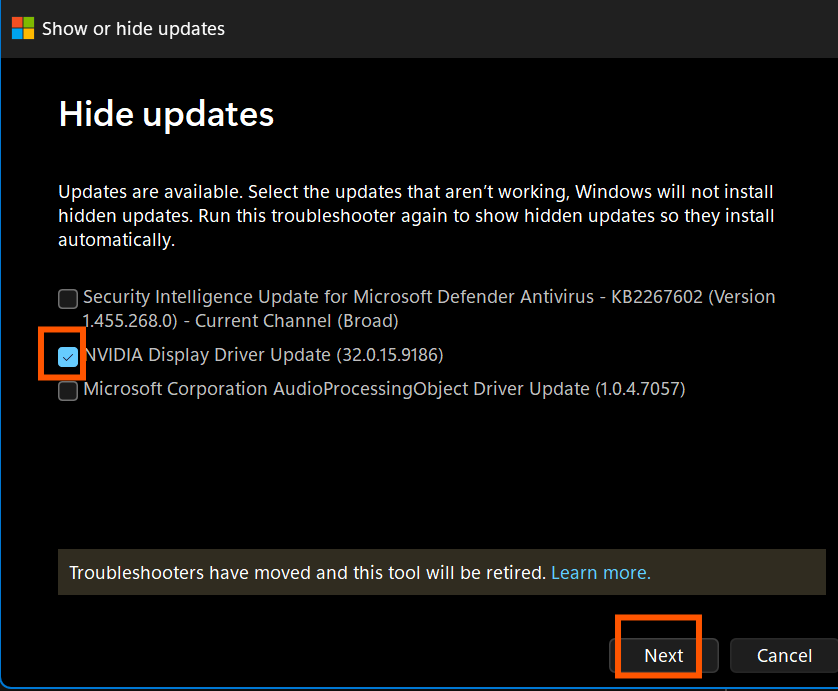
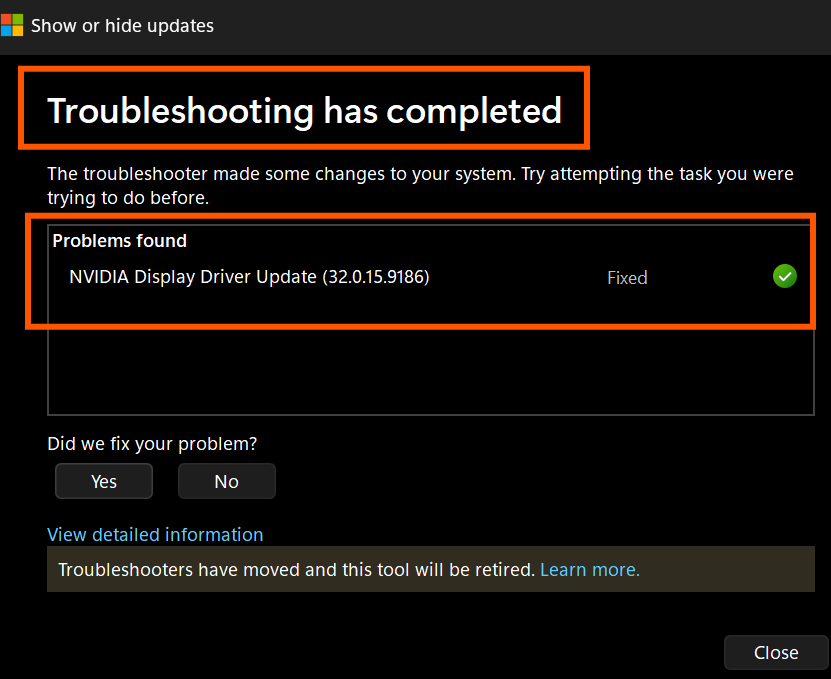
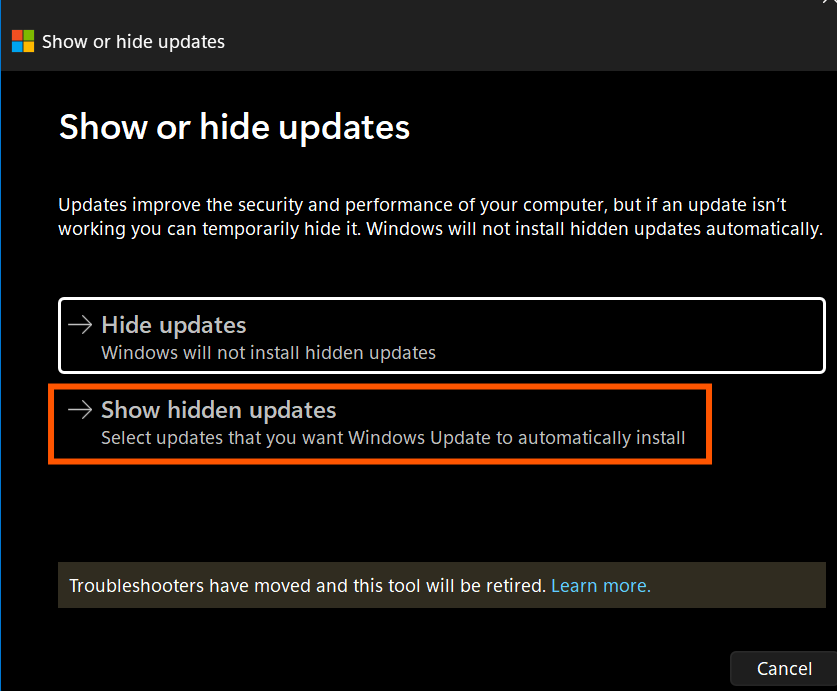
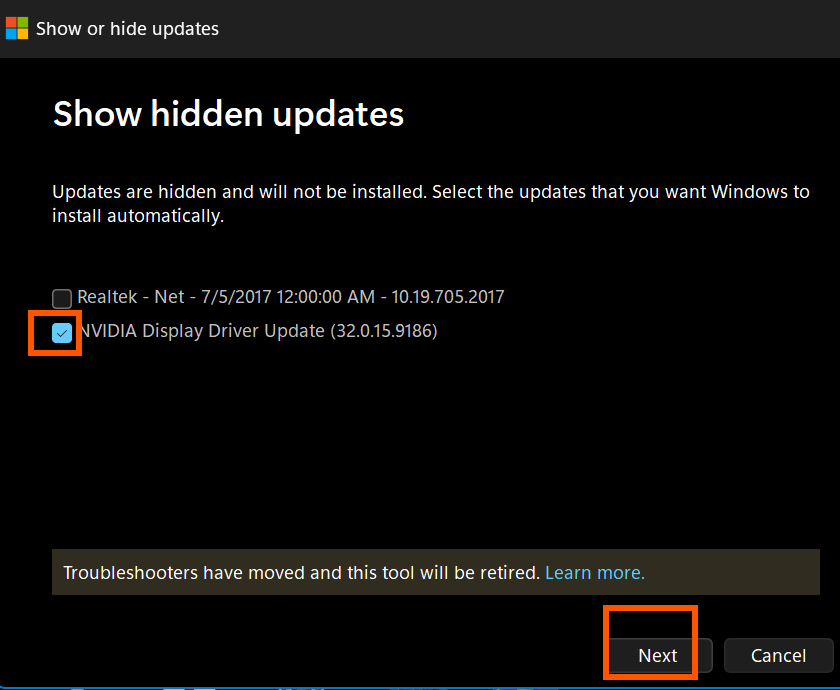
There is an awesome tool from Microsoft.
https://download.microsoft.com/download/f/2/2/f22d5fdb-59cd-4275-8c95-1be17bf70b21/wushowhide.diagcab
How to Hide updates
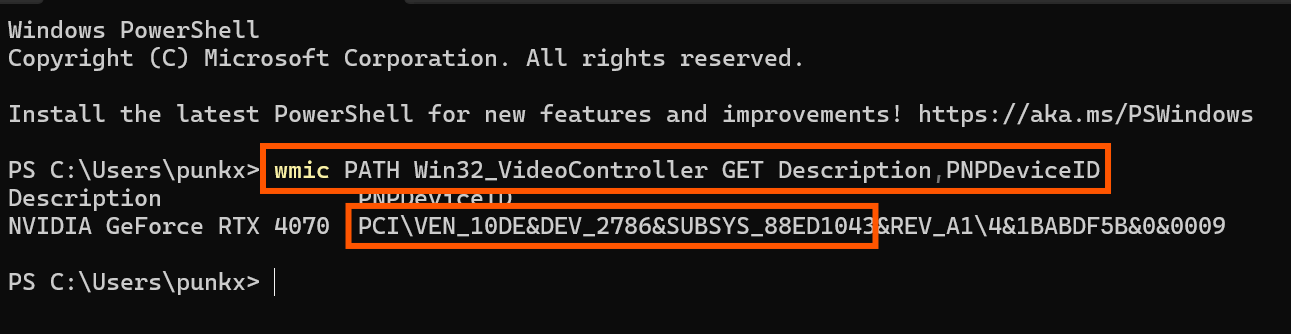
Command to get DeviceID (cmd/terminal):
`wmic PATH Win32_VideoController GET Description,PNPDeviceID`
Example reg file with above screenshot result :
Windows Registry Editor Version 5.00

[HKEY_LOCAL_MACHINE\SOFTWARE\Policies\Microsoft\Windows\DeviceInstall]

[HKEY_LOCAL_MACHINE\SOFTWARE\Policies\Microsoft\Windows\DeviceInstall\Restrictions]
"DenyDeviceIDs"=dword:00000001
"DenyDeviceIDsRetroactive"=dword:00000000

[HKEY_LOCAL_MACHINE\SOFTWARE\Policies\Microsoft\Windows\DeviceInstall\Restrictions\DenyDeviceIDs]
"1"="PCI\VEN_10DE&DEV_2786&SUBSYS_88ED1043"
Get DeviceID you have with the “wmic” Command, and on the reg file at bottom line, replace it with your DeviceID. This reg is example do not forget please. Get your DeviceID 1st and replace it.
This method fully disables that DeviceIDs driver updates.
610.82 Hotfix out (mainly for reviewers) (1 fix from late 2025)