What would you guys suggest with the rebar setting in nvidia app? Do you have it on auto or enabled?
The consensus is that if you are going to use it, and why would you not try it, then you set it as enabled. Not globally but only for the games you want to use it.
I have it on auto.
I’m not sure it’s relevant, but you might want to take a look at this post.
The resizable BAR provides a little bit of extra capacity and hence throughput in the pipeline between CPU RAM and VRAM. That should be a good thing, the only reason to disable it is if resizable BAR on is causing issues.
Some people have found that for MSFS2024 turning it off helps reduce excessive VRAM usage when their system is under VRAM stress, for reasons that are not well understood. That helps them maintain stable fps in game. If you don’t have VRAM problems it should be fine for it to be on.
As you know, from time to time I compare older NVIDIA drivers with the latest ones to see if there are any performance differences.
This time, I compared the older 616.56 driver with the latest driver 616.92 in MSFS 2024 SU7 beta 4K, TAA.
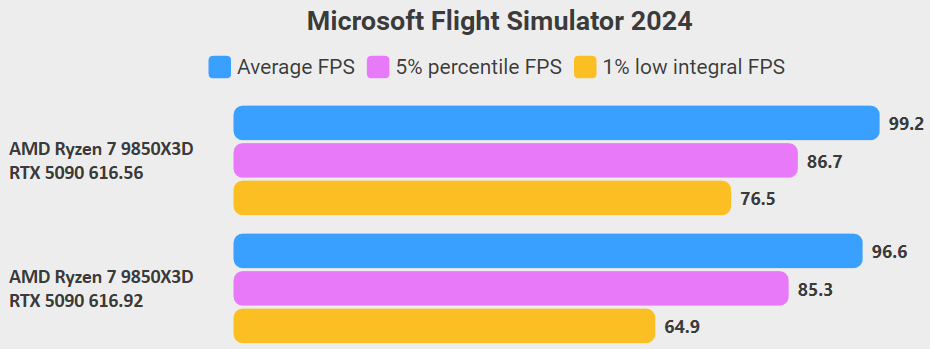
Lower = better
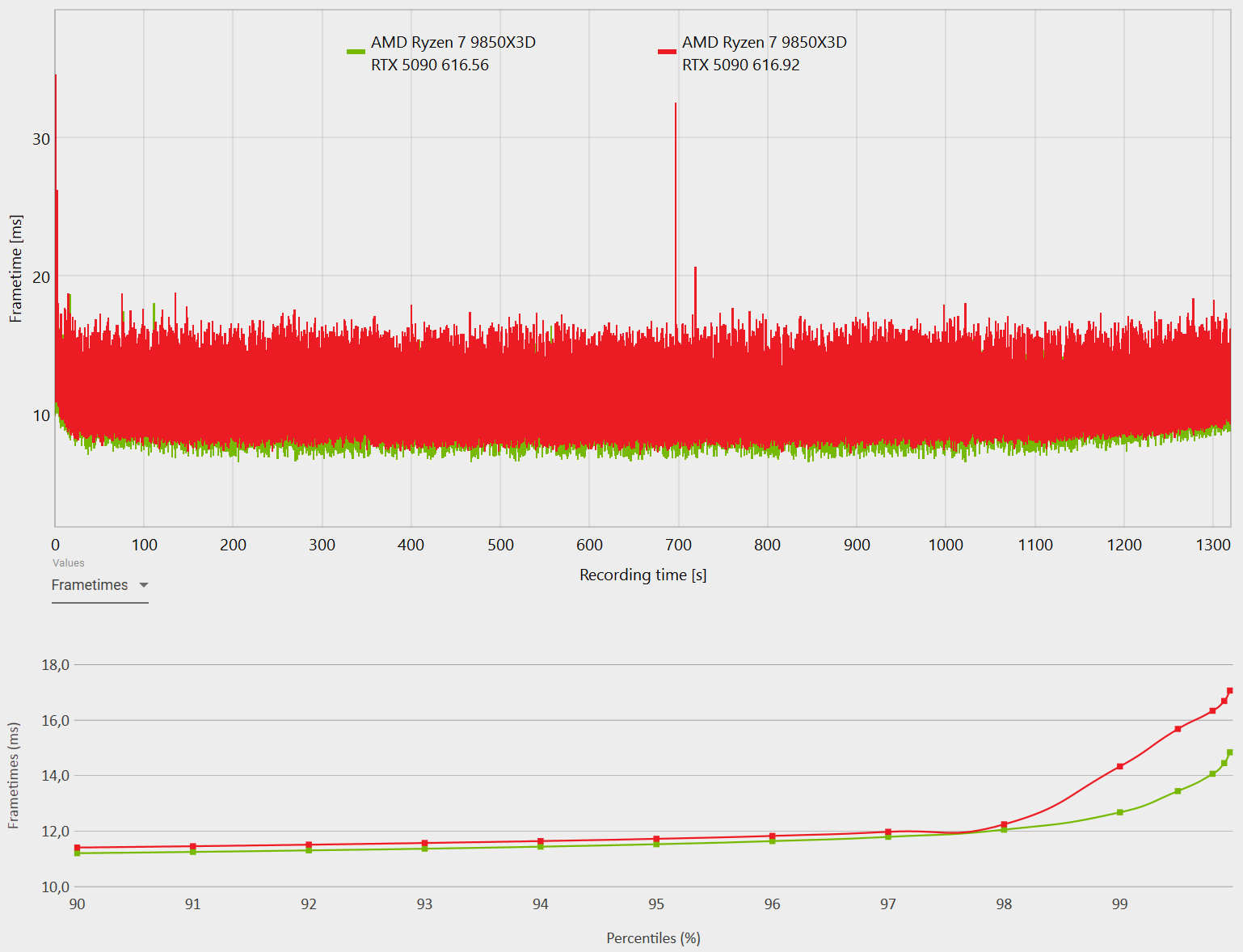
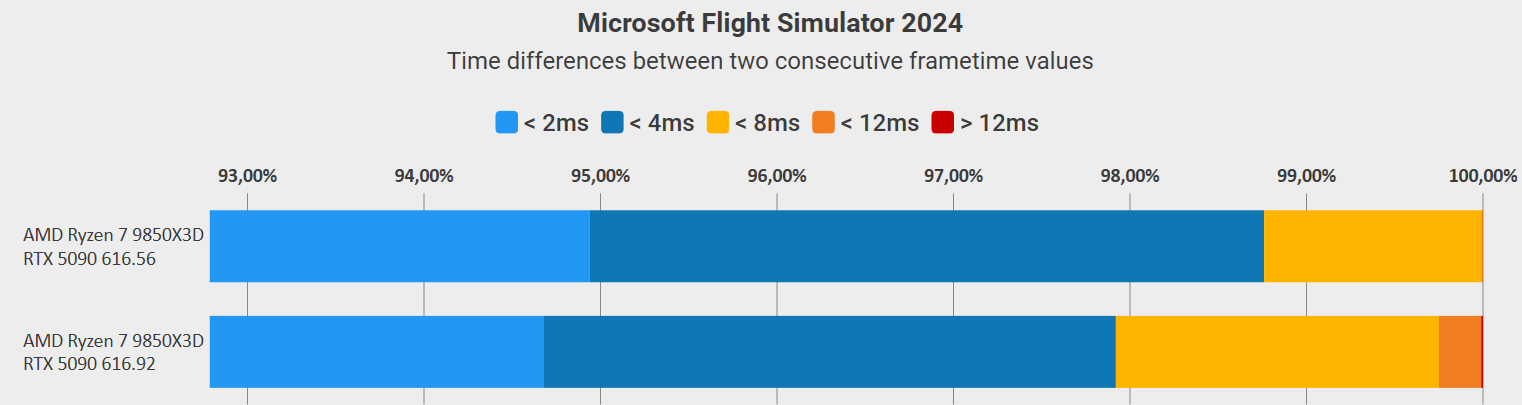
As we can see, the older NVIDIA driver has a slight performance advantage.
Enabled.
AUTO basically means the driver decides whether Resizable BAR should be disabled or enabled for a particular game. There are games that are optimized to work with Resizable BAR and MSFS 2024 is one of them. So in this case, AUTO means ENABLED.
For GPUs where VRAM capacity isn’t a limiting factor, Resizable BAR Enabled gives us, among other things, +22.5% more FPS and lower frametimes, so it’s all benefits.
NVIDIA driver 616.56 MSFS 2024 SU6
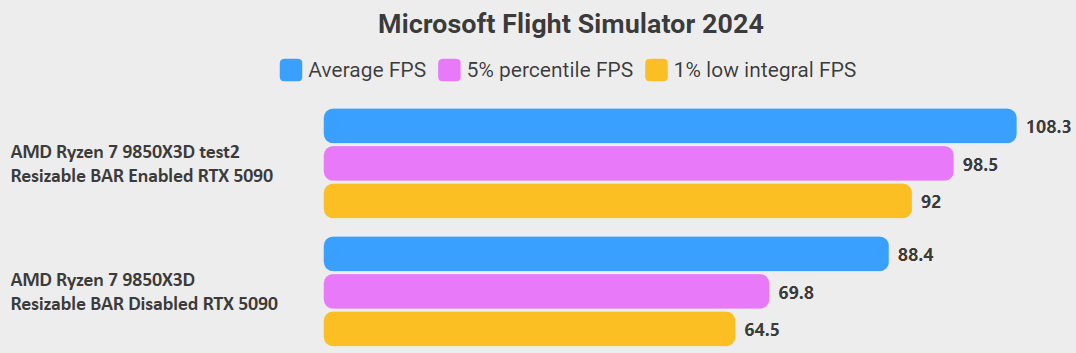
Source https://forums.flightsimulator.com/t/nvidia-geforce-game-ready-driver-616-56/774841/9
If you’re low on VRAM, just choose Resizable BAR Disabled instead of AUTO or Enabled, or adjust your graphics settings so you stay within your available VRAM.
Yeah that tail is quite a difference, 98th percentile on. I missed that driver, I was away.
Thanks for that. I will have a read.
I am on 596.49 on a Nvidia 3070M (Laptop GPU). I wonder how it works vs the new driver
I have no problems with the new driver, it works even better than the last one. No stutters and great performance. I’m on SU6 though, not SU7 Beta. Will try SU7 beta when Chaseplane releases the fix for it.
Starts ok for me.
I think the best way would be to test it yourself and see how it performs on your 3070M.
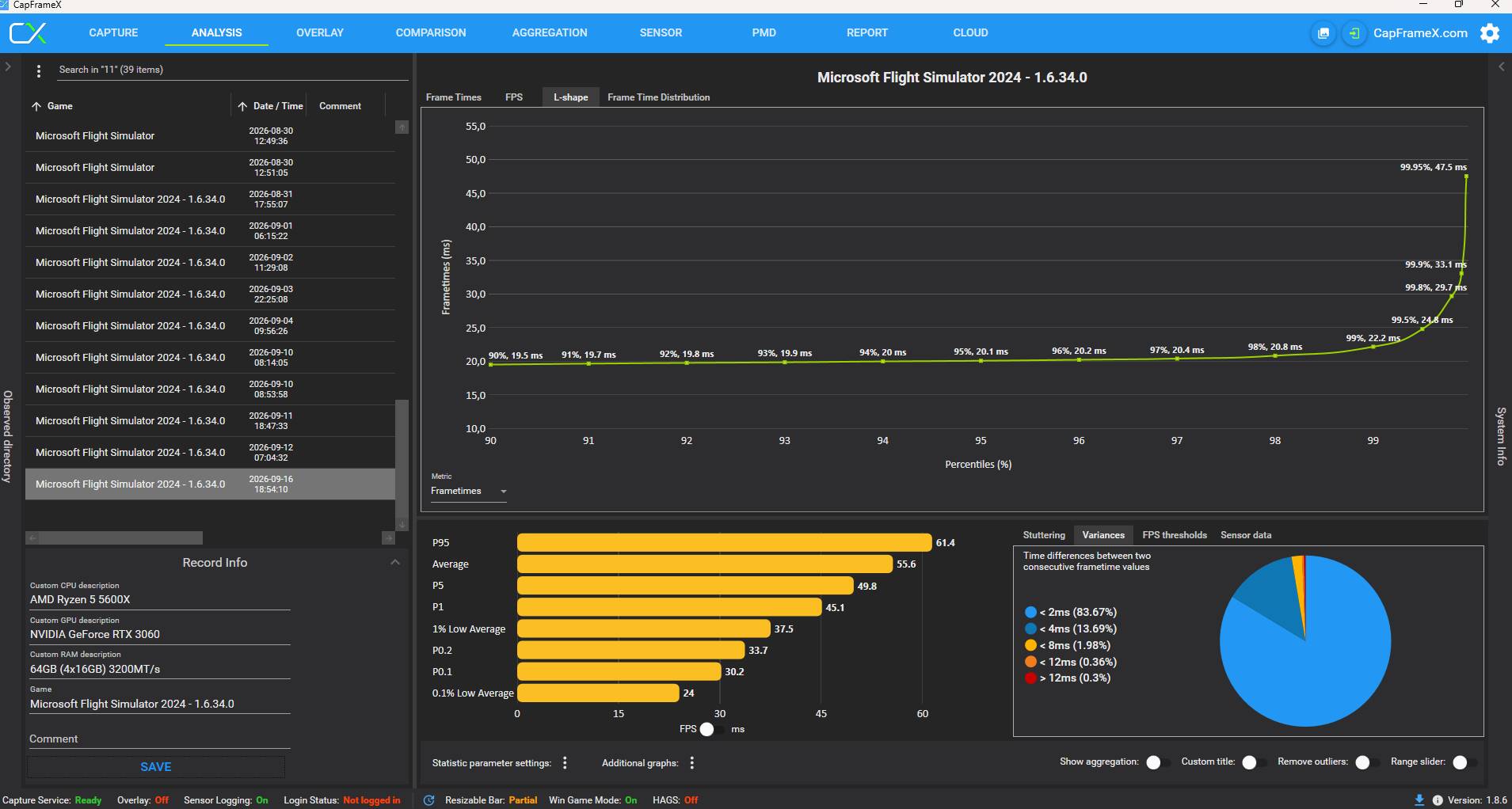
What software do you use or recommend to test it?
The best test is really your own experience - whether it feels smoother or not, whether you notice stutters or not, etc. But if you want to compare an old driver with a new one objectively, I recommend the free CapFrameX.
You don’t need any other software or paid software - the free CapFrameX is all you need.