i’m experiencing severe and noticeable stuttering when panning the camera around in MSFS2024. I’m frustated. The game is almost unplayable.
I have tried reinstalling my GPU Drivers, rolling back GPU Drivers to a stable version like 591.59, Updating Chipset, Bios Update, performing clean installation of GPU drivers, trying PBO off vs on, XMP off vs on, capping my FPS and tuning down graphics settings. I’m so frustated. Tried to ignore it, but did a flight yesterday, and even panning the slightest bit makes it extremely noticeable. I didn’t have this before.
Ryzen 7 7800X3D
RTX 5070 Ti
Corsair Vengeance 32GB DDR5 6000 CL36
Here’s a video. Does anybody else have it? How do i fix it? This is so frustating!
For me this has been an endless issue for years. I’ve gotten it to settle mostly, but it’s still noticeable when panning side to side or up and down. Some stutters are more severe. I’ve tried all of the hacks with limited success. Some airports are worse than othere. 5090, 13900k, 64
Your stutters are likely due to CPU/GPU timing with Ryzen 7800X3D and RTX 5070 Ti. Enable Threaded Optimization, disable Full-Screen Optimizations and Game Mode, check NVIDIA Reflex and Shader Cache, and ensure XMP is stable. Slightly lowering RAM speed can help stabilize frames.
I just experienced this myself. I had Windbg installed with Postmortem debugging enabled in an attempt to diagnose a continuous update loop that my Valve Index has entered. Massive stuttering. When I disabled Postmortem debugging, and rebooted, the problem went away. So, go through your Services and Task Manager, and make sure you have no background processes that may be “watching” the sim. I hope this helps.
I have a Ryzen 7800x3d, 64GB DDR5 and a 3800.
I have updated the Nvidia drivers.
1/ When I enable V-sync (in-game or via the Nvidia driver), I experience FPS drops (from 60 to 35-30 FPS with stuttering) as soon as I turn the camera. This doesn’t happen when I don’t enable it. I’ve tried different options (frame gen, FPS limit, etc.).
2/ I don’t have DLSS frame gen (nvidia), only AMD FSR 3.
Do you know why? Thank you!
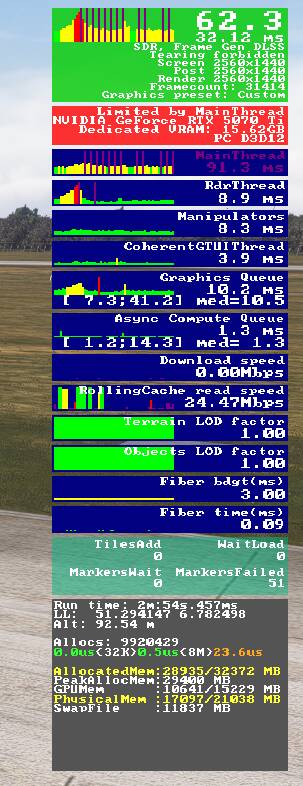
 But is it unplayable almost for you? This causes very noticeable stutters.