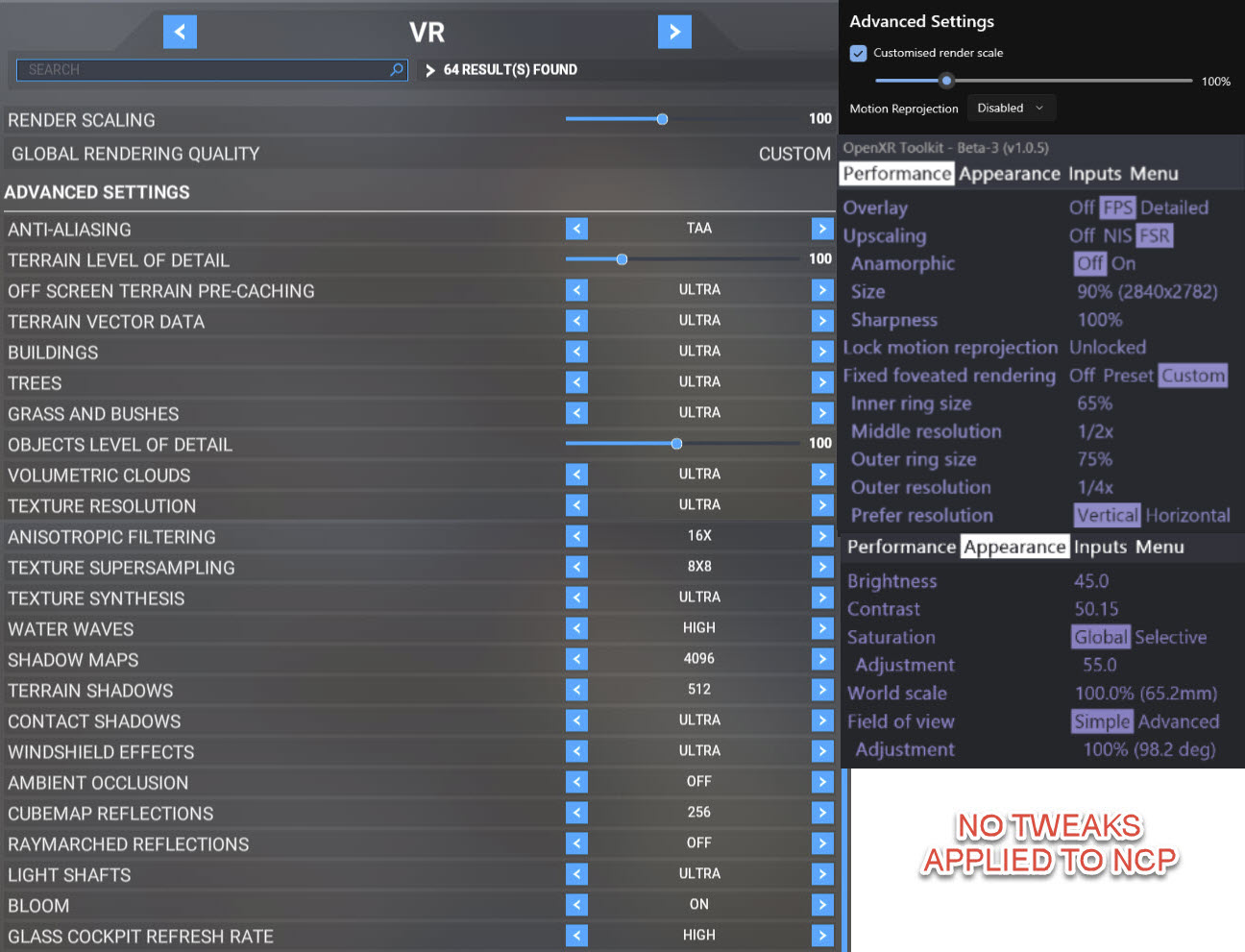
Wow the 3080ti is a potent card, after upgrading from my 2080ti it has cost me £450 for the FE but my sim experience in VR has been transformed in my Reverb G2.
After undervolting the 3080ti FE to maintain 1860mhz at 850mv on MSI Afterburner and 1000 on mem this now doesn’t go over 75 degress in the case.
I am able to increase settings in the sim now to a level I’ve never been able to before, never been clearer and this is with a 9700k and 32gb 4000mhz ram.
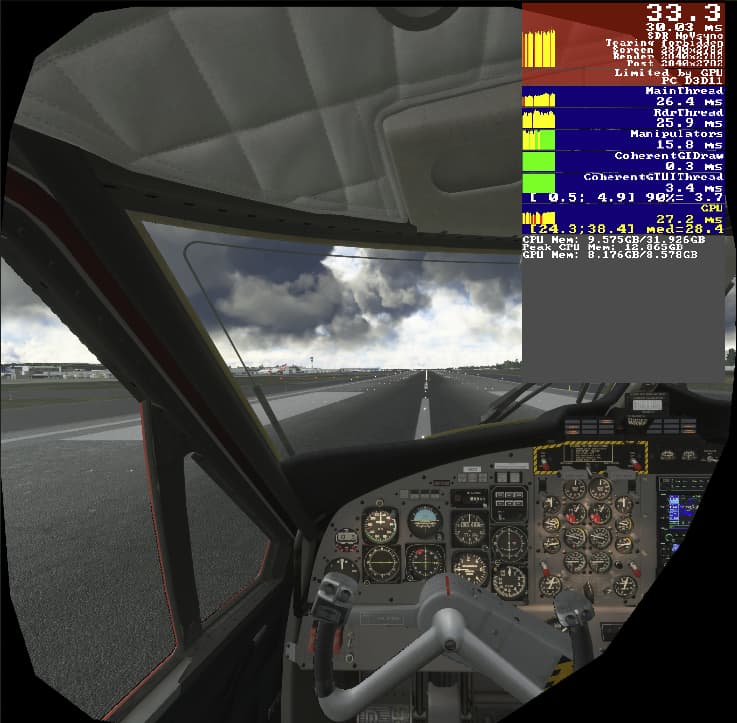
Smooth after settling even in Heathrow or London City Airport with floyds weather preset 1 and 67% on AIG which I find the most taxing still getting mid 20’s on the runway and up to 40 fps when in the air over London.
You can see the CPU/GPU in harmony now at these settings, both hovering around the mid 20ms and switching between one another as the limitation. No point in an upgrade on the CPU from the 9700k at 5.1ghz.
Thanks much for sharing your experience & settings. Just recently updated my system (i9-10900K) with RTX 3080 Ti with G2. Have been tweaking small steps at a time but elected to use your settings with frame rate limited to 32. WOW The Hummer (Flt Sim) is outstanding; smooth, solid frames, & clarity in areas I fly (GA including H135 - slow & low). Agree, the openxr toolkit is simply outstanding - think we are all very appreciative. Thanks again for sharing.
I haven’t tested it without the toolkit yet. I’m assuming it’s not the toolkit’s fault, although I will test without just to be 100% sure. Just wondering if anyone has had a similar problem.
Really pleased it helped, I have always been conservative on the settings in sim and never thought it would work on ultra for years. But the GPU power of the 3080ti takes a lot of the load, couldn’t of done that on the 2080ti.
I know the 3080ti isn’t a huge leap given the extra power required but it tips the balance to load the CPU/GPU in better harmony on my system.
See what the 4000 series brings next but I’m happy with my experience now.
I’ve also tweaked my headset with 45% brightness and 60% saturation now. I think there’s more milage in the RGB section but haven’t managed to tweak it as much yet I think the reds a bit overdone.
Hi, tested it for the first time today. HP Reverb G2, Radeon RX6800, Ryzen 7 5800X.
Unfortunately, DX12 is a big drawback for me - got non stop framedrops in DX12 with my RX6800 - in VR and 3D.
Without foveated rendering I’ve got around 22fps in DX11 VR (100% render resolution), and 34fps in DX12 with foveated rendering activated - so it works! But those framedrops kill the whole experience.
Maybe its compatible with DX11 in the future?
I have an AMD card also, 6900 xt. I’d love to try the foveated rendering but don’t have high hopes while waiting on either Asobo to fix DX12 or AMD to fix DX11.
But I am totally happy with my current performance using this toolkit. I turn off motion reprojection, lock my framerate to 35 fps, 100% in-game, openxr at 120%, and the toolkit set a 76% using FSR. Then I turn down the brightness a little, up the contrast slightly, turn down green and bump up blue a little… it works great.
I can already tell you that the chances of AMD bringing a VRS SDK to DX11 like NVIDIA did are close to 0.
There’s a few things that can lead to that.
Could you inspect the content of your registry at HKEY_LOCAL_MACHINE\SOFTWARE\Khronos\OpenXR\1and at HKEY_LOCAL_MACHINE\SOFTWARE\Khronos\OpenXR\1\ApiLayers\Implicit?
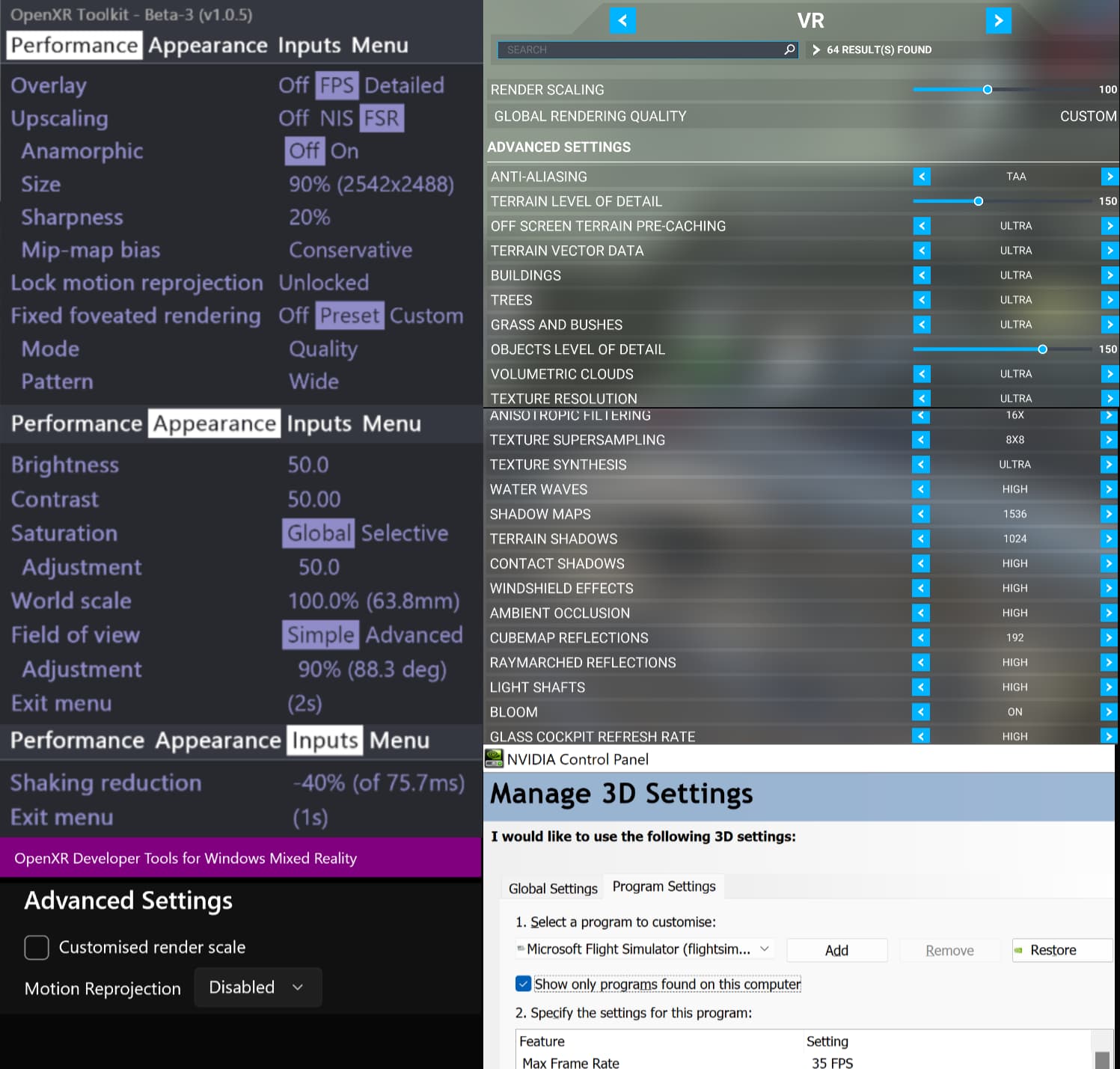
Inspired by your post and format of how you show settings, I thought I’d offer mine up to show how I have optimised my setup with the OpenXR Toolkit, which may be of benefit for those with similar computer configurations.
My configuration is as follows:
i9 10850K @ 5.0GHz, Gigabyte 3080 10GB @ 1905MHz core, 32GB 3200MHz RAM, 1TB NVMe SSD, Reverb G2 V1
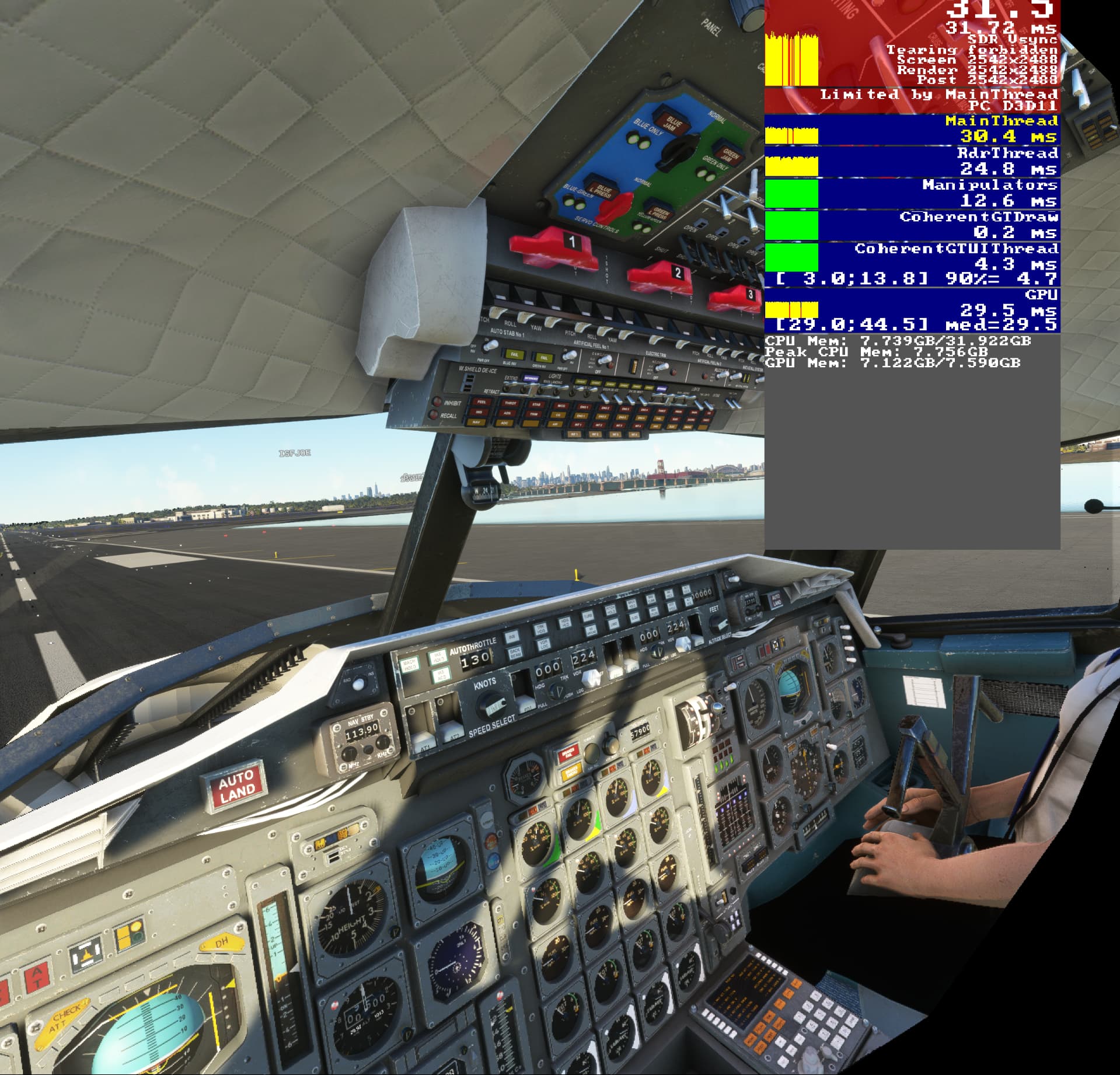
This generally gives me 32-35 FPS and a smooth flying experience pretty much everywhere, including complex areas like KLGA facing Manhattan in the Concorde, even with a reasonable amount of clouds in the area. There are some rare foggy/misty cloud types that can bog down FPS to the low 20s, but usually it’s only briefly as I pass through them and this is an ago old MSFS issue.
We’re late, but it’s finally coming in the next few days:
Changes in v1.1
Add support for Foveated Rendering with eye tracking (sometimes called ETFR or DFR) on Varjo devices, HP G2 Omnicept, and Pimax devices with extension modules.
Add support for adjusting exposure, vibrance, highlights, and shadows.
Add sun glasses and deep night modes.
Improve the sharpening of AMD FidelityFX Super Resolution (FSR).
Add CPU-bound indicator and CPU headroom measurements in the overlay.
Add support for left/right eye biasing with Fixed Foveated Rendering (allow for lower resolution in one eye).
Properly handle Fixed Foveated Rendering with lower in-game render scale (no lower than 51%).
Add trigger-on-haptics to the hand tracking support (simulate a button press upon game haptics + programmed gesture).
Add an option to override the OpenXR target resolution for each application.
Add an option to enable/disable Motion Reprojection for each application (Windows Mixed Reality only).
Add an option to disable the toolkit for each application (from the Companion app).
Add an option to disable timeout in the menu.
Add detailed traces capture from the Companion app (for troubleshooting).
Huge changelog, fantastic news! As a Varjo user I can’t be happier about this, but this incoming version brings along lots of improvements for all sort of device users alike. Thanks a lot, development team!
I see your lod settings are higher but some of the graphics settings at high, probably a good compromise I’ll test further.
Do you find the shaking reduction helps? I tried it but couldn’t really see much difference.
Another point to raise is making sure you’ve got your system running as streamlined as it can be removing any background processes and decluttering to make sure that you maximise what you can from your system. Jayztwocents covers this in the following part of MSI afterburner video
Looking forward to v1.1 release, even more adjustments being able to be set such as exposure, vibrance, highlights and shadows will keep us busy. Also interested to see if the sharpening of FSR makes a difference.
Also the sunglasses may be great as I do find sometimes it’s a bit too bright on clear days.
I’ve found over the longer term that having the top half only of settings at ultra/max makes a visual difference whereas it looks pretty much the same as ultra/max when set to high/max-1 and doesn’t cost me the 3-5 FPS that ultra/max does there. I tried LODs at 100 but found my CPU had enough headroom to feed it at 150 to give a roughly even balance between GPU and CPU frame times in the most complex scenarios.
I only turned it on because it was recommended in an OpenXR Toolkit video I watched. For the most part it doesn’t make any difference as the G2 has pretty good head tracking, especially if you regularly clear WMR environment data, however I find it filters out small jitters if you are chewing something so I keep it on.
I’ve done that sort of thing before when I had less capable CPUs, but the i9 10th gen CPU series has plenty of cores to go around. Quite often I am watching a Twitch stream on my second monitor, running a web browser with 20+ tabs open, showing performance monitoring software windows and MSFS runs pretty much the same as when they are all turned off. The only exception seems to be that I cannot have a running video screen (usually Twitch) as the top most screen on my secondary monitor while I am using the VR headset, otherwise MSFS graphics get jumpy when I turn my head, so I just have to put another window in front of it or minimise it. This isn’t really a problem because I can’t, and don’t want to, watch a video screen when in VR anyway.
I watched the video you linked a note the presenter showed something that I do on longer flights with MSI Afterburner. I have a hotkey set up for full GPU power at my undervolt level but I also have one set up at 45% power limit which I engage when I take my headset off and do something else while on autopilot. This drops my GPU temp below 50C and my CPU relaxes a bit too. As soon as I put my headset back on I hotkey it back up to full power.
This is awesome! Personally the exposure control and sunglasses option was on top of my VR wishlist. Unfortunately MSFS eye adaptation doesn’t work like in real life, so in jetliners cockpits, the world outisde is always so blown and didn’t really enjoy the views.