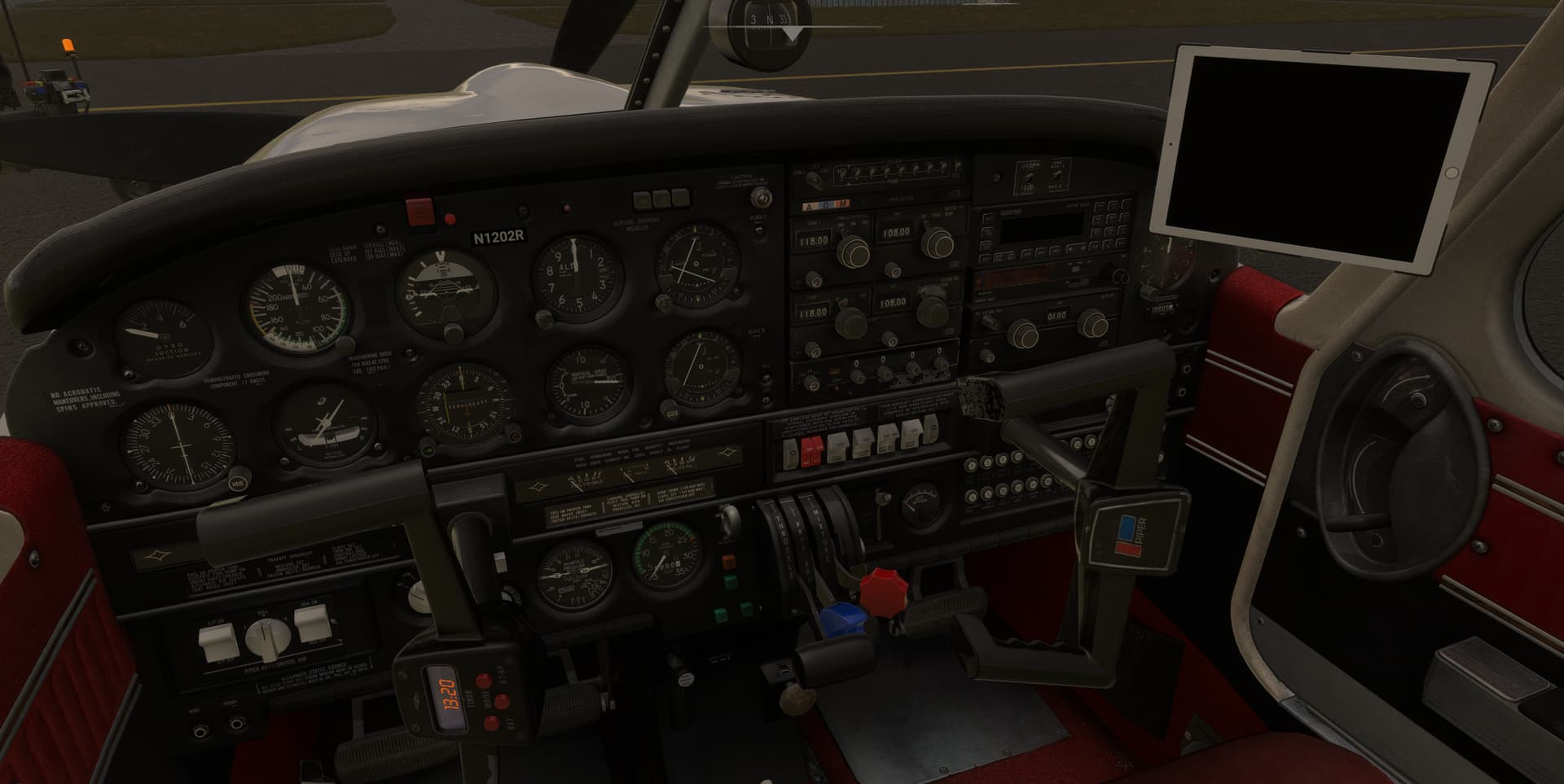
With previous WASM I got:
WASM: Error during KH Gauge Draw Paper_chart execution. Error code : 0xc0000005
WASM: Module vfs://justflight-aircraft-pa28-arrow-iii/SimObjects/Airplanes/jf_pa28_arrow/panel/JF_PA28_ArrowIII_WASM.wasm is now dirty
With the new downloaded one (Turbo Arrow)
WASM: Detecting module JF_PA28_TurboArrow_WASM.wasm as a Release build
WASM: Compiling module JF_PA28_TurboArrow_WASM.wasm
WASM: Compiled module JF_PA28_TurboArrow_WASM.wasm in 8 seconds (Init: 2 ms / Compile: 449 ms / Optim: 2879 ms / Link Init: 124 ms / Link Generate: 5248 ms / Link LLVM: 30 ms).
WASM: Recompilation command is (0000047DA5528790)
WASM: Module JF_PA28_TurboArrow_WASM.wasm loaded…
WASM: Module JF_PA28_TurboArrow_WASM.wasm initialized.
[fcr_embedded_system.wasm] System WASM:
[fcr_embedded_system.wasm] EVENT_PAUSE1 received
[fcr_embedded_system.wasm]
[fcr_embedded_system.wasm] System WASM:
[fcr_embedded_system.wasm] EVENT_PAUSEEX1 received
[fcr_embedded_system.wasm]
[fcr_embedded_system.wasm] System WASM:
[fcr_embedded_system.wasm] EVENT_PAUSEEX1 dwData: 1
[fcr_embedded_system.wasm]
[fcr_embedded_system.wasm] System WASM:
[fcr_embedded_system.wasm] EVENT_UNPAUSE1 received
[fcr_embedded_system.wasm]
[fcr_embedded_system.wasm] System WASM:
[fcr_embedded_system.wasm] EVENT_PAUSEEX1 received
[fcr_embedded_system.wasm]
[fcr_embedded_system.wasm] System WASM:
[fcr_embedded_system.wasm] EVENT_PAUSEEX1 dwData: 0
[fcr_embedded_system.wasm]
WASM: Module vfs://justflight-aircraft-pa28-turboarrow/SimObjects/Airplanes/JF_PA28_TurboArrow_III/panel/JF_PA28_TurboArrow_WASM.wasm is now dirty
Have you installed the PA28s previously on your computer? If so, it won’t prompt you to activate them again.
Martyn - Just Flight
The WASM overwrite had no change for the TDS - still black screen.
Thanks, that helps.
Reverting back to the original WASM, please try replacing the existing panel.cfg within the panel folder with these replacements:
Arrow III: ShareFile
Turbo Arrow III/IV: ShareFile
Warrior II: ShareFile
If the issue still occurs, can you check if the dev console contains the same WASM error (referencing the Paper_chart).
Martyn - Just Flight
same - i cleared all the folders, have not installed 2020 versions, dont have it streaming, changed the WASM files, cold and dark or on runway - the efb wont turn on and the yoke is over.
Similar issues here: MSFS 2020 - never used 2024. Installed the new version via the installer downloaded from JF’s website.
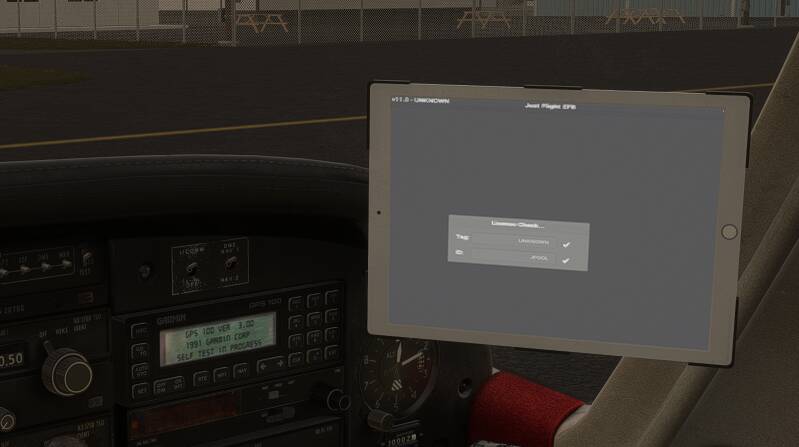
EFB is stuck on this page:
First time I loaded in, the EFB said “Loading Aircraft…” or something. Tried resetting and starting over. Next time I just got a blank EFB and couldn’t click on it at all… Any thoughts? Thanks!!
YES!!! That panel.cfg worked
And the custom reg is showing up on the aircraft
(And I can open the door now)
Got the WASM rebuilt as awaited in the log but no more error… Sounds good 
Yoke and EFB are now ok!
And the paper chart is disabled as “htmlgauge00” is not set to the WASM Instrument.
Great, thanks for confirming.
So, for some reason, the interactive paper checklist is causing issues for some users. At least that narrows down the issue and we’ll continue investigating.
In the meantime, using the panel.cfg above, you should be able to use the PA28(s) without the interactive checklist for now.
Thanks for the help,
Martyn - Just Flight
Will the installer be updated now?
Installed 2024 version and working fine.
Anyone else missing the pilots in the cockpit in external view in 2024?
For those of us unfamiliar with WASM and don’t feel like editing panel.cfg files and folders, will you issue new installers soon please?
Yes, we’re working on updated installers now and those should be available this evening.
For those of you that aren’t experiencing the issue, you can ignore those updated installers.
Martyn - Just Flight
Sorry for the bother, but are these files for 2020 or 2024? I’m having the issue with the EFB not fully loading (in my screenshot from earlier) and wanted to know if I should replace the files if I’m using MSFS 2020.
Thanks!
I haven’t flown this in a year or so. It’s such a treat. Shame on me for ignoring it. The textures are a bit dated but this plane is such a great plane to just handfly and treat yourself to some nice VFR flying in the countryside. Well done for bringing this to MSFS 2024 right before a nice community fly-in.
I just completely removed the JF Arrow via uninstaller and reinstalled… Same issue. Black EFB and yoke full left. Turning on battery master doesn’t do anything. MSFS 2020.