okay, there is definitely a memory leak going on, ive made 5 flights today, all 5 of them on the final phase of flight after just being in the air for no more than a hour, CTD and i have a matching timestamp Event Viewer log confirming my entire system’s worth of RAM was used up, mind you that is 64GB of DDR4!!
right as im establishing on a localizer, im watching my memory via RTSS and it literally starts spiking, in 5 minutes during final, the sim goes from 10GB of usage to over 45. once this happens, texture and scenery errors start occuring in the sim, ground becomes erratic and corrupted, i literally just flew NAS Key West to KRSW a 35 minute flight, right as im establishing my final, i start noticing texture errors, FPS Dropping progressively and after i nailed a perfect landing, what do i get? huge rips and tears in the runway surface that flipped my plane on its back!
changing AI Settings, traffic and multiplayer on and/or off in any combination has no effect on this.
so what is suddenly sucking up all the system memory of our systems?
frankly, its becoming a real problem. since im not a programmer either, and there is no way to truly map RAM of a windows 10 system, there is absolutely no way to determine the leak source or what is being pointed to.
I monitor my system with RTSS in real time…
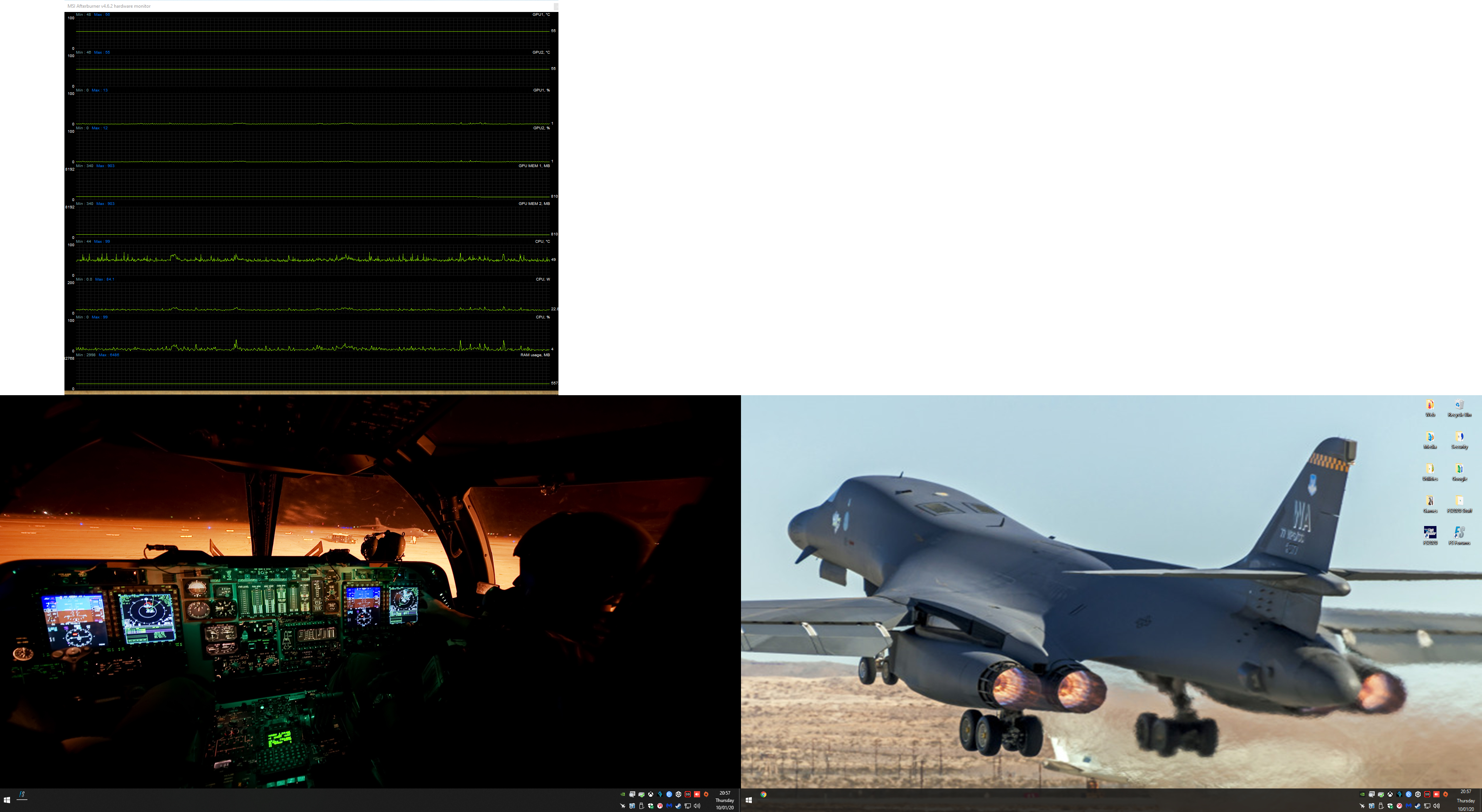
notice the upper left screen of this capture, this is a dedicated 3rd monitor
Anyway, according to your image, your system peaked at 6GB of RAM usage. I’m not sure where 64 GB came from. 6GB is not much by today’s standards.
And when you consider most only have 16GB according to your analysis they shouldn’t be able to fly for more than 10-15 minutes. I think we would notice that.
i have 64GB of RAM, im just showing how im monitoring it, that was not live and after the sim crashed and i went to handle something else in my home.
but the event viewer log proves the usage also
here is another one, just 2 hours prior
Log Name: System
Source: Microsoft-Windows-Resource-Exhaustion-Detector
Date: 10/01/20 22:04:23
Event ID: 2004
Task Category: Resource Exhaustion Diagnosis Events
Level: Warning
Keywords: Events related to exhaustion of system commit limit (virtual memory).
User: SYSTEM
Computer: BEAST
Description:
Windows successfully diagnosed a low virtual memory condition. The following programs consumed the most virtual memory: FlightSimulator.exe (2288) consumed 53402289152 bytes, and chrome.exe (9680) consumed 347365376 bytes.
do you see the sim on my right screen? because its not there, im looking at my desktop a few minutes after the CTD and the matching timestamp of the event log.
i have, numerous times over the last 6 months, this was a sporactic issue during the Alpha also.
but because of the way Windows 10 locks out mapping of RAM and since users cannot map applications as such, its impossible for us to help determine what the leak is.
ill go back and use file and memory management monitoring to see if i can spot a particular instance of excessive calls, but, without knowing whats actively happening in RAM, grim chances. only Asobo and MS can do that level of debugging.
maybe YOUR system only has 16 or 8GB Of RAM, mine does not, because i do much more than just gaming with it.
but ill take your silence now, for re-reading the topic and seeing the matching event viewer logs and now, another user stating the same thing happening.
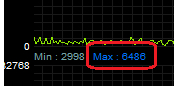
Your RTSS graph shows both the current memory usage as well as the maximum reached since it was started. This maximum value doesn’t change after MSFS closes, but is an indication of the peak amount of memory usage that had occurred. This value only resets if you close and restart Riva Tuner or reboot your PC.
So does the comment “i went to handle something else in my home” meant you shut down your PC before taking the RTSS screen shot? This comment seems to indicate not “do you see the sim on my right screen? because its not there, im looking at my desktop a few minutes after the CTD and the matching timestamp of the event log.” So if that is the case then the value of 6.5GB is still relevant.
Your screen shot shows a peak of 6486MB (6.5GB) had occurred. Hence the comment by Yuudai5178.
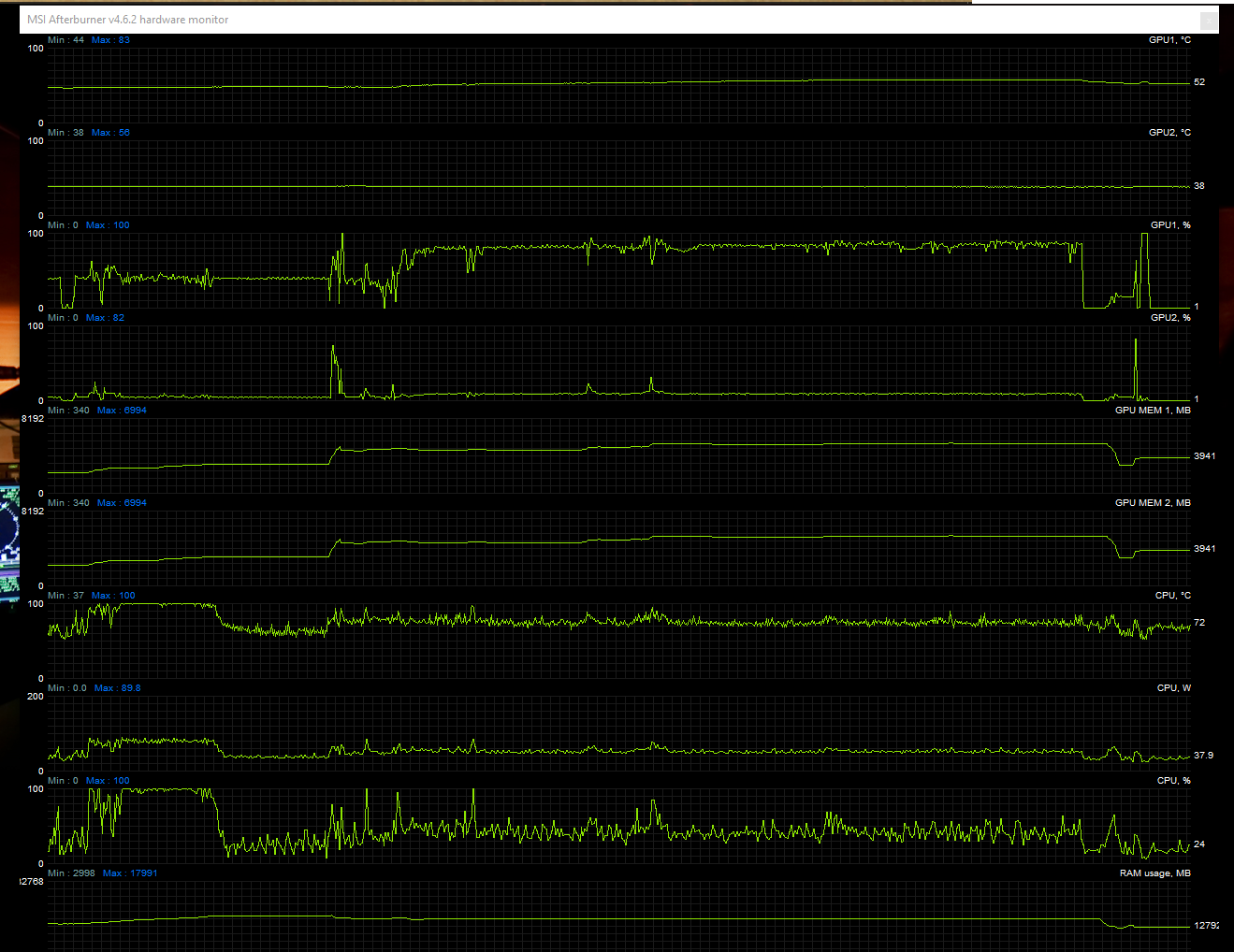
This is my memory reading from Riva Tuner long after MSFS has been closed.
This is yours (after MSFS has closed??)
The event viewer logs you have provided don’t appear to conifrm that all 64GB of your ram has been used. In fact the logs show no comment about ram at all. The error message about memory from the dump appears to refer to virtual memory, not physical ram. “Windows successfully diagnosed a low virtual memory condition”. So did MSFS chew up all 64GB of your ram then help itself to another 53GB of virtual memory? Erk!!!
So is it possible that your PC is not correctly utilising your ram forcing Windows to use excessive amounts of virtual memory instead, until it just hits the available space limit?
Just one thing I forgot to mention above. I bought a new PC a couple months back and was having problems, crashes etc, which I traced to a faulty memory stick. Removing the offending stick (until the supplier replaced it) solved all the problems I had been having. There are a couple of methods in the link below to check your physical ram.
yes, i restarted it prior to the screen capture. and ill trigger the sim again and capture it showing the insane spike.
My RAM is fine, it has passed multiple Memtest 86 passes over the last 2 years and one being within a month recent. OCCT was also used when i first started up the SLi setup of my second 1080 FE Reference card being installed.
RTSS is monitoring RAM, not PageFile which i turned off recently for monitoring.
event viewer only shows the highest usage processes, which at the time of the event trigger, was Chrome and FS2020. with the Sim showing 48GB of RAM on RTSS and a matching number in the event log, you do the figuring. when the info matches from multiple sources.
Event viewer also categorizes RAM as Virtual RAM in many cases. a quick Event ID 2004 search turned up PLENTY of sources showcasing Physical RAM being exhausted and throwing this same error.
Could if possibly be because of your memory size? Maybe MSFS is not optimised for 64GB, as Microsoft’s system spec lists only 32GB even for the hughestsoec PC. I have 32GB and don’t get a memory leak while you do. Memory size is an obvious difference. We’re both using the same MSFS software. Maybe remove half the ram and see if the problem continues.
but we probably have different settings both system and sim wise, thats the variable.
and just because i have double the total amount of the highest recommended is a non-factor. if that was the case none of my games/apps would behave properly. and because it only happens during a specific phase and never changes indicates a source to start with.
it hasnt started till this last patch, pre-patch would hover around 10-11 GB usage for the entire duration of the sim being open.
back in the Alpha we had this issue pop up randomly twice.
it fluctuates no more than maybe 5-600 MB from this point depending on what’s going on. only a large rise will occur in the most dense of urban areas or bespoke airports, and that is no more than usually 1-1.5 GB.
now, give me some time to fly a flight and ill trigger the super spike
Would this application help? It’s from the same developer as DDU Driver Uninstaller. You would have to decide. I am experimenting with it and it’s safe to use.
the problem with standby cleaners, is it purges active caches in many instances, just because something is in the standby cache, does not mean its not routinely used.
being my PC stays on 24/7, the standby cache is extremely helpful when i lock the computer and instead of having to reload a hoard of things ( minimal loading times these days with NVMe and SSD based storage ), but other items like printers and scanners will come right up, even more so, frequently used apps will be stored partially in RAM, and the rest in PageFile, PF also comprises a large aspect of that named “Standby Cache”
FWIW, at the point of noticing that 10 to 45GB change, you might try temporarily minimizing FS2020 for a few seconds by returning input focus to the desktop, thereby moving FS into the background.
This presents an opportunity for memory recovery/trash collection to be activated because it appears to the OS/app that the user’s attention has been moved elsewhere. Check memory utilization before and after doing this. If the memory usage number drops dramatically and performance suddenly returns to normal (eg: no CTD), you have reasonable proof of a memory leak.
Presumably you can then narrow down the source of the problem further by comparing app usage vs graphic card usage, for example. Historically, pure C/C++ based exe’s were very clean with very little before/after change in memory usage. However interpreted systems – Java for example, were (and probably still are) extremely poor at memory recovery and would slow down and crash quite easily with repetitive activity.
If you are using any of the big scenery mods like the free Dublin or Sydney that is likely where your memory leak lies as they are not optimized and load every single time regardless of where you actually fly.
Had a similar issue, deleted all the big scenery mods and it resolved itself.