Correct. This is a LOD issue.
Not everyone here learned English as their first language ya know.

Is your OBJECT LOD 200? This affects the Photogrammetry greatly.
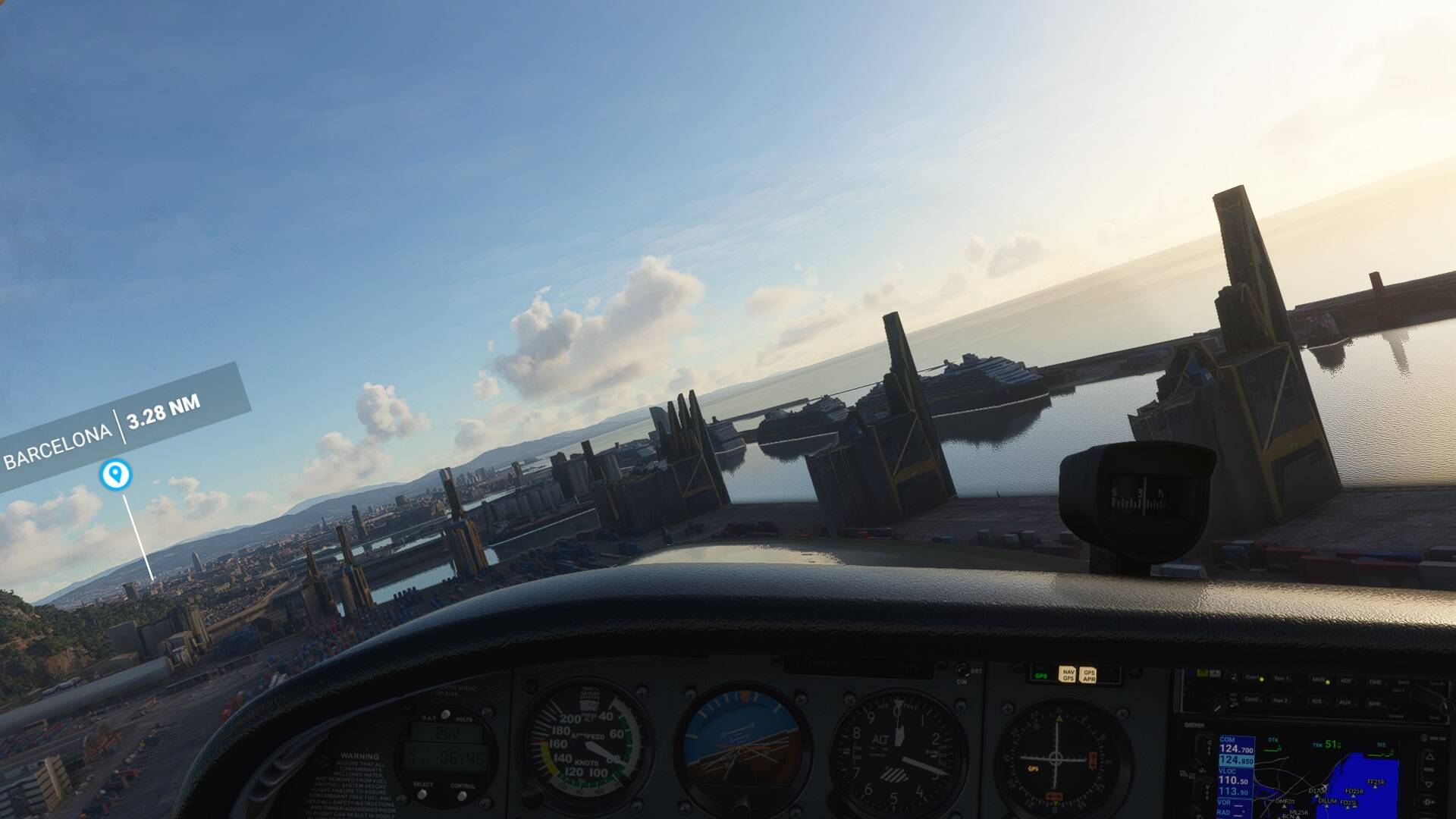
Just to share my thoughts on this: Photogrammetry is not always great, I am sure that will improve in the coming years. The terrible dystopic cranes ruin a lot. That is also something that needs attention. It must be possible to model 3D cranes and place them into the scenery, I don’t care if they are all the same, at the moment they are horrendous.I haven’t overflown all of the UK enhanced photogrammetry cities, but Oxford is great, until you get closer. And, although that has improved there are still a lot of apartment buildings/office buildings in rural areas.
Be careful humanity not to put AI in charge of the internet 
For clarity the snapshot is from the marketplace, it’s not from my computer
For some reason I thought caching the entire LA basin in high quality would fix this but nope - all my buildings are still melted blobs. But at leas the scenery squares don’t pop in as I fly over them. Honestly flying low, the graphics look pretty terrible in this game.
The worst part is that the game used to look great at launch.
Make sure your OBJECT LOD is set to 200, anything below that makes the Photogrammetry more melted.
The photogrammetry quality has not changed at all since the launch. Maybe loading distance has changed but the melted blobs have always been there since day one.
Incorrect. I now have melted buildings over London and New York which I didn’t have at launch. It’s a rendering issue. Very frustrating
MovableMouse31 is right. In august 2020 the sim was great. No melted buildings or spikes. After WU2 America, the buildings were melted en spiky.
Hope it wil be fixed.
For me nothing has changed. Do you have rolling cash on and fly around the area to see if all photogrammetry loads up? I admit that the photogrammetry drawing area around the plane has decreased and I can see it loading and popping up sometimes, but once it is loaded with cash on it stays fine even from a distance. Qualitywise, there is absolutely no difference and this has been confirmed multiple times that PG was not tinkered with since launch.
Melted buildings is technically not a rendering issue, it’s the sim not being able to update the scenery fast enough before it gets displayed. Something changed in the update process, making it a low slower. Probably some priorities were shifted, better fps due to allocating less CPU time to keeping the terrain updated ahead of you.
Although if you pause and it never gets good, then it might be a LOD issue. Also object level of detail needs to be high enough otherwise the sim will ‘simplify’ the PG data to give the GPU less work. (Which ironically only slows things more down as the CPU is the bottleneck)
There is a melted look overall to PG data, limitation of the technology. However while going slow, giving the sim ample time to keep up, it still looks the same to me as in August. The difference is, it has much more trouble keeping up now, resulting in more and more melted / pointy buildings, flying into areas that should be on the horizon, not updated yet for close up viewing. (PG data seems to come in 3 levels from the server, low and medium detail look pretty bad, the high detail is a lot of data and tends to fall behind when you fly fast)
Are you sure you are talking about medium-mesh/texture? because when it is fully loaded it still looks pretty terrible up close so maybe it does upload but it just looks like it does not because of low quality? if the texture does not improve when you pause the game and wait a bit, that means it is already fully loaded. Are you on max graphic settings? If texture quality is low in the options, that might be the issue?
I am sure this has been discussed many times before, I am sure I have read about it in the past but I am struggling to find the details now…
How do I improve the look of the big cities? - If I fly around LA, New York etc. it looks like all the bigger buildings have been crushed in some way or derelict buildings after an earthquake, they look pretty terrible.
I have purchased the Vegas scenery from Flytampa and it looks fantastic, I guess that’s what you get for paying for it.
What is is that caused the terrible cityscape and is there anything I can do to improve it?
Thanks all
you can turn off Photogrammetry if the quality is pretty bad for you.
“What is is that caused the terrible cityscape”
Bing maps and MSFS photogrammetry?
There are two separate distinct issues here.
The low altitude low res generic photogrammetry issue is due to the nature of the photography used to create the 3D scenery. The buildings are never going to look as good as autogen close up (but look pretty good if you are over 500’ to 1000’ ) . From circuit height though it should look pretty good and you can even read real world signs on shops and factories. It just gets fuzzy if you try and scud run up the main street.
The melted building issue is a different matter. That seems to be caused by bad downloads of the scenery data from Bing. It seems to have nothing to do with your own PC or internet connection or whether the MSFS server (West US etc etc) you are connected to for multiplayer is busy. It seems to be entirely related to the Bing server supplying the photogrammetry. Which presumably is why busy areas like London seem to suffer it a lot whereas less popular 3D cities like the Australian Gold Coast are fine.