Yeah that’s the one i mean. I did actually try some rapid zooming. Guess i’m lucky.
all this waiting for a bare bones navigraph tablet.
i honestly thought I must have missed something or not installed it correctly with how lacking it was.
this is hilarious.
im only annoyed at myself for thinking that this incredibly long development time and postponing = very advanced and meaty uft.
wellp, im done paying for their products.
I’m a Navigraph subber myself and usually use the in game panel, but the simbrief integration is nice and especially now I know it also downloads flight plans too. The biggest new stuff EFB value other than the nice tablet itself has to be the performance pages which are new & superb. Now if we get some basic ground ops functionality rolled out too (and we don’t have to wait another 18 months for it) I’ll be back flying the 737 more often. It really doesn’t have to be everything that’s currently in the FMC, just the basics would do initially. Doors, chocks, ground power & fuel and payload (which currently makes no sense not being in EFB).
having the same problem over here, cockpit looks like a blurred low res picture with no instruments moving. the yoke however looks a bit sharper positioned on top of that
Have a look at their forum. If he‘s serious with what he says there (and I don‘t see why he shouldn‘t) he‘s working on several improvements for us behind the scenes.
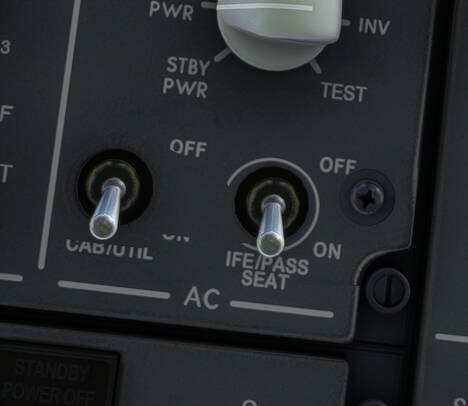
I’ve never noticed that before but now that I’ve checked, I see it in several liveries that I checked, both PMDG-supplied and third-party. Perhaps an error in the paint kit that no one noticed?
Has only appeared since the update. I use these as a part of my shutdown checklist every flight and can confirm it was normal before the update.
Hi all,
A couple of bugs that I have come across in the last 24 hours with the tablet.
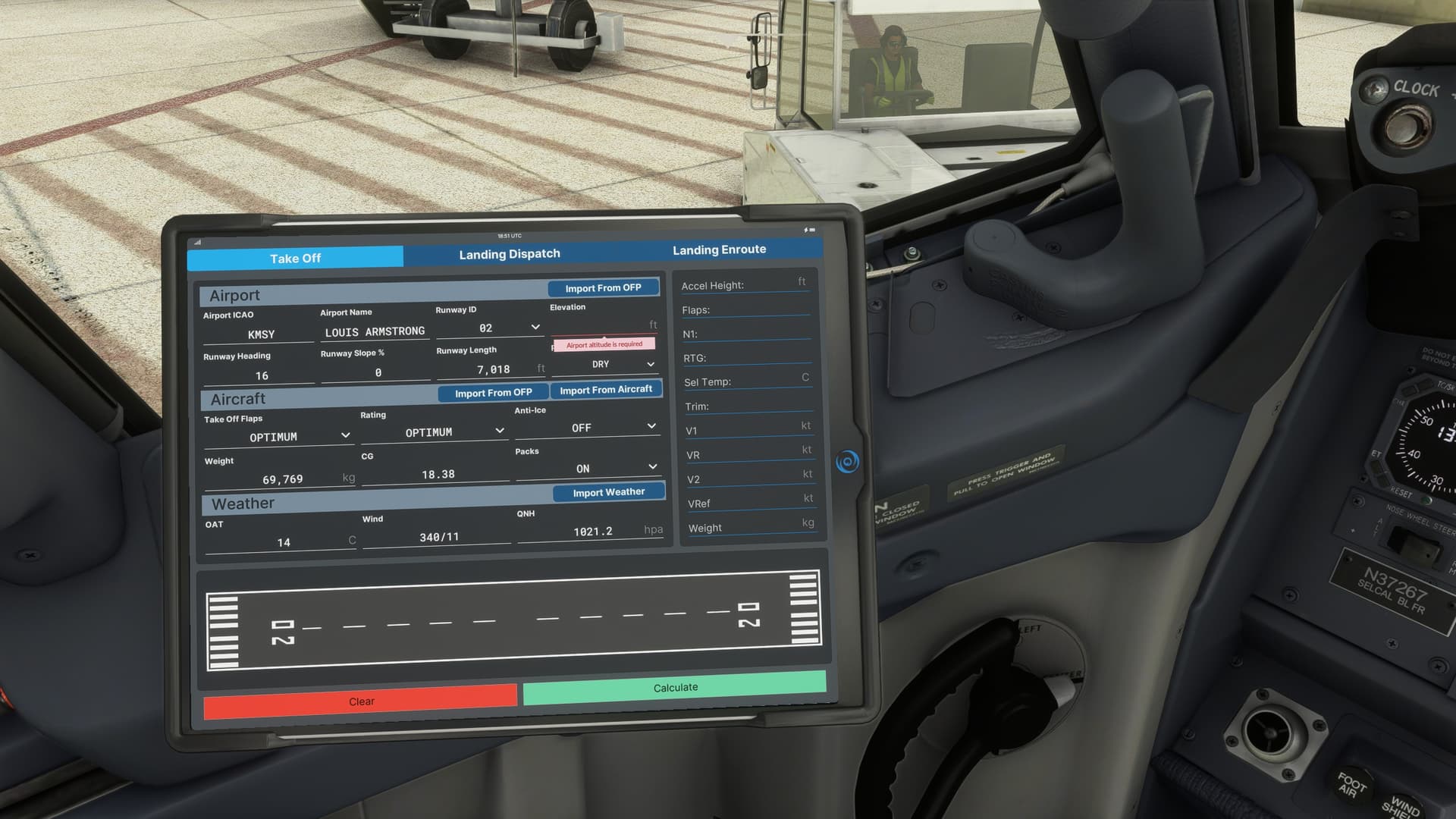
The tablet does not automatically input the Airport elevation and will not let me manually input either.
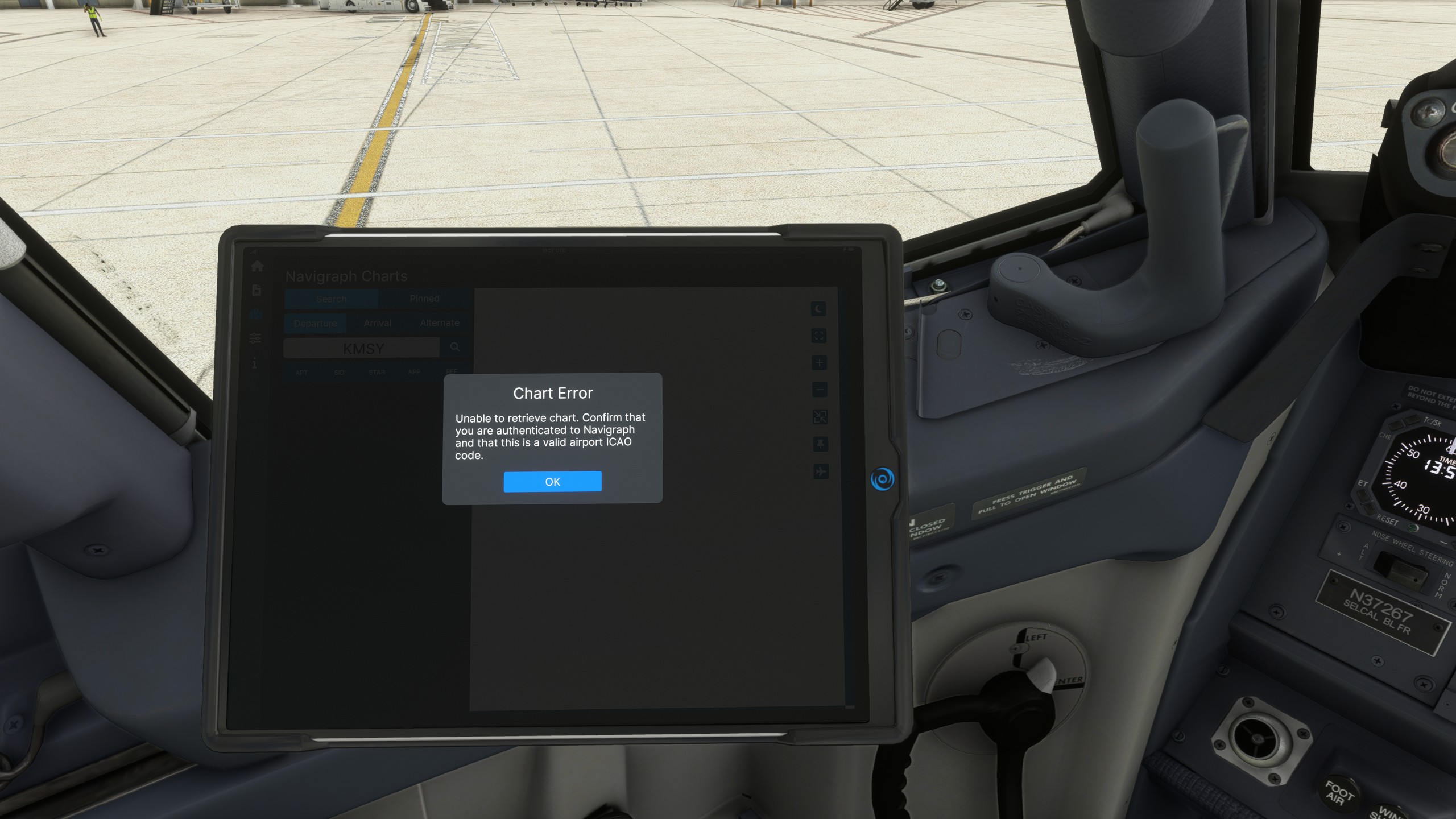
I have also lost the ability to use the charts with this continual error message. I have a current subscription and it is working as per normal everywhere else. I have tried signing out and back in and still no luck.
Overall it is great to see the EFB in the 737 however I agree with a lot of other people on here it has to be the most over hyped build up to the most underwhelming addition I have seen to the Sim to date. I absolutely love the PMDG 737 product as a whole and I cannot speak highly enough of it. It just feels to me when I look at the depth of the tablet compared to the depth of the aircraft they have created. It is chalk and cheese. Can’t help but feel they thought “Screw the tablet. We are over it. Just release it”
I am like many others and have my own tablet for my Flight Simulation purposes so it is not a deal breaker for me by any means. The biggest thing I was looking forward to was a calculator for Intersection departures and it is not present!
Anyway. Bring on the 777
3 Likes
If it’s new, you should report it over on the PMDG forums and see about opening a support ticket to get it on their internal tracker to fix.
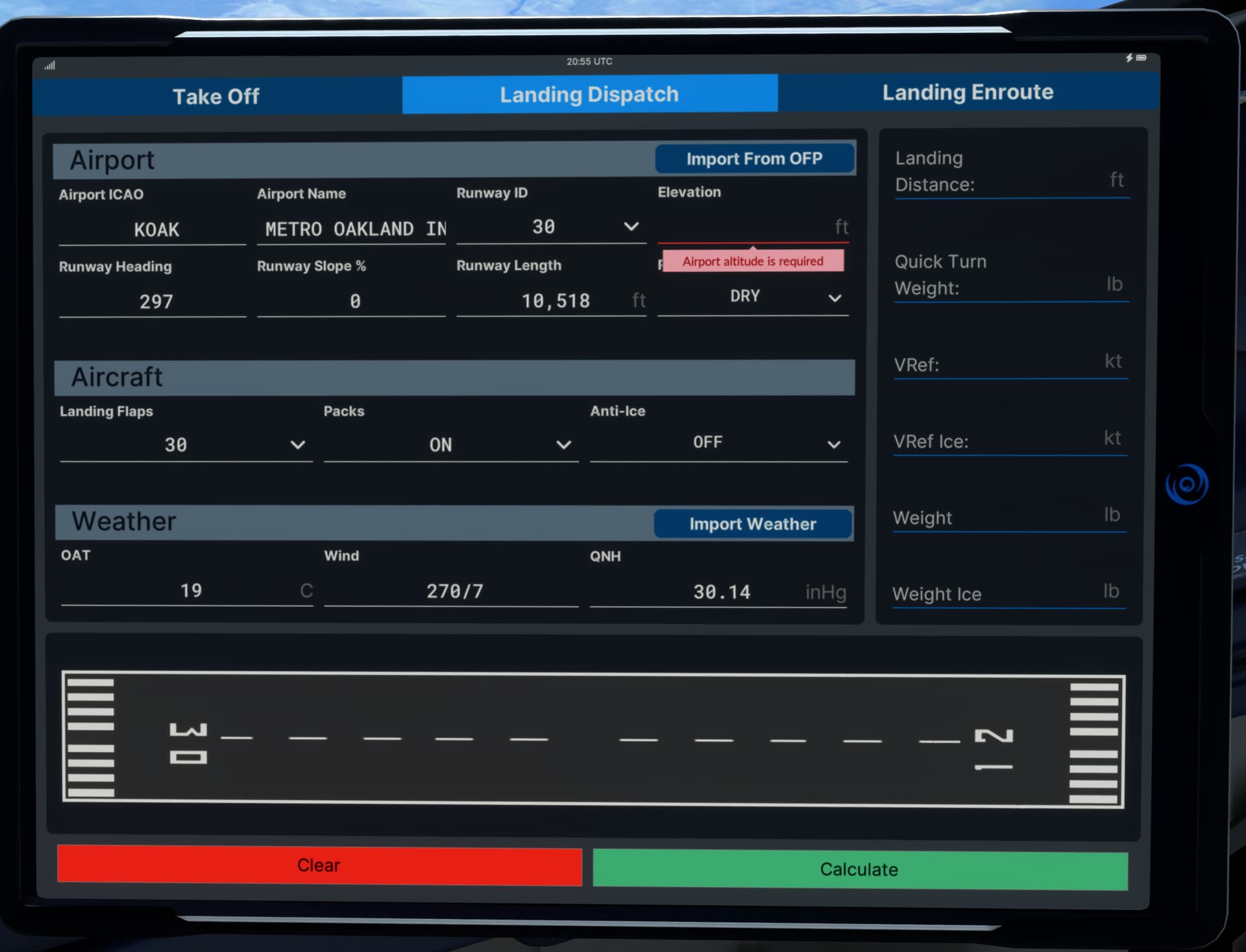
Anyone seeing this? I can’t enter a destination runway elevation and can’t do a landing calc in EFB without one entered. The field is just not editable so can’t manually add it. Previous flight was fine for some reason.
I can even hit 'CLEAR; to clear the form and it still won’t let me edit this field.
What is the difference between Landing Dispatch and Enroute.
I would guess on Enroute you are able to change
Is this a third-party KOAK? I think I saw someone else report this on the PMDG forums yesterday and it was confirmed by someone that the scenery has an issue. I think PMDG said they would investigate what it is about that scenery as well as see about making runway elevation editable.
1 Like
Landing Dispatch is done before you depart to make sure you can land at the destination based on worst-case numbers, but Landing Enroute is what you would do in flight (during the arrival, I would imagine) to make sure you are safe to land with the plane in the condition (weight, failures, runway condition, weather …) as things actually exist.
1 Like
Yes it is. Its the bmworld KOAK. It seems to have issue with G/S on R30 too. Had to disconnect and fly manually. Loads of stutters on final for me and sadly the 737 also lost some cockpit controls after I landed (so couldn’t retract flaps or turn auto brakes off etc, FMC frozen/unresponsive). I could still taxi and had to shut down via keyboard commands! UI just unresponsive on aircraft. maybe that airport broke it. I will maybe have to switch back to the freeware KOAK for now. Thanks for letting me know there are issues with it.
You may have two problems going on there, plus anything SU14 might have bent (if you’re on that Beta). The runway data issue is the third-party airport, I think. And now that I think further, I need to check their KMEM (which is the only airport of theirs I own if I recall correctly).
The loss of UI interactions on final may be a separate thing - it’s been reported sporadically on the PMDG forums but it doesn’t seem to affect everyone and doesn’t happen all the time, which makes it hard to diagnose. It seems to strike on final for those who report it, and it MAY be connected with TCAS. Those who have reported it seem to associate it with having the aircraft transponder set to TA/RA. Flying the same approach set to TA only seems to prevent the issue. They have asked anyone who can trigger the issue repeatably to open support tickets with details so they can try to track it down. Given the rarity (I’ve never encountered it) I wonder if it’s due to occasionally glitchy traffic data in the sim or a hiccup on the MSFS servers.
1 Like
Thanks for this. This is interesting. This was my 3rd flight in 737 with tablet and the other 2 earlier ones were fine (but I was not flying into KOAK with them). I was using TCAS TA/RA and FSLTL traffic. I also had slightly earlier on the STAR hand tweaked traffic settings in FSLTL in game UI slightly (increasing IFR a bit + ground spawn radius) , so your theory on AI traffic causing this could be true.
There was also an interesting post a couple of weeks ago on here about synchronising time servers in windows, and that stuttery glitching in sim could be linked to unsynched windows time and MSFS polling servers to sync time during the sim. I have had a few stutters recently, and after checking my clock server sync in windows sure enough I find it’s stopped syncing again (since 29/10)! So this could also be linked to my performance issues.
Sim had been quite smooth up until recently. But I’ve also done 2 NVidia driver updates in last week too. I am not on the SU14 Beta though.
Too many variables as usual!
2 Likes
Simbrief does not add departure runway or SIDS or STARS to an exported flightplan. It is the same on any platform or aircraft that is Simbrief-enabled.
2 Likes
Not true with Garmin G3000/5000, which does import the SID/STAR/RW. I think the older Asobo 787 and 747 also imported them, but no longer. Assuming it’s a real world behavior to not import these for Boeings (and Airbuses too).
1 Like
Check out Les O’Reilly’s Spad.Next online snippet for Bravo. He has configured them perfectly and it’s straight forward to download and apply.
2 Likes