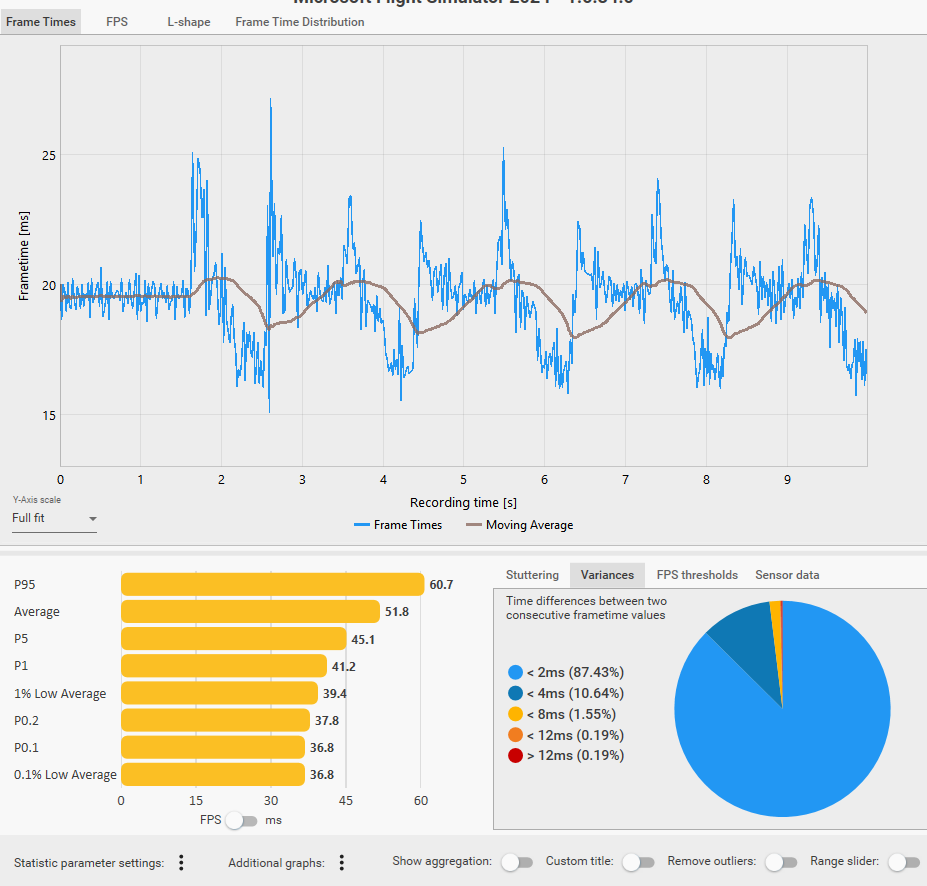
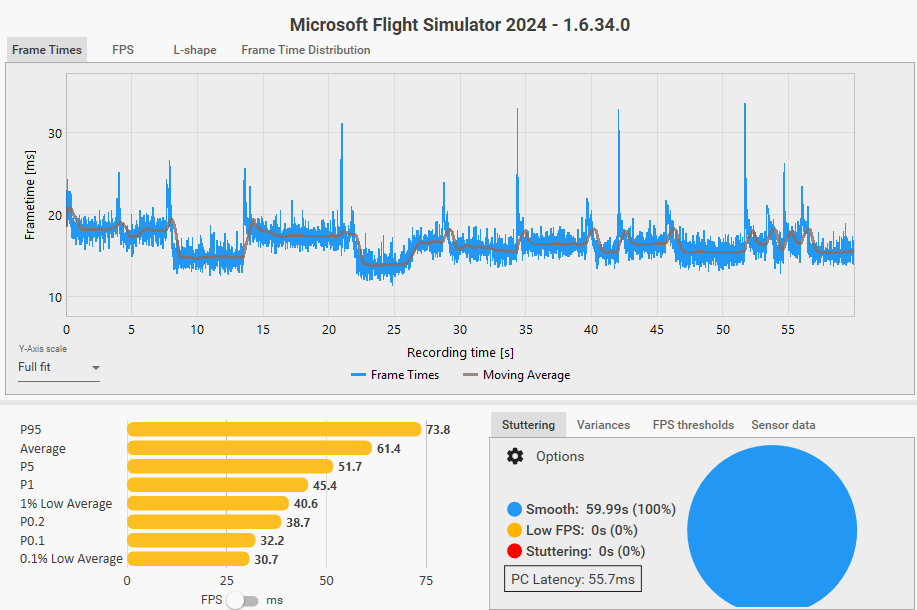
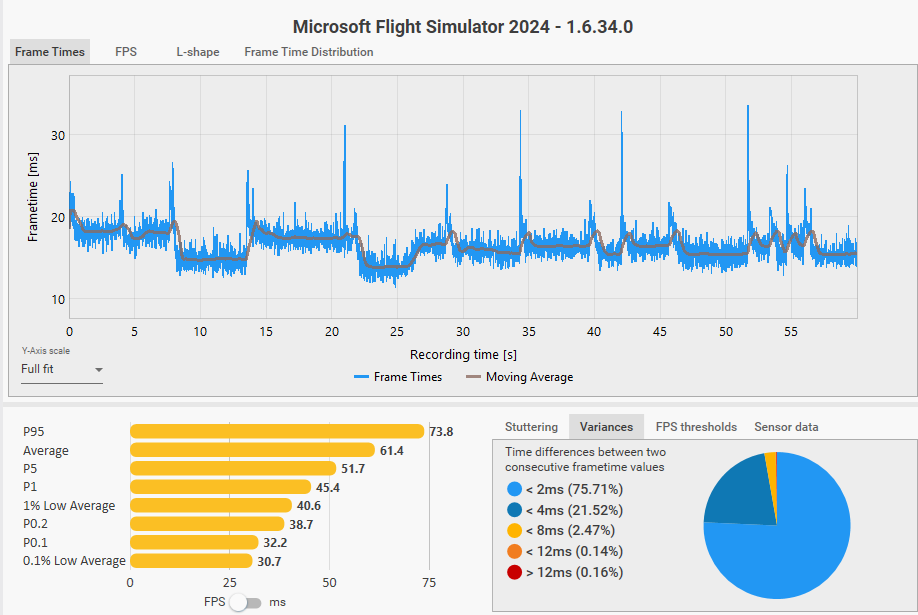
@RogueNaught1 I just tested it a moment ago in both fake VR and 2D, switching views using keyboard keys SHIFT + Num7 and SHIFT + Num2 and it seems that in my case for now this might be a workaround.
Switching in 2D (LOD 200/200, TAA, 4K) using SHIFT + Num7 and SHIFT + Num2 feels smoother and less “jumpy” than moving the view with the mouse in the cockpit. I guess I’ll just have to get used to it for a while.
OK. Tried the new Xbox mode along with the new Nvidia driver and had a bizarre but beautiful flight in VR although not sure what caused the weirdness. Flew from KLAS to KDEN in a Fenix A320. Very strange with the Xbox mode with lots of add ons you need to start as you just get this full screen app but nothing else is showing in my other monitor so you constantly have to alternate back and forth to interact with other apps. Normally I start flights with a script file that sets up my computer, closes unneeded apps, starts the ones I require and begins MSFS without starting Xbox. When I began the flight, the Fenix app began but some screen popped up that I thought was some error but closing it, everything seemed to be in place. I have the Glideslope Pro KLAS and there is clearly some bug with it because I didn’t get stutters. I got like a number of 30 second pauses, one just after takeoff, one leaving the Las Vegas Valley and another over Lake Mead. Feels like it’s going to crash but they eventually continue.
Once those stopped and at cruising altitude scenery below kept popping in at higher LOD levels but I think it’s just because it’s not my normal flying area and my cache was being built. I also forgot to clear Nvidia cache with the new update so that could have been it. Flying over desert areas you do tend to notice that popping in more than areas with green trees. The flight took me over the Grand Canyon and Lake Powell so the scenery, once loaded was stunningly beautiful.
I’m not used to flying in the US and expected BATC to give me changes of altitude but clearly they expected me to handle that once I was given the approach info. Landing was easy but the KDEN airport area had almost no detail with blurred ground textures. I have no idea if that is the norm for that area. This was all new.
Clouds and weather were great. Very realistic with a haze that developed as I got close to Denver.
I think I’ll stick to flying in Europe from now on. I just don’t have weird flights like that one.
I simply select the CJ4 and spawn to any runway. Set your TLOD and OLOD both to 200. Then you just have to use the keyboard to shift between the upper lighting knobs shift+7, and the lower starter console shift+6. Just keep going back and forth to see if you notice the stutter.
Ideally you can also run CapFrameX for a capture, while you’re flipping, for 10-20 seconds then analyze the results. It will show you the frame rates during the capture along with any spikes.
Holy MOLEY! It’s been TWO YEARS since this game was released and online or AI traffic is an abysmal MESS. I have tried every setting within the native game, tried every third party app and nothing comes close to real world traffic.. nothing. I never see helicopters, planes disappear at random, liveries are repeated comically. The problems just go on and on. What is it going to take to get this fixed? Why is it so far down your list MS?
And then you have AI traffic, which has never, ever worked. There isn’t even more I can say about it. If real time online traffic doesn’t work AT LEAST let us inject all types of planes with offline AI traffic!
MS should be ashamed of itself, more specifically Asobo. /endrant
I’ve done some tests now, using fake VR and not, using the FG and not, but the problem persists. NVIDIA driver 596.36. One thing I remember to do to test the problem properly is wait about 10 seconds before changing views, otherwise the problem may not appear. I tried looking at the overhead and then the central cockpit, waiting about 10 seconds for the transition, and the problem appeared in the various tests I did. I used a light airport and tested both with Fenix and the 172 Asobo. Now I’m curious to try the drivers mentioned here, the 577.00. By the way, I was thinking about it before, the 577s don’t support DLSS 4.5.
Question: Do you also happen to have a VR headset connected to your PC? I’m asking because no matter what I do I can’t seem to get the VR graphics settings to stick and not reset. I’m thinking perhaps I need a real VR headset connected to the sim to have the settings save properly.
Grrrrr… Nevermind, I had complete brain fog that I had to reset. I never noticed the graphics for VR are set in the VR menu.
For what it is worth, I always bind cockpit views to two hat switches on my Thrustmaster TM16000 throttle. This moves the view relatively quickly but stutters are not an issue for me. I fly GA aircraft (think Blacksquare Bonanza, A2A Aerostar and in sim aircraft like C172, Piper Dakota, Grumman Albatross etc.) almost exclusively and only occasionally something like the Inibuilds A320/A330. This in 2D. Using the hat switches means I can move FROM any view TO any other view almost instantaneously.
Using the hat switches to change views in GA aircraft is generally fine. In the airliners I sometimes see a bit of a hesitation to complete the view change when moving around in that manner. I almost liken it to how you would have to focus exactly where and what you are looking at after you have moved your head to the right position in a real aircraft. This minor issue does not bother me in the least.
Hardware and settings Summary
Hardware:
ASRock X670E PG Lightning
9800X3D
Gigabyte RTX 4080 Super
G.SKILL Flare X Series 64GB 6000 CAS 30 2x32GB
OS WD Black SN770 500GB
Game WD Black SN850X 2TB
NVIDIA 595.79 driver
Game settings:
4K
Mostly Ultra
200 OLOD
350-400 TLOD
TAA
Frames capped at 30, 2xFG to take to 60
Hi gianluk81, don’t worry about driver versions. You can use it with any drivers.
I am using DLSS 4.5 and all presets works automatically when changing in game dlss presets, all i did was to use dlss swapper > 310.6, driver is 566.14 (fully debloated, OTA blocked, No Nvidia App)
Ok, so now that I have my head screwed on straight, I retested VRfake mode with TLOD and OLOD at 200. The stutters were bigger then when each were set to 50 but I didn’t really notice it in the view so definitely not a big issue in VR mode as I stated earlier. But still present, non the less.
Thanks for confirming. As you can see the spikes are still present in VR but with the 1% lows only dropping to 40 FPS, not significant enough of a drop to really notice. Compare that to my 2D test where my rate dropped from 120 FPS down to 25 which is quite noticeable.
Very interesting how VR performs better in this case than 2D.
Are you guys talking about the pause that occurs when the horizon comes into view after looking either up or down for a while? It happens outside of aircraft as well.
We are referring to changing views within the cockpit from an overhead panel down to a lower panel, which does force the view through the horizon, so yes they are related except in this case there is no need for a pause. Flipping the views back and forth will cause a stutter.
I don’t understand why the results of the Sim Update 5 surveys are still being kept private. I believe the players who contributed to the testing phase have a genuine interest in seeing how the update is performing for other community members and whether its impact, compared to the previous version, has been positive or negative.
All the talk about switching views here and I opted for a different method initially because trying to find keys when in VR can be a daunting task (It’s even a pain in 2D). I purchased VoiceAttack and mapped voice commands to the keys that give the different instrument views and never in either 2D or VR did I get stutters when those views shifted. I also have hat switches mapped on my Velocity One yoke for movement in the cockpit and panning around. Virtual Desktop lets me map out a translucent box where I can actually see my yoke and throttles when I’m in VR.
However, recently I purchased ChasePlane which has now been updated to work in both 2D and VR in SU5 and view switching is not only fast and stutter free but also has some wonderful built in views including cinematics mode. I haven’t figured out how to map my VoiceAttack to their views yet but I think it’s possible. Their menu in VR works easily so far and can be hidden so for now it works well.
I’m not sure all of you know but the entire camera system was rebuilt in SU5 so that might be contributing to some of the issues talked about.