I decided to do some numbers comparison of MSFS 2024 SU5 (1.7.27.0) vs SU6 (1.8.14.0).
TL/DR: I think the major push was reducing memory usage, by roughly 10% for RAM, and a modest 2-3% for VRAM. I suspect this was achieved largely by reducing LOD distances and adding a line of sight component, as well as adding LOD curve to the base ground satellite imagery.
Disclaimer: None of this is strictly scientific - since I captured numbers for SU5 in May, Windows and drivers have all incrementally updated. And I may have made some mistakes, and in spite of best efforts, there is variability between tests! But if you look at the chart, the trend seems clear.
How I tested
- 9800X3D / RTX 5090 / 96 GB
- PC is tuned with EXPO, PBO, and Memory timings, but the same across tests.
- 3x 4K screens at 120Hz, GSync Compatible, VRR
- VSync off for testing
- Launch MSFS using command line to show FPS without Dev Mode
- Loaded in to KJFK Gate C31 in the A330-200
- Few Clouds Preset at noon
- Traffic Off
- Using the Graphics Presets Low, Medium, High, Ultra
- Load in to the plane, turn on GPU, APU, load flight plan
- Screenshot of standard external view (because with NYC in the distance this puts the heaviest load on system resources.
(I should note that when using MSFS to fly - not test - I turn GSync / VRR off, and use a Fixed Refresh of 120, and VSync is Adaptive Half Monitor Refresh targeting 60, with Max Frame Rate of 30 + Frame Gen x2. But for testing I let it run to capture the raw FPS and other stats.)
Tested across the following configurations:
- 1 screen at 4K
- 3 screens at 4-4-4K
- Graphics Presets:
- Low
- Medium
- High
- Ultra
- Anti-Aliasing
- DLSS Ultra Performance (no data from SU5)
- DLSS Performance
- DLSS Balanced
- DLSS Quality
- DLAA
- TAA
- (I also tested FSR and it’s equivalent render scaling modes, but the numbers roughly align with DLSS modes so didn’t bother to include them)
On my PC the default install of MSFS 2024 has the Dynamic setting ON at 30 FPS, I left this on, because I wanted to see the LOD reductions when they happen (I’m not going to use MSFS without the Dynamic setting, because with 3 screens it quickly overwhelms VRAM.)
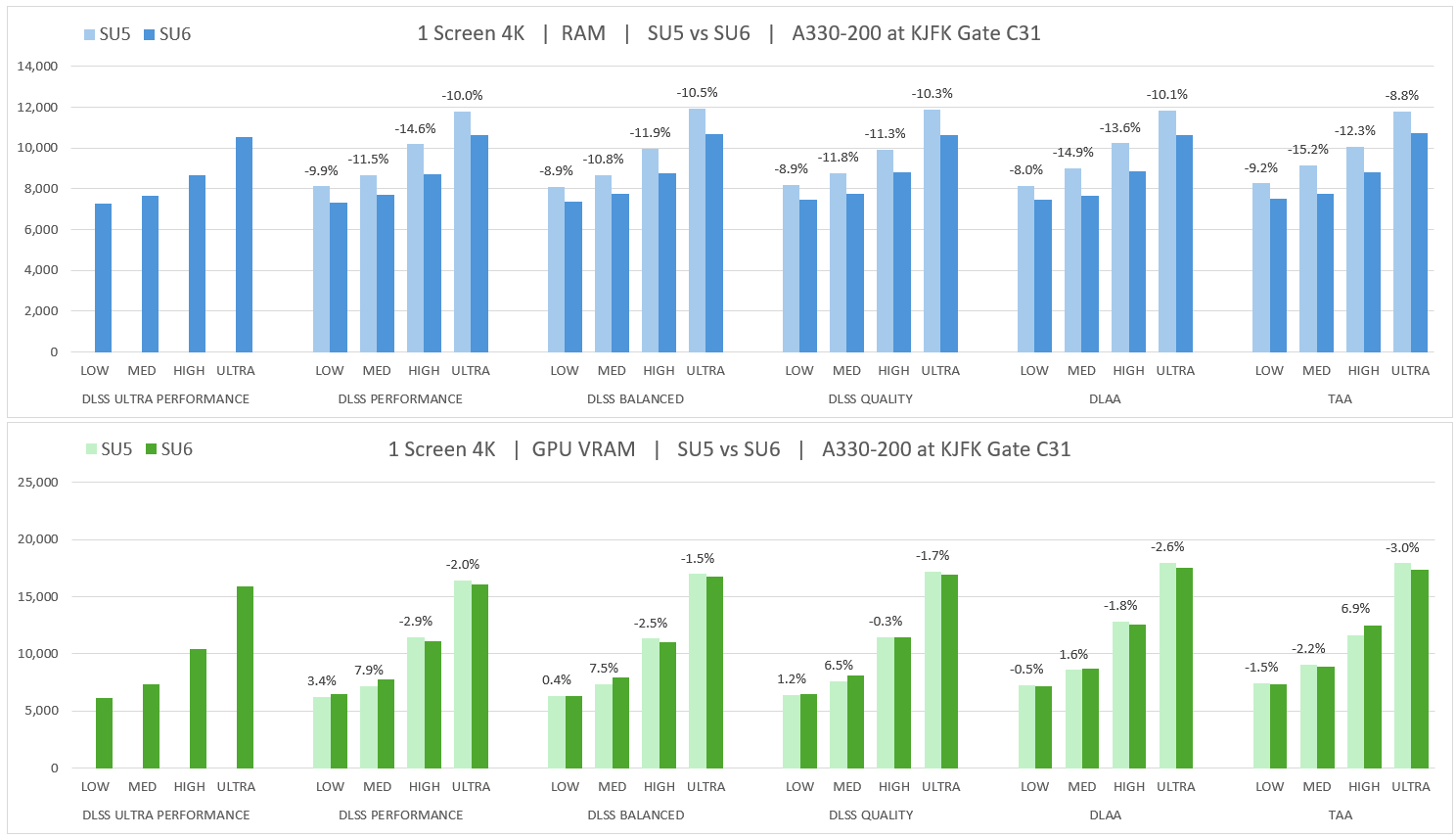
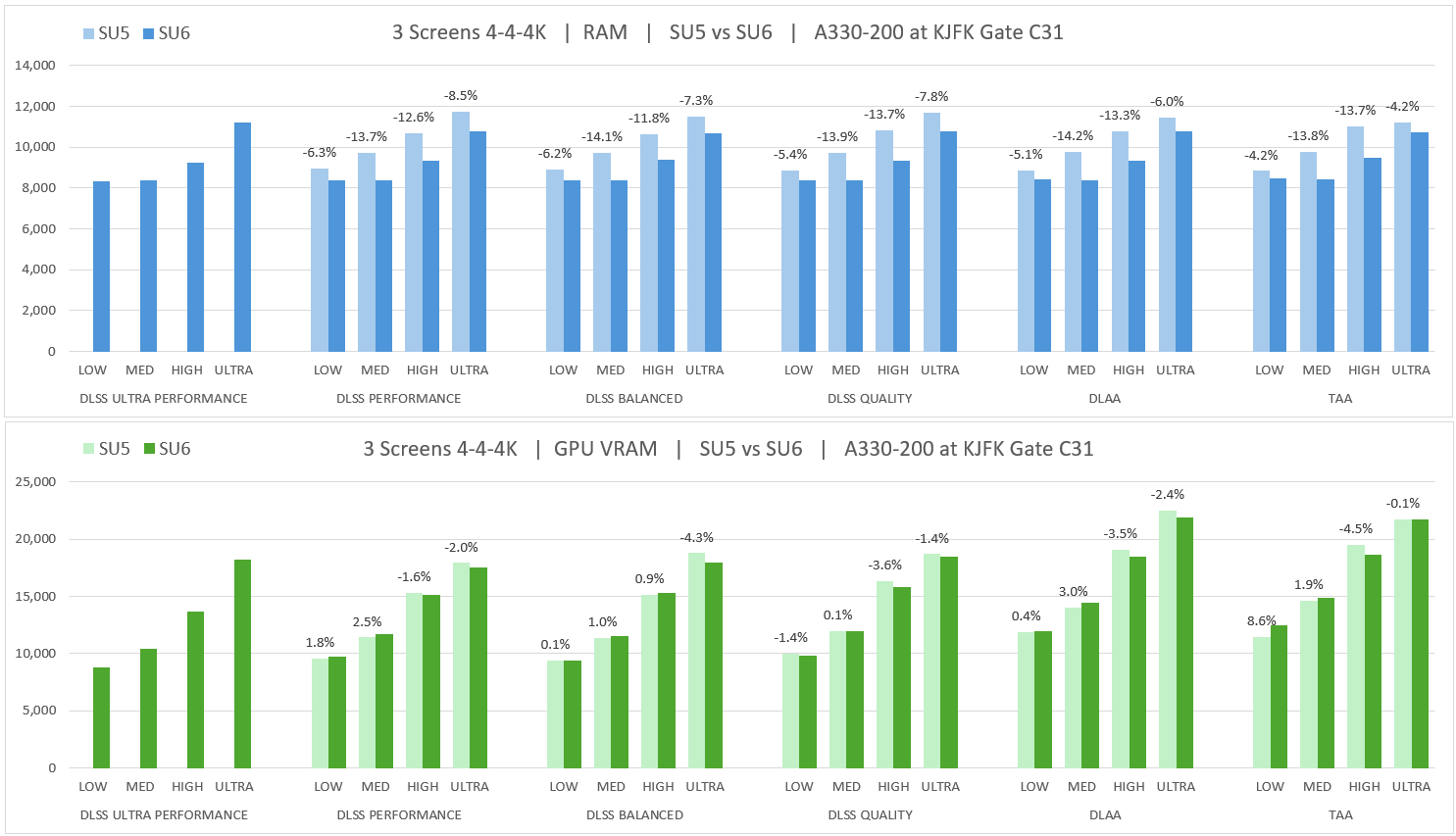
What stands out to me is how little RAM MSFS uses even in punishing scenarios like triple 4K using DLAA at KJFK - which does make me think there is an artifical cap of some kind. I do hope at some point in a Dev Q&A they can explain why limits are not based on percentage of system resources (if above a certain amount, maybe).
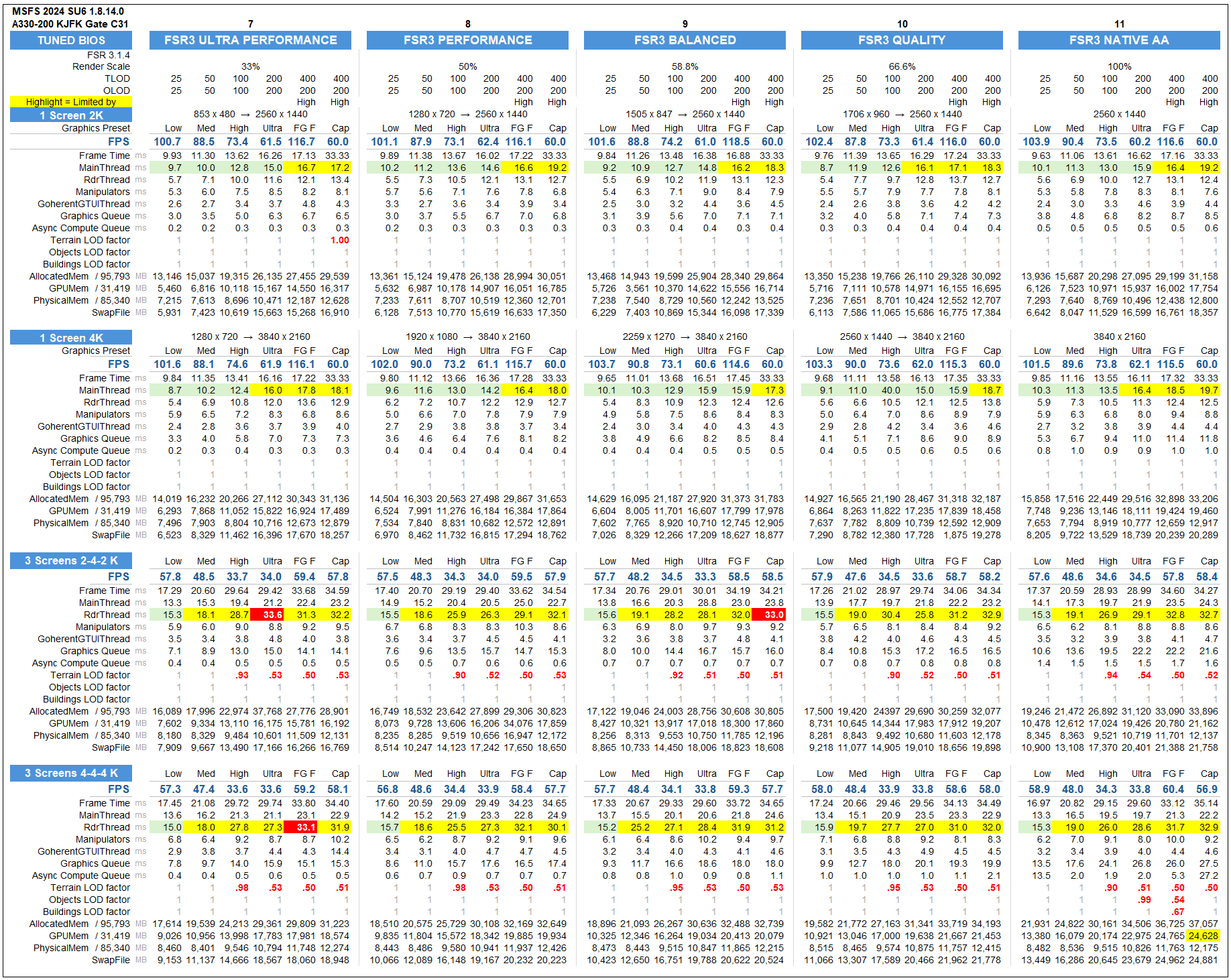
Full test results...
Documenting the test is as much work as testing.
I added a 5th test with Frame Gen (“FG”)
- High Preset with TLOD 400 / OLOD 200, and Frame Gen x2
- Frame Gen is set to
- … DLSS FG for single monitor for DLSS AA and TAA modes
- … FSR FG for single monitor for FSR AA modes
- … FSR FG for multiple monitors for all AA modes
I added a 6th test with Max Frame Rate (“Cap”)
- adding to Test 5…
- Max Frame Rate 30
- Turned GSync / VRR off, Fixed Refresh 120 Hz in Windows
- NVIDIA App > VSync > Adaptive Half Monitor (target 60)
- Dynamic Lowered to 25 so that LODs don’t reduce when FPS is above 50 with FG.
Not sure if this large screenshot will fit here…
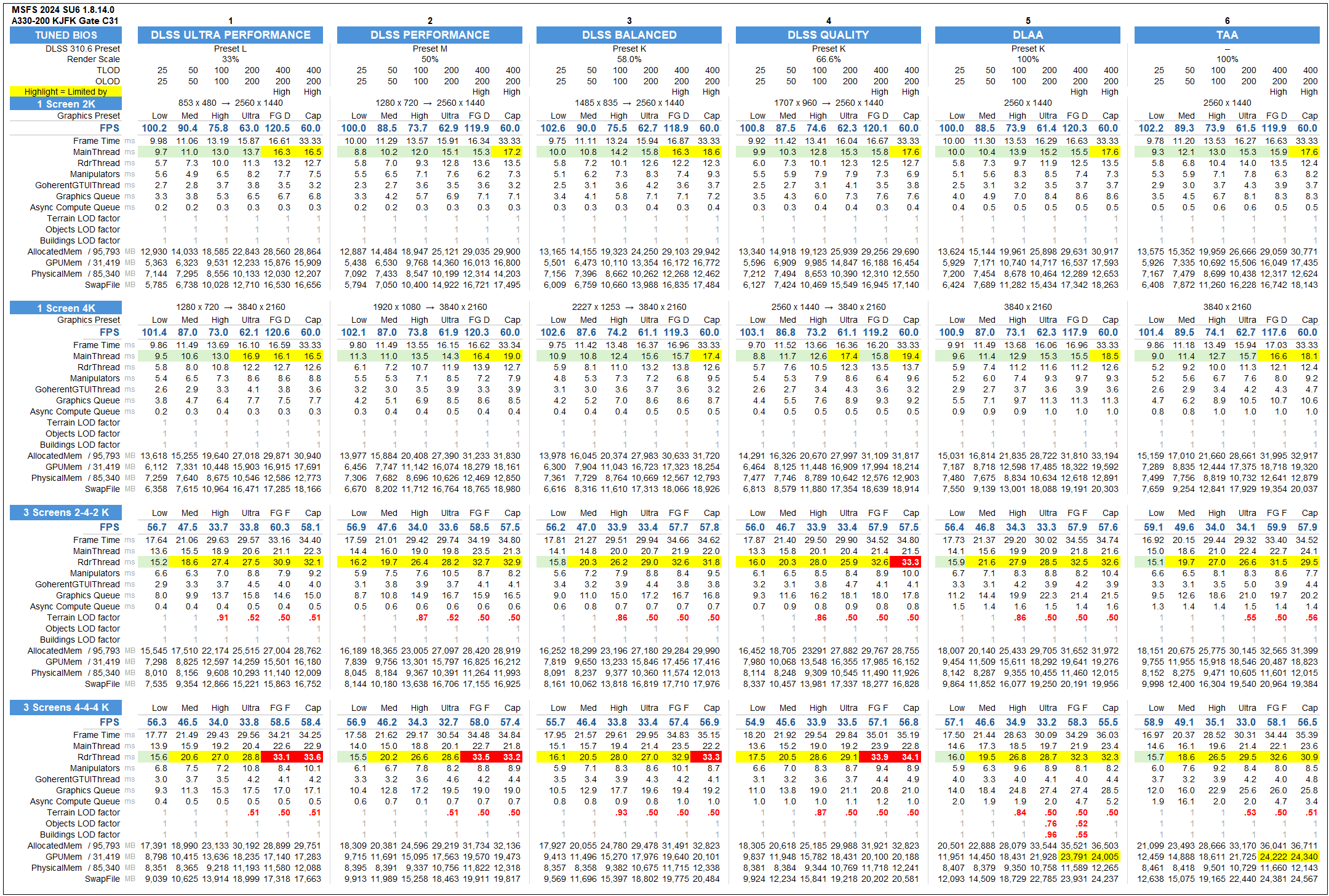
And testing with FSR 3.1 for both Anti-Aliasing and Frame Generation… capturing this data now in the hopes that I can compare it to FSR 4 if/when it becomes available / compatible with MSFS and triple screens!