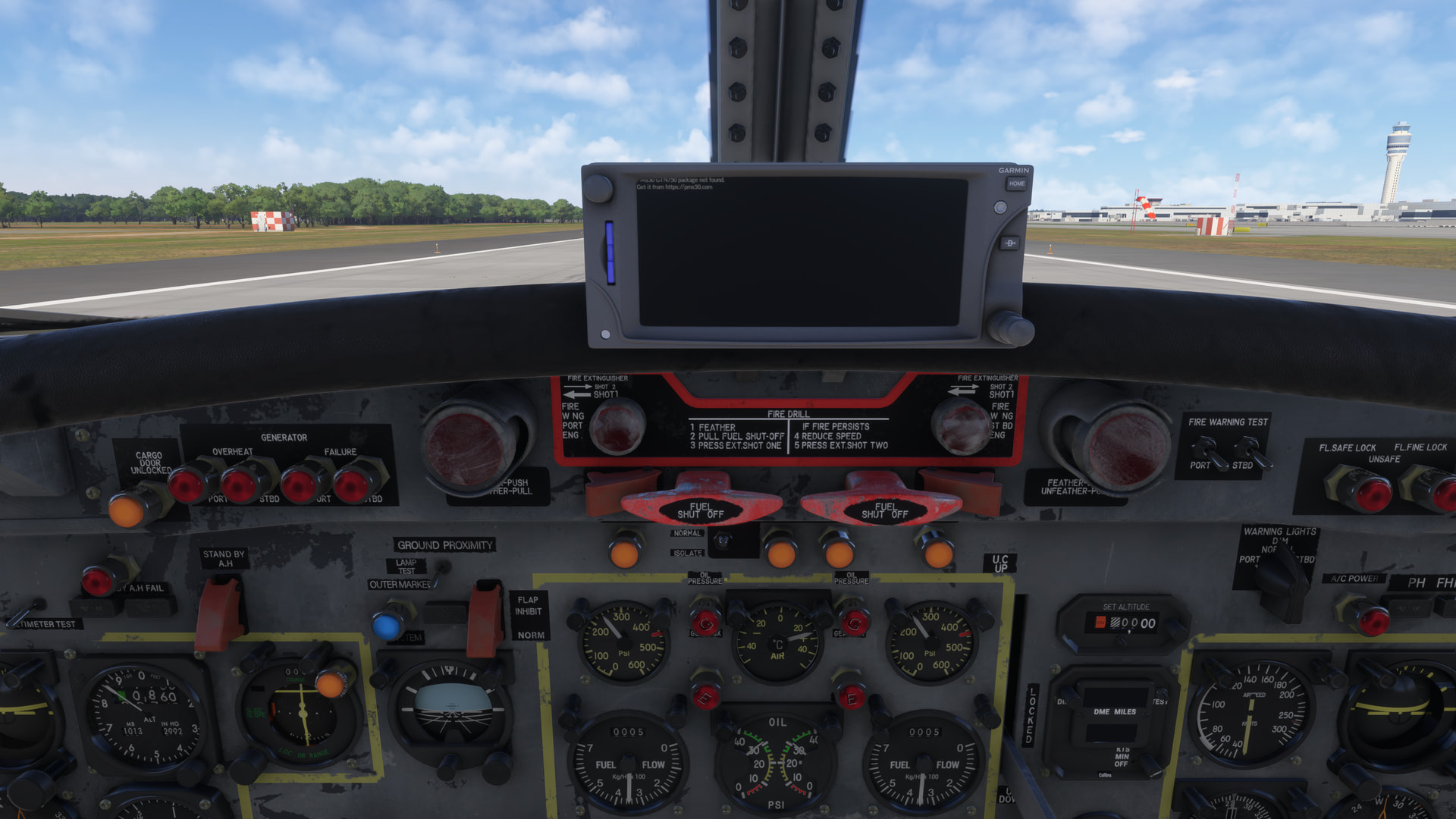
Unfortunately on PLaystation the avionics/GPS screens do still not work on some aircraft, e.g. the Fokker F-27.
This was already mentioned in the Beta’s
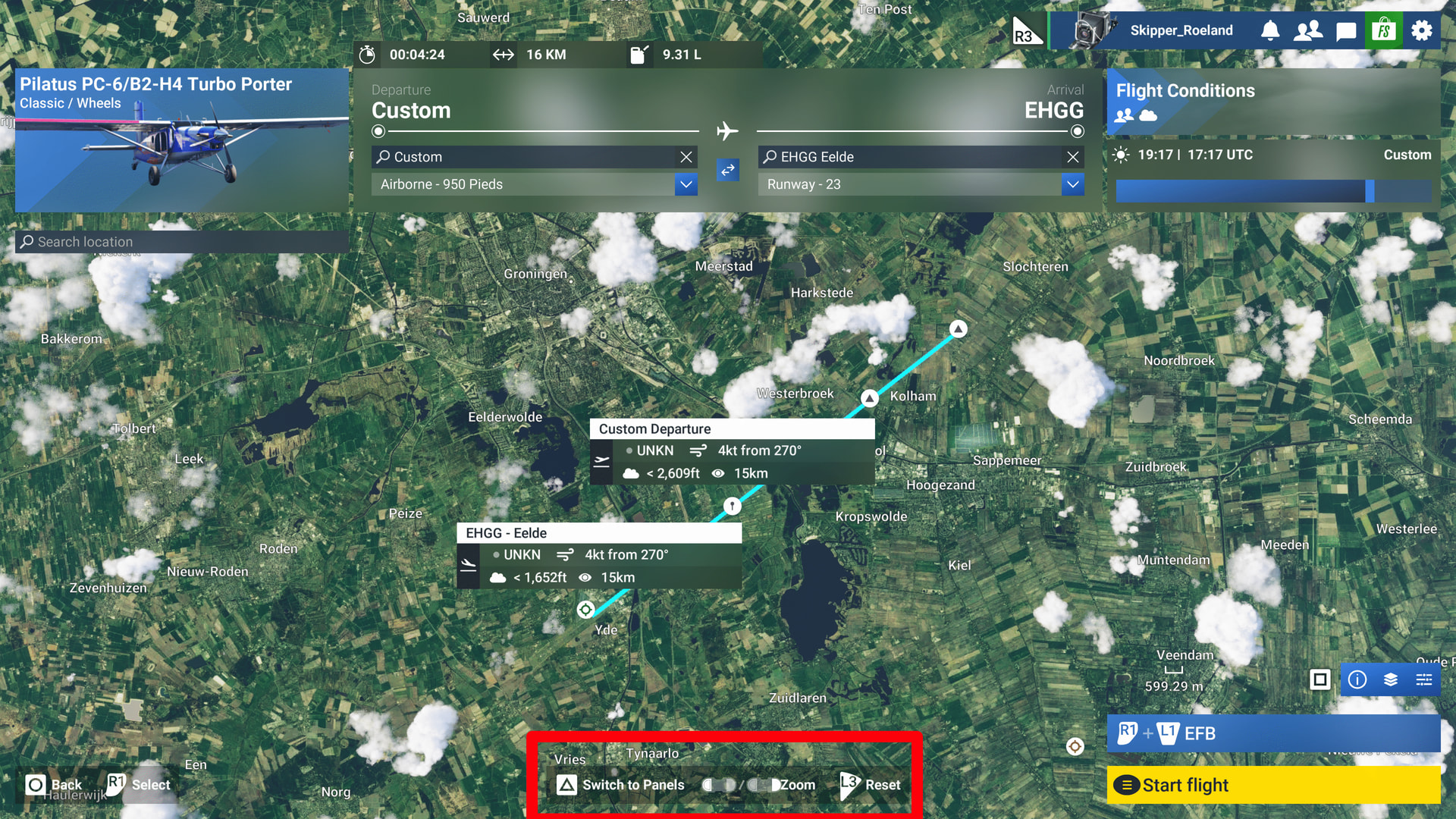
Thanks for the help troubleshooting. So yes, the core issue is that the right stick scroll doesn’t work with custom control schemes, only the default “Gamepad 2024 Traversal” one. This is a big issue because we need custom keybinds, because the default is either not ideal or lacks critical features (like zooming) which we have to use, especially on Xbox and a TV screen.
In my custom keybind, there is nothing mapped to the right stick that would conflict with the scrolling function.
What I ended up having to do is that I had to Create a brand new control scheme (duplicating the default one doesn’t work). It is a laborous process because even the most basic controls have to be mapped again, like character movement, basic interactions and the like. But, if you Create a new sceheme, it retains the scroll function with the right stick.
The real fix to this bug would be to ensure that scrolling works on existing custom control scehemes.
2 Likes
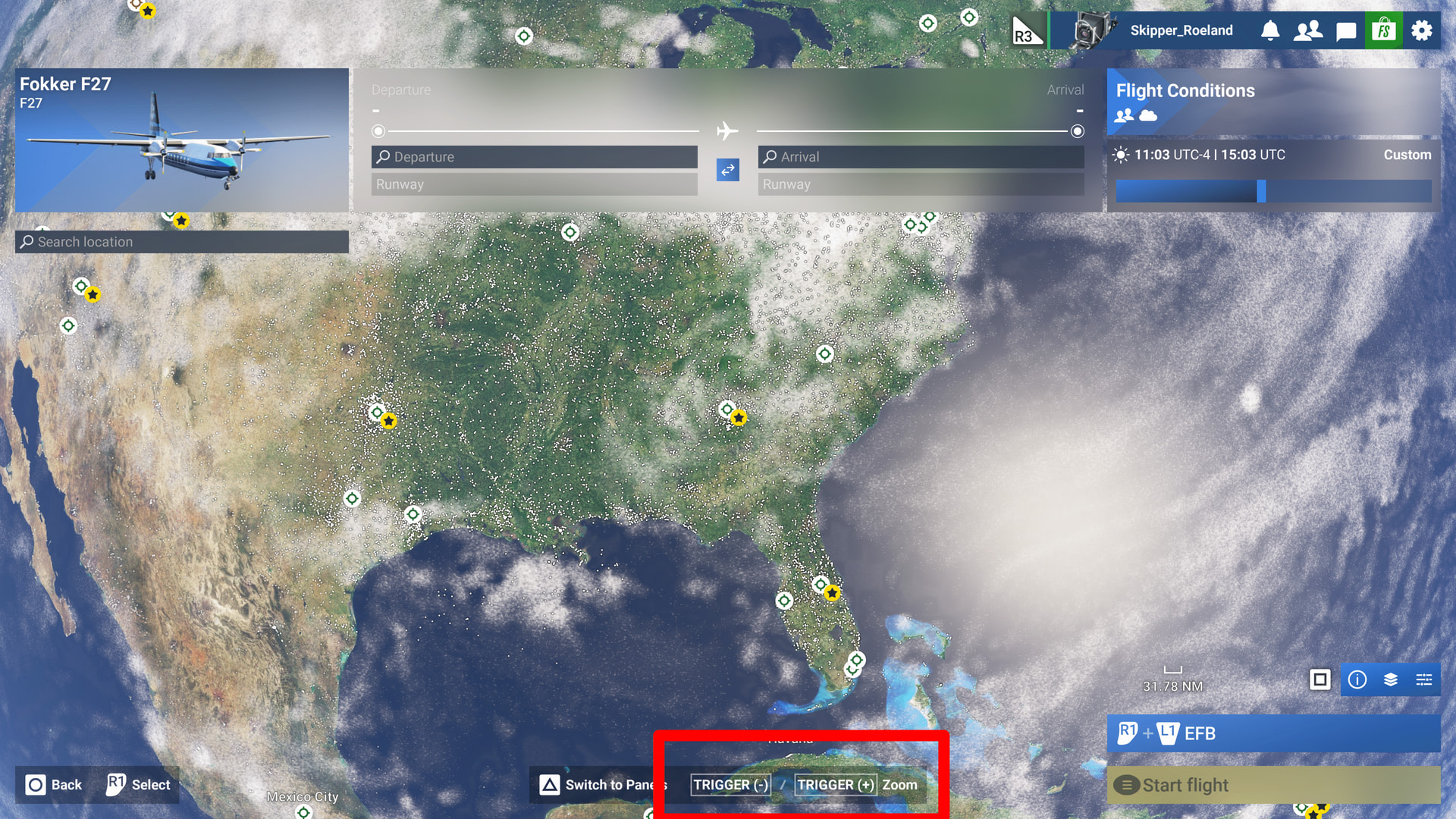
Unfortunately, on Playstation PS5 there are many screen items that are in ‘dev language’ and not translated to ‘user language’. Sloppy programming, some user interface testing would be in order.
User language:
‘Dev’ language:

Installation went without issue. My settings were reset though which is still a very annoying bug. I think performance has regressed if I am being completely honest. I weas expecting a much smoother experience but lots of stutters when panning while in the cockpit on the ground despite having very low TLOD and OLOD set (80 and 100) and my CPU is still getting hit more than it should. Once in the air it smooths out

Ok, but what would be the benefit?
Here is a screenshot of this:

Now if I want to maintain the ones where maintenance is overdue how do I know which is which without the location mentioned in the actual Fleet page?
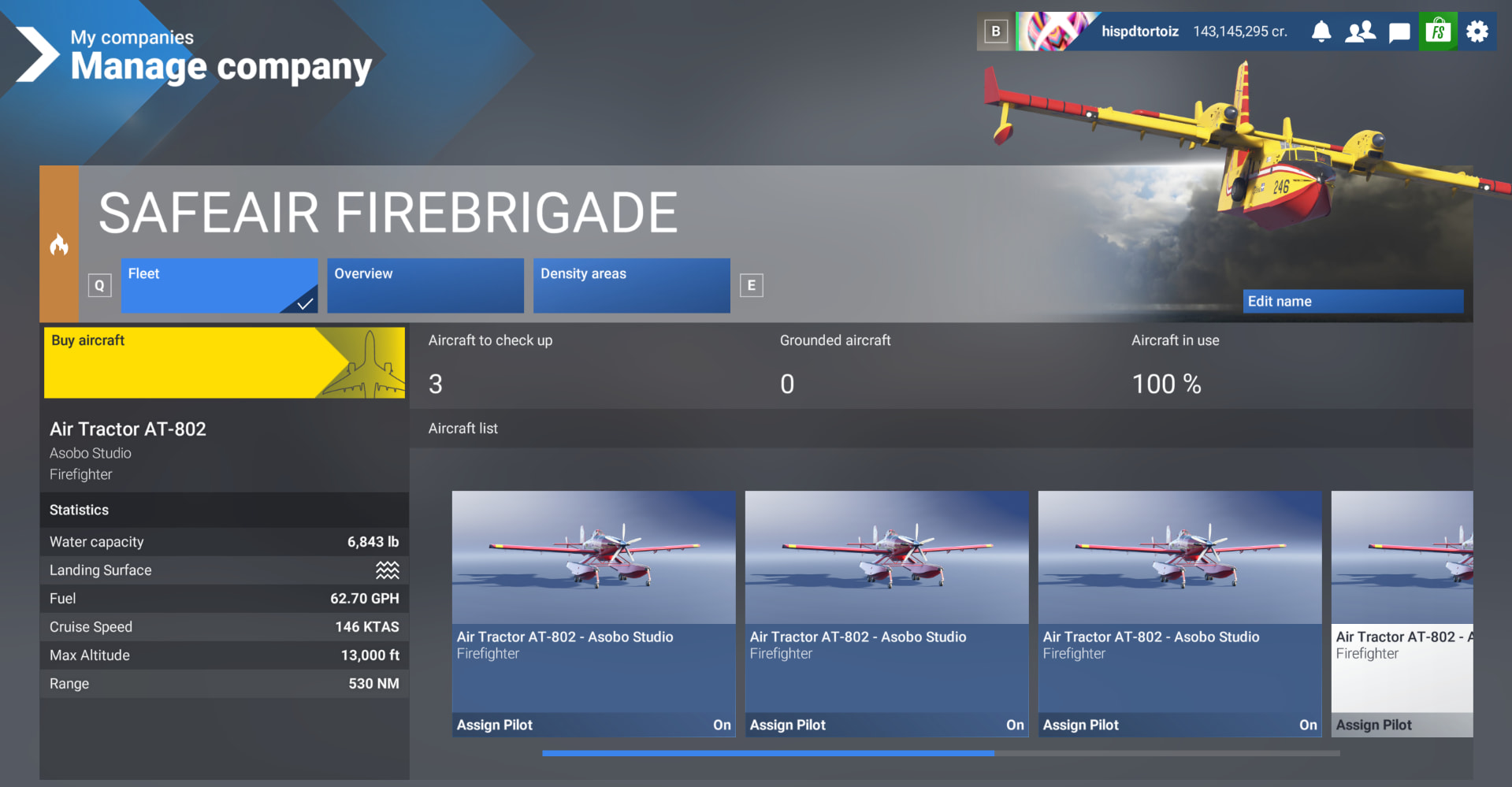
All that is needed is maintaining the location info on the aircraft details in this Fleet page.
Then I can easily go to the passive incomes page and check which aircraft flew less than the others and just fix that:
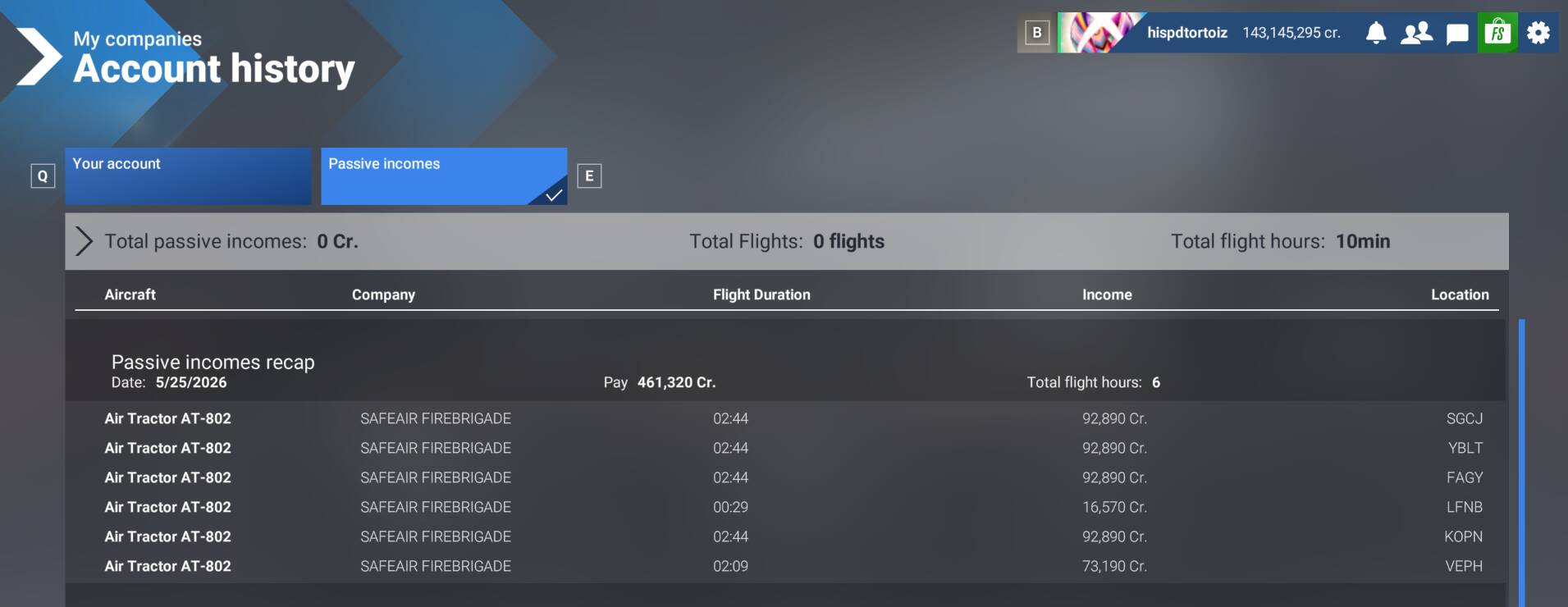
Here you see - only the ones at LFNB and VEPH need maintenance, but I can’t figure out which is which in the Fleet page because you won’t show that location info there!
Hoping something useful can be done with next SU regarding this as it makes it difficult to maintain large fleets.
1 Like
Ive completed three flights in SU6, no problems at all. Which is fine but, as someone who wasnt’t experiencing issues in SU4 or SU5 I have to question exactly what the last couple of sim updates have actually delivered other than very long lists of bug fixes?
As in, where are the actual improvements to the sim? Where are the TLOD improvements? Weather improvements? ATC improvements? UI improvements?
From my chair (mostly tubeliner flying) I honestly don’t think I could point out a single improvement on the sim today vs 12 months ago. I still get enjoyment out of flying in MSFS2024 but the stench of stagnation is very strong. The only conclusion I can draw is that the continued refusal to address things like weather and LOD is because it would impact performance too much.
11 Likes
PS5+PSVR2 mostly flying Xcub user here. After having around 3hours long free flight in VR I can say the official SU6 release is on par with the last SU6 PTE/beta (I was playing before) in terms of experience when using dualsense and vr controllers. I still need to test the game with my HOTAS though.
And once again, thank you Asobo for huge quality improvement of the PSVR2 image clarity!
I know most people won’t agree but currently I personally miss only two major improvements:
- Ability to track the “cursor” in cockpit using PSVR2 headset when using HOTAS or Dualsense or the upcoming TCA Sky Yoke.
- PS5Pro specific optimization to squeeze every additional power out of the console.
The 1st point should be quite easy to implement, just hook the cursor position at least to the VR head tracking coords (though using eye tracking would be next level  but not absolutely necessary). This would remove any need for mouse or any cumbersome way to move the cursor in order to control instruments etc. in cockpit.
The 2nd point is obviously a dream wish and probably meed more work. But I beleieve it would make happy all the PS5pro owners army! Many of them bought this hardware just because of MSFS24 to get best possible experience on the console version.
2 Likes
Hello Moderators and Devs,
So far, so good. I am happy with most of the changes in SU6 on PS5.
After installing SU6, I experienced several instances where the sim got stuck at 2% during “Registering Packages.”
The airport lighting looks much better now, especially at night. Great improvement!
However, I think the intensity of many POI lights still needs to be adjusted. As discussed in this thread, many of them are far too bright and can look unnatural at night.
I would also really like to see a small mouse cursor in Legacy Cockpit Interaction Mode on PS5, similar to the one available on PC. A small cursor that appears in the direction where an interaction is possible would make cockpit interaction much easier and, in my opinion, significantly improve immersion.
Hopefully this can be considered for a future update.
Thank you for your continued work on MSFS 2024!
1 Like
Atm, TLOD is alot worse, and ive changed notning in my settings. Deleted old cache also, need to play around a bit with the numbers gain 
Currently doing 200/200 TLOD and OLOD
3 Likes
So let’s get this straight you can now start a flight without a walkaround. But all the covers/chocks etc are STILL ATTACHED. What is the point?!!! You still have to go out and remove them.
Asobo, why is it so hard to understand an airline pilot does not go around removing engine covers. What is difficult about this concept for them to grasp?!
16 Likes
Hi everyone,
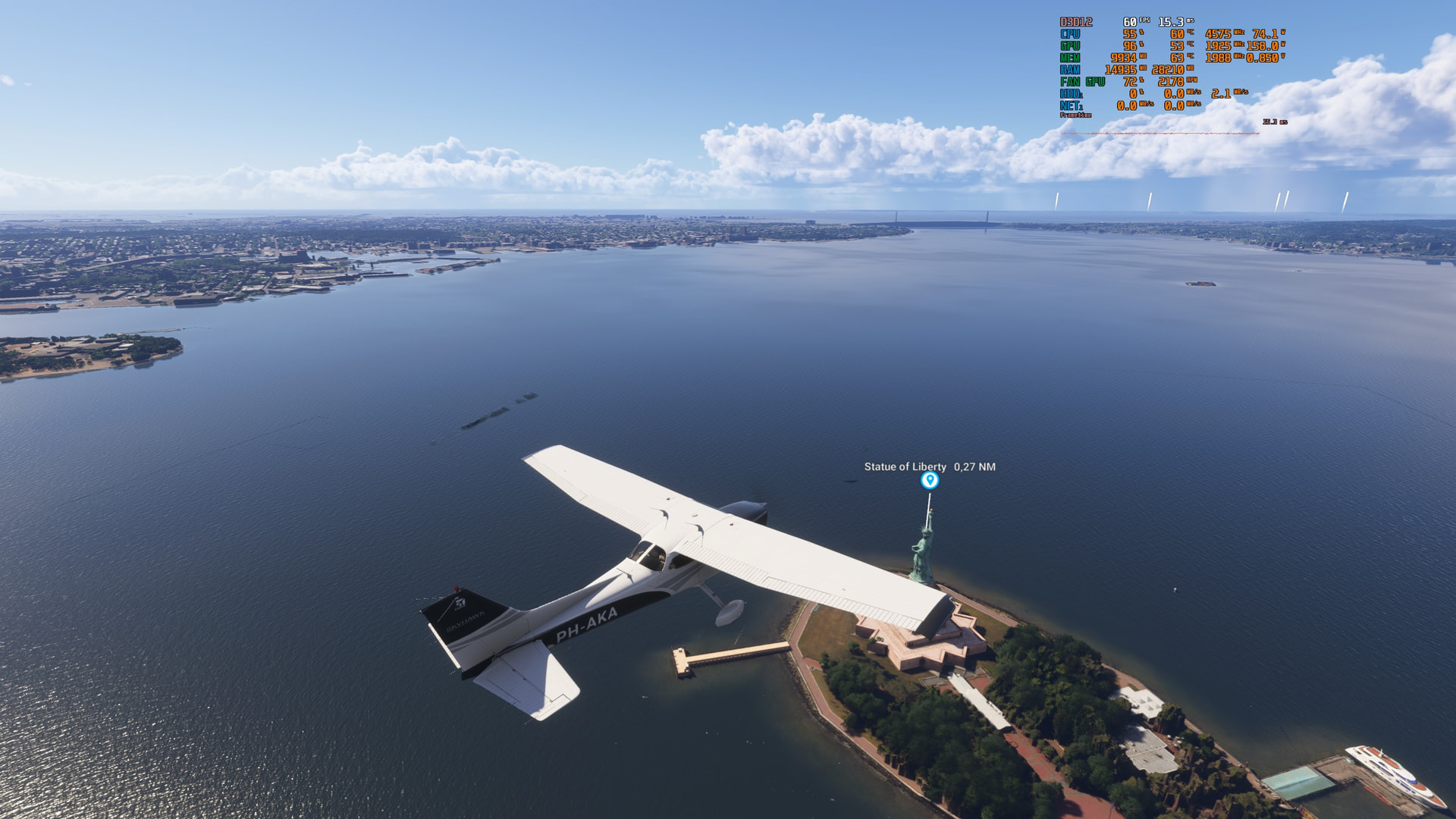
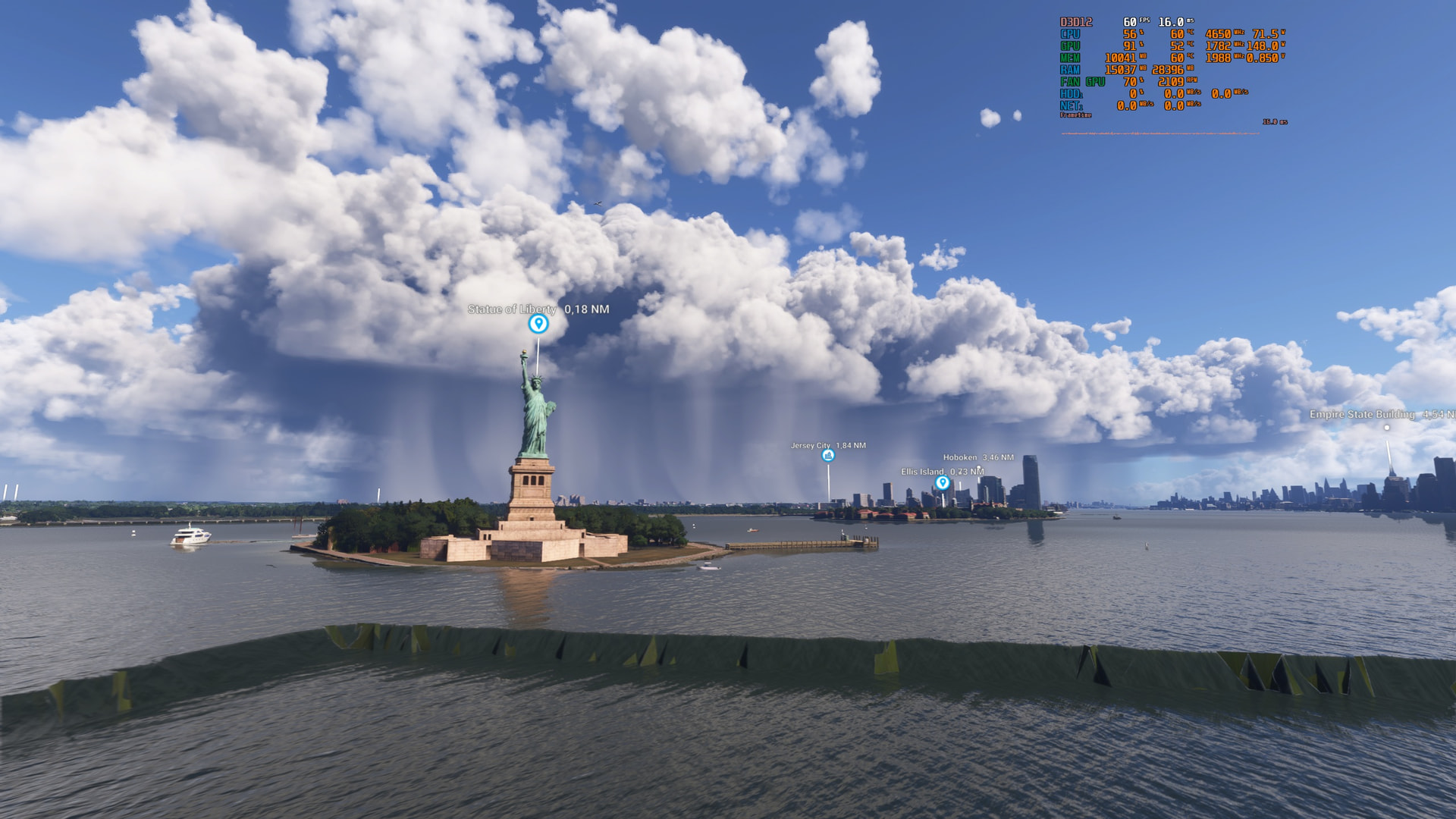
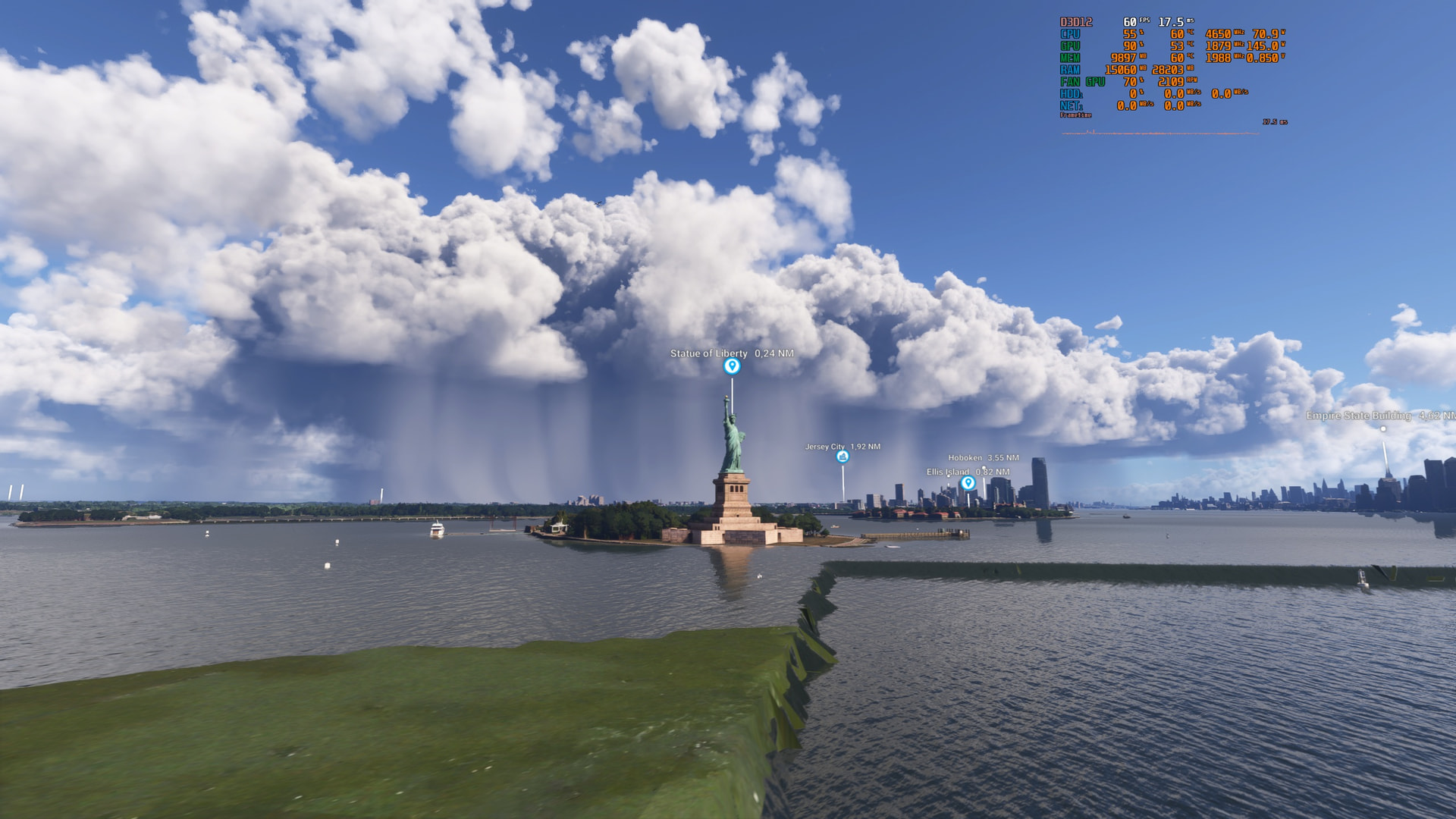
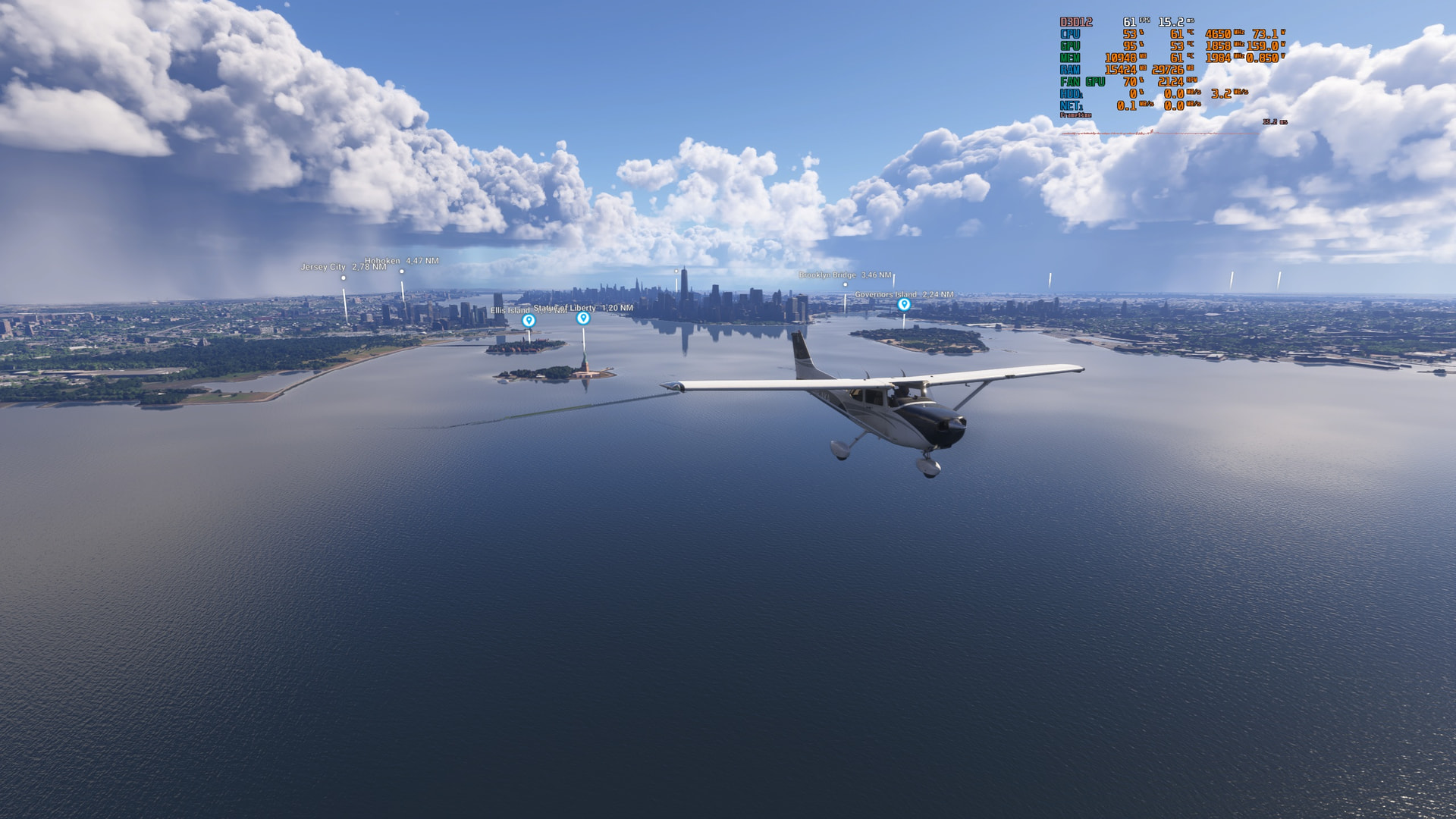
I would like to report a severe, widespread issue regarding water surface elevation artifacts and grid/tile mismatches in Sim Update 6 (1.8.14.0).
As visible in the screenshots, there are obvious elevation steps, sharp “walls,” and glitching terrain tiles across the water surface near the Statue of Liberty in New York. Unfortunately, this isn’t isolated to just one spot — this square/tiled water mesh artifact affects many photogrammetry areas globally, including default Discovery activities (New York, London, etc.).
These visual bugs were reported right at the start of the SU6 Beta testing, yet they made it straight into the final release build.
Is Asobo planning a global fix/smoothing algorithm for water photogrammetry tiles, or is this being tracked in an official bug thread?
5 Likes
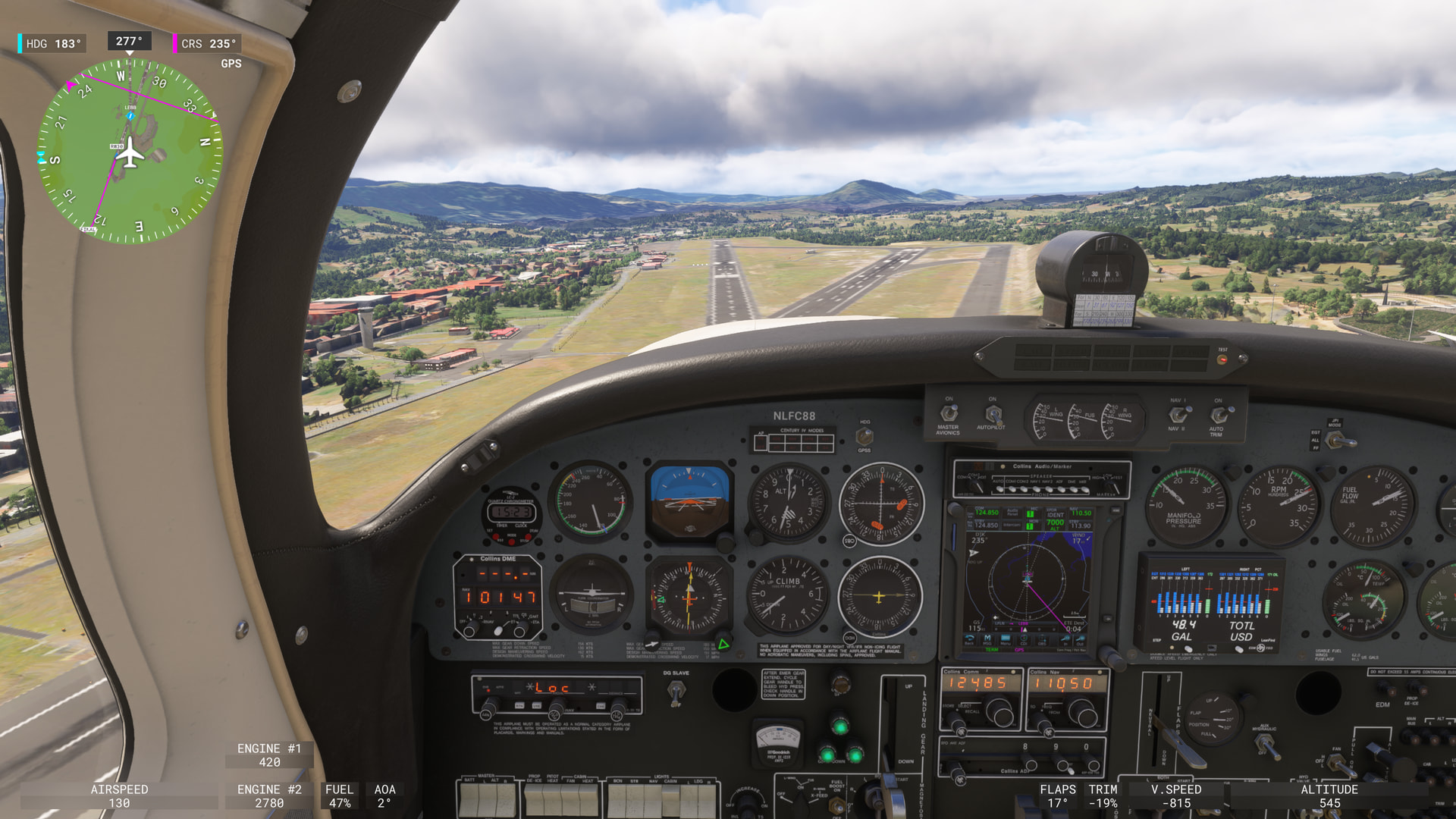
Xbox, no performance issues (other than some stutters), but the LOD is awful. I pretty much only fly the A2A Aerostar, 1.5 hour flight from France to Bilbao.
4 Likes
After they broke mouse usage in VR during SU5 beta (preventing some covers/chocks completely inaccessible) I had to bind a button to a setting that removes everything, an annoying workaround but it works, just wish they’d “work” and fix bugs when they appear not months later…but anyway that’s been said a million times before!
1 Like
The right stick (R3) does not work for scrolling the marketplace on PS5 (even though the R3 icon is shown as an indicator that R3 is meant to be used). It also does NOT work for scrolling inside the Carrer Mode, for example, when listing all the planes in the fleet and their status (so it is impossible to scroll down the list of planes in the fleet, because no other method works either). And it does not work when wanting to scroll through financial transactions in career mode. Please note though that the R3 stick DOES work for scrolling sometimes, for example in the EFB in the Route view. So it is a bit hit and miss if it works as intended or not on PS5.
Fps is back to normal in PSVR2 on PS5, but had to delete and reinstall MSFS to get it normal again.
PS5 Pro with PSVR2 - in last hour had 3 flights in career which 2 of them ended with CTD.. why does it rarely happens in beta builds but any live version is 90% CTDs in career mode? 

2 Likes
Looking at the massive changelog for Sim Update 6, it honestly feels like the developers are misleading the community.
We are presented with hundreds of listed “fixes,” yet severe, glaring issues like the water surface elevation artifacts and broken photogrammetry tiles remain completely untouched. What baffles me the most is the entire purpose of the Public Beta testing phase.
What is the point of collecting endless feedback, run polls, and asking beta testers to submit detailed reports if obvious, day-one bugs are simply ignored and pushed straight into the final release build? Instead of fixing these fundamental visual issues, each update feels like it just introduces new problems while ignoring the community’s input entirely.
Asobo/Microsoft need to be transparent about why critical feedback gathered during Beta tests is consistently brushed aside before launch.
24 Likes
 give us a smaller mouse cursor , just like the one we had in MSFS2020.
8 Likes
Here, the sim rate isn’t working on the PS5. Does anyone else have the same issue? I had R3 + arrow down/up mapped to increase and decrease the simulation rate, but even remapping it doesn’t work.