Nice setup, how many PCs do you have for so many monitors?
So far, it’s actually just one PC with two graphics cards. Each graphics card can drive four monitors. Future use will show if the performance is sufficient (including the CPU) or whether I need to upgrade.
Hello from Ukraine!
Here is my compact universal DIY cockpit on Arduino controllers. Quite a budget project using free software. This is a universal control system for various types of aircraft (below is a list of the models I tested) in simulators (MSFS 2020/2024, X-Plane 11/12).
Still in the mode of testing usability, debugging, improvement and expansion of functionality.
Preparations are underway: I have already printed on a 3D printer and assembled the mechanical part of the steering wheel with the Force FeedBack system on infrared sensors (free modified project CadetYoke_v2 by the respected Gagagu v1.3.5. So far it is experimental, in the future I am going to implement a more compact and advanced project on Hall sensors v2.0 by the same author).
Also in the process is the implementation of the Valkyrie Rudder Pedals project on Hall sensors (partially already printed, the delay is due to the need to rework it for metric sizes and some of my own modifications).
The software used is: ArduinoIDE, Mobiflight, FSUIPC (v.Free), Pop Out Panel Manager, Air Manager (currently v.Demo), SpaceDesk (for 2 tablets if necessary), OpenTrack, Beam Eye Tracker (~10$).
These models with different avionics sets have already been tested/configured (*partially in some):
A320 FMS, FSU, ECAM, Over FBW
A320* FMS, FSU, ECAM, Over FNX
A380* FMS, FSU, ECAM, Over FBW
B737-700 FMS, MCP, ICAS, Over PMDG
B747*
B787*
Baron G58 / A58, GNS530+KFC150 BSq
Bonanza G36 / A36, GNS530+KFC150 BSq
BAe146* FMS, MCP
StarShip FMS / GNS430 BSq
C152 Class / GTN750+KAP140 WBS
C172 G1000 / GNS530+KAP140
C182G2*
C310R GNS530+GNS430+KAP140 BBs
C414A GNS750+GFC600 FS
CJ4*
CRJ* FMS, MCP, ECAM, Over ArS
DHC415*
DA42/62*
EA7_Optica GNS530+KAP140 GoFr
M20R GNS530+KFC150 Crnd
PA28/38* JF
TBM850 GNS530+GTN750 BSq
TBM930*
XCub G3X + GFC500
DG808s
The following naturally work in the models provided (!!! what is available in the profiles on HubHop and in the simulator itself): RUDs, mechanization, chassis, fuel system, ignition/magneto, radio, transponder, interior/exterior lighting, mode indicators and various parameters are displayed, navigation data, clock/timer, light indication, etc.
Practice has shown: the approach is correct, you intuitively get used to the controls, you can set up any device, if there were appropriate profiles and they all functioned. You also need patience and time to set up each model, time to check and then enjoy the results in flight.
Well, based on this design of the flight simulator, you can deploy and implement any available specific aircraft model.
Configuration of my system:
CPU: AMD Ryzen 7 5800X
MB: Gigabyte B550 Aorus Pro V2
GPU: Gigabyte NVidia RTX 4070 Super
DDR: 2x 16Gb Kingston Fury 3860mHz
NVME: 2x 4Tb Samsung 990Pro M2
SSD: 500Gb Samsung 850 EVO
HDD: 4Tb + 8Tb Seagate Baraccude
Powr: Seasonic GS-650W Gold
Mon: Gigabyte M27Q 170Hz
AS: Sven MS310 2+1
Joys: ThrustMaster TCA Airbus
OS: Windows 10 Pro
Add: 2x Tablet 10,5"
*** Unfortunately, I have bad English, sorry, Google translator is working : )
- Daher TBM 850 ( GTN750 + GNS530 + RDR )


- Beechcraft Bonanza A36 ( GNS530 + GNS430 + KFC150 )
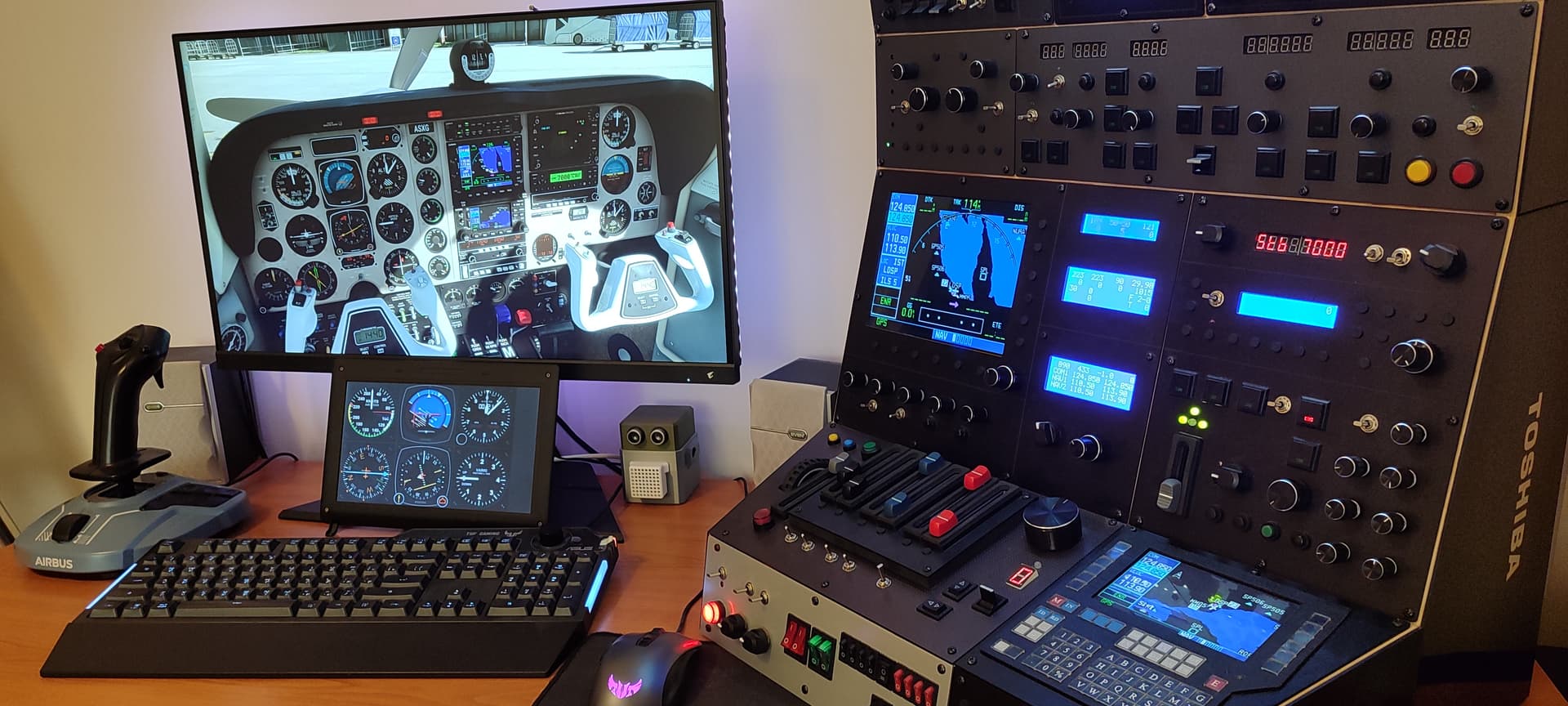
- FMS MCDU

- Airbus A320

- Boeing 737-700
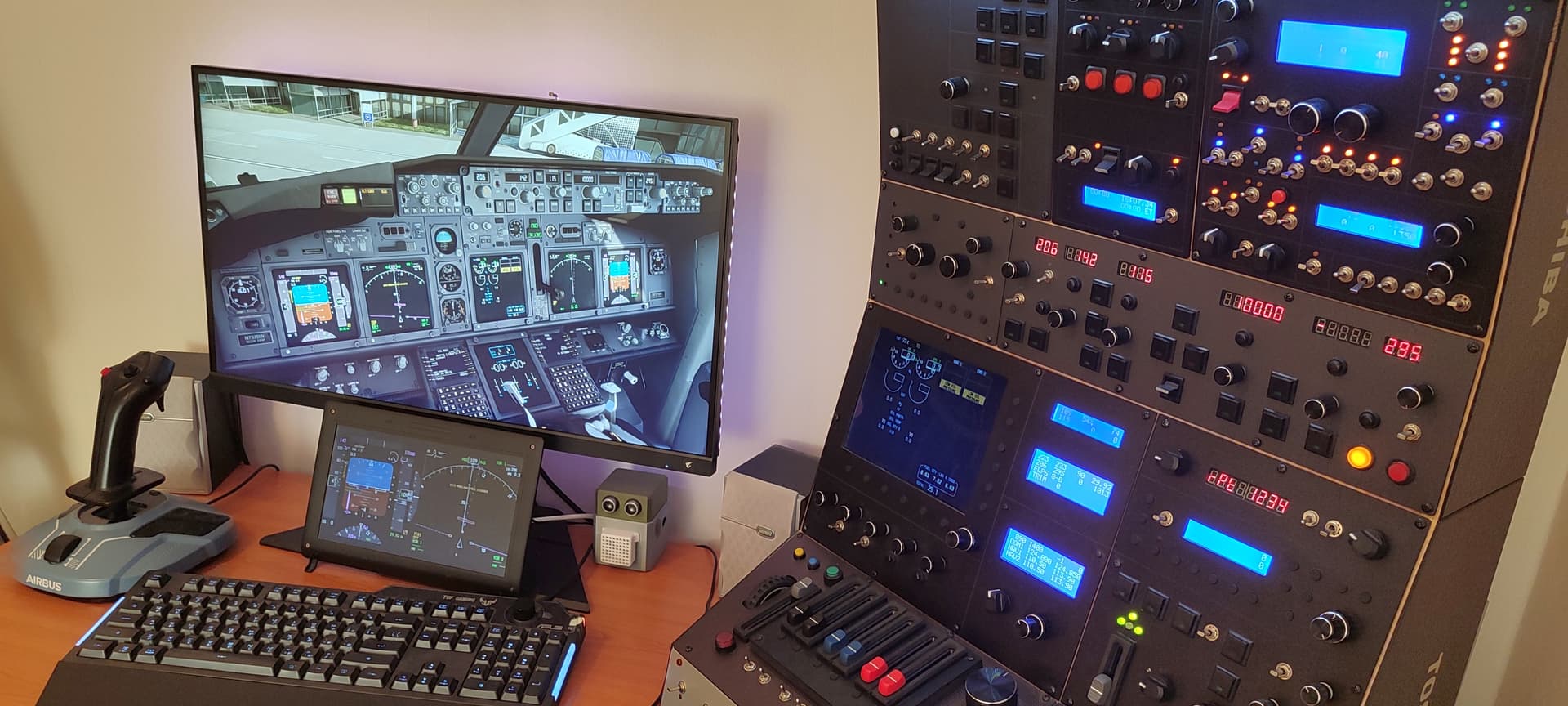
- Beechcraft StarShip ( FMS / GNS430 )

- Cessna 310R ( GNS530 + GNS430 + KAP140 )
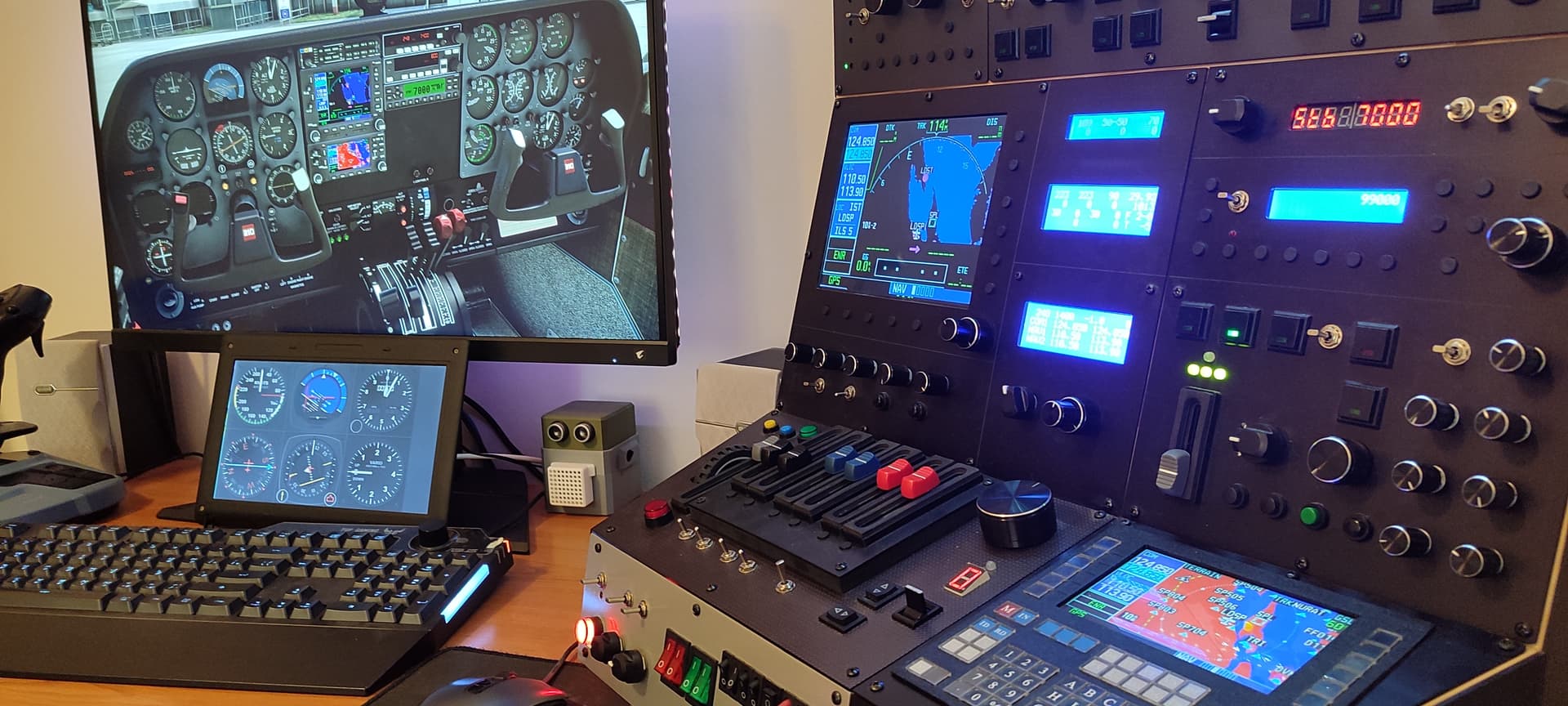
- OverHead ( Left - Airbus; Centre - IRS, Fire, Clock/Timer; Right - Boeing )

- GNS530 + GNS430 + KAP/KFC + Transponder + InfoDisplays
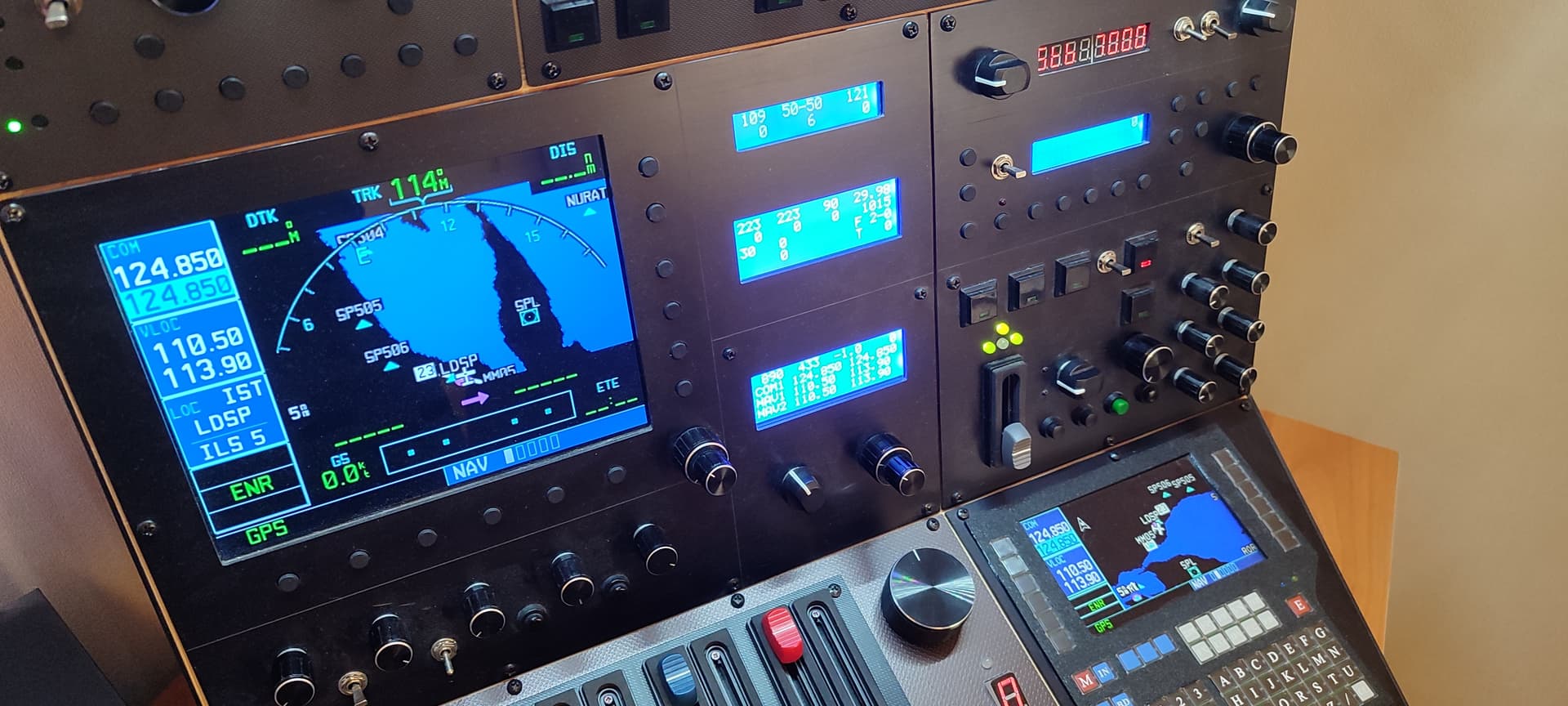
- DIY prototype Yoke Force FeedBack v1.3.5
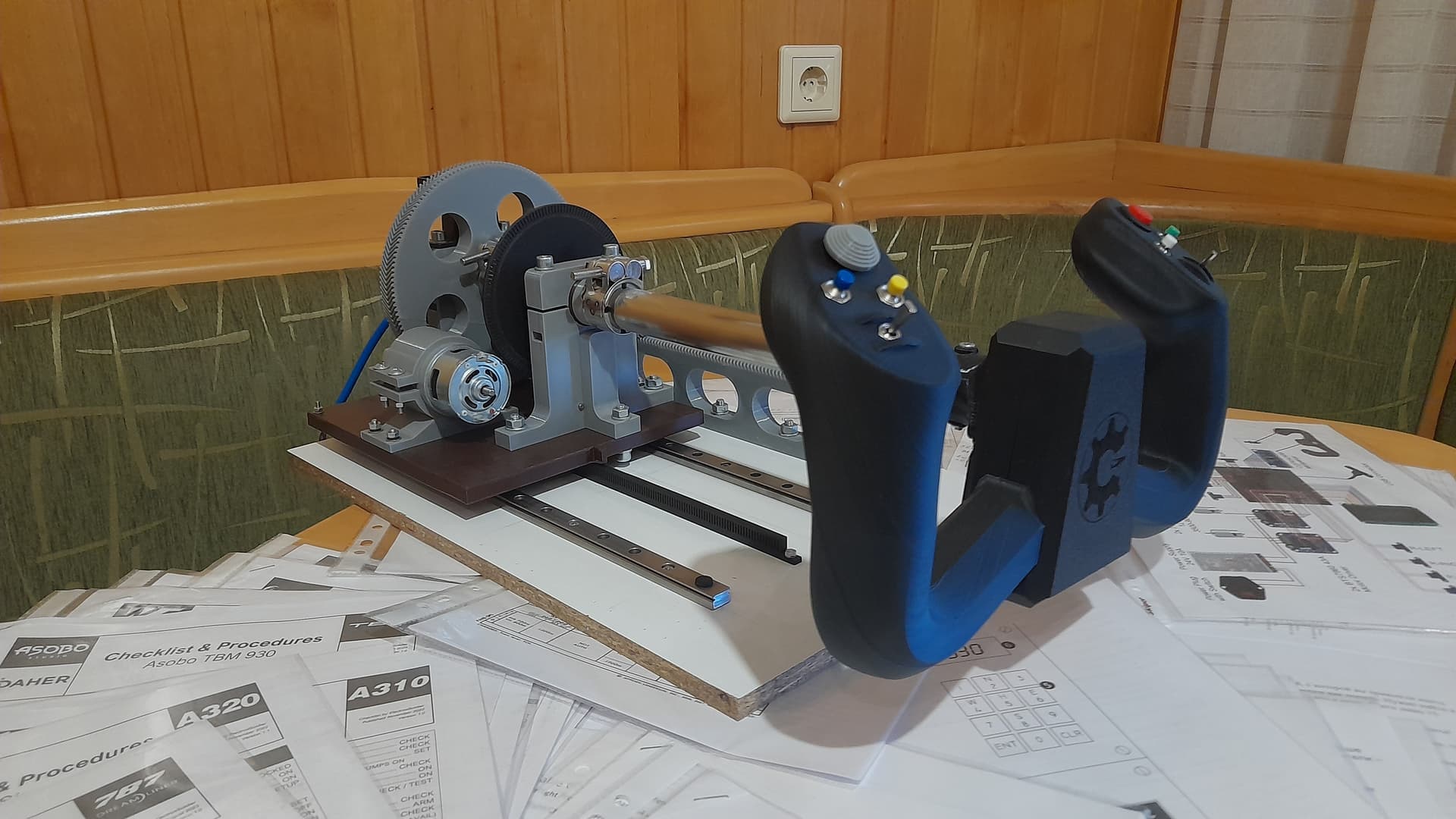
Experiments, design, technical aspects, implementation of ideas and creation more detailed/partially on my YouTube channel: https://www.youtube-nocookie.com/embed/ISN73HQGHxQ

NIcely done!!! Congrats
Holy Moley! Now that’s a button box.
That’s quite an impressive project you have going on there.
Everything is quite logical and intuitive (if you look closely).
It takes a fairly short time to get used to it: set it up, fly it a couple of times and you remember everything well.
Moreover, most controls retain their functions from one aircraft model to another.
I specifically aimed for a modular approach, optimal arrangement, combination of functions in order to achieve maximum versatility and compactness. I didn’t forget about ease of use either.
For clarity, I will provide several panels with descriptions of zones (in my videos on YouTube, I describe my approaches to the design in more detail, and give illustrative examples) :
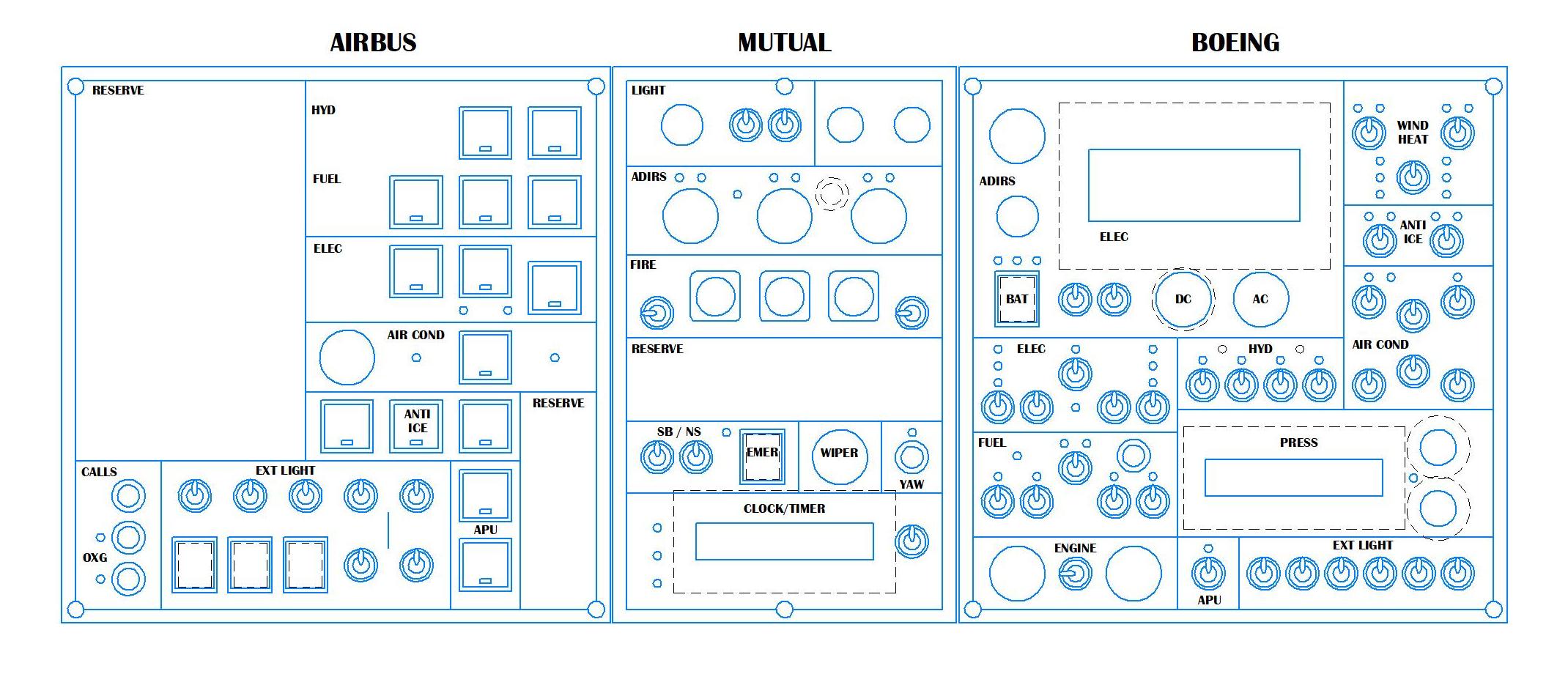
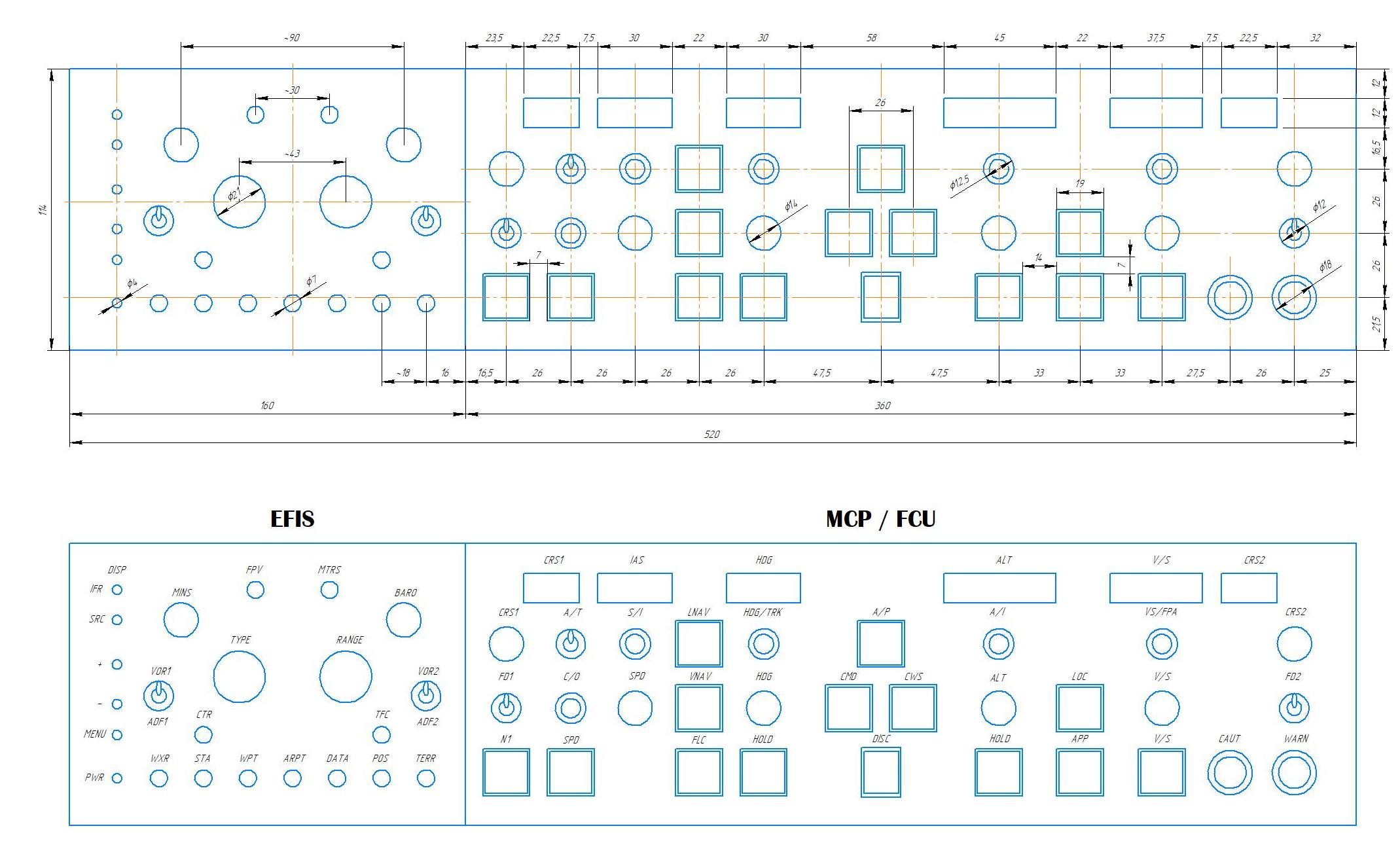
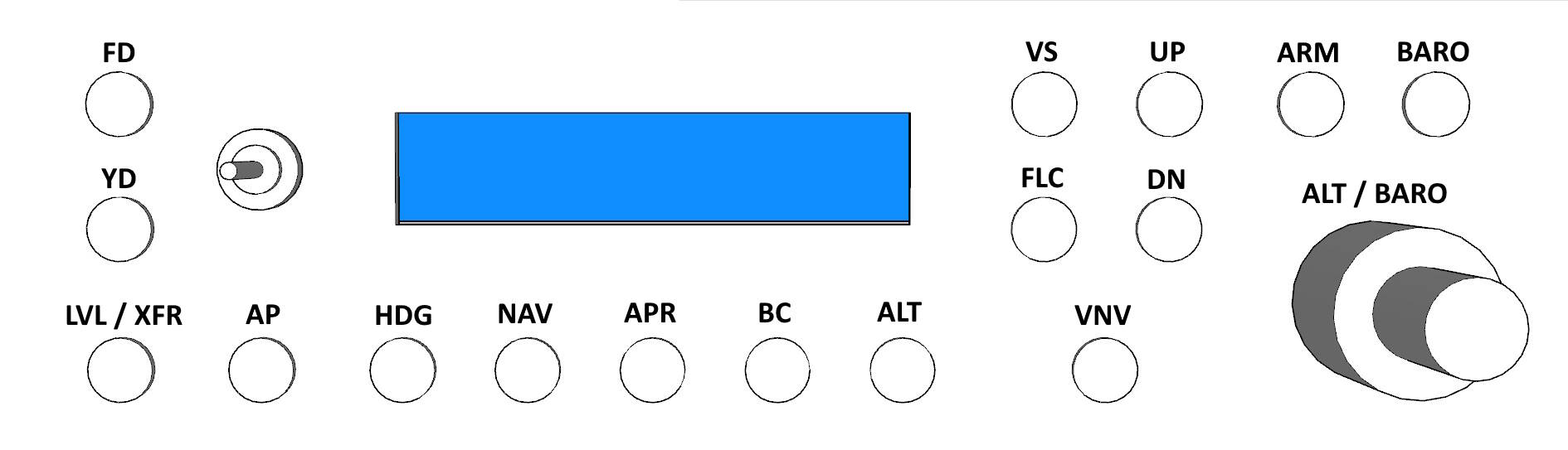
Here, I think, much is already clear.

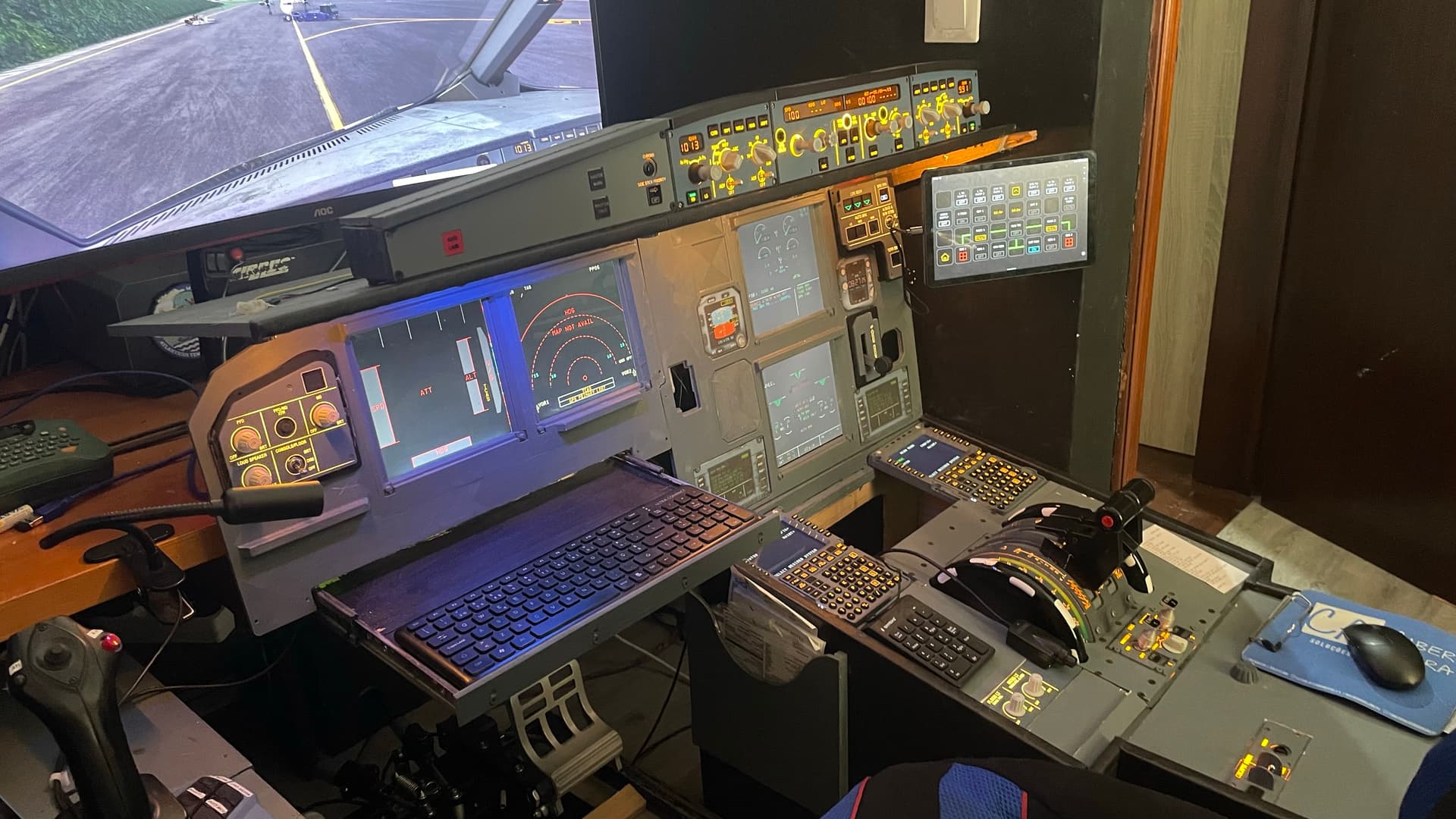
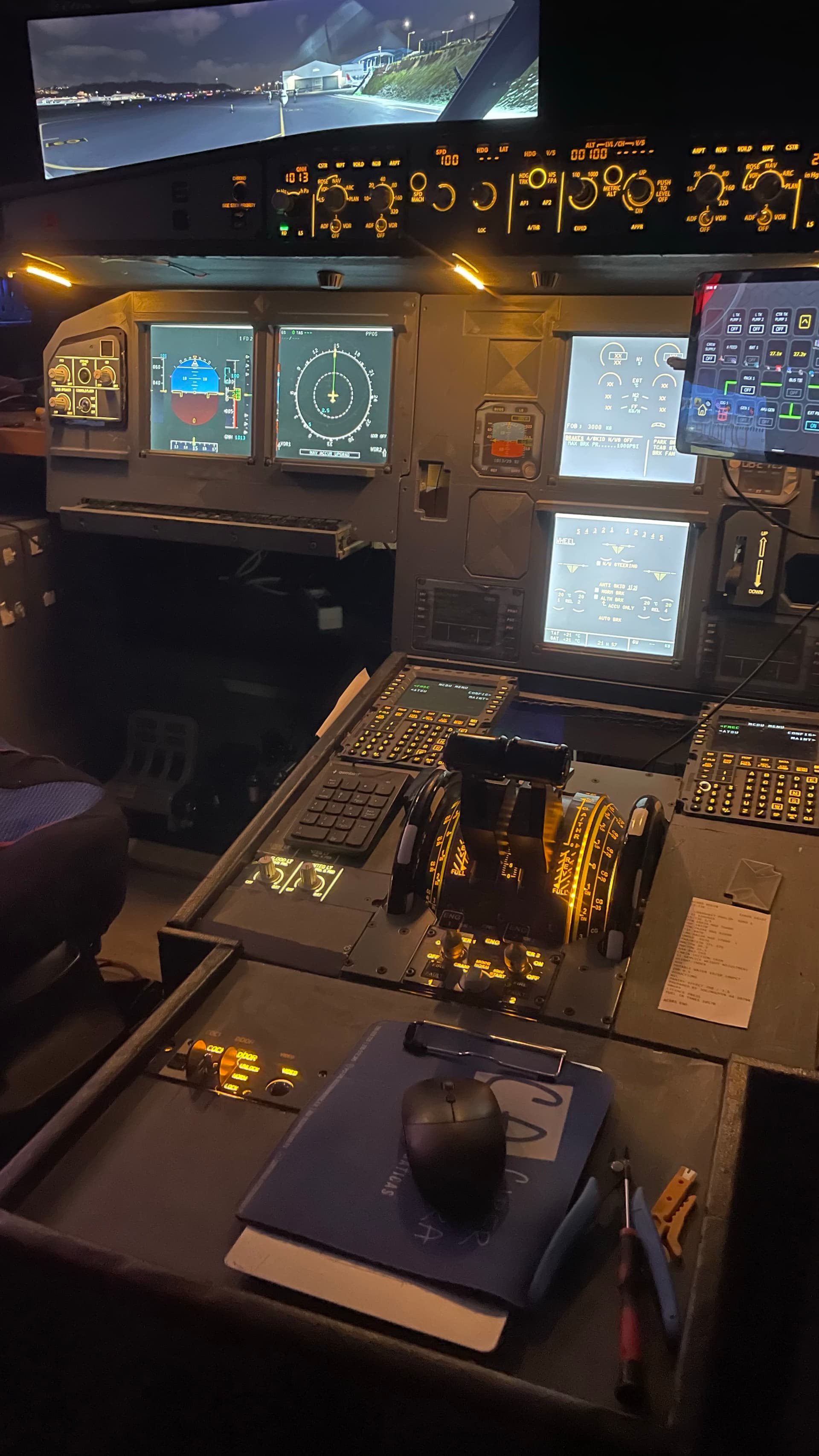
Is that the Skalarki throttle quadrant?
Would you not add a second monitor?
It alwats bemuses me when somebody has an amazing home cockpit with fantastic hardware and layouts….and then runs a single 24” monitor……
I change my mind after testing the VR
Hi All,
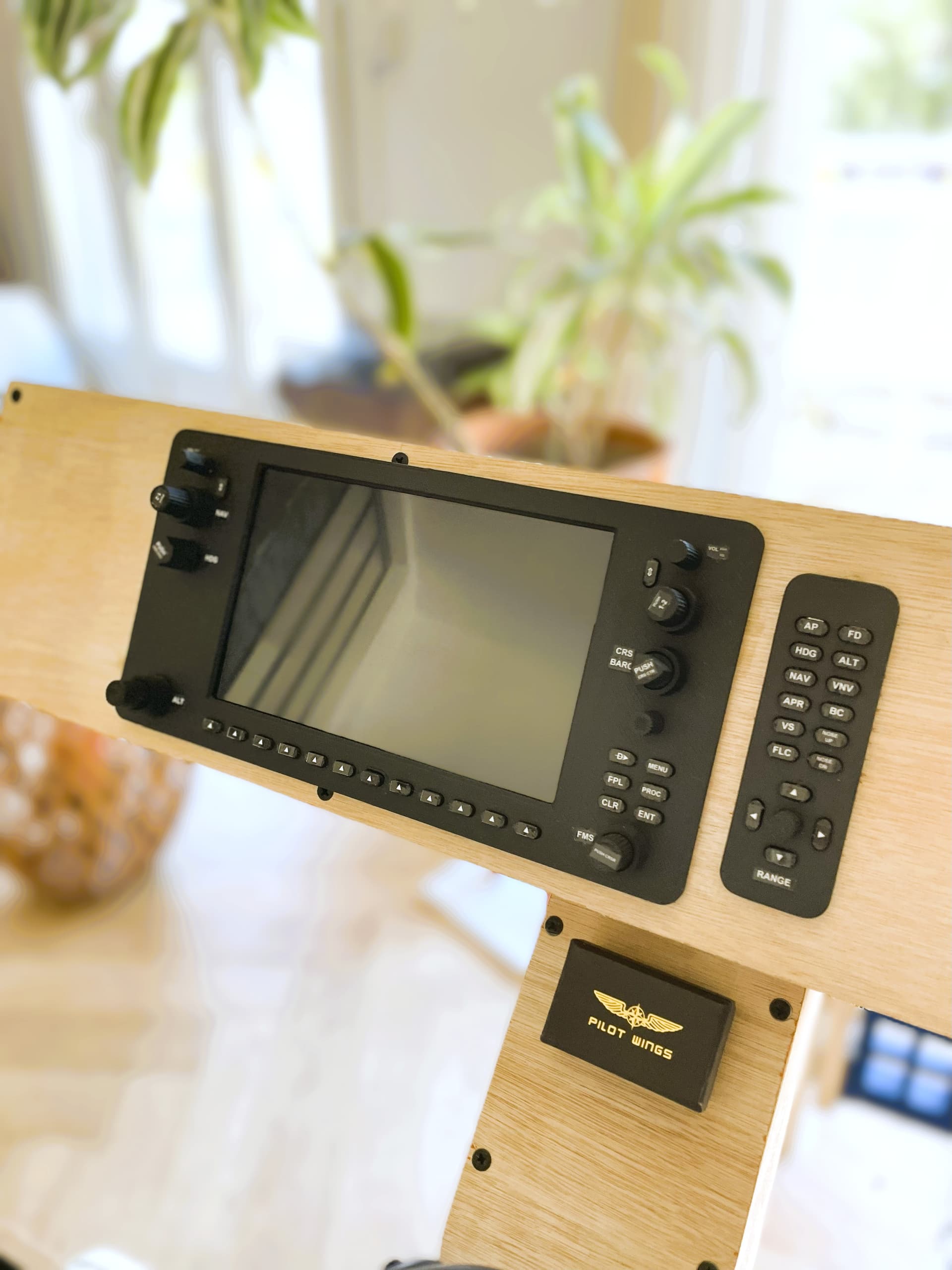
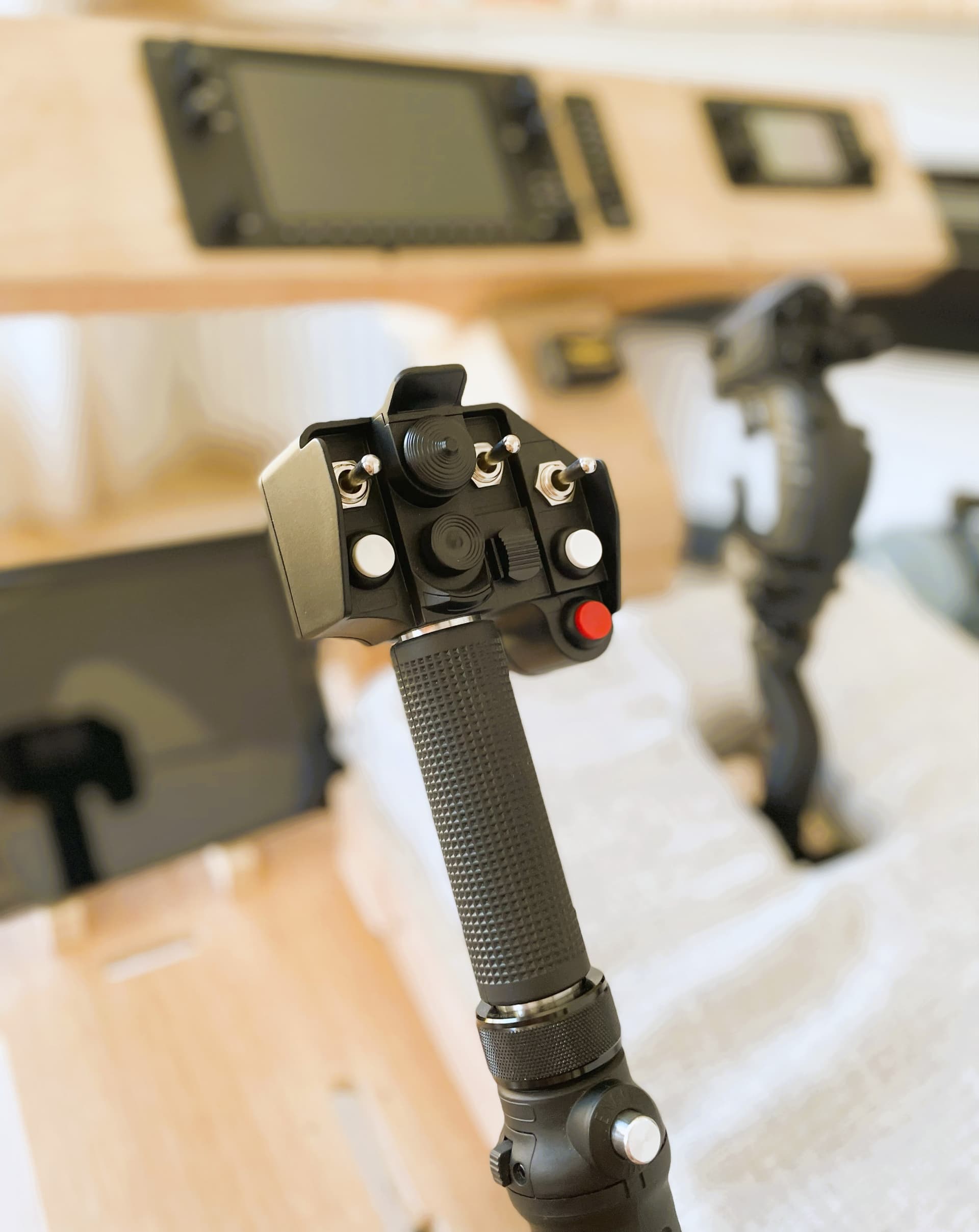
I’ve been working on a new home flight simulator cockpit project, built from plywood, 3D-printed parts, and DIY-friendly electronics for the avionics. I mainly fly GA aircraft (especially the Diamond DA62, DA42, and DA40), but I’ve also added a helicopter collective to practice my heli flying skills.
Here are some pics of the build !


Cheers 
Very nicely done. Where is the computer located??? Congratulations on a well done build…
Hi ! thanks for your message, I use my living room tv screen which is above the piano (tv hidden by the bookshelf panel).
Hi, just curious - are you sure this is a new project? I ask because I saw these same photos on the forum back in May, with just a few small changes. They also look almost identical to the ones available on the site where the files can be purchased.
I’m just wondering if you’re showing us your own cockpit or maybe promoting that site. If you are the author or seller, maybe there’s a chance for a little discount with a code? 
Hi ! yes I’m the creator of the cockpit and wanted to share the latest build and in reference your proposition I’ll setup a code on the site for sim fans . Cheers
Time really does fly!  Over the last 4 years my setup has changed quite a bit:
-
Swapped my 3×27" monitors for a single 49" widescreen – big improvement!
-
Been flying MSFS2024 since SU3 and it runs great.
-
Dropped AirManager and now only use PopOutPanelManager2024.
-
Added Winwing hardware (FCU, EFIS, MCDU) plus Throttle Quadrant and Sidesticks from Thrustmaster.
-
Biggest upgrade: finally moved on to the FENIX Airbus.
Overall, super happy with how it all works now. Posting the latest screenshot here, partly as documentation for myself too.
Greets,
Markus

Actually ,that is a cockpit i have always dreamed of”