Hey,
Been working on a free app for MSFS 2024 for a while and just put out the first beta. Some of you might remember me as headwind, I made a few addons back in the day but went quiet in 2023 when I became a dad. This is my comeback project.
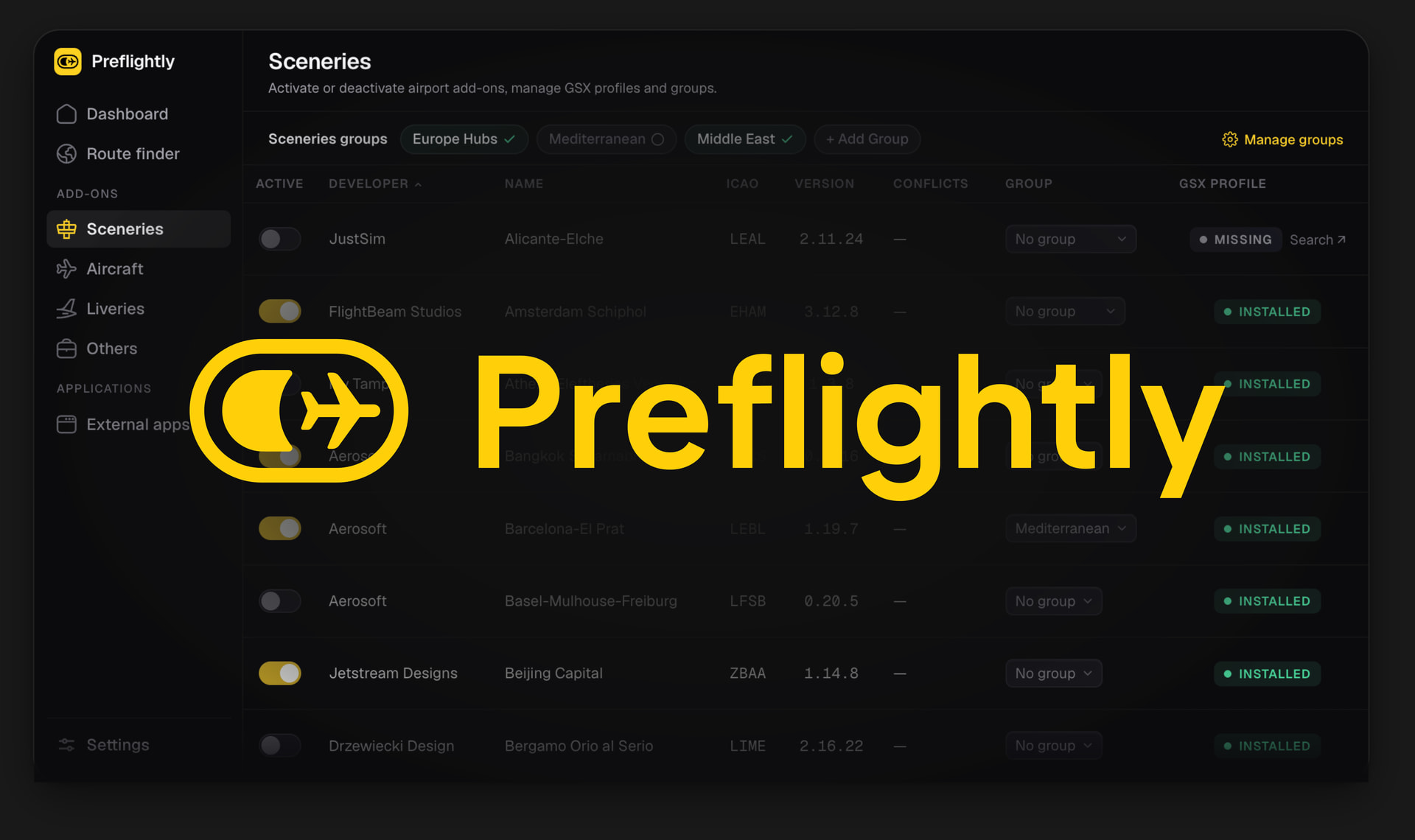
The idea is simple : managing addons in MSFS is still painful, and once your library grows you never really know what you can actually fly with what you have. Preflightly tries to fix both.
What it does :
-
Central library outside Community/ : your addons live in a folder you choose, Preflightly links them into the sim with symlinks. Nothing is moved or copied, fully reversible.
-
Route Finder : pick a departure or let it suggest one, it shows real routes you can fly with the aircraft and airports you own. It takes the Official MSFS airports into account and prioritizes community payware over Asobo defaults when you have both (Fenix A320 over the stock A321neo, for example).
-
Quick Import : drop a zip or a folder, it figures out what it is (scenery, aircraft, livery, plugin) and files it in the right place.
-
Smart grouping : addons get auto-grouped by developer, aircraft family, region, etc. So your 40 PMDG liveries don’t drown the rest.
-
Conflict detection : warns you when two sceneries or two liveries fight over the same slot, before you launch the sim.
-
SimBrief integration : send a route straight to SimBrief in one click.
-
Autorun : launch your usual companion apps (SimBrief, Navigraph, GSX, vPilot, etc.) automatically when you start a flight.
-
Free, no account needed to use the app. Optional account only if you want to sync across machines later.
Still early, expect rough edges, but it’s usable day to day. Available at https://preflightly.app/
PS1: If you’re currently using MSFSAddonsLinker (or any other linker-based manager), please move all your addons back into Community/ before running the Preflightly setup. Preflightly needs a clean Community/ folder to import your existing library properly, otherwise you’ll end up with broken links or duplicates.
PS2 : some liveries, PMDG ones in particular, can end up in the “Others” tab instead of being attached to their aircraft. I’m aware of it and working on a fix, just waiting on a bit more feedback before pushing the change to make sure I cover the main cases.
Happy to answer questions or take feedback here 
Can you clarify? Move content into community, or have a clean community?
Hello BigCow74,
Move content in the Community like if you didn’t have an addon manager
Got it. I interpreted “clean community” to mean empty community.
This looks like a genuinely useful idea. The route finder part is the bit that caught my eye, because once you have a mix of payware airports, default airports and a pile of liveries, choosing something that actually uses what is installed becomes more annoying than it should be.
One question: how does it handle Marketplace content versus Community-folder content? I can imagine that being the tricky case, especially with aircraft/liveries where some things are visible to a manager and some are more locked down.
Thank you Simcaptain91,
The route finder is honestly exactly the problem I was trying to solve : once you mix payware, default and Marketplace airports with a growing aircraft collection, picking a flight that actually uses what you own becomes more annoying than the flight itself.
There’s also a side benefit : since only the addons relevant to the flight are active, the sim stays lighter and you avoid a lot of the weird conflicts that happen when everything’s loaded at once.
On your question about Marketplace vs Community/ : Preflightly doesn’t touch Marketplace files, it just scans what the sim already has on disk to know what you own. That’s enough to match possible routes, detect conflicts, and try to attach liveries to the right aircraft, whether the content comes from Community/ or the Marketplace.
The tricky case is liveries. Some are properly declared and get picked up cleanly, others are packaged in a way that makes them harder to attach to the right aircraft and end up in the “Others” tab. PMDG ones especially. I’m going to try to push a small update tonight that lets you manually move an addon to the right category when the auto-detection misses, so at least nothing stays stuck in the wrong place while I work on better detection.
Hey,
Just pushed the 0.9.2 :
-–
0.9.2
What’s new
Multi-folder library You can now add extra addon folders alongside your main library — useful if you store aircraft in one place and sceneries in another. Go to Settings → Library to add or remove additional folders. Preflightly scans all of them together; your primary library remains the target for new imports.
Delete from library Each addon row now has a ⋮ menu with a “Delete from library” option. It removes the addon from disk and cleans up the symlink if it was active — no more manual cleanup in Explorer.
Re-sync on every page The Re-sync button is now available directly in the header of Sceneries, Aircraft, Liveries, and Others — not just on the Dashboard. Handy when you’ve made changes to your library and want to refresh a specific page.
Launch MSFS from Quick Launch MSFS 2024 now appears as an entry in your External Apps and in Quick Launch on the Dashboard. It launches via the MS Store or Steam scheme depending on your installation. You can remove it like any other app if you prefer not to see it.
Route Finder: stock liveries Preflightly now detects liveries bundled inside MSFS 2024 base packages (e.g. the KLM and United liveries that ship with the Asobo 787-10). These count as active for Route Finder without needing a separate managed livery.
Easy Import: pick your library When importing via drag-and-drop or the browse button, you can now choose which library to import into when you have multiple configured.
Window position memory The app remembers its size and position between launches. No more forced maximize on every startup.
Fixes
-
GSX profiles imported via drag-and-drop now show as matched immediately on the Sceneries page — no Re-sync needed.
-
“Find on flightsim.to  ” replaces the old “Search ” next to GSX Missing badges — clearer about where it goes and which ICAO it searches for.
-
Setup wizard steps are now vertically centered. A Back button is available on the scan step.
-
Addon detection — 5 classification bugs fixed based on user reclassification reports:
-
Payware airports with ground vehicles (fsimstudios CYYC, NZA Simulations) were incorrectly detected as liveries.
-
Freeware airports named by their ICAO code (CYCD, KBIS, KSAN…) were falling through to “Other”.
-
Collection folders named “A320 Liveries”, “MD-11 Liveries” etc. now correctly appear as liveries.
-
Seasonal mods (bijan-seasons), timezone corrections, and exclusion packages no longer appear in Sceneries.
-
IVAO MTL and Orbx aerocaches are correctly classified as Other.
--
Can someone explaing why I can’t just start with an empty Community folder and then add only the addons that I want rather than copying every addon I have (already managed by addonlinker and on a separate drive) into my Community folder and then moving them back off to another folder and deactivating them?
For me “Drop here” function doesn’t work. When I move archive or folder above the area it just show red circle.
Also adding folders with “Click to browse” don’t work either. When I try add liverie downloaded from flightsim.to it just keeps opening folders till theres nothing inside.
So the only way for me to add something is packing it and adding as zip archive because only this works for me.
We need some kind of an refresh\rescan button, when I manually add something to my Addon Folder, the App detects it.
While some features sound nice on first look, I’m struggling to see the point of dumping all my neatly organized addons outside the Community folder that I set up for Addons Linker just so this app can re-organize it into a different and arbitrary folder structure. Not to mention the conflict it can create with paywares installed via Contrail, Simmarket, ORBX, etc.
I appreciate the effort, but this would be too much hassle to have less control over how my addons are organized. I am not too happy that I have to launch a bunch of 3rd party apps with the sim, so convenience is certainly a big plus, but there are other solutions out therer (eg: MSFS2024 Toolbox) to handle this, and LNM is there for the rest.
The extra features missing from Addons Linker and the sleek UI is not really worth the effort at this stage.
Because if you’re completely satisfied with MSFS Addon Linker, this app isn’t for you. It’s literally the same thing. If you use MSFS Addon Linker, you’ll create conflicts.
It’s litteraly the big grey button on top left on each page.
New user thanks to Easysimjetpilot’s YT video. I have just installed 3 new sceneries into my community folder and then ran resync but Preflighty is not picking up these new sceneries. What am I not doing or doing something wrong
This is a beautiful program. The fact that it replaces 2 programs (Addon linker, GSX Profile Manager) is awesome in itself. But the added Route Finder based on your community folder contents, is next level. I would love to see Gate Assignments on the route preview.
I did have an issue with the PMDG aircraft not showing up in the sim, even though it was linked properly in Preflightly. But I fixed it by going into the PMDG OC3 app and clicking on ‘Verify Files’. (Three dots next to Changelog). It found several files that were not right, so I clicked on Repair. The next time I opened the sim all the PMDG planes were back with their liveries.
Yeah, but unfortunately it doesn’'t work. So I put a new Scenery in m< Scenery Folder, press “resync” but it doesn’t show up.
Ran the app and started the scan but the app fails because it could not set up a symlink for the aig-aitraffic-oci folder that is present in the Community folder. No way to skip this error and can only go backwards to re-scan which does not help. The other 2 AIG related folders were successfully set up.
Any advice?
I don’t see a big grey button, could you post a screenshot please?
With regard to the ability to only load the airport sceneries that are part of the selected flight route, does this load any alternate airport scenery?