mbucchia,
Does MSFS use the single pass stereo option in the Nvidia driver. I would think this might save some appGPU time and I suppose AMD has something similar.
Single pass stereo requires application support, which MSFS doesnt do.
Thanks Matt. Is that something that would require a bug report to Asobo or is it even worth trying to get them to look at it? It is supported in good ole Prepar3D (Lockheed-Martin version of FSX) and reduces frametime by maybe 30%.
I am getting high latency (60/70) spiking up when I turn my head. This happens with both quest 3 and pico 4 but does not happen in XP12. Am using a tplink AX50 wifi 6 router and VD. My setup 12700K and 4080
Without even going to “single pass stereo”, just having “single pass instanced rendering” would be of great help to lower CPU utilization (especially since folks have been asking for Quad Views), and it’s a standard feature in DX11/12, unlike single pass stereo which requires the use of vendor-specific API and also has a few caveats with certain headsets. You’re much more likely to get them to implement instanced rendering than single pass stereo.
Latency is a bit lower with xp12, but so is everything else, like cockpit clarity, lol! I still find xp11.55 works better for me than xp12 in VR. I hope Laminar improves xp12 soon or its going to be dead in the water, and nobody wants that to happen.
If you get latency spikes when turining you head very quickly or adding too much yaw, that’s to be expected. If it happens with slow head movements then your bitrate and/or graphics settings may be a bit too high.
Matt, as always, thanks for your incredible expertise!
I have a very similar setup (14700/4080/Quest 3/VD) and no such issues. Can you post a screenshot of your VD performance overlay?
dont know how to post but everything seems low, frame rate is high and latency starts at arnd 65 but when I move my head or look down it just slightly stutters which is totally annoying as I tried even with a small GA plane. This happened with both q3 and pico4 and tried reinstalling MSFS beta but still the same. On the otherhand on XP12 with auto ortho latency is around 40 and barely get any stutters with airliners. Am using a tplink AX50 wifi 6 router set as access point and I have only the VR headset connected to it and the pc via ethernet cable. I tried a lot of options such as reducing grom godlike to ultra, changing from AVI to H264 etc but to no avail.
For what it is worth, I solved many problems by:
- having no plane mod or just the plane that I am using in the community folder, and
- restarting the whole PC when I change the plane.
These 2 steps solved more than 95% of my problems.
1.) Go into the Settings tab in the Virtual Desktop menu in VR and ensure “copy screenshots to desktop” is enabled.
2.) Navigate to the Streaming tab and enable “Show performance overlay”.
3.) Launch MSFS and start a flight in VR.
4.) Turn your head so as to force the latency issue while holding the right Oculus button down and press either the right or left trigger to take a screenshot.
The screenshot will be found on our Windows desktop.
will try and do it later. Just tried xp12 and am getting similar problem. When I get the stutter the sound breaks too. I tried factory default quest 3, reinstalled windows 11 but kept the files but still am getting same.

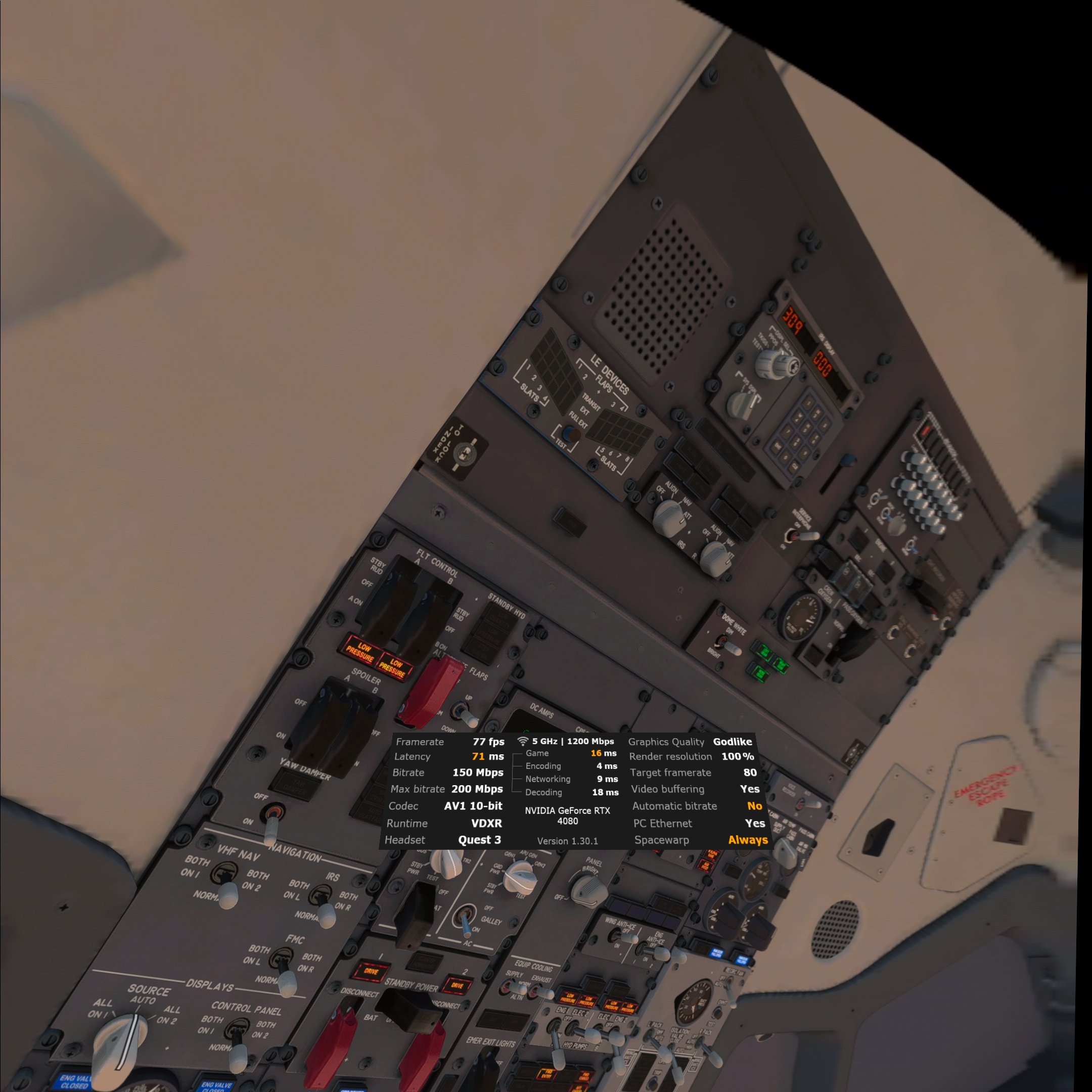
Try this in VD settings:
- disable spacewarp
- enable automatic bit rate
Also, make sure the Oculus app is NOT running on your PC while you are in MSFS/VD.

I really don’t know but I didn’t want to take a chance of Oculus software interfering with the VD/VDXR stack so I stopped the ‘Oculus VR Library Service’ and ‘Oculus VR Runtime Service’ Windows services and set them to ‘Manual’ to be sure.
Food for thought. I use the avatar world in Oculus to launch VD from, so not sure what the alternative looks like. 
The avatar world is running on the Quest 3 so disabling Oculus app on PC has no effect on it.
Running anything on the PC requiring the Oculus runtime will be affected, however. If I ever need it, I just manually start the 2 services.
Look I don’t want to be disruptive or appear to be trolling but, why is it so impossibly ridiculous to even post a new topic in these forums to get support?
I really doesn’t matter. This will likely prevent you from running apps you purchased on the Oculus store, if any.