I think this is a very good point. If everybody lowered his settings, so the system has enough headroom to operate flawlessly in terms of CPU, GPU, RAM and VRAM, these threads would become very empty.
Yeah, and we’d see a whole bunch of new threads where people complain about blurry textures, object popping, and so on.
I personally have tested and compared images with settings set to Ultra and have honestly not seen a big difference between those and my settings now. The sim, especially with SU6, is already having issues with blurry textures so I don’t feel users would be missing much with slightly lower settings. Again, this is just my opinion and users should just go with whatever settings they are comfortable with.
Actually my sim is as optimized as it can get and I have none of those issues. What this comes down to is people trying to get something out of the sim that their hardware just can’t do. It’s pretty much that simple. It’s a story as old as flight simming.
The day you release the details of your settings, I’ll gladly give them an objective try 
if they suit my needs—which don’t involve simply driving in a straight line at a constant speed from point A to point B—and offer a genuine improvement, then no problem, I’m on board… I’m a pragmatist.
However, if it doesn’t suit me, I will also tell you why.
I went and read quite a lot of thoughts on what ReBar is meant to provide and I kinda think that a performance improvement between 1% and 15%, depending upon the game, and helps smooth out buffering sounds pretty good to me.
How does it do this? It allows the CPU to access the entire GPU frame buffer at once instead of 256MB chunks.
Now people that know the science better than myself will be able to explain it better, but again it seems a good thing.
Now I get that people want to get the best out of their sim, and each persons PC is, by nature, different. So my question is does it not do what it is supposed to do? Is it that you don’t get the performance boost and your setup causes you to run out of VRAM which compounds the problem, or is it that it does work but the benefits are outweighed by the issues that people get with VRAM shortages.
To be honest I think that running your game with or without ReBar on is a personal choice. Some people will have tested it and seen that the trade off is not worth it in their eyes. That is fine. Some people will not have tested it properly. Some people will not have tested it at all and just followed what somebody else has told them.
I believe that like most things the best thing is not going to be the same for everybody. The only answer is to test it properly for yourself. It is up to you whether you do or not. My thinking is that if you are a person that suffers from stutters I would at least test ReBar to see if it helps.
For those that try remember that when you switch it on you also need to make sure that you set the rBar options to 0x00000001 (Red Dead Redemption 2) and the rBar Size Limit to 0x00000004 (which is 1GB).
The NVIDIA app now has an option to enable or disable Resizable BAR for each game individually. So we no longer need to disable Resizable BAR in the BIOS or use NVIDIA Profile Inspector.
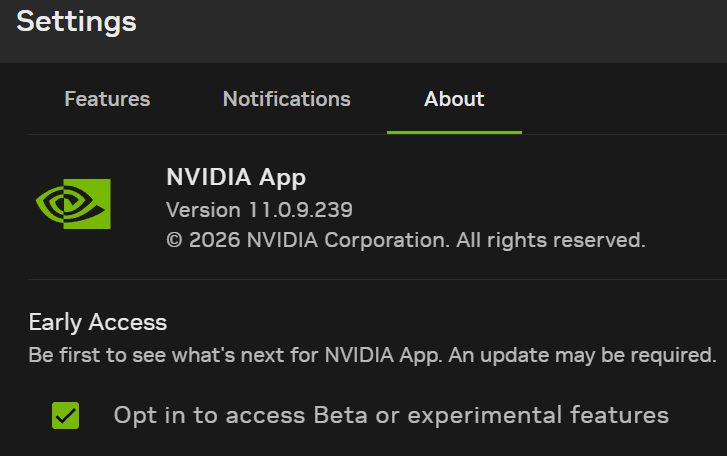

This option is currently unavailable, but it will be introduced with the latest NVIDIA driver expected in September.
Been away from my PC and MSFS for a while, I presume Rebar is enabled by default in my Bios, but need to check.
Though won’t matter eventually with this nvidia app update.
Just out of curiosity as not been following this thread, what is the general consensus on Rebar, keep enabled or disable for MSFS 24?
Thanks
If you have a GPU with, for example, only 8GB of VRAM, disabling Resizable BAR can reduce VRAM usage by around 0.5 GB, or even 1 GB in some cases. So in that situation, it can make a noticeable difference.
I have 16gb of vram on my 4070ti super, so I guess I should just leave it enabled then. Thanks
Is this useful with a 5090?
Yes, as the purpose is to increase the chunk of VRAM that can be read at a time.
I mean is it even worth turning it off when you have 32gigs of vram
I always play with Resizable BAR enabled. I have an ASUS RTX 5090 ROG Astral.
The new Resizable BAR feature is now available in the beta NVIDIA app with the NVIDIA 616.56 driver, allowing you to enable or disable Resizable BAR for each game individually.
https://forums.flightsimulator.com/t/nvidia-geforce-game-ready-driver-616-56/774841/2
It’s not worth disabling ReBAR, whether in the BIOS or in the NVIDIA driver - here’s why: