Did you hit the FOB Sync in the Initialization Menu prior to take-off? That would have set the fuel on board minus whatever you had burned at that point if you had already performed engine start.
2 Likes
thanks, that was it. normally it’s part of the startup routine but this last flight started running already on the runway ready for takeoff so the g3000 didn’t display (so assumed it was already completed). went in manually and synced fuel to fob and it’s working, cheers

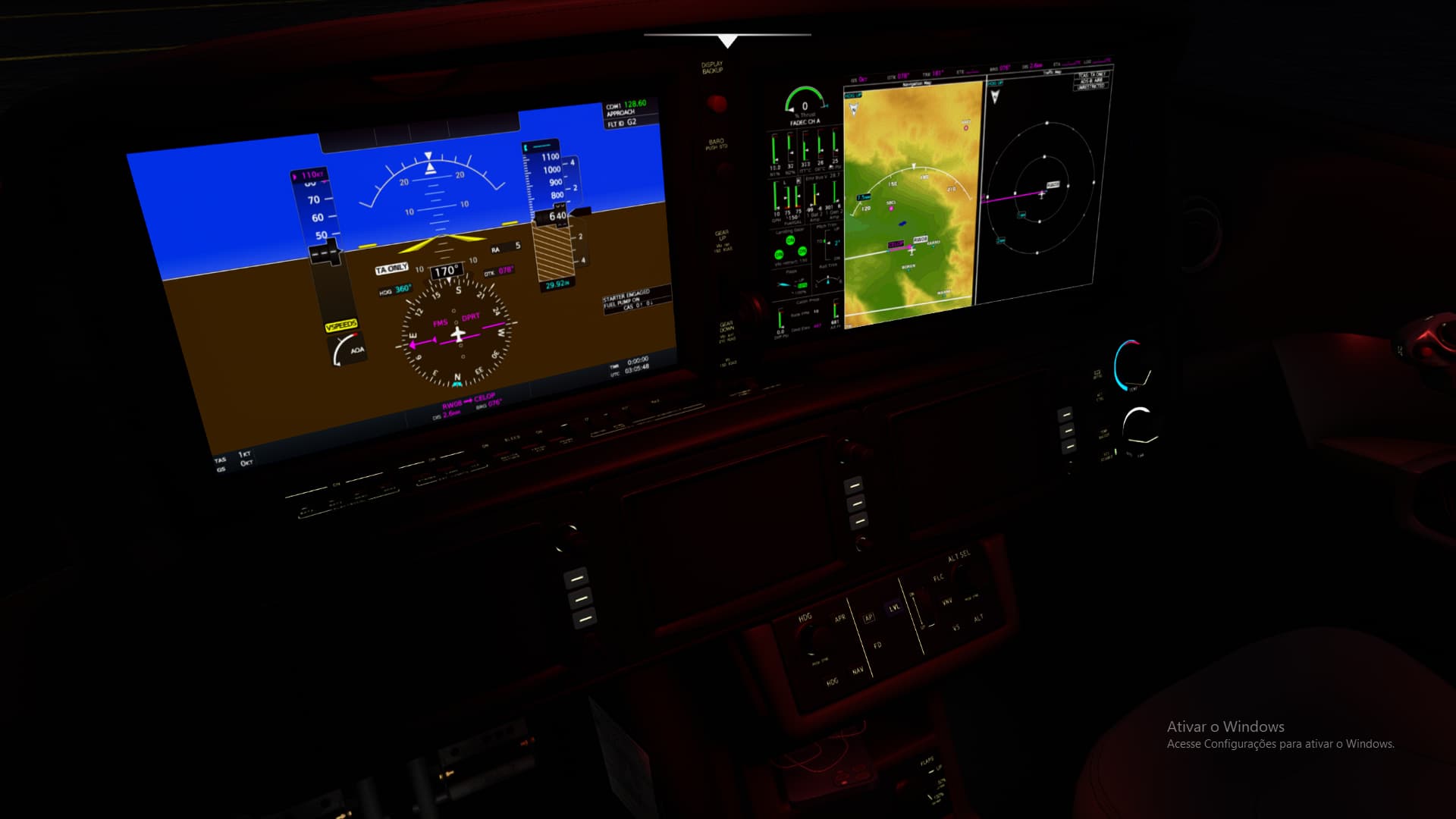
any ideia what causing black screens?
I tried to install, start cold and dark, start ready for takeoff and nothing.
1 Like
Ooh only partial black screens. Not seen that before, something different to the usual sim black screens bug many of us suffer from.
Successfully flew a VNAV to ILS approach. Yay!
Regarding OBS, which knob turns it? I clicked on OBS on the PFD and have turned every knob in the jet (I think)
1 Like
Is there a change log/list for this update?
From FlightFX official Discord:
Vision Jet 2.0 avionics upgrade.
-
All custom pages and EIS have been reworked to be compatible with the WT AAU G3000 system.
-
Checklist can now be viewed on any screen (split screen only).
-
PFD, MFD and all GTC screen sizes have been reworked to have the correct screen sizes and aspect ratio. This includes a remodel of the cockpit area.
-
New Aircraft status page items:
- Enviro and Press
- IPS Stall & Offset Reset
-
Fully reworked Autothrottle to be more accurate and responsive.
-
Full VNAV capabilities (WT version)
-
All units now update based on the units selected in the MFD settings.
-
FLAPS ICE and STALL SPEED HIGH CAS message now shows when airframe de-icing has been enabled. The message can be reset using the IPS Stall & Offset Reset button in the GTC Aircraft Status page.
-
Added contrails
-
All VAMS features have been moved to the touch pad found in the cockpit.
-
Fixed TAT temperature on the Status Info page.
-
Fixed Weight Balance Init page getting a green tick even if total weight is above max take off weight
-
Fixed Takeoff Thrust CAS message appearing twice
-
AT no longer only works when pressed from within the cockpit, it can now be assigned to any button
-
Checklist TSC page has been moved to Utilities → Checklist.
7 Likes
Is there any kind of a written tutorial flight out there? I find these immensely useful, as compared to simply sitting and watching a you-tube video. I haven’t flown this thing in ages but recall that the documentation that came with this was pretty basic.
Also, from the change log above, Full VNAV (WT Version). What does that mean? Do I have to download something else for the Working Title version?
1 Like
The G3000 in Vision Jet 2.0 is the latest AAU1 version from Working Title, but with Navigraph embedded in it and customized Synoptics pages ong other things. No need to download anything else for it.
1 Like
I believe the knob should be the GTC Top Outer Knob to the right of the PFD. But it doesn’t change the OBS course when I turn it. Any advice? Thank you
Just loaded the aircraft up, with just freshly installed update, after a long time of being in the hanger.
Ketchikan…
Raining…
Aircraft looks sick…
In the bird, loading everything up…jacked up because the bird looks absolutely sick, in the most complimentary way
Then…
Black screen…gotta love it 
Edit:
Made it a little further.
Reloaded…samey same.
Got a chance to release the brake and give her a wee bit of thrust this time, before
…
Not sure how much more I can handle.
1 Like
If you are on a pc get rid of any working title files from your community folder. None of them are needed anymore. Everything is in the core. This causes conflict with other users.
If you are on the box go to a small airfield somewhere away from everything and declutter your map. Get rid of cities, rivers etc. some place in the middle of the pacific. It should be persistent after that. That will alleviate the burden on your systems resources.
Hopefully this helps.
You can also try reducing the setting for cockpit screen refresh. It will reduce the amount of times it redraws the screens, also reducing resources.
I appreciate the suggestion (s)
Genuinely
My map is not populated to that degree, what with cities, rivers, etc.
On the Box
Well, back in the hanger till…who knows.

LOL! Feel like I’m being led down a cattle chute with a Navigraph subscription at the end  . Been trying to avoid the added expense but I may have to bite the bullet. Living on fixed income sucks.
Do you fly the HondaJet?
1 Like
Yep, not as often as I like, but the HJet is one of my favorites.
AJ, I baited the hook on the HondaJet page but nobody bit. PM me later when you get time and I’ll show youj a feature 
Tim
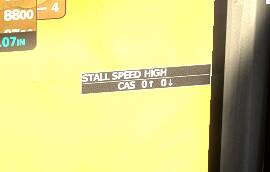
I moved your post out of the Official G3000 Thread because this is a Vision Jet specific CAS Message. It just means you’ve enabled Ice Protection on the wings. You can’t clear the message until you turn off Ice Protection.
2 Likes
I had figured it out how to get rid of the headphone in the Vision Jet but after todays update they are back.
Can somebody advise on how to turn them off ? I can’t find it.