I wonder if someone could please help me. I’ve tried everything I can think of to rid MSFS of these generic aircraft, but either I’m doing something wrong (which is almost certainly the case) or it just can’t be done. This is a shot of Miami International just a bit ago:
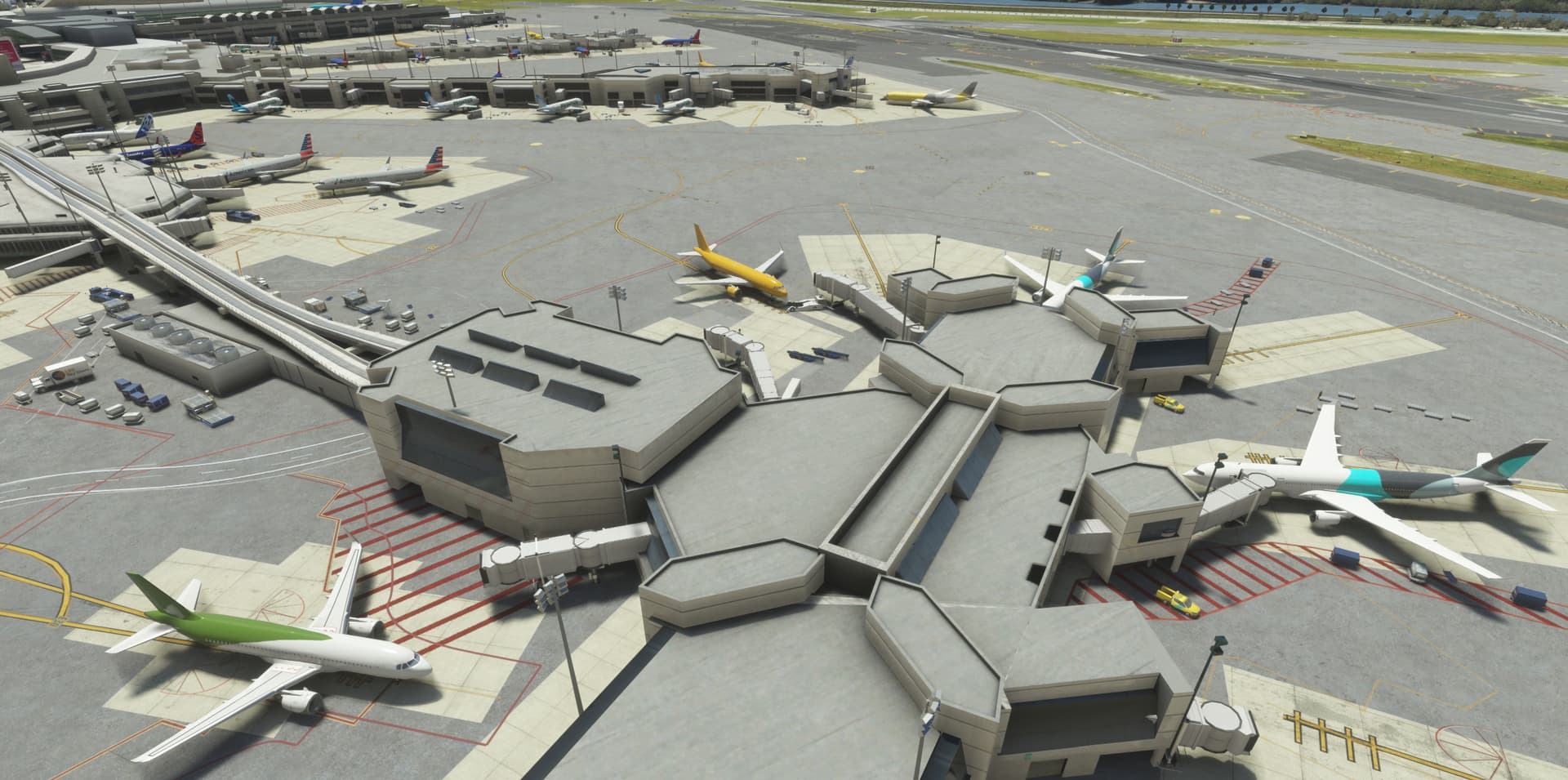
Note that there are several AA aircraft in the background along with some SW as well. That’s great. But how do I get rid of these generic in the foreground? They’re all over the place.
-
I’ve loaded the Generic A320 Traffic mod from flightsim.to, but the author NeoKingArthur himself says that AIG’s logic is better and he doesn’t use this anymore.
-
I’ve loaded the standard airlines in AIG Manager and TC (SW, AA, Delta, etc) but when I try to load Traffic Controller, it just clocks and does nothing so I have to kill it. I have loaded the AIG aircraft into my Community folder, and I see them in the game, so I know it’s picking them up.
-
I’ve tried using Real-Time (Ground Traffic 75), AI Offline (Traffic Density 100), and Off for the Traffic Types, and I’ve tried turning the Generic Traffic indicator to both On and Off, but nothing is working.
I assume this is like some kind of combination lock and I just don’t know the combination. I realize that this doesn’t make a big difference in the grand scheme of things, but like a lot of MSFS, it’s these little things that tend to drive me crazy.
Thanks very much.