2025.09.03 - v1.5.27.0 - Not cached sim content
It is always better to cache locally than to repeatedly download the same data from a remote server … over and over again.
- The local experience gets faster with cached data.
- The remote servers are under less stress … which makes them “faster”.
I did try to make my case for “excessive caching” back in 2025-01:
In most cases it is hard to say which data is not cached, because it would require a very intrusive form of project analysis. But in some cases it is very obvious, because it jumps right into the face of a “curious observer” … like a goose.
The following two examples have been around since the launch of FS2024 and are still present in SU3.
Marketplace content
When scrolling the marketplace content with a 500 Mbps fiber-optic internet connection I always see this:
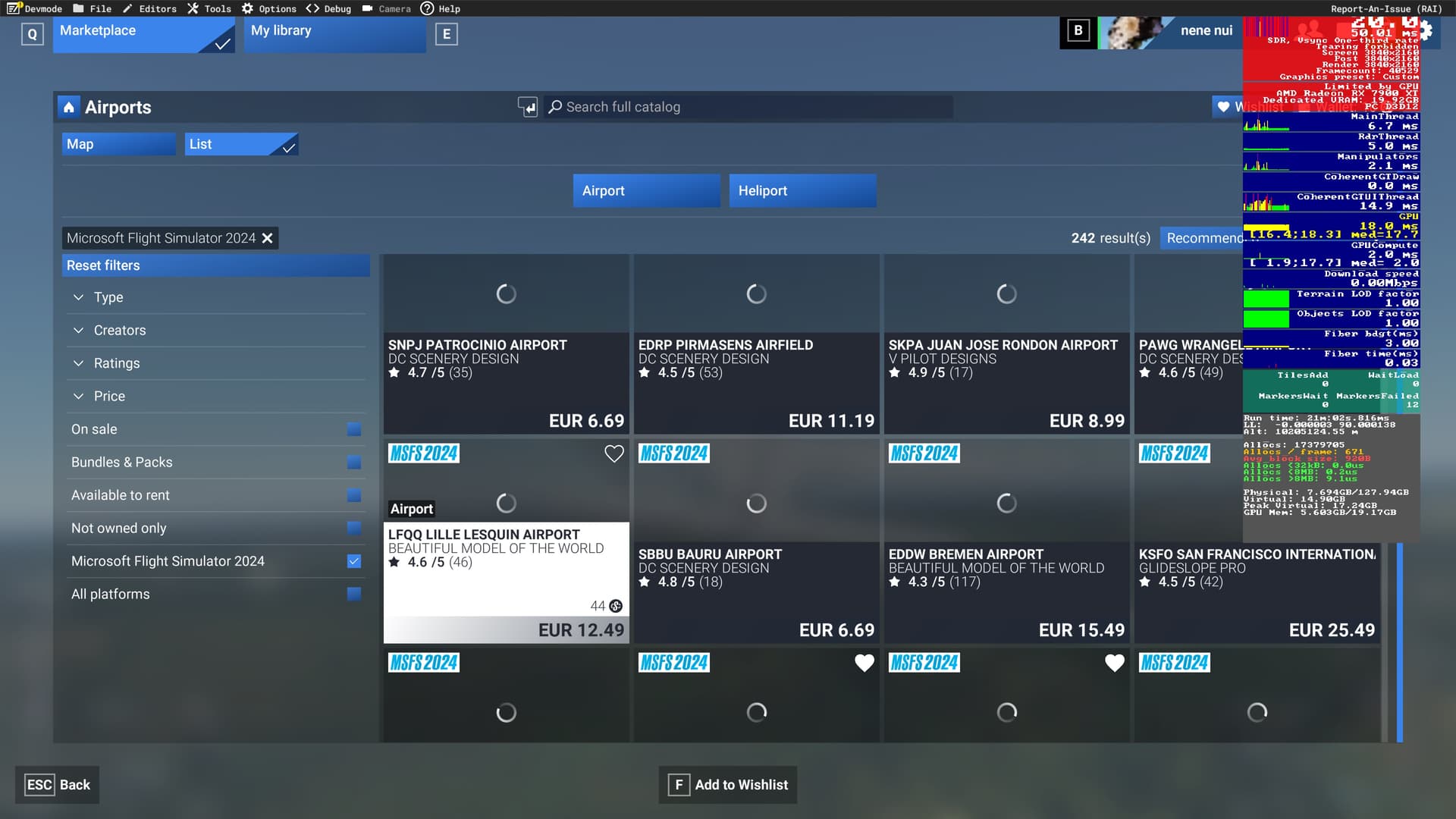
- Once the images have finally loaded
- … I scroll down
- … wait for the images to get loaded
- … I scroll up
- … wait for the images to get loaded
- … and I scroll … and I wait … etc pp
There still is (practically) zero local caching of the marketplace content.
This makes giving more money to MS-Asobo a somewhat frustrating experience. A goose does not really like to sit and wait for the same images to load over and over again. Life is too short for that.
The marketplace UI is most likely based on a JavaScript + HTML UI which gets rendered by the Coherent GT library … which FS2020 and FS2024 are also using for cockpit instruments.
So one can assume that the marketplace images and descriptions are provided by regular HTTP messages.
The online data counter and the “Display FPS” overlay do both show related network activity. We are looking at a very large number of requests … but for content with a fairly small (tiny?) size … so the Mbps level is always very low.
This IMHO to some degree is good news, because:
- The sim code seems to be actively involved in downloading that content.
- The Coherent GT engine is not bypassing FS2024.
- The content (images, thumbnails, descriptions) is mostly immutable
- … which makes it a perfect candidate for caching.
It should be easy to simply add some local “HTTP proxy cache” layer so that even HTTP content downloaded from JavaScript and the Coherent GT HTML UI subsystem can be cached in the existing RC subsystem.
High altitude Free Flight globe content
When starting a new Free Flight I often go for a spin on the 3D globe … searching for inspirations.
What I did notice back in 2024 still is present in SU3:
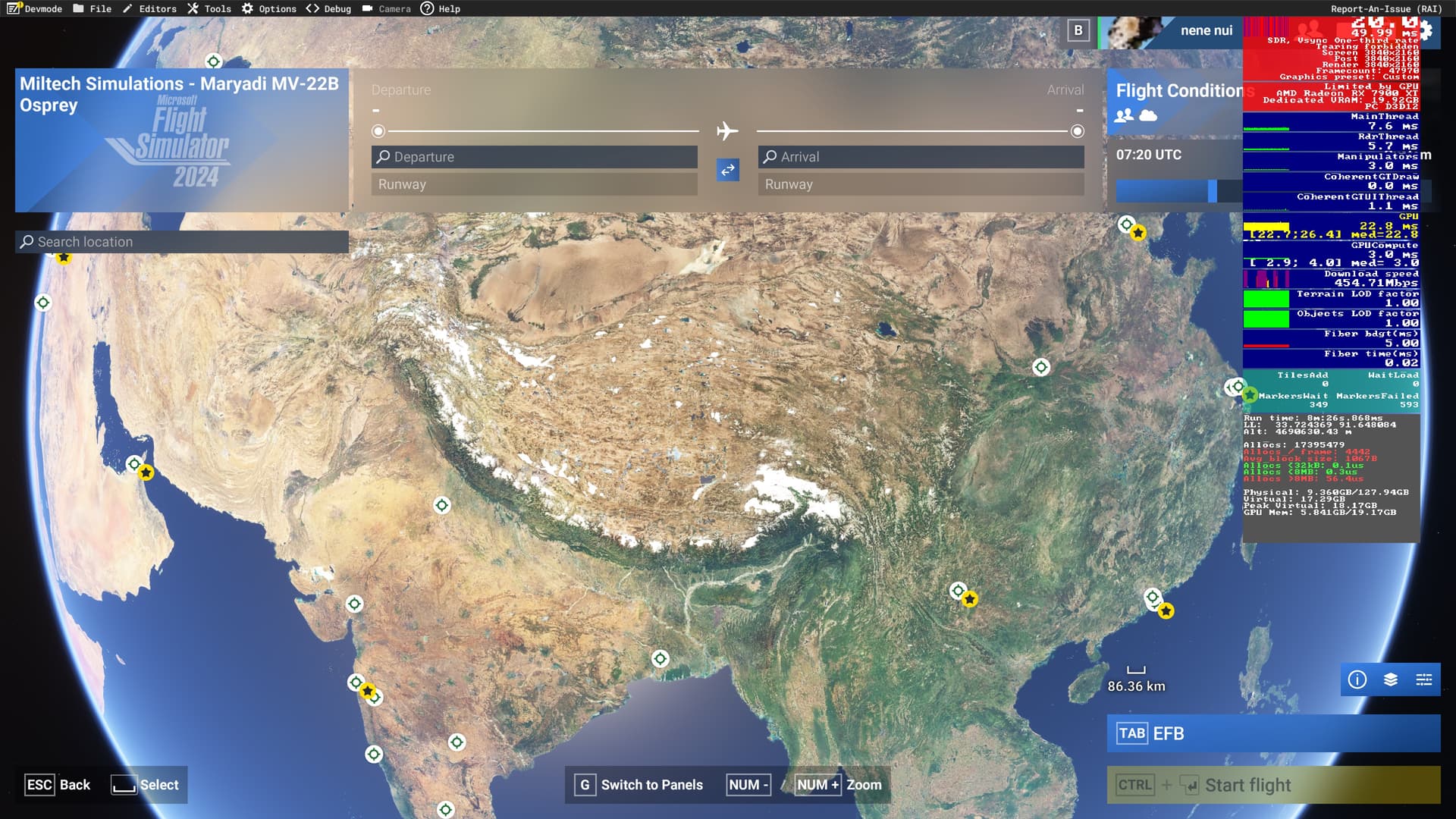
- I spin the globe without stopping, like a mad goose,
- … and I can watch continuous excessive network downloads
- … going up to 450 Mbps in the screenshot above.
This happens while all “Live” features are disabled … “Clear skies” only.
Now the strange part is, that once I zoom in “enough”, then sat image data suddenly starts to come from the cache and network activity slows down accordingly.
This is very counterintuitive, as the “space flight altitude” sat images are the most obvious candidates for long term local caching.
Currently my best guess is that I am looking at two different rendering engines:
- One for the “space flight altitude” showing the round globe
- … which is not caching its content.
- One for the actual “game engine altitudes” with a more “flat earth”
- … which is performing content caching.
- And somewhere the Free Flight menu view is switching between them … maybe.
To summarize these negative observations:
- Marketplace data (images, thumbnails, etc.) are still not cached locally
- … which results in a noticable degradation of the usability of the UI.
- 3D globe data (textures) at “space flight altitude” are still not cached locally
- … resulting in unnecessary and excessive network downloads.
- It is unclear why this happens, because this is a very obvious candidate for caching
- … due to very high reuse immutable data.
P.S: I hope this answers one of the questions which you, @mjchernis , asked a few days ago.