RTX 3080 vs 3080ti vs 3090 for FS2020

What causes you to be limited by Main thread at those big airports is the Traffic and LOD.

On Vatsim peak hours, spawning into Gatwick using live weather and AIG traffic models, I have to bump my LOD settings down to 60 to not be main thread limited. At that time there can be easily around 20-25 planes on the ground and more than 50-60 in the airspace and surrounding areas.

When taxing and on take off, I don’t really need the additional LOD, I’d rather have no stutters. Then once in the air, I can increase LOD back up.

I have realised that managing this situation dynamically seems to work best for me. At the smaller airports, like you said, this isn’t needed.

1 Like

Good advice, I just hope the Sim gets to the point where we don’t have to worry about that kind of thing.

1 Like

I’d absolutely love it if Asobo could implement some sort of dynamic LOD feature whereby the sim automatically lowers the LOD when you’re on the tarmac at Heathrow when there’s lots going on but then increases it again when you’re five thousand feet in the air above London.

1 Like

I just switched over to an MSI case and I miss the Corsair equipment, it’s much higher end. The case is super nice at least. I could replace it all, but not exactly how I want to spend a day after throwing this setup together.

Just put mine in today. I was surprised how big and heavy it is.

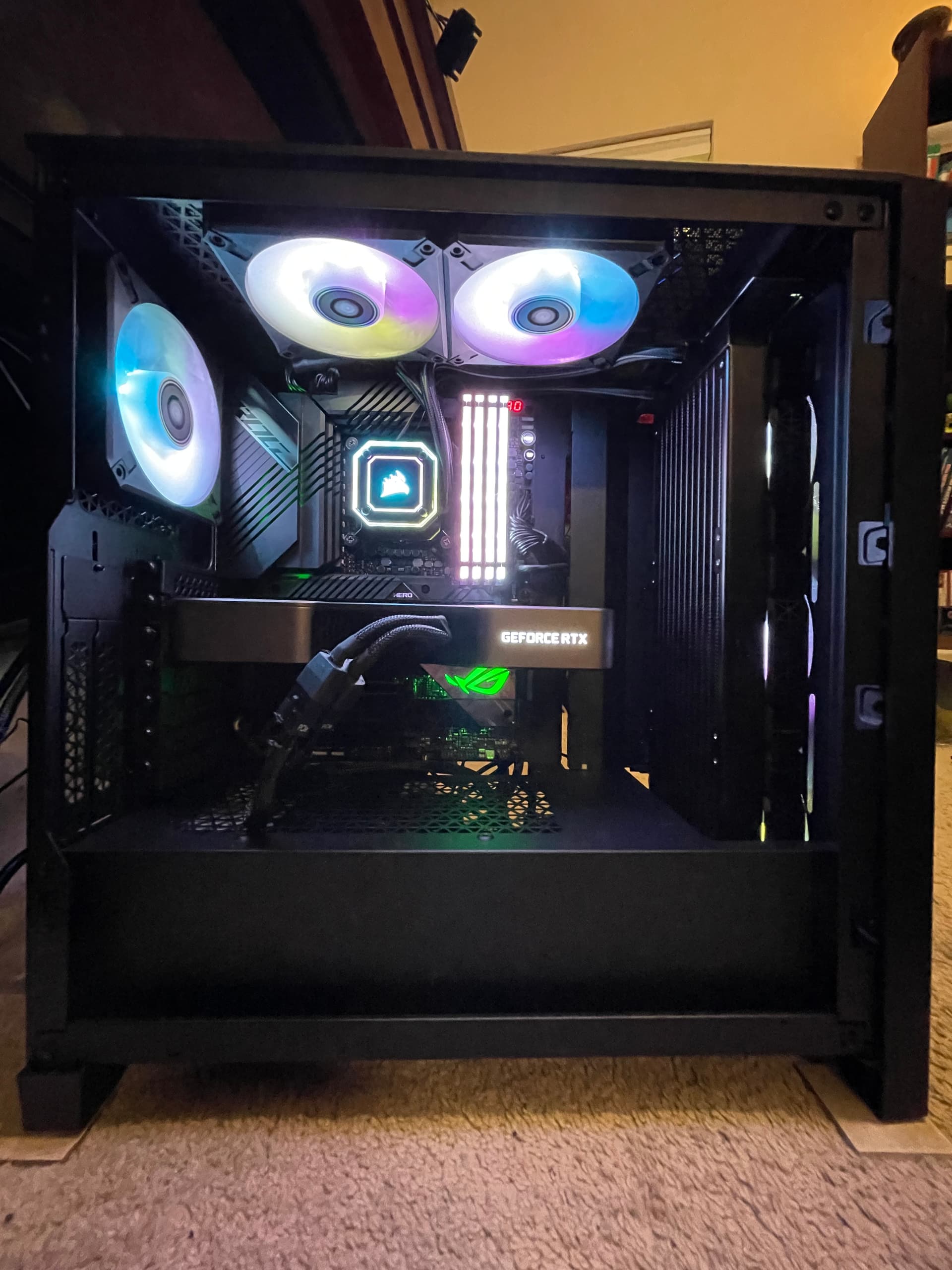
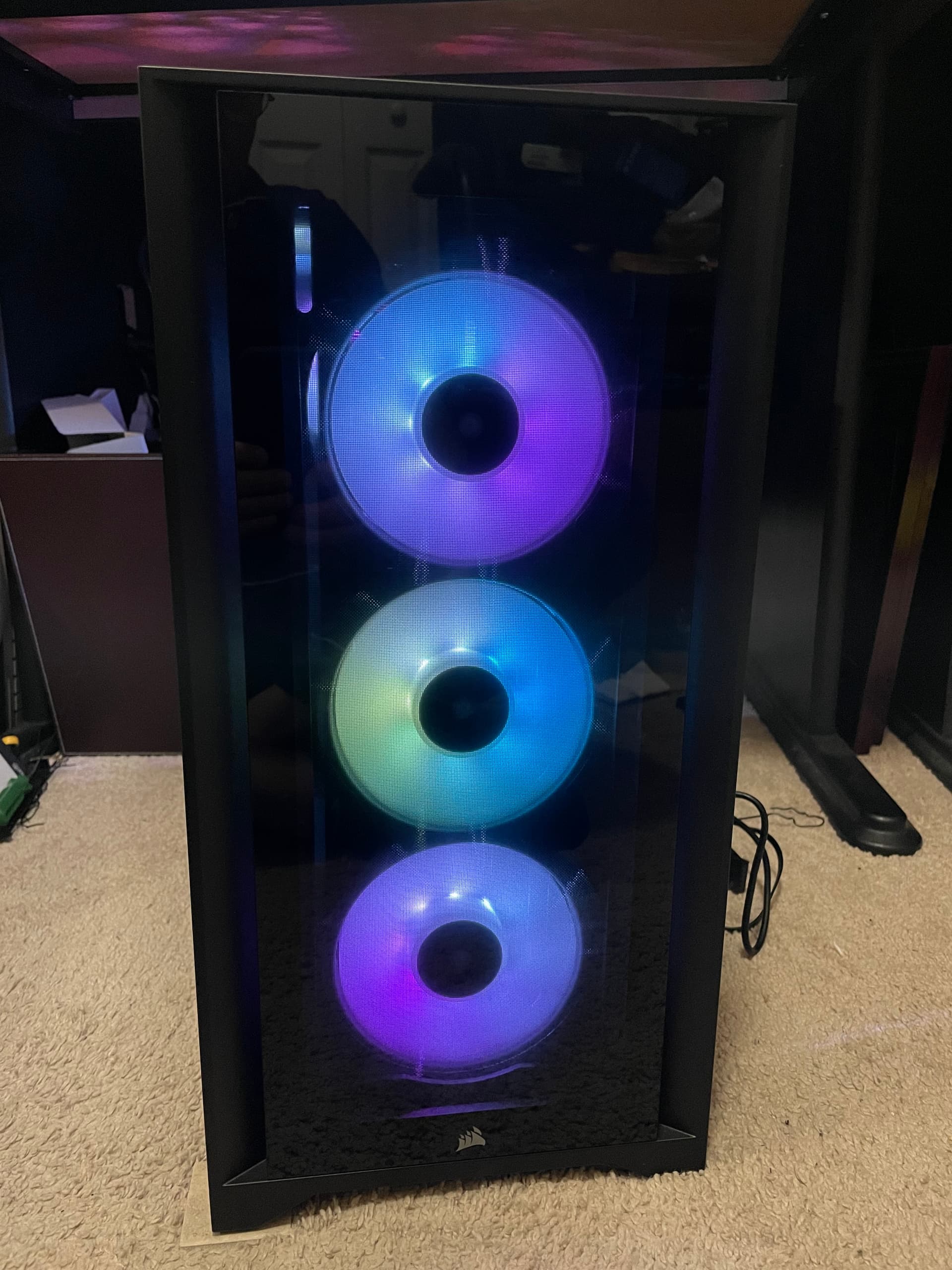
Yesterday I migrated to the new Corsair 4000x case, upgraded the cooler from the H100i to the H150i which is a 360 versus a 240. I also upgrade the three SP 120 fans to ML 120.

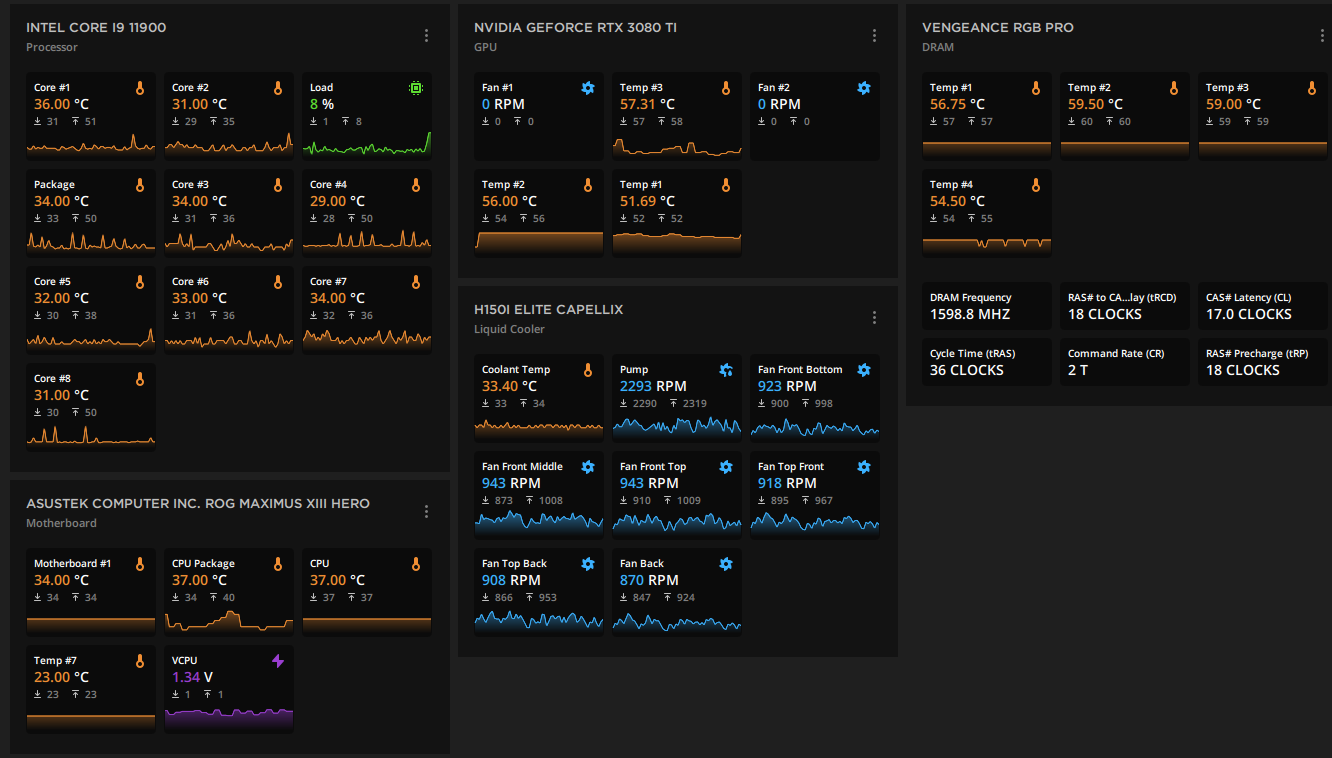
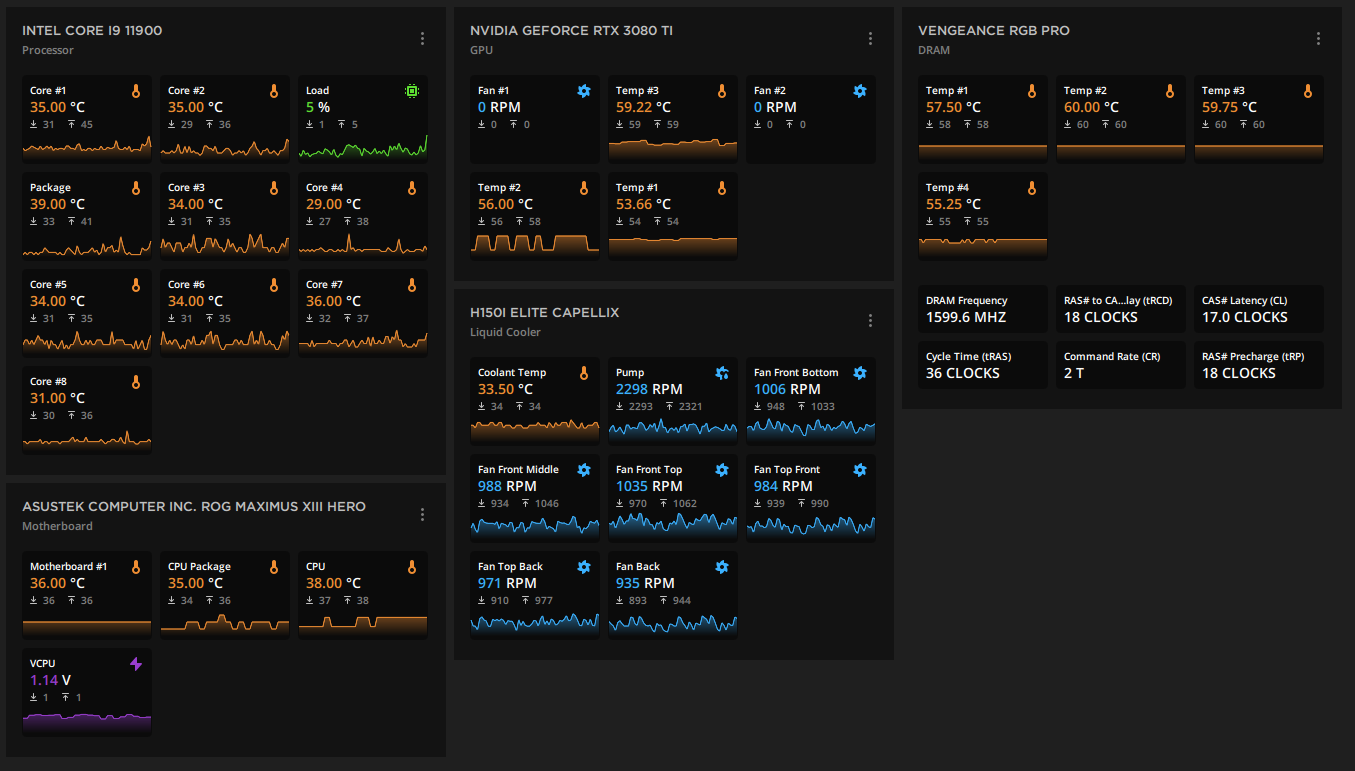
What a huge difference! The system stays much cooler and quieter! the coolant temps are new about 32c at idle and stay under 40c with FS running at Ultra and 60 FPS and LOD higher than what Ultra normally sets.

The Corsair 750R I originally had was just too small to handle a GPU the size of the 3080ti and it was right up to the radiator and causing it to run hot and overall just a bad mix.

These are not good photos, as I was tired when I finished and hadn’t removed the plastic from the front cover and the side glass panels isn’t on. But anyway, this is what my system looks like now. Notice how lower the fans now run.

Oh, and as someone else had mentioned the 3080ti is pretty much a 3090 with less VRAM and a lot more powerful than a 3080.

Which way do you have the airflow through the radiator?

I just did a top mount 240 exhaust setup.

I’m at 60-65 C peak with the sim running, but with a Ryzen 7 5800X.

I did a front mount as intake with a 360.

What temp is at 60-65C, if the coolant, that is very high.

I would them as intake. Since heat rises your are cooling the radiator with hot air from inside the case. The outside ambient air is going to be much cooler and keep the water cooler. And do an exhaust in the back a towards the top and maybe other places. How may fans do you have in total?

I have six. Three if front of radiator in the front of the case as intake. One exhaust in the top back and two more exhaust on the top.

Right now I have the sim up, but just looking at the Marketplace and some of my add-ons, so not really under a lot of load.

My coolant temperature is 36C. When flying it usually doesn’t go above 40-42C. I think it’s best to control the speed of the fans base off your radiator cooler and not the CPU temperature. By the time the CPU gets hot, the water too has gotten hotter and more difficult to cool down.

Keeping the water cooler, keeps your CPU cooler.

This is the case, I needed something fast and Best Buy had it local.

https://www.amazon.com/MSI-MPG-SEKIRA-500X-306-7G05X11-W57/dp/B07V462M6M/ref=sr_1_2?crid=2TG4M347MK8CN&keywords=MSI+MPG+SEKIRA+500X&qid=1648160007&sprefix=msi+mpg+sekira+500x+%2Caps%2C348&sr=8-2

There are two 200mm in the front and two 200mm on the top in an exhaust config. The case has a radiator mount that seals up against the top fan box. Internal temps always feel cool to me.

I think I did a poor job on the thermal paste. It was super gummy and dry feeling. I may reapply it this weekend.

Idle on a menu I’m also around 36C. The temp is the one listed as CPU temp. There is also a CPU package temperature that can spike up to 10C higher.

I haven’t tried any undervolting yet. I’m giving it some time before I start tweaking. I’m not familiar with these new chips.

As you can see in my Specs (see profile), my Asus system came with the 3090 and I can’t complain…

I have everything in Ultra mode and all the addons I can get out there and performance is pretty good.

But I don’t display or care about FPS numbers :slight_smile: :grimacing:

VR all in Ultra?

The 2D settings are all maxed out and pushing high frames. I just can’t 2D anymore.

Wow that’s a nice case with big fans!

I really don’t think that doing a poor job on the thermal paste makes a big difference. I’ve see plenty of YouTube about that to indicate the it really doesn’t make a big difference on how you apply it or how much. As long as you applied some, you should be good in that area.

You mention at times the CPU package can spike to, you typed 10C but I think you meant 100C, which are shutdown levels. You should never be reaching those temperatures. The CPU will throttle down to protect itself and will start processing slower and you may see stutters due to that.

At this point, I wouldn’t mess with voltages. By default the voltages will be set to good values.

The problem you may have is the amount of intake air versus exhaust and where your water cooler is installed.

You had mentioned that it was top mounted and set as exhaust, which as I mentioned I think it’s bad to try to cool your water with hot air from inside the case. The cooler should ALWAYS be an intake of cool air from the outside.

But you also need to determine how your four 200mm fans are installed and if you had to remove some what your overall intake/exhaust configuration is. From looking at the image from your case, I would imagine that the front is intake, the top and maybe the back also exhaust which would make your case a negative pressure case and would have the tendency to suck in air from available openings in your case and eventually cause a lot of dust inside the case.

You always want a positive pressure case, meaning you always have more intake filtered air that exhaust fans and that would create a positive pressure case and blow clean air our of available holes in the case and keep the in side clean.

And positive pressure will also keep the inside of the case cooler and and your components cooler.

I think you mentioned that you installed your 240 radiator on top in exhaust mode. So I guess you probably had to remove the top two 200mm fans. So you swapped out two 200mm fans for two 120 mm fans?

I think you intake and exhaust fans may be out of whack and why you are hitting 100C, which you never should, and you have a great case, so I think the fans or the controls of the fans are not setup properly.

If you want we can get on a Discord and talk more about it. My first setup sucked and now it’s great and the only difference was the case, the cooler and the fans.

You have a great case, so we should be able to make it work great. I think it’s just a matter of ensuring the fans are working properly. All cooler basically work the same, so that too we can make work great.

Tonight I did a 3 hour group flight and my coolant temperature never went above 38C. That’s another thing I had mentioned in a previous message, cool based on your cooler and not your CPU or CPU Package, by then it’s too late and everything is already too hot.

Like I said, if you want we can chat on Discord. Much easier than going back and forth with messages.

Edit: Wow super long message :slight_smile:

Lol, on long message.

I did mean 10C over the CPU temps so if the CPU temp is 60C, the CPU Package can be 60C to 70C max. But those are the spike temps I’ve seen. It’s hard to monitor in VR! I’ve never hit 80C that I know.

I have opened the case and felt around, including the radiator.

The radiator fans and the case’s top fans are blowing out. I verified and had also accidentally installed the radiator fans in the opposite direction. Which really causer a massive temp spike! MSI reversed the direction on these top fans. I actually spoke to MSI on that. But they didn’t bother to document in the pamphlet.

The Corsair stuff you have is better quality. My last case was all Coursair. The fans and LED controllers just aren’t as polished on the MSI side.

Yes, I can be chatty at times.

Yes the CPU temp and CPU package can vary between 10C to 15C and that is normal.

Right now, with the sim off and just a browser and Discord a few other minor things up, my CPU package is cooler that the CPU. When things get going, it’s the opposite.

Glad to hear that you got your fan stuff straightened out!

I’ve notice that the case and motherboards manufacturers don’t give good instructions. They are really basic and just tell you to do it with no direction on how to do it.

When I first built this system, it took me a week to figure out how to connect things and not short circuit anything out.

When I migrated the case and switch to new fans and cooler I did it in one day. By them I had already figured it out.

At first I kind of hated getting the 3080ti and thought that maybe I should have just gotten a 2080ti cause of all the heat being generated and my office feeling like a sauna.

But with the new stuff, everything stays cool and I’m glad to have what is now the best GPU in the industry! The 4000 series is suppose to come out soon, but we are good for a very long time with the 3080ti!

The instructions on the MSI case were terrible! I still haven’t gotten my LED setup working.

No VR, regular screen!

The press keeps saying the 40 series will be twice as fast. Although I don’t trust those claims. That’s probably a very specific test case that doesn’t apply across the board.

But it would be nice if we could run Ultra at 60fps in VR.

1 Like

Even if they do have the technology to make it twice as fast they won’t. They need to leave some of it’s horsepower available for then next few years.

They make a lot more money by releasing it in small increments :money_mouth_face:

1 Like

I am wondering if I should get either one this summer or wait for the next gen cards :roll_eyes: Any of those cards would be a huge bump from my rtx2060super providing I am already gpu limited on a UWQHD monitor.

There will always be something better coming down the line. You just need to decide on what you want and when.

The RTX 2060 Super is a pretty good card. Keep in mind that depending on what card you get, you may also need to upgrade your case and PSU.

I wanted the 308ti, and I knew that it wouldn’t fit in my case and the PSU wasn’t powerful enough.

I decided to do a new build and the case I got (Corsair 750R) was too small and things were overheating due to all the heat and size of the 3080ti. I ended moving things over to the Corsair 4000x case. The Corsair 5000x is also a good case, but somewhat bigger than the 4000x. But, I’m very happy with the 4000x!

The RTX 2060 Super ran my 1440P monitor at High-end setting at 30 FPS without any problems and actually it looked great at the resolution. I still have that setup and will also keep it and run it on a 1080p which it runs great with the RTX2060 Super, a I7-10700 and 64GB RAM.

I will be good to have when people come over and want to fly with me.