The voice of reason … a Rare entry in this thread 
I don’t own this plane, but of those that I do own I can’t think of any that cannot be started from the ramp, cold & dark.
Its a great module, one of my most regular flyers.
I originally had it on xbox and its now even better on PC in both 2020 and 2024.
I fully understand why updates are currently being held back by many developers until Asobo fix the mandatory systems in 24 as if you patch something a following Asobo update will then break it again. That just creates a perpetual work loop which suits no one except Asobo who can continually bill more working hours.
This situation will never change, until 2024 goes EOL. There will always be new patches. The hope is as the simulator matures the changes become less, and less impactful.
I’m still shaking my head over why Asobo thought it was important to swap the direction trim works with controllers, breaking so many aircraft. Granted, most developers have fixed the way their planes interact with trim since then, but, just another example of how changes Asobo makes affects planes already in the system.
The only other one I was aware of, the SimSolutions DA20, was finally resolved a few months ago with Asobo’s help. This may very well be the last addon with this issue. It probably won’t magically be resolved unless it’s done directly with Asobo. I’ve given up on this one.
@NightMercury358, msfs2024 has been out for over a year, and SU4 is out now.
Would it be possible to get an update on the current status, blockers and any ETAs, even approximate ones for:
- The manuals becoming available again
- The plane being fixed so as to be able to start from cold and dark
- Related to above it being possible to enter the plane by pressing the cockpit handle from the outside when in first person view, and exit by doing the same from the inside
- Fuel gagues displaying correct fuel value
- Sending flight plan to avionics in EFB working with the Garmin system
I understand that msfs is a moving target.. but it will always be this way, as it is an evolving ecosystem. When they add shared cockpits I bet more work will be needed to make the plane compatible with that too.
The above list does not ask for anything new to be added, only for existing things to be fixed.
So, I’ve slowly started looking at these myself.
I found some manuals and converted them into a checklists file. It appears to work locally in the EFB quite well. It’s a 571 line file though, so I won’t post it here. It is missing the “look at” bits, but it seems fine, the plane is quite simple and it is easy enough to find anything one needs quickly enough. The archaic British plane terms are rather quaint.
The entry handle needs the model to be modified to tag which bit of the plane is a handle - not being a 3d model person myself I decided to leave this to a later date.
The fuel gauge issue is quite easy to solve - in cockpit.cfg it needs a
 min =0
 lowLimit =0
 green_start =5
-green_end =26
+green_end =15.25
 yellow_start =0
 yellow_end =0
 red_start =1
 red_end =5
 highLimit =0
-max =26
+max =15.25
+
+[FUEL_QUANTITY:1]
+min =0
+lowLimit =0
+green_start =5
+green_end =15.25
+yellow_start =0
+yellow_end =0
+red_start =1
+red_end =5
+highLimit =0
+max =15.25
+
+[FUEL_QUANTITY:2]
+min =0
+lowLimit =0
+green_start =5
+green_end =15.25
+yellow_start =0
+yellow_end =0
+red_start =1
+red_end =5
+highLimit =0
+max =15.25
sort of thing, and SAB-interior.xml also needed
        <UseTemplate Name="BBS_Emissive_Needle">
-               <ANIM_CODE>(A:FUEL LEFT QUANTITY, Gallons) 4.878 *</ANIM_CODE>
+               <ANIM_CODE>(A:FUEL LEFT QUANTITY, Gallons) 6.557 *</ANIM_CODE>
                <ANIM_LENGTH>100</ANIM_LENGTH>
                <NODE_NAME>FUEL_L_NEEDLE</NODE_NAME>
                <ANIM_NAME>ANIM_FUEL_L_NEEDLE</ANIM_NAME>
        </UseTemplate>

        <UseTemplate Name="BBS_Emissive_Needle">
-               <ANIM_CODE>(A:FUEL RIGHT QUANTITY, Gallons) 4.878 *</ANIM_CODE>
+               <ANIM_CODE>(A:FUEL RIGHT QUANTITY, Gallons) 6.557 *</ANIM_CODE>
                <ANIM_LENGTH>100</ANIM_LENGTH>
                <NODE_NAME>FUEL_R_NEEDLE</NODE_NAME>
                <ANIM_NAME>ANIM_FUEL_R_NEEDLE</ANIM_NAME>
For GPS route from EFB I needed to add stuff to systems.cfg
+[AVIONICS]
+gps.1 = Type:1#Index:1#Name:GPS#CanReceiveFlightPlans:1
Cold start remains a harder issue to solve. I started off by giving the battery some juice,
-battery.1 = Connections:bus.1, bus.3#Capacity:13.6#Voltage:curve.1#Name:Main_Battery ; Main Battery
+battery.1 = Connections:bus.1, bus.3#Capacity:13.6#Voltage:curve.1#InitialCapacity:1.0#Name:Main_Battery ; Main Battery
but that did not do it, I then thought maybe it needs some fuel, so I started playing with the fuel system.
At this point however MSFS stopped my testing efforts and overrode my locally modified Bulldog with Marketplace purchased one (it finished auto-downloading). I have not been able to find a workaround - maybe someone here knows of a way to avoid having my plane auto-downgraded to factory settings?
Given it’s a text file, you can attach it instead of quoting it. Just change the file type to .txt
Great thinking!
checklists.txt (21.7 KB)
Sorry, I missed your next part. You could create a package in your community containing all your changes, and it should override the Marketplace version.
I have found in the past, sometimes you need to create multiple packages for it to work. For instance, if I created a livery and included an updated camera.cfg file, it would ignore the updated camera.cfg file. I don’t know what I was doing wrong. But if I created a separate package, a livery in one, and a new camera.cfg in another, it would work.
Yup, I tried that with a renamed package, but it must have some name conflict as it gets marked as “disabled” and if I open dev tools it has InvalidContentError, but I see no errors logged and no further debugging information to go on.
Oh, there’s a whole lot of work you need to do to get it to work.
You need to update the aircraft.cfg and add the base_aircraft parameter pointing to the VFS directory of the plane (the directory in Simobject\airplanes). Then, you’re going to need to figure out which files you can replace directly by having the same name, and which you need to make unique so as not to affect other packages adversely. I haven’t figured out in detail what files you’re editing, so that’s some work that needs to be done.
Then, when you have a finished package, you need to run it through the layout.json file generator to get the layout.json file correct. 2024 is very finicky about this file being 100% correct now. 2020 was a little more loosey-goosey. For instance, 2020 didn’t care if the size of files was wrong, 2024 wants this to be correct.
I see. That is a lot of work indeed. Is it possible to just temporarily disable my Marketplace purchase somehow? Jumping through a bunch of hoops that are harder than fixing the underlying bugs themselves seems a little.. extra? 
I believe so. You can change “Streamed” to “Disabled” in your library.
For scenery yes, but seemingly not for aircraft. The reorder tool also does not let me manually override with the Community folder version because it is not a scenery plugin.
Packages that are properly built should be able to override any item in the VFS, except for a few things that I forget, related to Career and some other things. And, be that as it may, there are ways to write your version of things too and end up with a whole package.

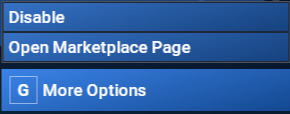
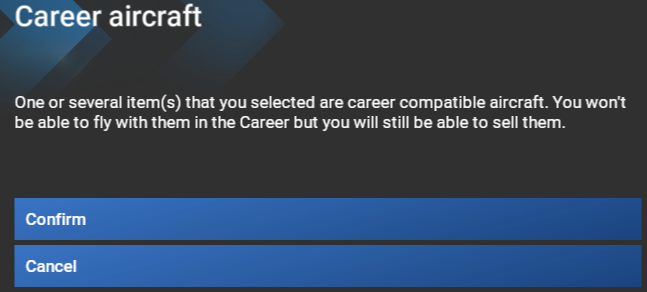


I didn’t have a Disable option, only a Cancel one as the state was not “Streamed” but “Ready to Install”. However once cancelled it was possible to disable.
Big progress!
Right, so it wasn’t actually “Installed”. I’ve seen that before actually. Glad you got it working.