OK, so the reason behind cold and dark start failure is that it puts an invisible engine cover over the air intake of the plane and the plane can’t start without air. Toggling all off in dev mode results in a plane that works from cold and dark.
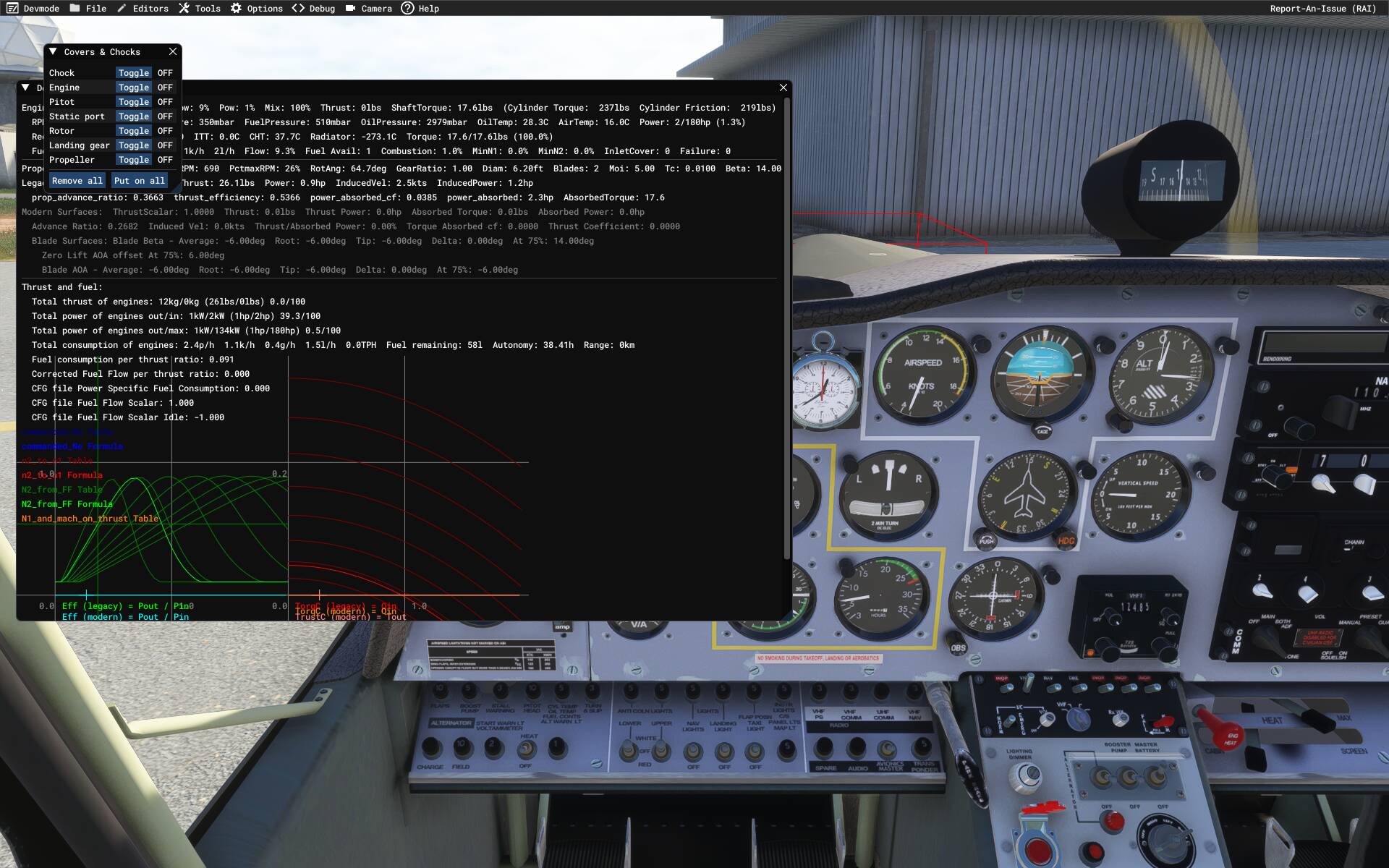
Yeah, that would do it. In the 2020 version of the Islander, failing to remove those would lead to a non-starting engine IIRC.
I stopped looking before figuring out a way of programmatically removing them while the plane loads, but it would be nice if they got auto removed..
Otherwise the plane is turning out quite nice. Got working fuel gauge, garmin takes flight plan from efb, and it looks like starting from cold and dark is in principle a solvable problem. Checklists need a bit more work, but also seem doable, at least to a basic level.
At that point I will just be happy with the plane. Cockpit handle entry/exit and seeing my actual character in the pilot seat would be the only things left, and they are not even that important.
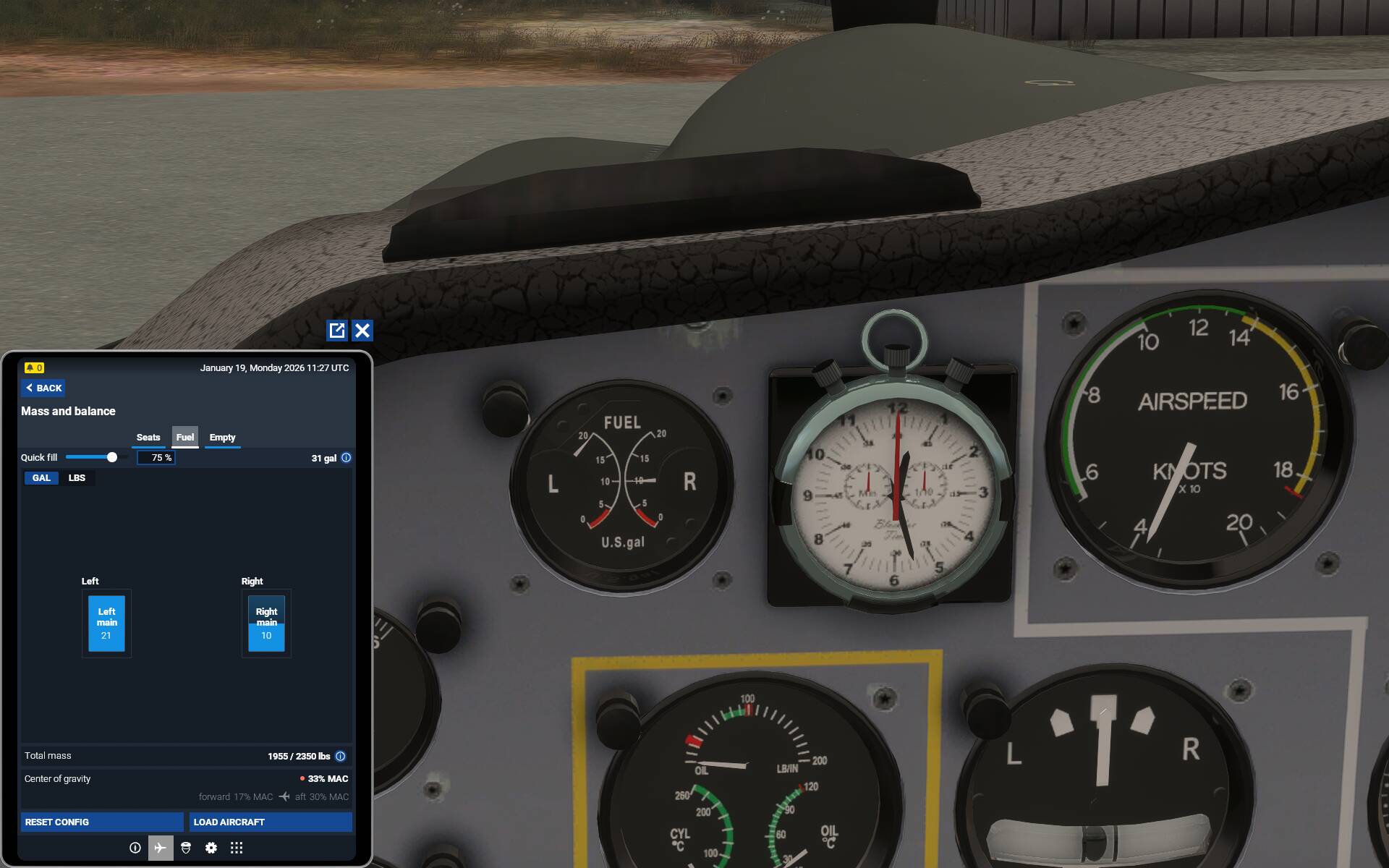
I looked up the plane information, and those of you who were reporting slightly faster than expected fuel burn were correct - Bulldog should have 34 imperial gallons of fuel, which is 41 US gallons.
Expanded fuel tanks look like this in flight_model.cfg:
[FUEL]
LeftMain  	= 0.5,-5.9,-0.8,20.5,0.75
RightMain 	= 0.5,5.9,-0.8,20.5,0.75
I think this is instead of the fuel indicator fix I posted above, as that just makes the fuel needle move to the reduced tank size, this brings the tanks up to full sized tanks.
Lazy soandso that I am, I have Quick Preflight (which does the external cover removals for you) bound in 2024, and I’ve just found that if I press it before trying to start the Bulldog’s engine, the engine will start from Cold and Dark.
It seems that an engine cover’s being invisible is no bar to Quick Preflight removing it.
It doesn’t matter whether you’re inside or outside the aircraft when you press Quick Preflight. I did one test where I tried and failed to start the engine, then pressed Quick Preflight, then started the engine successfully.
Edit: I wouldn’t have thought of trying this if I hadn’t read your post.
Even better, if you bind it to the same button as enter aircraft (Shift + C by default), it just works as normal now.
Have you looked at the apron.flt file and compared it to the I think runway.flt file. It may be you can turn it off from not being there through a setting in that file. Or maybe there’s a rogue setting that’s making the cover invisible when it shouldn’t be.
Is there a setting on the EFB to put it away?
There are no .flt files that come with the plane. I tried adding one that specified covers to be turned off, but they had no effect.
The plane is not supposed to have covers, but the game adds them in anyway. 
I consider the quick preflight workaround to be good enough to not bother investigating it further, as the issue no longer affects me…
When not busy flying it will likely switch focus to tidying up the checklists. 
If you’re adding files to a package, make sure you update the layout.json, or the sim won’t see it.
That doesn’t guarantee the sim will know what to do with, say, apron.flt file. But if it’s not included in the layout.json, with the proper format in 2024, it won’t even try.
I have the plane, I can try it myself. It’s too bad he didn’t include any.
Yes, it is possibly why it didn’t work for me. I am away from msfs for a couple of days, but feel free to try, I would love to hear if that would fix it 
Oh, also last night I tested the new range.
I loaded a full tank and flew 200nm at 8000ft, 2200rpm using the reference manifold pressure. It used 30% of the tank, which means a 700nm range on a full tank or so. Flight reference card says I should get only 441nm, so I am getting considerably more range than expected. Would need to do a bit more testing in different environments and settings, but initial impression is that at optimal altitude and engine settings it overperforms now.
Then again internet says 640nm is the max range which if you add a 30min reserve would get us at aorund 690nm, which is very close to achieved value.
Edit: re-read flight reference card, it subtracts 4 gallons for takeoff and landing, It is actually pretty close then.
I did another test flight at 4,000ft and 2,600rpm. Got 410nm range with expected range being 397nm. This is very close to expectation.
@NightMercury358 Did I spot you in a Twin Pioneer? 
most probably
Does anyone know how to change pilot gender?
Id like to fly as a chap instead if a chapette.
Oh 2024 that is, 2020 im sorted
In aircraft.cfg find the [PILOT] section and change Female to Male.
List of pilots has other options you may want to try as well.
Can i access that option with the marketplace version? I originally purchased on xbox before moving to pc
Sadly not, Microsoft encrypts planes bought through the Marketplace.
You can ask for them to decrypt the planes, but it is both unlikely, and may not apply to this one as it is third party.
Hopefully Blackbox will update at somepoint to change the default avatars
Are you in 2020 or 2024? In 2020, if you install a livery, and name the VFS directory of the livery so it is alphabetically ahead of the Bulldog VFS directory, (the name of the {..packageDirectory}\SimObjects\Airplanes\xxx directory) the General properties sections (and name of the plane, etc.) of the livery package will override the values of the main package.
I haven’t worked out yet how to do that in 2024.
It doesn’t help Xbox users, sadly, but PC users can do this.
This is how I used to rename all my planes to Manufacturer/Type so I could keep my hangar organized, as well as how I could put my favorite liveries up front in the list if they weren’t in the base package (where I could reorder them in the base aircraft.cfg file). I’m extremely sad they took this “feature” away, leaving me with a library that is a complete and utter mess now. Now I’m stuck with Asobo’s stupid organization method of the hangar. I realize they changed it so they could produce more revenue by putting a Store icon in every tile, but, 2024 is useless too me now because it’s so hard for me to peruse my hangar and find a plane I’m looking for.
They even refuse to upgrade the “Category” tag so you can have multiple categories a plane might exist in, so I could at least look for say “Warbird” or “Amphibious” or “Amphibious, Warbird”, which could help a little bit.