1 tag is requred - add it in the tag section next to the title above:
Feel free to delete this quote section after adding your appropriate tags.
ISSUE DESCRIPTION
Description of the issue:
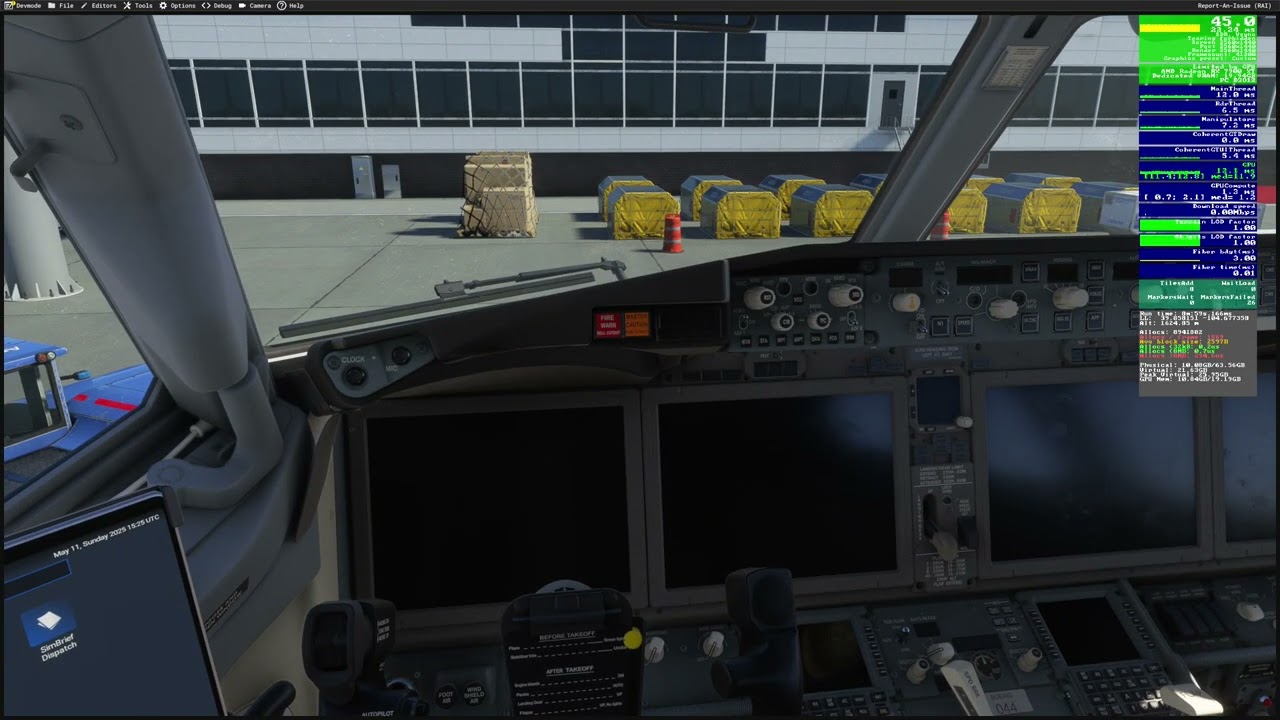
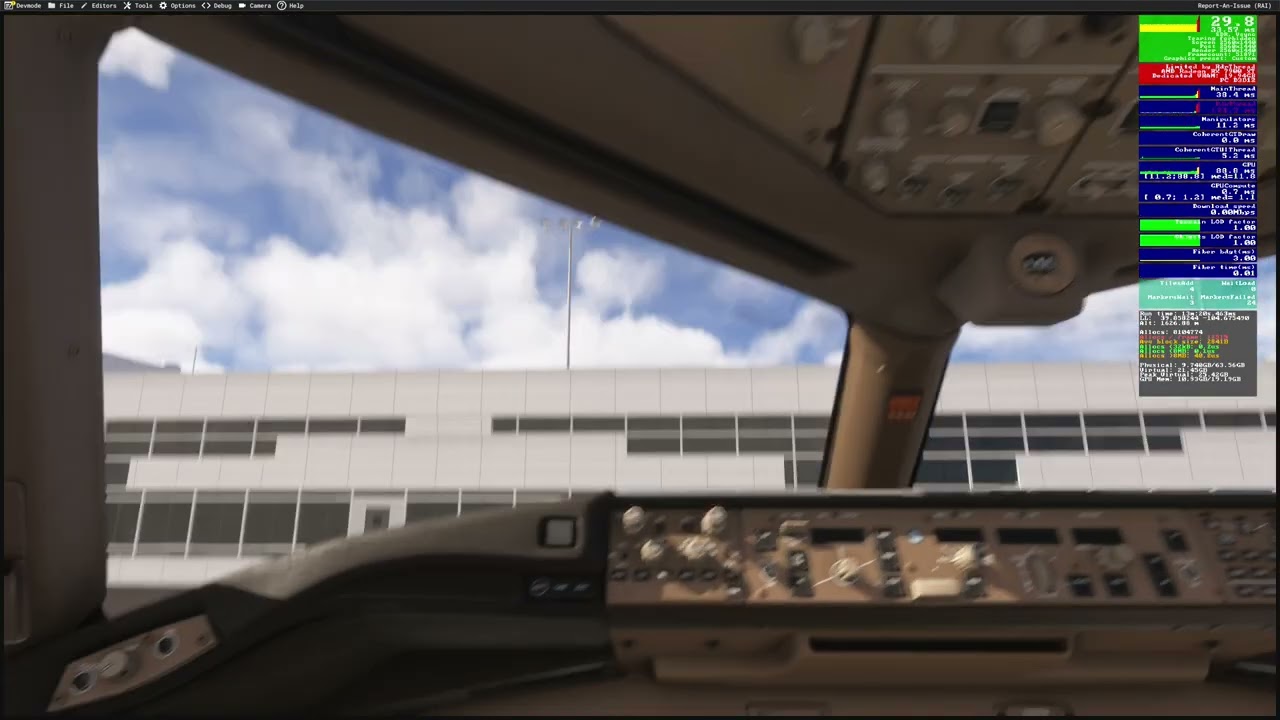
Changing views with the latest SU Beta (14.10) results in significant stutters. At least in the 3rd party sceneries. Seems like everything is loading up again and again as you change views.
Did you experience this issue before you joined the Beta?
No . Definitely not as much. But in general, seems like MSFS 2024 has a worse time caching terrain LOD compared to MSFS 2020. So it takes a little longer for textures to load up when changing views.
FREQUENCY OF ISSUE
How often does this occur for you (Example: Just once, every time on sim load, intermittently)?
I have mad a few flights since the release of the new beta (14.10) and at busier airports (i.e. OKKK, 3rd party scenery) this issue is significant and occurring all the time.
[PC Only] Are you using Developer Mode or have you made any changes to it?
No.
[PC Only] What other relevant PC specs can you share? RTX 3090, i9-12900KF, 64GB Ram 4,400.
[END OF FIRST USER REPORT]
 For anyone who wants to contribute on this issue, Click on the button below to use this template:
Do you have the same issue if you follow the OP’s steps to reproduce it?
•
Provide extra information to complete the original description of the issue:
•
If relevant, provide additional screenshots/video:
•
I have a similar issue, but I’ve also discovered something during a flight today. Since the last 2 beta patches, I’ve been having moments where the FPS tanks from 55 to 20 and stays like that for the rest of the flight
While messing with my settings, switching the texture resolution to any value and setting it to the previous setting got my FPS back up without me having to close the sim. Its almost like it reloads the textures and clears whatever issue is holding the fps up
the same. when moving camera got a fps dropped
also experienced this in the latest beta build,so much I rolled back to SU1
Yup. Same here, However disabling ReBar in bios makes a difference somehow
Same here…many many issues.
I’m still having this issue with SU2. I re-enabled re-bar and it looks a tiny bit better actually, could be placebo. Annoying regardless and looking to go back to SU1
Do you have the same issue if you follow the OP’s steps to reproduce it?
• Yes
Provide extra information to complete the original description of the issue:
• Nothing to add, frame drops on every camara movement.
If relevant, provide additional screenshots/video:
•
I’m getting massive stutters from CPU spikes changing views / LOD popping in. My performance is otherwise fine in between these spikes. Same on both SU2b and SU1 for me
I get single digit fps when launching into a flight (3090, also at 3rd party airports), once i hit “ready to fly” it picks up a bit. Noticed even once flying, cpu cores are maxing out causing drop in gpu utilisation (14900kf), and obviously stutters in more “stressful” environments
Since I have SU2 beta I’ve notice that while changing views there is a big stutter and frame rate drop, it seems that it’s caused by loading/unloading scenery. Otherwise the sim runs smoothly for me.
When changing the view from overhead to the main cockpit camera for example, a series of stutter happens then it becomes stable as showed in the attached video.
I’ve noticed this happening in certain airports, it happens in handmade default airports such as KDEN or RJTT and more.
For some reason it looks like MSFS2024 is unloading scenery or info while changing views, and that causes the sim to stutter when going back to the previous view.
I have Off Screen Terrain Pre-Caching on Ultra, so that shouldn’t be a factor, tried other settings with no change.
I’ve noticed also the the amount spend in an overhead view for example will influence the amount of stutters when returning back to the previous camera, for example the more time you spend in an overhead view the more stutters you’ll get when going back to the previews view.
Also while loading in the transition animation from the main menu to the aircraft I’ve noticed that it stutters quite a bit while I don’t remember this happening in SU1.
I am seeing the same thing, this has also caused my headtracking to be a lot less smooth than before.
Yes, it’s quite strange. Don’t know if there’s anything to do with the LOD system but it’s quite obvious and it shouldn’t happen in an otherwise smooth experience.
For me, enabling/disabling ReBar doesn’t make any difference, the stuttering persists when changing views like is showed in the video. And it gets worse the more time you spend in a view.
Also I think that this problem shouldn’t happen when the Off Screen Terrain Pre-Caching is set to Ultra, maybe something it’s not working as it’s supposed to regarding this setting. Or this setting works in different ways that I’m not aware of.
I must stress that this problem is more obvious in complex sceneries, in default non handmade airports this is not an issue or at least it’s not as obvious.
Like mentioned in the above posts, to me it seems to be something related to loading and unloading assets, textures, 3d model etc…
I hope this gets resolved before the release of SU2.
ReBAR doesn’t seem to have a major impact in your case, likely because there’s no apparent VRAM bottleneck. However, you could try disabling HAGS as a test – it sometimes helps with stuttering and thread scheduling issues.
Hags is also disabled in my PC, and I tried it both on and off, with the same result. And I don’t remember this happening at this scale in SU1, and it only happens when changing views. So something might have changed to make this happen now in SU2 beta.
Otherwise the sim runs pretty well with no problems regarding frame pacing, stutters etc.
Do you have this issue too? I’m assuming this is a general problem, some people can be more sensitive to this kind of issue then others too…
In the video bellow there’s another example of the same issue in it’s worst, in here the issue can be observed perfectly with a lot of very low fps and stutters while changing the view. One thing to observe is that the RdrThread is the one that starts displaying high values in the first place:
I had same experience. Avg. frame rate ar RJTT is below 30 with FSLTL/BATC, configuration of my system is 78x3d, 65gb, 4080s. I just thought that RJTT is very closed to Tokyo city center.