Ok, so I tried the fix from ArmyRanger204 and worked pretty well. Thanks for that. It is annoying to type in the route manually (especially if you are long haul) but anyway this at least works around the issue.
I also found a thread on the iniBuilds forum (which I couldn’t find anymore) suggesting to do the following steps (you can skip steps 3 and 4)
- I created a flight plan in SimBrief (KLAX to KLAS)
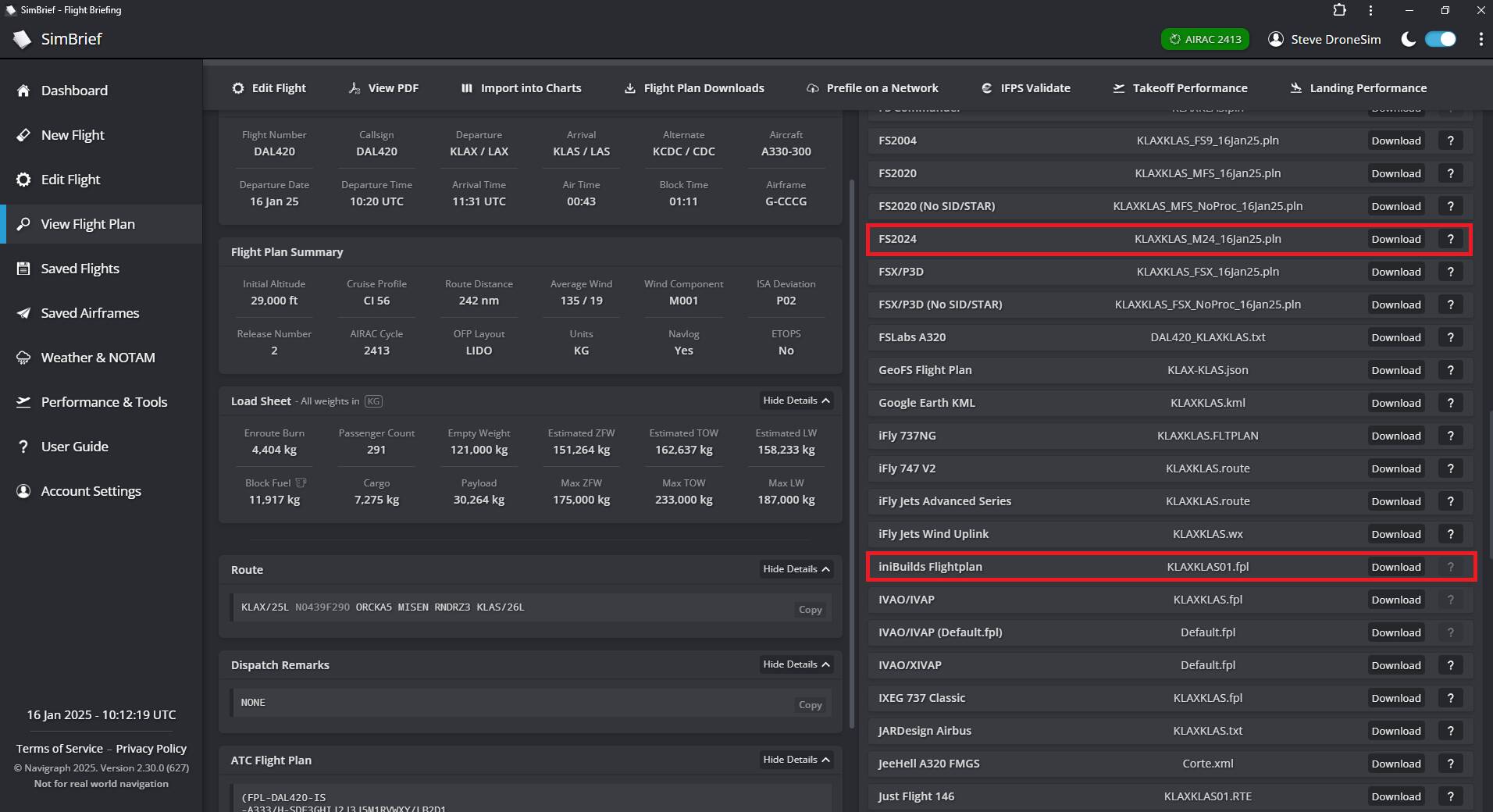
- I’ve downloaded both flight plans (once for the EFB *.pln and once for iniBuilds *.fpl - see screenshot)
- Loaded the PLN file into the EFB
- Sent the route to the avionics (nothing happens, which might be expected because it might not be compatible with iniBuilds aircraft)
- Next try: put the KLAXKLAS01.fpl file into the following directory
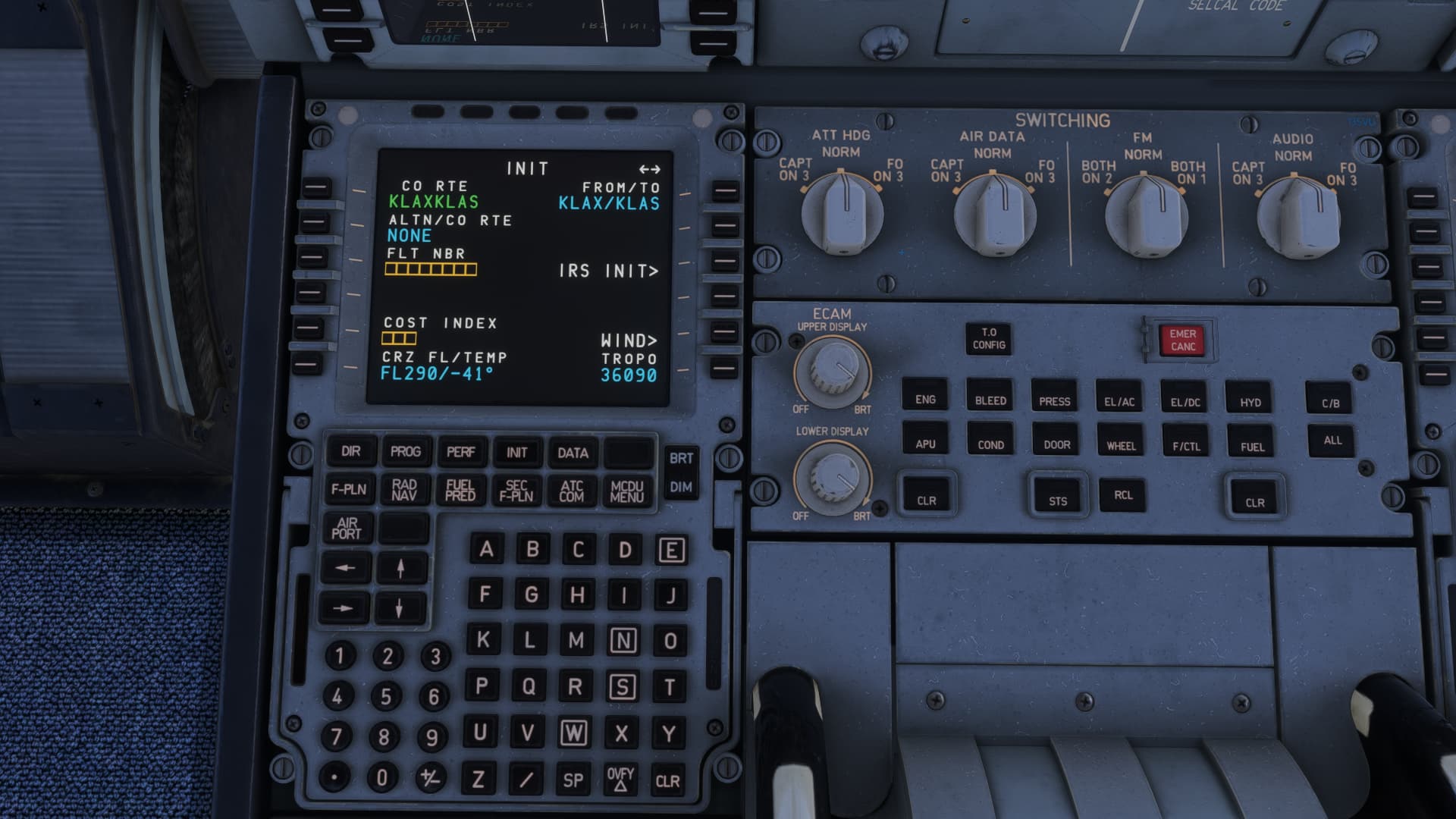
\AppData\Local\Packages\Microsoft.Limitless_8wekyb3d8bbwe\LocalState\WASM\MSFS2024\microsoft-aircraft-a330\work\flightplans - Entered KLAXKLAS01 as a company route (this is same as the filename KLAXKLAS01.fpl without the extension)
The departure and arrival airports are correct
The CRZ ALT is also correct
The route is also correct (well it’s only one waypoint called MISEN)
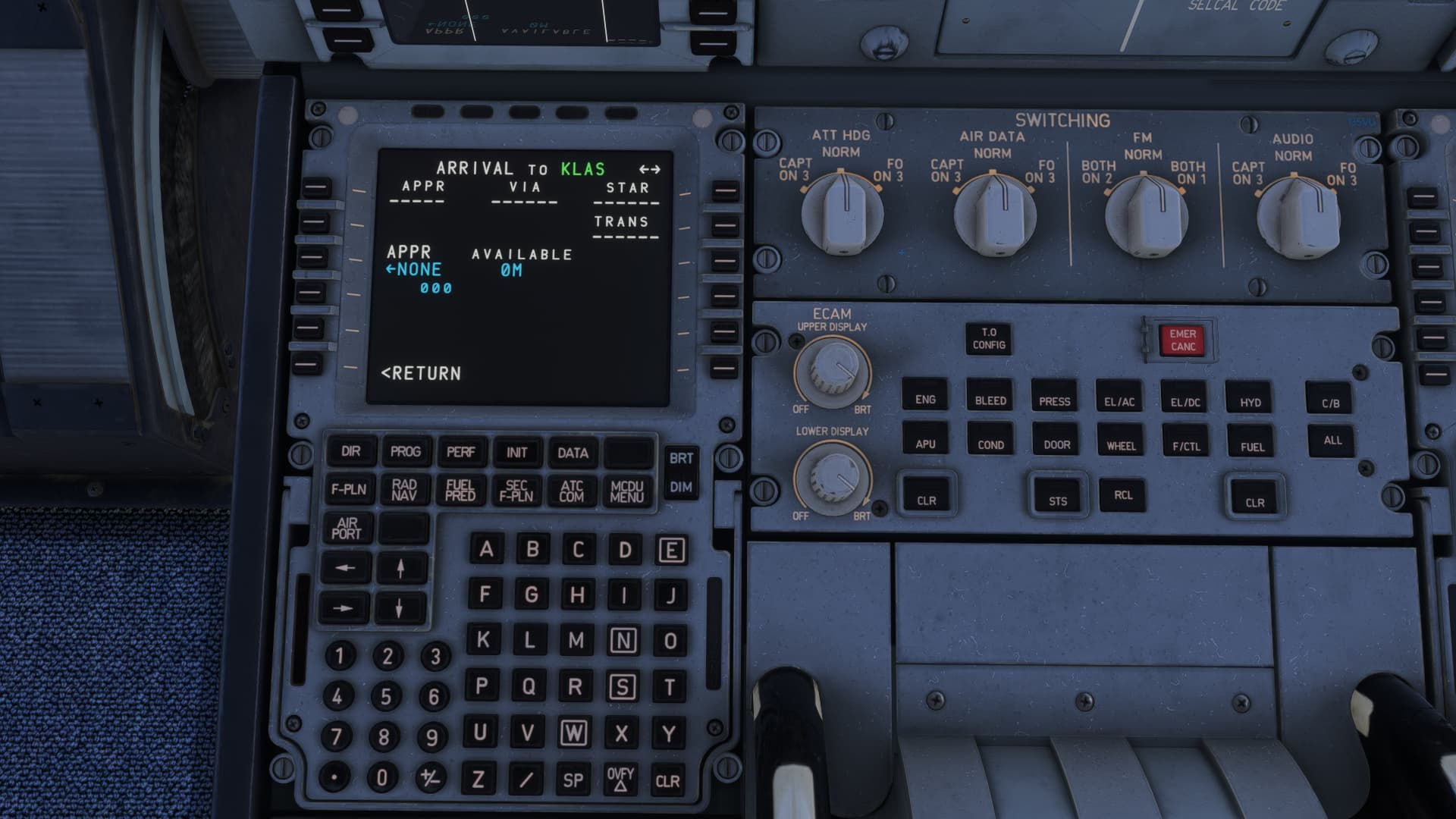
- Went into the F-PLN page and wanted to enter a departure → No Runways, No SIDs, nothing
The same with the arrival
- Next try: deleted the Navigraph nav data from Navigraph Hub
- Restarted the sim
- Repeated steps 6 and 7 → same results
- Typed in the Route KLAX/KLAS in the FROM/TO field
- Voilá

TL;DR